What is a merch store banner?
A merch store banner is the wide header image at the top of an online store, carrying the store name, a short message such as a new drop, and a look that matches the products. Merch brands, bands, creators and print-on-demand sellers use it as the first thing a visitor sees. It matters because the banner sets the tone before anyone scrolls to a single product.
With Morphic you create this banner from a text prompt in your browser. Describe the store name, the message, the brand colours and the wide format you need, then adjust and download in HD. You get a polished header without opening design software or briefing a designer.
Write the wording first
Decide the store name and the one short message the banner should carry, such as a new drop or a season name. Keeping it to a few words is what makes a wide banner readable rather than crowded.
Describe the banner
Open Morphic and describe the header: the store name placement, the message, and whether products, a model, or an abstract background sits behind the type. Give the wide aspect ratio your store platform expects.
Apply your brand look
Ask for your brand colours, a type style that suits your products, and a background that leaves a clear area for the wording. High contrast between the type and the background keeps the message legible.
Generate versions to compare
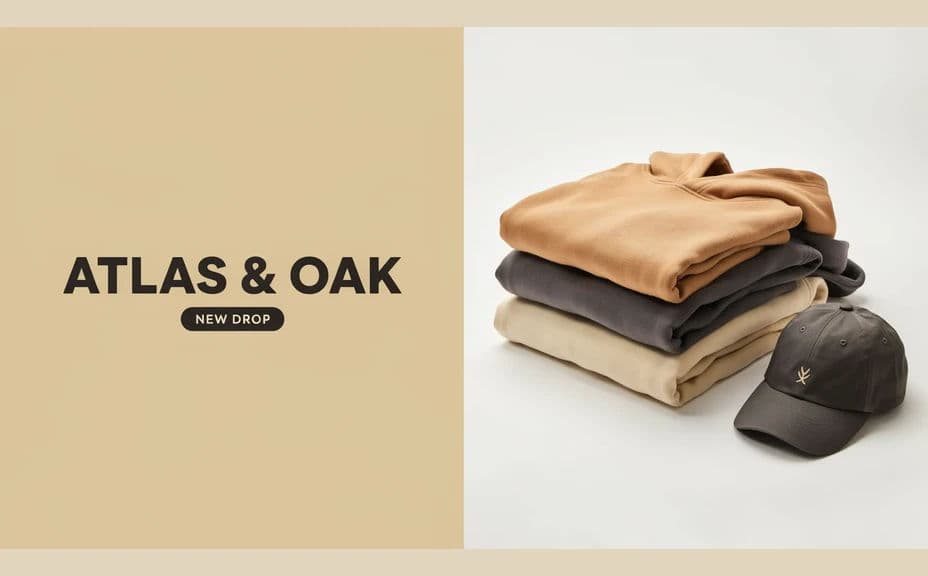
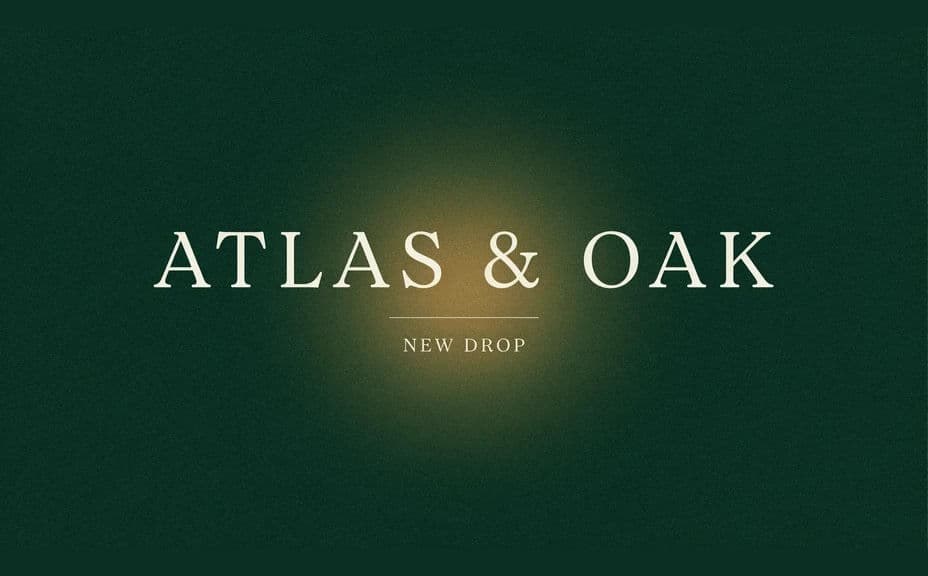
Produce two banners with different compositions, such as type on the left with product on the right, versus centred type over a full-bleed background. Comparing them shows which one still works when the browser crops the edges.
Check the crop and export
Preview at store width and on a phone, and confirm the store name and message survive the mobile crop. Download in HD and upload it as your store header.
Two banner options for the same store, each with a different composition and emphasis.
What makes a good merch store banner
| Quality | What it means | Why it matters |
|---|---|---|
| Short, clear wording | Store name plus one message | Visitors read it in a glance, not a scroll |
| Crop-safe layout | Key text sits well inside the frame | Nothing is lost when the banner crops on mobile |
| Strong contrast | Type separates cleanly from the background | The message stays legible on any screen |
| On-brand styling | Colours and type match the products | The store feels like one coherent brand |
Morphic vs the traditional way
| Morphic | Design software or a designer | |
|---|---|---|
| Cost | Available on Morphic | Software subscription or design fee |
| Time | A finished banner in minutes | Hours of layout and revision |
| Skill needed | Describe it in plain language | Layout and typography skills |
| Consistency | Regenerate on brand for every drop | Manual rework each season |
FAQs
Yes. Give the exact store name and message in your prompt, and the banner renders around that wording. Regenerate whenever the drop or season changes.
Any header size your platform asks for. Specify the wide aspect ratio, and generate a second, tighter version for mobile if your store crops the image.
Yes. Describe your brand colours and the type style you use elsewhere, and the banner renders to match, so the header sits naturally above your products.
Yes. Describe the garments or accessories you want in shot and where they should sit, leaving a clear area for the store name and message.
Yes, if you keep the wording short and the contrast high. Preview at store width, then download in HD so the type stays crisp on large displays.
Yes. Banners you generate with Morphic are cleared for commercial use across your store, ads and social channels.