What is a motorcycle listing image?
A motorcycle listing image is the photo that sells a bike online, a clean, well-lit shot that shows the machine clearly enough for a buyer to act. Private sellers and dealers rely on it because the lead image decides whether a listing gets clicked or scrolled past on a busy marketplace.
With Morphic you turn a rough phone shot into a polished listing image in your browser. Put the bike on a clean background, fix the lighting, and generate the angles buyers expect, then download in HD ready for the listing.
Capture the bike clearly
Shoot the motorcycle with the whole bike in frame from the classic three-quarter front angle. A clear, unobstructed shot gives the best base, since the more of the bike that reads well, the stronger the final listing image.
Set a clean background
Open Morphic, upload your photo, and describe a clean setting: a seamless studio backdrop, a tidy garage, or a simple outdoor scene. A distraction-free background keeps attention on the bike and makes the listing look professional.
Fix the lighting and detail
Ask for even, flattering light that shows the paint, chrome, and tires without harsh glare. Good light reveals condition, which is exactly what a buyer is scanning for in a lead image.
Generate the key angles
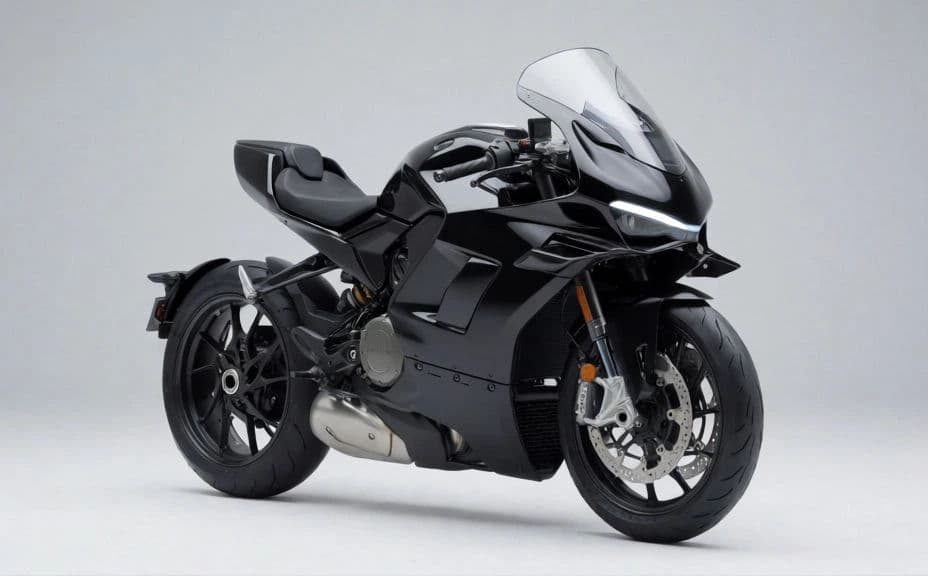
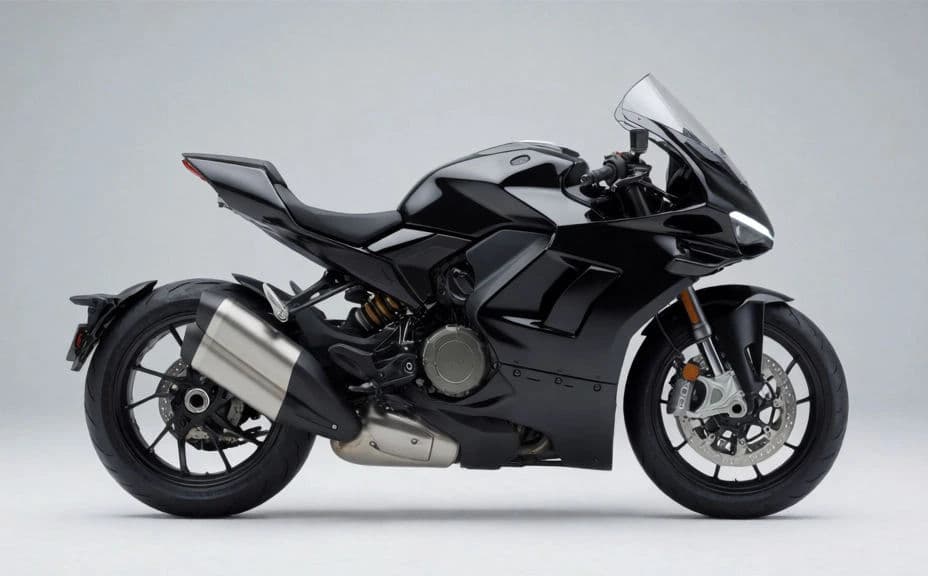
Produce the shots buyers want to see: the three-quarter hero, a side profile, the cockpit and controls, and a rear view. A small set of consistent angles answers the common questions before a buyer even asks.
Export for the marketplace
Download the images in HD, sized for the marketplace you are posting to. A clean set with a strong lead image is cleared for commercial use and ready to publish.
The same motorcycle from two clean listing angles.
What makes a strong listing image
| Quality | What it means | Why it matters |
|---|---|---|
| Clean background | No clutter behind the bike | Attention stays on the motorcycle, not the driveway |
| Even lighting | Paint and chrome read clearly | Buyers can judge condition from the photo |
| Right angle | Three-quarter front as the hero | The most flattering, informative view leads the listing |
| Full set | Profile, cockpit, and rear included | Covers the views buyers ask about most |
Morphic vs the traditional way
| Morphic | Studio shoot or manual editing | |
|---|---|---|
| Cost | Available on Morphic | Studio time or per-photo editing fees |
| Time | A polished image in seconds | Booking a shoot or hours of retouching |
| Skill needed | Describe it in plain language | Photography and editing know-how |
| Consistency | Same look across every angle | Results vary shot to shot |
FAQs
A three-quarter front view is the classic hero shot. It shows the front, side, and profile at once, giving buyers the most informative and flattering single view of the bike.
Yes. Upload your photo and describe a clean setting, such as a studio backdrop or tidy garage, so the clutter behind the bike is replaced and attention stays on the motorcycle.
Cover the three-quarter hero, a side profile, the cockpit and controls, and a rear view. That small set answers the questions most buyers have before they message you.
Yes. The motorcycle keeps its real shape, color, and detail while the background and lighting improve, so buyers see the actual bike in a cleaner presentation.
No. A clear phone photo with the whole bike in frame is enough to start. The cleaner the base shot, the stronger the polished listing image will be.
Yes. Images download in HD without a watermark and are cleared for commercial use, so dealers and private sellers can publish them anywhere.