What is a hotel restaurant menu card?
A hotel restaurant menu card is the printed card a guest picks up at the table, at breakfast service, or in the room. It lists the dishes and prices, but it also signals the standard of the room, quiet and refined for fine dining, warm and casual for an all-day cafe. Hotel F&B managers and restaurant owners refresh it whenever the kitchen changes a course or the season turns.
With Morphic you create that card from a text prompt in your browser. Describe the sections, the dish lines, the prices, and the house look, then adjust the wording and download in HD. You get a print-ready menu card without design software or a studio brief.
Write the menu content first
List every section, dish name, short description, and price exactly as you want it to appear. Settling the content before you generate keeps the card accurate and avoids a second pass over the type.
Describe the card you want
Open Morphic and describe the format: a single-page card, the section headings, and where the restaurant name sits. Ask for a couple of layout options so you can compare how the courses are grouped.
Set the house style
Name the mood you are after, minimal and modern, classic serif, or handwritten bistro, along with your paper colour and accent. The styling should match the room a guest is sitting in when they read it.
Proof the dish names and prices
Read every line off the card and confirm each dish and figure is spelled and formatted correctly. Regenerate any layout where a price is misaligned or a description runs too tight.
Export and print
Preview the card at actual size to check the type is comfortable to read across a table. Download in HD, then send it to your printer or your in-house press.
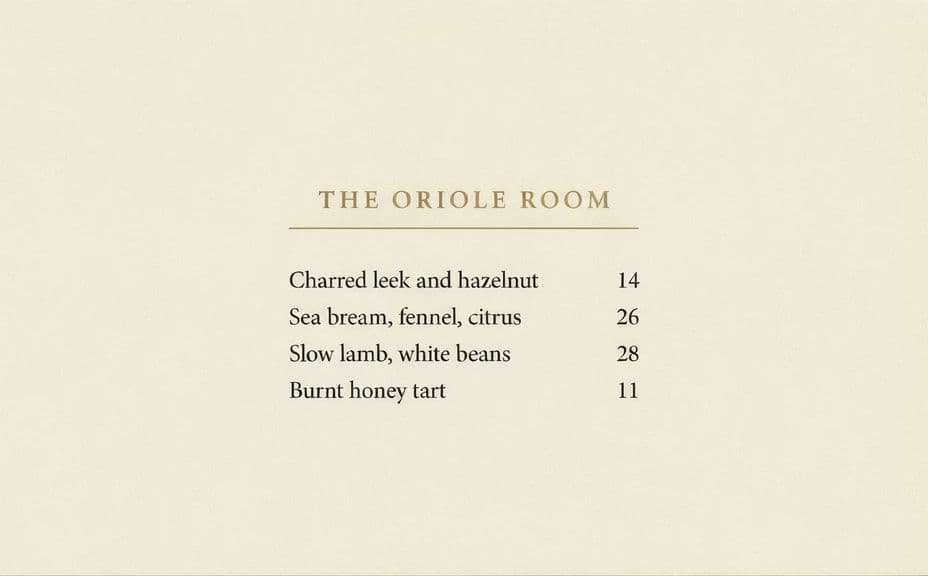
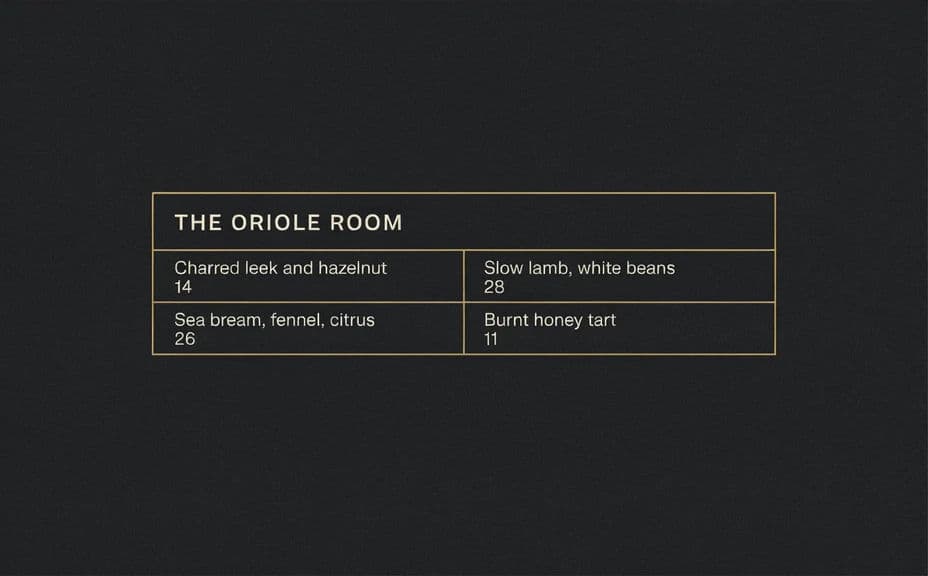
Two design options for the same hotel restaurant menu, each carrying the dish and price text.
What makes a good hotel restaurant menu card
| Quality | What it means | Why it matters |
|---|---|---|
| Comfortable type size | Dishes read easily in low light | Guests are not squinting at dinner service |
| Clear section grouping | Courses are visually separated | Diners find what they want without scanning twice |
| Aligned prices | Figures sit in a consistent column | The card looks considered rather than improvised |
| Styling that matches the room | Type and palette suit the venue | The menu reinforces the standard of the restaurant |
Morphic vs the traditional way
| Morphic | Design software or a print studio | |
|---|---|---|
| Cost | Available on Morphic | Software subscription or studio fee |
| Time | A finished menu card in minutes | Days of drafts and proofing rounds |
| Skill needed | Describe it in plain language | Typesetting and layout skills |
| Consistency | Regenerate a matching card per outlet | Manual rework for each restaurant |
FAQs
Yes. Provide the sections, dish names, and prices in your prompt, then proof the rendered text and regenerate if any line reads wrong.
Yes. Describe your palette, accent, and type style, and generate the card to match. Keep contrast high so the menu stays readable in dim dining light.
Yes. Describe each outlet's menu and mood, and generate a card for it. You can keep a shared structure while the styling shifts per venue.
Yes, if you plan for it. Download in HD, keep generous margins, and check the type size at actual print dimensions before you commit a run.
Describe the new dish and price and regenerate. There is no manual redraw, so a seasonal swap takes moments.
Yes. Images you generate with Morphic are cleared for commercial use across your venues and print runs.