What is a seasonal fashion collection image?
A seasonal fashion collection image is the hero visual that introduces a season's range, tying several pieces together under one mood. It sets the palette, the light, and the setting that the rest of the campaign will follow, from the homepage banner to the email header. Brands and boutiques lean on it because a season sells as a story, and this image is the first line of it.
With Morphic you create this image from a text prompt in your browser. Describe the season, the palette, the styling, and the location, compare a few creative directions, then download in HD. You get a campaign visual on your own schedule, without a location shoot or a full production crew.
Pin down the season's mood
Decide the palette, the textures, and the feeling you want the season to carry, such as warm autumn layers or crisp spring lightness. A clear mood keeps every image in the campaign pulling in the same direction.
Describe the pieces and the styling
Open Morphic and describe the garments in the frame, how they are layered, and the accessories that complete each look. Being specific about the clothing keeps the image tied to what you are actually selling.
Set the location and light
Name the setting and the light that fits the season, from low golden sun on a leafy street to bright overcast on a coastline. The environment is what makes the season legible at a glance.
Compare creative directions
Ask for several versions that change the composition, the setting, and the colour treatment. Seeing the directions together makes the strongest campaign angle obvious.
Export and roll it out
Preview the image as a wide banner and as a square crop to confirm it holds up in both. Download in HD, then use it across your homepage, email, and social channels.
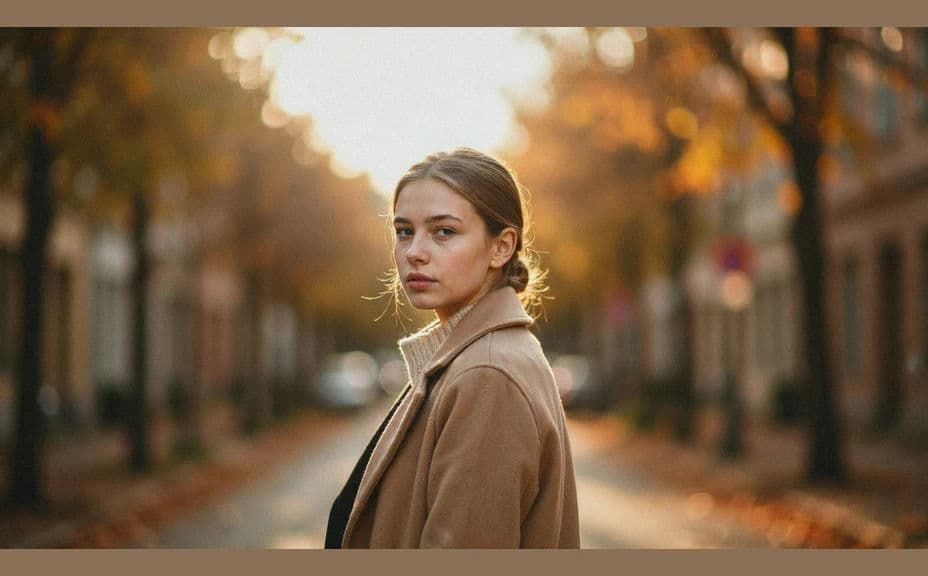
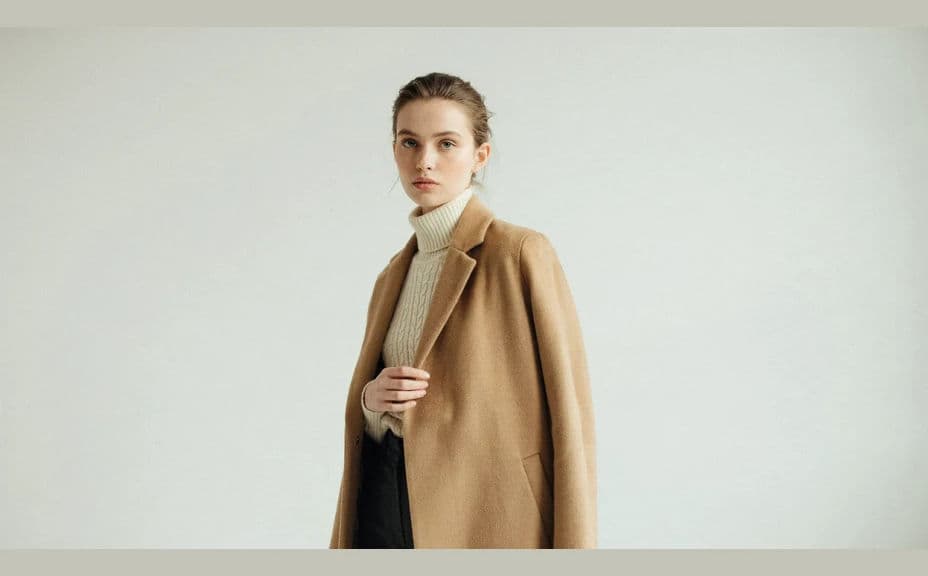
Two creative directions for the same seasonal collection, styled with the same pieces.
What makes a good seasonal collection image
| Quality | What it means | Why it matters |
|---|---|---|
| Clear season cue | Light, palette, and setting say the season | Shoppers place the collection instantly |
| Cohesive styling | The pieces read as one range | The collection feels designed, not assembled |
| Room for text | Composition leaves space for a headline | The image works as a banner without a redesign |
| Reusable crops | The frame survives wide and square | One image covers site, email, and social |
Morphic vs the traditional way
| Morphic | A seasonal campaign shoot | |
|---|---|---|
| Cost | Available on Morphic | Crew, location, and model fees |
| Time | A finished image in minutes | Weeks of planning and production |
| Skill needed | Describe it in plain language | Art direction and production experience |
| Consistency | Regenerate images that match | Reshoots when the season's look shifts |
FAQs
Yes. Describe the intended palette, fabrics, and silhouettes and generate the campaign look ahead of production.
Reuse the same palette, light, and setting description across every image so the season holds together.
Yes. Ask for negative space on one side of the frame and the composition will make room for your copy.
Yes. Ask for wide, square, and vertical versions of the same look so the image covers every placement.
Describe the light and palette more precisely, such as low golden sun or flat winter grey, and regenerate.
Yes. Images you generate with Morphic are cleared for commercial use across your campaigns and store.