What is a sticker sheet design?
A sticker sheet design is a set of small illustrations laid out on one page so they can be printed and cut together. Stationery brands, studios, event organisers, and creators use sheets because a group of related motifs sells better and prints more efficiently than a single sticker. The set only works if every piece shares a style, a palette, and a consistent outline weight, so the sheet reads as one product.
With Morphic you create that set from a text prompt in your browser. Describe the theme, the illustration style, and the number of motifs, compare a few directions, then download in HD. You get a consistent, print-ready set without drawing each piece by hand.
Pick a theme and a motif list
Choose the theme of the sheet and list the individual motifs you want on it. A defined list keeps the set balanced and stops one idea from dominating the page.
Describe the style in Morphic
Open Morphic and describe the illustration style, the outline weight, and the palette that every motif should share. Ask for a couple of directions so you can compare a flat graphic style against a softer illustrated one.
Ask for die-cut-ready artwork
Request each motif on a transparent background with a clean outer border that a cutter can follow. Keep the shapes simple enough that a cut line traces them without awkward notches.
Lay out and check the sheet
Arrange the motifs with even spacing and a clear margin around the edge of the sheet. Confirm every piece matches in weight and palette, and regenerate any motif that looks like it came from a different set.
Export and send it to print
Download in HD at the resolution and sheet size your printer specifies, with bleed if they ask for it. Order a sample sheet to confirm the cut lines and colours before a full run.
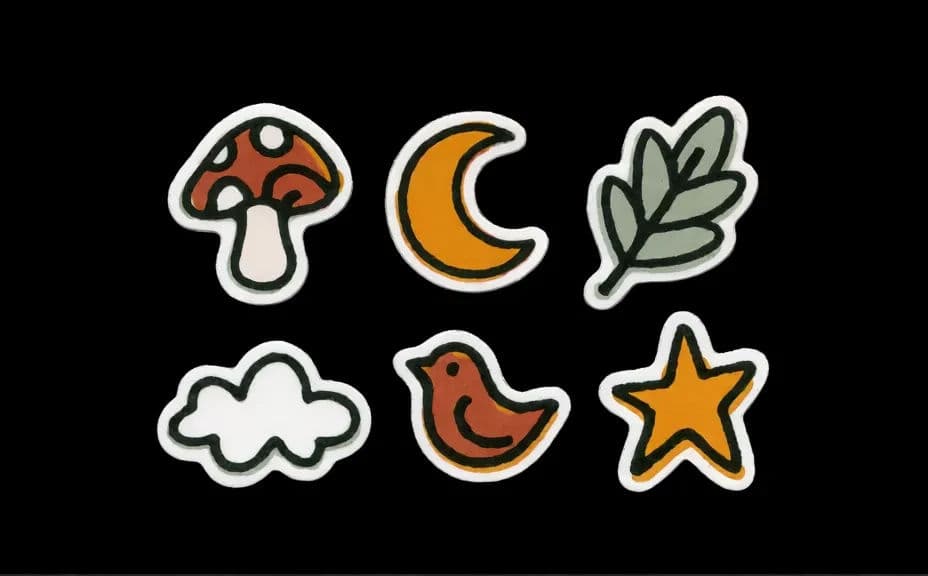
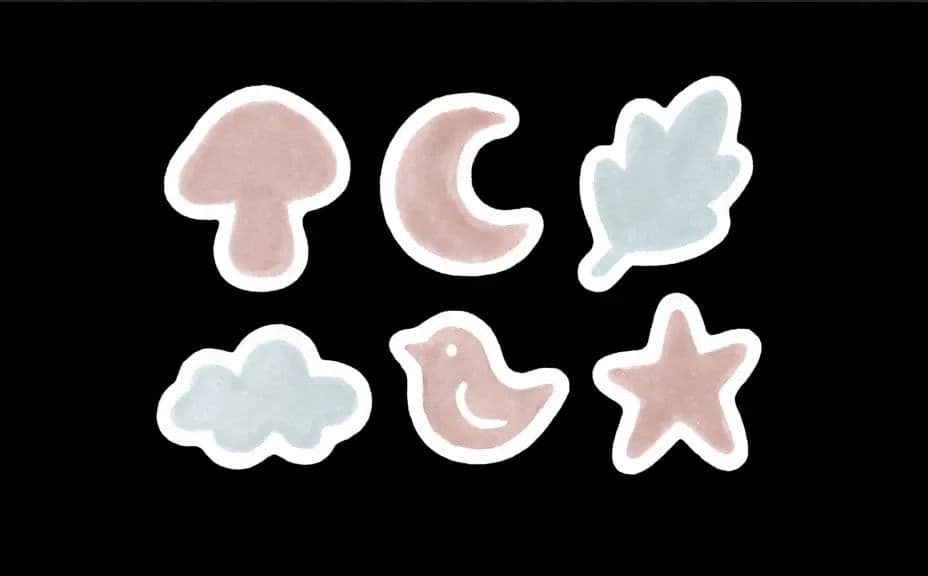
Two style directions for the same sticker set, both covering the same motifs.
What makes a good sticker sheet design
| Quality | What it means | Why it matters |
|---|---|---|
| One consistent style | Every motif shares line weight and palette | The sheet reads as a single product |
| Clean cut shapes | Simple outlines a cutter can follow | Die-cutting stays accurate and tidy |
| Transparent background | Each motif sits on nothing | Stickers print without a visible box |
| Even layout | Balanced spacing and edge margins | Nothing gets clipped in trimming |
Morphic vs the traditional way
| Morphic | Illustrating each sticker by hand | |
|---|---|---|
| Cost | Available on Morphic | Per-illustration fee for every motif |
| Time | A full set in minutes | Days of drawing and clean-up |
| Skill needed | Describe it in plain language | Illustration and vector skills |
| Consistency | One prompt keeps the whole set matched | Style drifts across separate drawings |
FAQs
Yes. Ask for a transparent background so each motif can be cut out cleanly and placed on any sheet colour.
Generate at high resolution and download in HD, then match the sheet size and bleed your printer specifies.
Describe the line weight, palette, and shading in one prompt and apply it to every motif, then regenerate any piece that drifts.
Ask for a clean outer border around each shape, which gives your printer a simple path to follow when they set the cut.
Enough to feel like a set without crowding the page. Leave even spacing and a clear margin so trimming stays forgiving.
Yes. Artwork you generate with Morphic is cleared for commercial use, including print-on-demand and retail products.