What is a volunteer recruitment graphic?
A volunteer recruitment graphic is the visual a charity uses to fill a rota: the post that names the role, the shift, and how to sign up. It works because it answers the three questions a potential volunteer has immediately, what would I do, when, and how do I say yes, without them opening a form to find out. Volunteer coordinators lean on it for community boards, local social groups, and partner newsletters where attention is short.
With Morphic you create this graphic from a text prompt in your browser. Describe the role, the time commitment, the sign-up line, and your brand look, then refine and download in HD. You get a recruitment post ready to publish without a designer in the loop.
Name the role and the commitment
Decide the specific role and the realistic time it asks for, such as a weekly two-hour shift or a one-off event day. Vague appeals for help attract nobody, so be concrete about what you need before you generate.
Show volunteering as it really is
Choose imagery that reflects the actual task and the people who would do it, across a realistic range of ages and backgrounds. Portray everyone with dignity and consent, and do not stage need or hardship as though it were a documentary photograph.
Describe the graphic in Morphic
Open Morphic and describe the design: a "volunteers needed" line, the role, the shift, and a sign-up call to action, with space for your logo. Specify the aspect ratio you need, such as a square for feeds or a portrait sheet for a noticeboard.
Style it to your charity's brand
Ask for your colours, an accent on the sign-up line, and type that reads clearly at small sizes and from across a room. Keep the hierarchy tight so the role and the way to join stand out first.
Compare versions and publish
Generate two designs with different layouts and check both at the size they will actually appear. Confirm the role, shift, and sign-up details are correct, then download in HD and post them where your volunteers are.
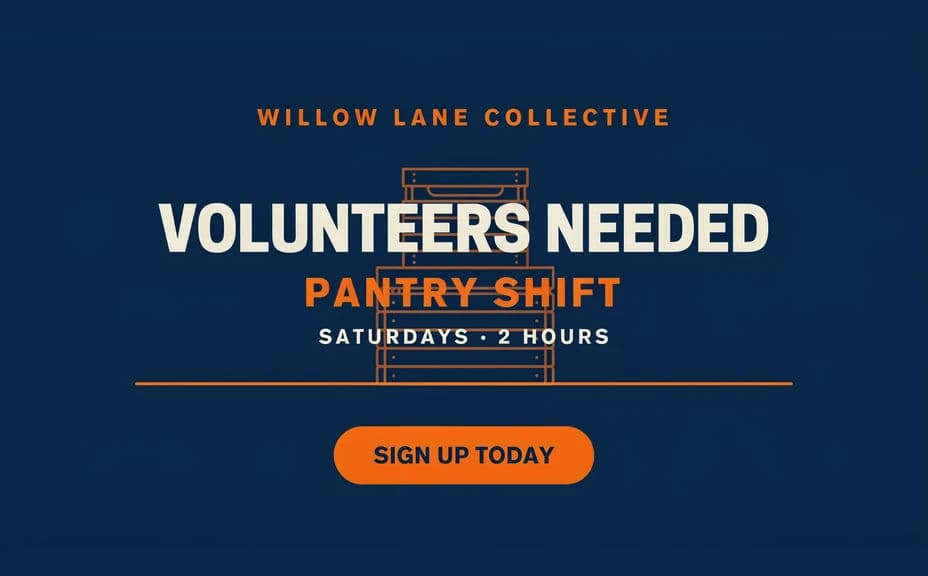
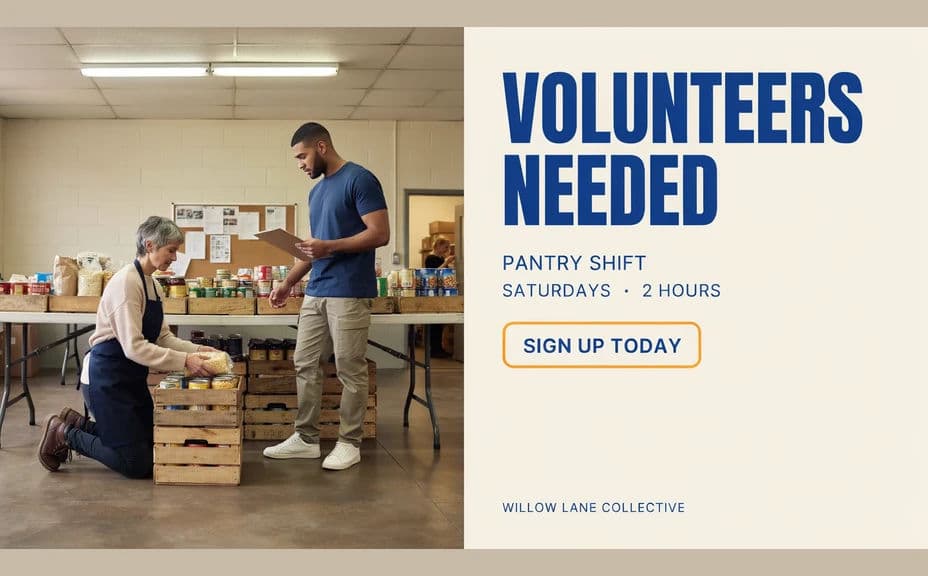
Two design options for the same volunteer callout, each naming the role, the shift, and how to sign up.
What makes a good volunteer recruitment graphic
| Quality | What it means | Why it matters |
|---|---|---|
| Specific role | The task is named, not implied | People volunteer for jobs they can picture |
| Honest commitment | The real shift length is stated | Clear expectations reduce drop-out later |
| Easy sign-up | One obvious way to say yes | Every extra step loses willing volunteers |
| Respectful, real imagery | People shown with dignity and consent | Volunteers trust a charity that portrays people fairly |
Morphic vs the traditional way
| Morphic | A designer or a template tool | |
|---|---|---|
| Cost | Available on Morphic | Design fees or a software subscription |
| Time | A finished graphic in minutes | Days of briefing, drafts, and revisions |
| Skill needed | Describe it in plain language | Layout and typography skills |
| Consistency | Regenerate every role on brand | Manual rework for each new rota post |
FAQs
Yes. Give the exact role name, shift wording, and sign-up line in your prompt, and the design renders around them. Regenerate whenever the rota changes.
Show people with dignity, doing recognisable work, across a realistic range of ages and backgrounds. Feature real individuals only with their informed consent, and never present a generated scene as documentary evidence.
Yes. Describe your palette, sign-up accent, and font style, and the graphic renders to match your other recruitment materials.
Any placement you need. Specify the aspect ratio for a social feed, a story format, a newsletter banner, or a portrait sheet for a community noticeboard.
Yes. Keep the same brand description and swap the role and shift copy, so every post in the set looks like it belongs to one campaign.
Yes. Graphics you generate with Morphic are cleared for commercial use across your volunteer pages, social channels, and printed noticeboards.