What is album cover art?
Album cover art is the square image that represents a release across streaming platforms, stores, and social posts. It carries the artist name and album title over an image that signals the genre and mood of the music. Musicians, labels, and managers care about it because the cover is often the first impression a listener has of a record.
With Morphic you create that cover from a text prompt in your browser. Describe the mood, the imagery, and the exact artist and album name, then refine the result and download it in HD. You get a release-ready square cover without hiring an illustrator or opening design software.
Define the mood of the record
Write down the genre, the feeling, and a few visual references that match the music. A clear mood brief gives the cover a direction before you generate anything.
Describe the cover in Morphic
Open Morphic and describe a square album cover with your central image, colour palette, and treatment. Include the exact artist name and album title you want rendered on the artwork.
Set the typography and placement
Ask for a type style that suits the genre and say where the artist name and title should sit. Keep the text clear of the edges so nothing is cropped by platform thumbnails.
Generate versions to compare
Produce two covers with different compositions and colour treatments so you can judge them side by side. Comparing options usually shows which one still reads at a small size.
Check at thumbnail size and export
Preview each cover scaled down to a streaming thumbnail and confirm the name and title stay legible. Download in HD and upload it with your release.
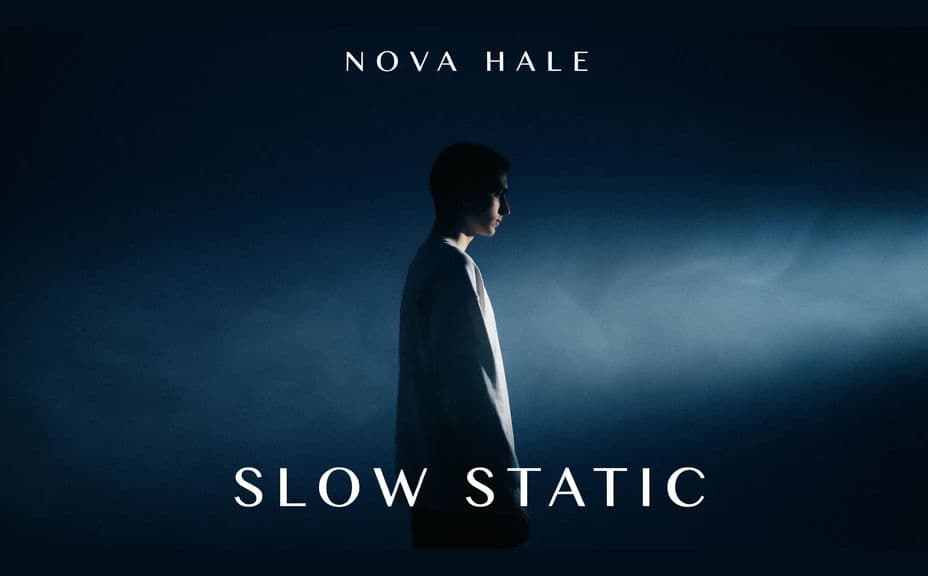
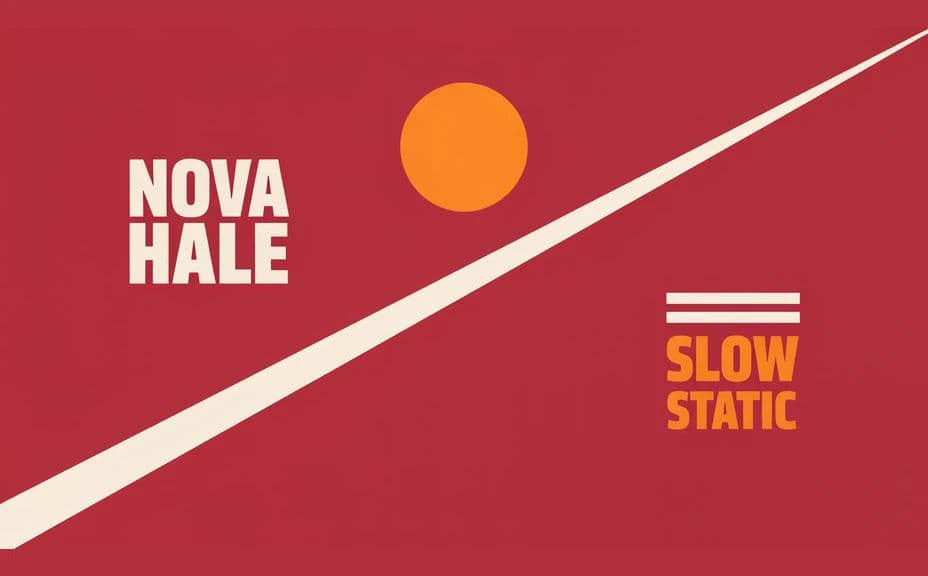
Two cover designs for the same release, each carrying the same artist and album name.
What makes good album cover art
| Quality | What it means | Why it matters |
|---|---|---|
| Reads at thumbnail size | The image holds up when scaled small | Most listeners see it as a tiny square |
| Clear artist and title | Names sit legibly over the artwork | Listeners identify the release instantly |
| Mood matches the music | Colour and imagery signal the genre | The cover sets expectations before playback |
| Square, edge-safe layout | Nothing important touches the border | Platform crops never cut off the title |
Morphic vs the traditional way
| Morphic | Hiring an illustrator or designer | |
|---|---|---|
| Cost | Available on Morphic | Commission fee per cover |
| Time | A finished cover in minutes | Days of briefing and revisions |
| Skill needed | Describe it in plain language | Illustration and typography skills |
| Consistency | Regenerate covers in one visual style | New brief and rework for every release |
FAQs
Yes. Give the exact strings in your prompt and the artwork renders around them. You can regenerate with a different title or spelling any time.
Square is the standard for streaming and stores. Ask for a 1:1 cover in Morphic and download in HD so it holds up at full size and as a thumbnail.
Yes. Reuse the same palette, type style, and imagery cues in each prompt so a run of releases reads as one body of work.
Yes. Generate covers with different compositions and colour treatments, then pick the one that reads best once it is scaled down.
Yes, if you prioritize legibility. Keep contrast high, avoid crowding the type, and regenerate if a line looks cramped before you export.
Yes. Covers you generate with Morphic are cleared for commercial use across your release, stores, and promotion, with no watermark.