What are influencer brief visuals?
Influencer brief visuals are the reference images that tell a creator what a campaign should look and feel like: the framing, the props, the mood, and the way your product should appear. A brief with pictures gets far closer to your intent than a brief made only of adjectives.
Morphic lets you produce those references from a description instead of hunting for stock or shooting mockups. Write what you want the creator to deliver, generate example frames in your browser, adjust until they match the campaign, and share them in the brief. Creators see the target instead of guessing at it.
Define the look you want the creator to hit
Write down the setting, the mood, the framing, and how your product should sit in the shot. The clearer you are here, the closer your reference visuals will land. Treat this as the creative direction the whole brief hangs on.
Generate reference frames from a prompt
Describe the shot to Morphic: a creator holding the product in natural light, a flat lay on a kitchen counter, or a lifestyle moment that fits the campaign. Generate a few options so you can show a range of acceptable directions rather than a single rigid frame.
Show the do and the do not
Creators move faster when they see both what to aim for and what to avoid. Generate one or two off-brand examples alongside the on-brand ones so the boundaries are obvious. Label each clearly in the brief.
Adapt the references to the creator's format
Whether the deliverable is a vertical reel, a square post, or a story, provide references in that shape so the framing reads correctly. Adjust the aspect ratio without re-cropping by hand, keeping the product in frame. Download the set in HD.
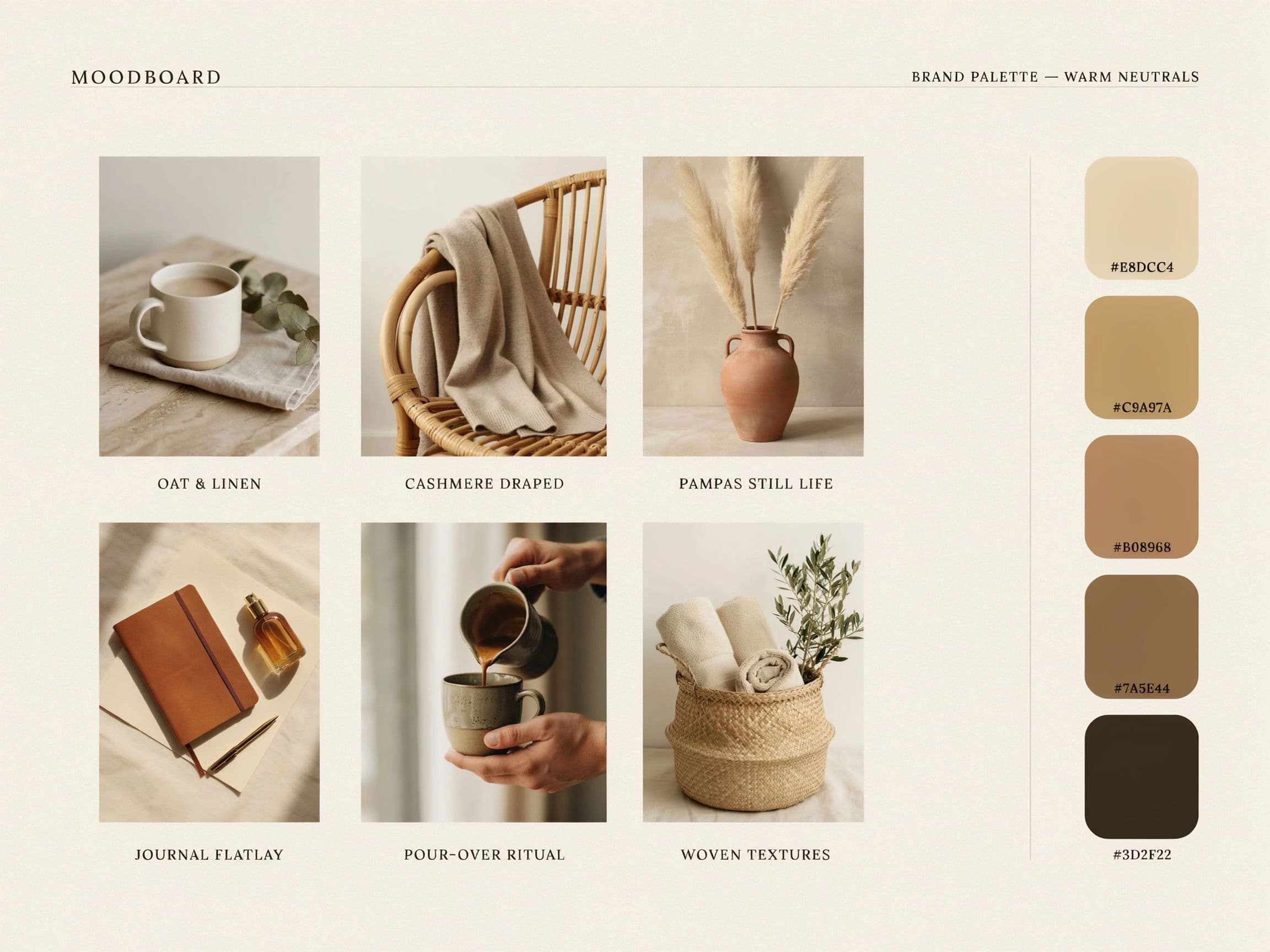
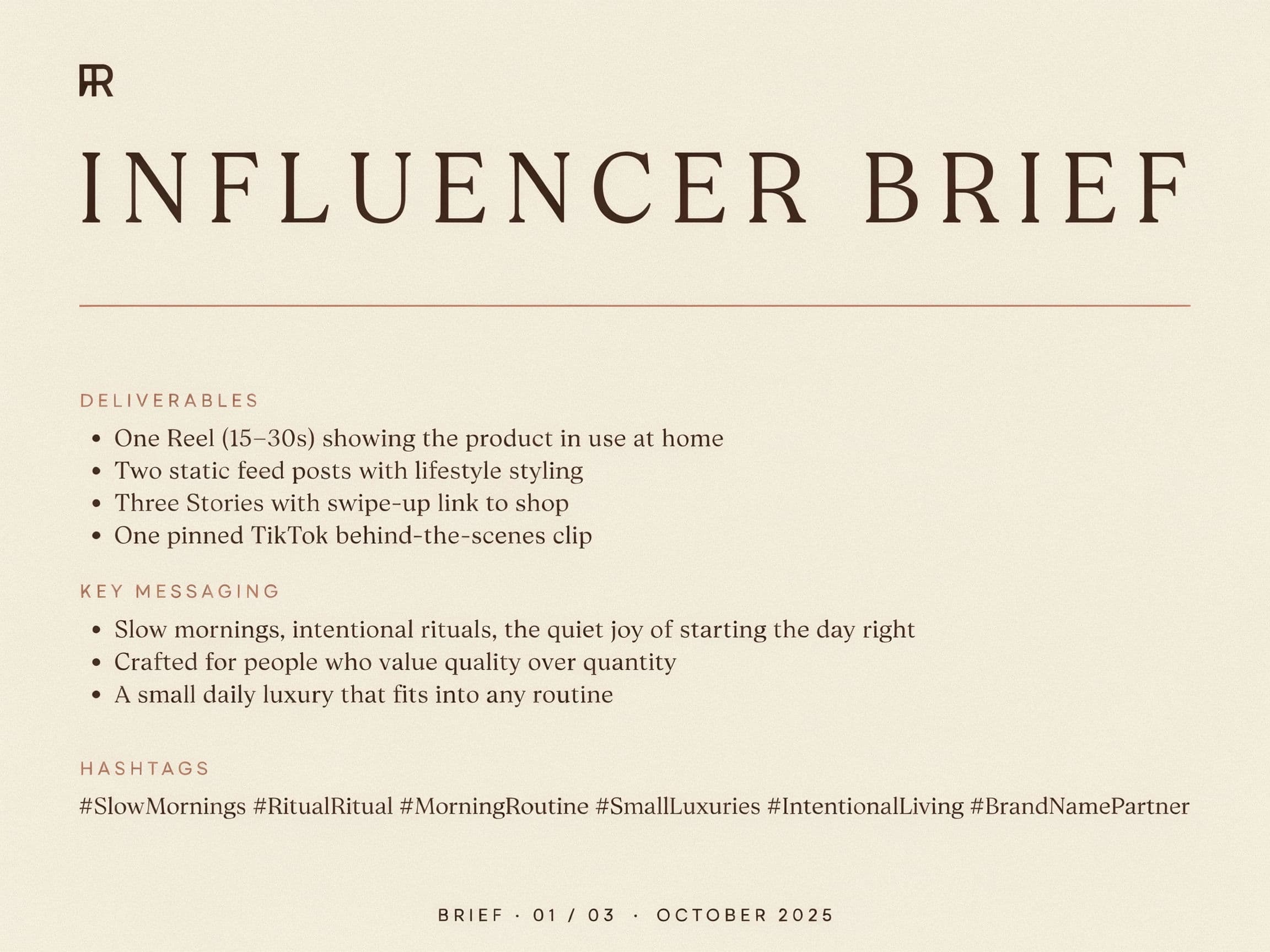
Two pages of the same influencer brief, one brand look.
What makes a great brief visual
| Quality | What it means | Why it matters |
|---|---|---|
| Clear intent | The reference shows one specific look | Creators know exactly what success looks like |
| Realistic staging | The scene fits how the creator actually shoots | The reference feels achievable, not aspirational fantasy |
| Product accuracy | Your product appears the way it really looks | The creator represents it correctly on camera |
| Right format | References match the deliverable shape | Framing translates directly to the final content |
Morphic vs sourcing references manually
| Morphic | Stock libraries and mockups | |
|---|---|---|
| Cost | One browser tool | Stock licenses or a mockup shoot |
| Time | References in a browser session | Hours of searching or scheduling a shoot |
| Skill needed | Write a clear prompt | Search skill or photography and staging |
| Fit to campaign | Generate exactly your scene | Settle for the closest match you can find |
FAQs
A few strong ones beat a large gallery. Show two or three on-brand directions and one clear off-brand example so the creator understands both the target and the boundaries.
No. References set direction, not a template to copy frame for frame. Give the creator room to bring their own style while staying inside your look and framing.
Generate an off-brand version on purpose and label it clearly in the brief. Seeing the wrong direction next to the right one removes ambiguity fast.
Yes. Provide references in the shape of the deliverable, whether vertical, square, or landscape, so the framing carries straight into their content.
Describe it precisely in the prompt and adjust the generated frame until the product reads correctly. Accurate references keep the creator from misrepresenting it on camera.
The references are yours to share inside the brief. Keep them as direction for the creator rather than as content to be posted directly.