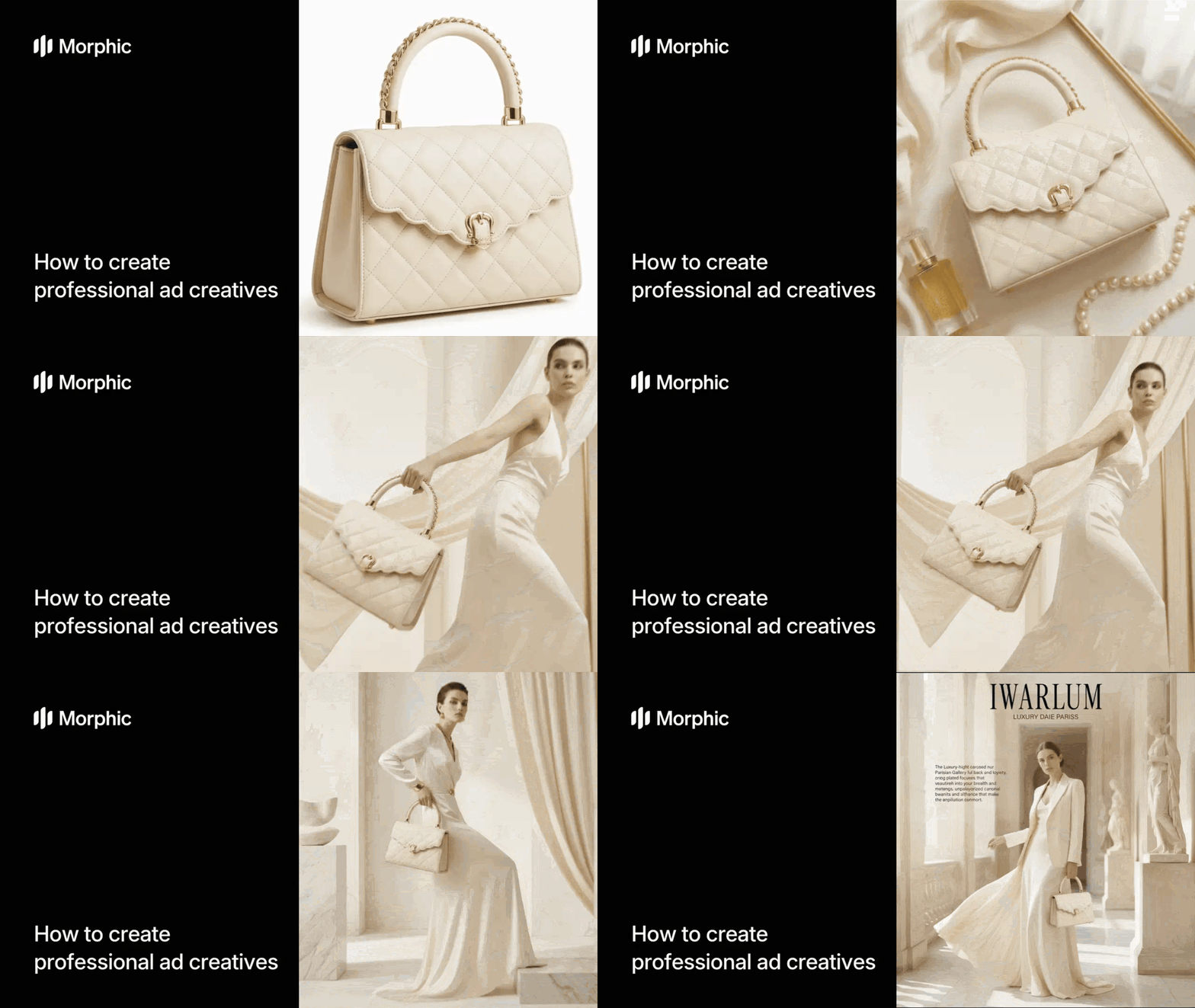
What is an ad creative maker?
An ad creative maker is a tool that generates professional advertising visuals based on brand guidelines, product information, and campaign direction. Instead of designing each ad from scratch, you provide reference materials and Morphic produces polished creatives that match your brand's visual identity, including color palette, typography style, layout conventions, and overall aesthetic.
Upload your brand references, select a format, describe your product, and Morphic generates ad creatives that look like they came from your agency. To make a single ad image with a model you pick yourself, the AI image generator compares the top image models by what each does best.
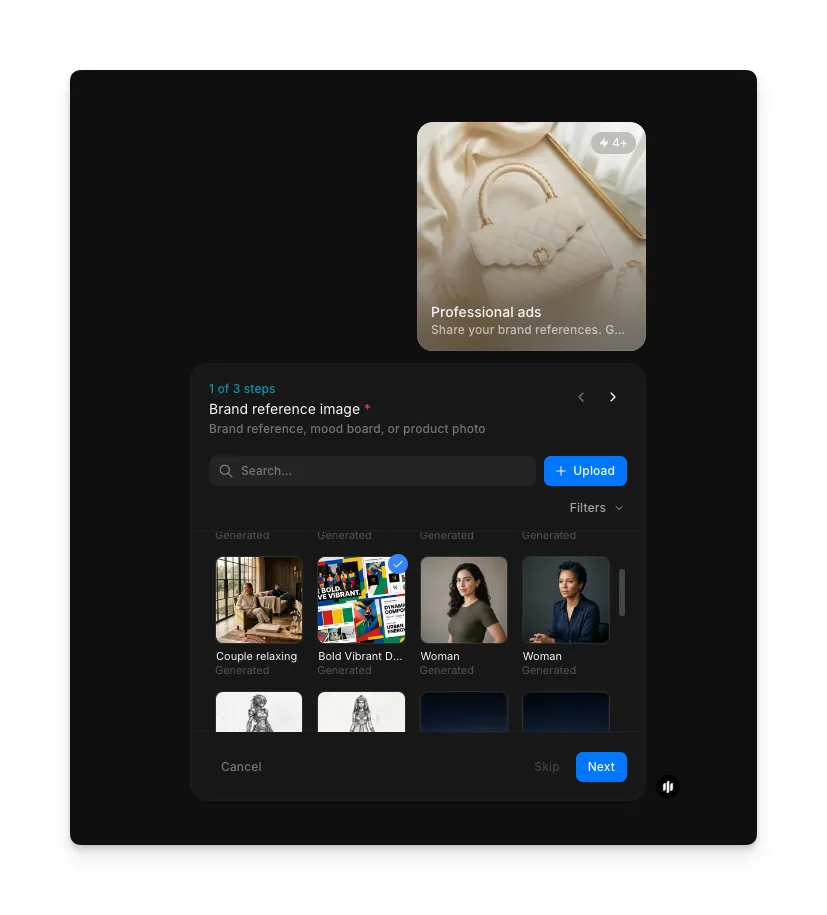
Upload your brand reference image
Open the "Professional ads" workflow. In the "Brand reference image" step, browse the gallery or upload an image that represents your brand's visual identity, such as a logo, product photo, packaging, or existing ad. This reference guides the visual style of your generated creatives.
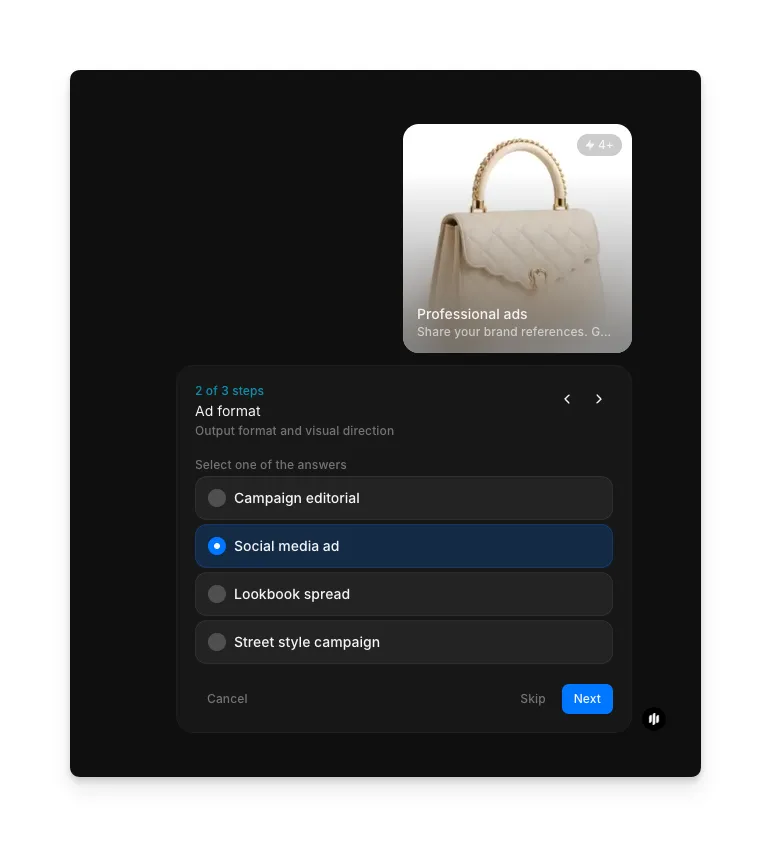
Select your ad format
In the "Ad format" step, select the output format and visual direction for your creatives. Choose one option from the list, then click Next.
| Format | Visual style | Best for |
|---|---|---|
| Campaign editorial | High-end editorial layouts with dramatic lighting and premium composition | Brand awareness campaigns, magazine-style placements, and hero banners |
| Social media ad | Scroll-stopping visuals optimized for feed and story formats | Instagram, Facebook, and TikTok ad placements |
| Lookbook spread | Multi-product layouts with lifestyle context and brand storytelling | Seasonal collections, product launches, and brand catalogs |
| Street style campaign | Authentic, urban-inspired visuals with candid energy | Streetwear brands, youth-oriented campaigns, and influencer-style content |
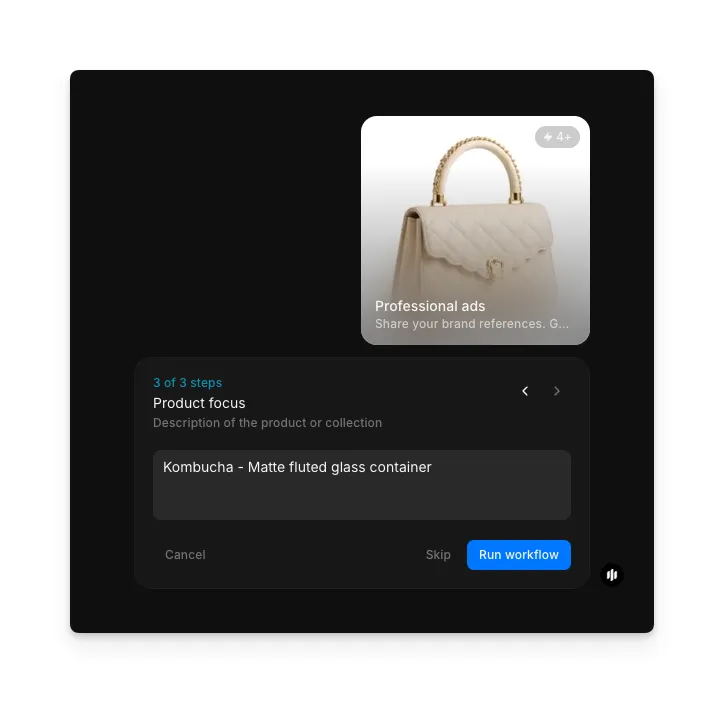
Describe your product and generate
In the "Product focus" step, enter a description of the product or collection you want to feature. The example shows "Kombucha – Matte fluted glass container." Click "Run workflow" to generate your ad creatives.
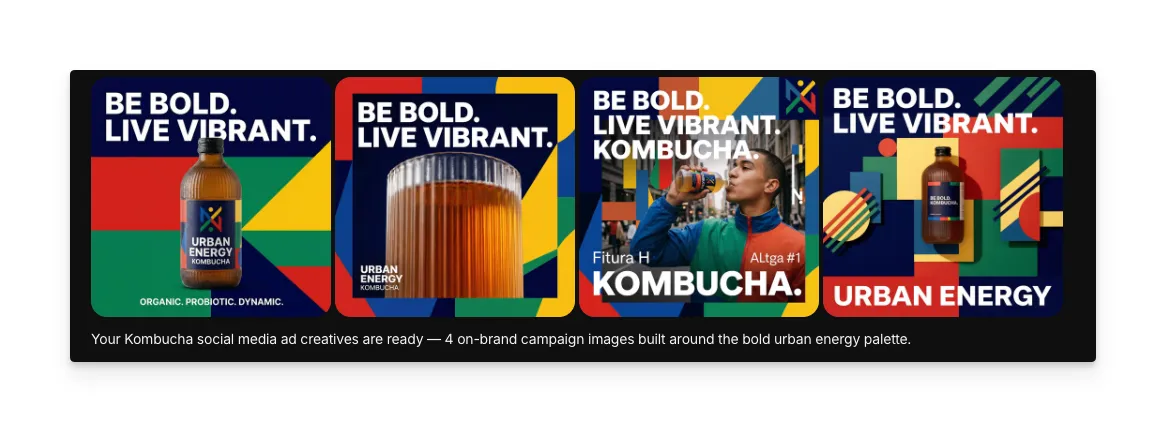
What makes great ad creatives
| Quality | What it means | Why it matters |
|---|---|---|
| Brand alignment | Colors, typography, and visual style match established brand guidelines | Off-brand ads confuse audiences and dilute brand equity |
| Visual hierarchy | The most important elements draw attention first | Viewers decide in milliseconds whether to engage or scroll past |
| Copy integration | Text and visuals work together to communicate the message | Disjointed copy and imagery weaken the ad's persuasive impact |
| Format versatility | Creatives adapt to different platforms without losing impact | Each platform has different dimensions, behaviors, and viewer expectations |
The workflow handles brand matching, layout design, and format optimization automatically, so your ad creatives maintain professional quality across every platform.
Ad creative workflow vs. agency design
| Morphic's professional ads workflow | Agency or freelance design | |
|---|---|---|
| Cost | Available on Morphic | Varies by provider |
| Time to delivery | Significantly faster | 3 to 7 days for initial concepts plus revision cycles |
| Brand consistency | AI maintains brand guidelines across every creative | Varies by designer and depends on briefing quality |
| Variations | Generate multiple concepts instantly | Each variation is an additional deliverable and cost |
| Revision rounds | Regenerate with adjusted direction instantly | Typically 2 to 3 rounds included, then additional fees |
| Platform formats | Multiple formats available in a single workflow | Each platform adaptation is a separate deliverable |
FAQs
Morphic analyzes the visual references you upload, including logos, color palettes, existing ads, and packaging. It extracts your brand's color scheme, visual style, and design conventions, then applies these consistently across all generated creatives.
Each workflow run generates creatives for your selected format. You can run the workflow multiple times with different format selections to produce creatives optimized for different platforms. Your brand references carry over between runs.
You don't need a formal brand guide. Upload any existing materials that represent your brand: a logo, product photos, your website screenshots, or social media posts. Morphic extracts the visual patterns and uses them to inform the creative style.
Yes. The generated creatives are high-resolution and formatted for their target platform. You can publish them directly or make final adjustments in your preferred design tool. The output is production-ready without additional editing.
Agencies and freelance designers typically have multi-day delivery timelines plus revision cycles. Morphic's professional ads workflow generates on-brand creatives in minutes, making it a faster alternative for producing campaign visuals.