What is a community event flyer?
A community event flyer is the one-page notice that tells a neighbourhood what is happening, where, and when. It carries the event name, the date and time, the venue, and a line about who it is for and how to join, and it lives on shop windows, community centre boards, letterboxes, and local social groups. Volunteer organisers and small charities rely on it because for many local events it is the only piece of promotion that reaches people who are not already on a mailing list.
With Morphic you design this flyer from a text prompt in your browser. Describe the event, the feel you want, and the exact details to print, then rearrange the layout until everything is easy to scan and download in HD. You get artwork ready for a home printer or a print shop without design software or a volunteer designer.
List the details someone must not miss
Write down the event name, date, start time, venue, and how to attend, and mark which one is most important. That priority order becomes the visual hierarchy, so the biggest thing on the flyer is the thing people most need to know.
Fix the exact wording before you generate
Type out every string as it should appear, including the venue name and any entry line such as all welcome or booking required. Locking the copy first means you are judging layouts rather than correcting words in every version.
Describe the scene and who it is for
Describe the atmosphere you want and ask for people shown as neighbours taking part rather than as an audience being served. Use an invented venue or group name while you test, and avoid depicting identifiable real people on something you will post publicly.
Set the format and keep it readable
Specify the size you print at, such as A5 for handouts or A4 for a noticeboard, and ask for high contrast and generous margins. A flyer is often read at arm's length in poor light, so restraint in the type does more than decoration.
Proof the details and export
Check the date, time, and venue against your own source one more time, since a wrong line here costs you the whole print run. Download in HD, then print a single test copy before committing to the full batch.
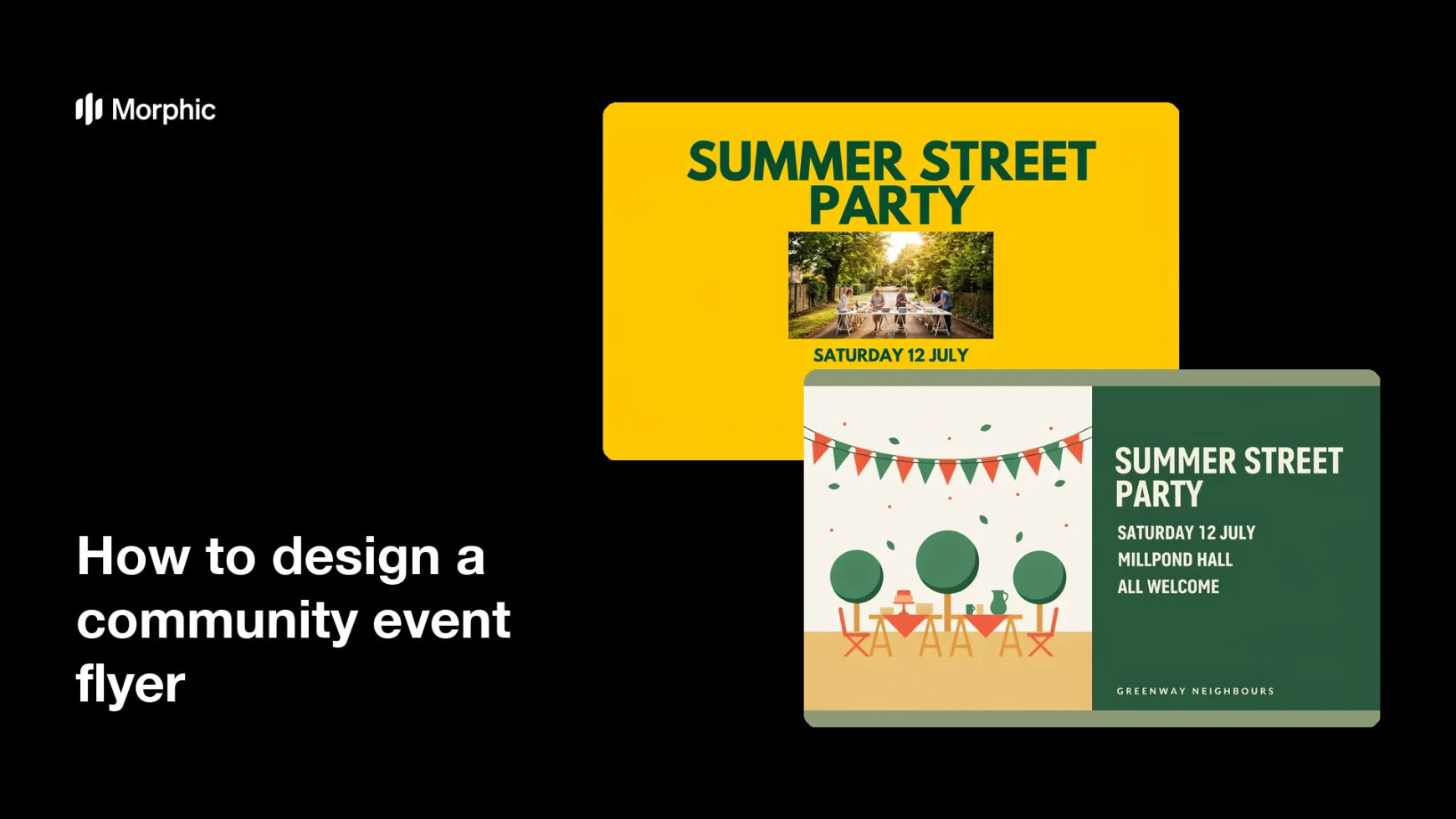
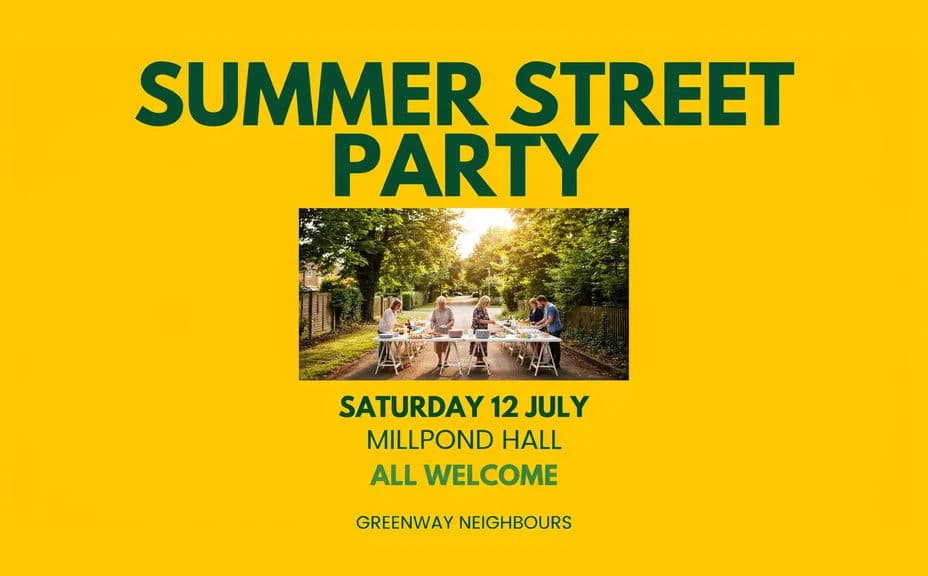
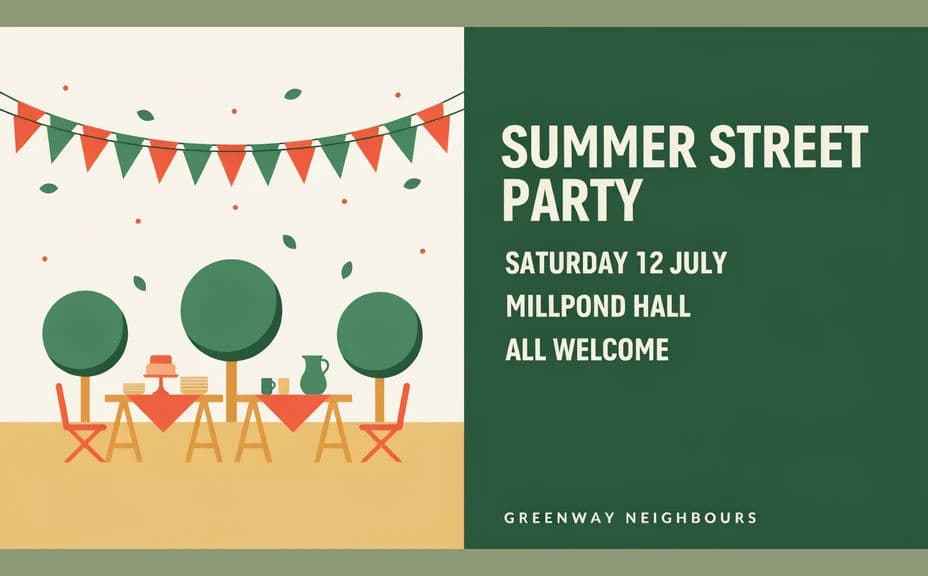
Two flyer designs for the same invented community event, each showing the same name, date, and venue in a different layout.
What makes a good community event flyer
| Quality | What it means | Why it matters |
|---|---|---|
| Complete details | Name, date, time, venue, and how to join | A missing line is the reason people do not turn up |
| Clear hierarchy | The most important fact is the biggest | A passer-by gets the gist in one glance |
| Welcoming imagery | Neighbours taking part, shown with dignity | People come to events where they can see themselves |
| Print-ready contrast | Bold type and generous margins | The flyer survives a home printer and a rainy window |
Morphic vs the traditional way
| Morphic | A template tool or volunteer designer | |
|---|---|---|
| Cost | Available on Morphic | Template subscription or a designer's time |
| Time | A finished flyer in minutes | Evenings of layout and revisions |
| Skill needed | Describe it in plain language | Layout, typography, and print setup |
| Consistency | Regenerate each event on the same brief | A different look every time someone new helps |
FAQs
Yes. Give every string in your prompt and the layout renders around them. Always proof the rendered details against your own source before printing.
A5 works for handouts and letterboxes, A4 for noticeboards. Specify the size and orientation, and ask for margins so nothing is lost at the trim.
Yes. Generate designs with different layouts or emphasis and pick the one where the event name and date read fastest from a distance.
Describe them as neighbours taking part rather than as an audience or as people in need. Do not depict identifiable real people, and get consent before using photos of your own community.
Any figure in a generated example is an illustrative placeholder only. Replace it with your own verified number before the flyer is printed or shared.
Yes. Artwork you generate with Morphic is cleared for commercial use, including printed flyers, posters, and paid local promotion.