What is a hotel amenities graphic?
A hotel amenities graphic is a single panel of labelled icons that shows what a property includes, from the pool and gym to breakfast and parking. It replaces a long list with something a guest can scan in a few seconds. Hotels, hosts, and booking managers use it on listing pages, in-room cards, and social posts to answer the questions guests ask most.
With Morphic you design a hotel amenities graphic from a text prompt in your browser. Name the amenities, describe the icon style and grid, then adjust the layout and download in HD. You get a clean, on-brand panel without building icons by hand in design software.
List the amenities
Open Morphic and name the amenities you want shown, keeping the list to the ones guests actually ask about. Six to eight items fit comfortably in one readable panel.
Describe the icon style
Ask for a consistent icon treatment, such as simple line icons or solid shapes in a single accent colour. One style across every icon is what makes the panel look designed.
Set the layout
Describe the grid you want, such as two rows of four with each label sitting directly under its icon. An even grid keeps the panel easy to scan at small sizes.
Apply your brand
Give your palette and the tone of the type so the graphic matches your website and printed collateral. Ask for short, correctly spelled labels so nothing wraps awkwardly.
Export and publish
Check every label and icon at full size and confirm the spacing is even across the grid. Download in HD, then use it on your listing, website, and in-room cards.
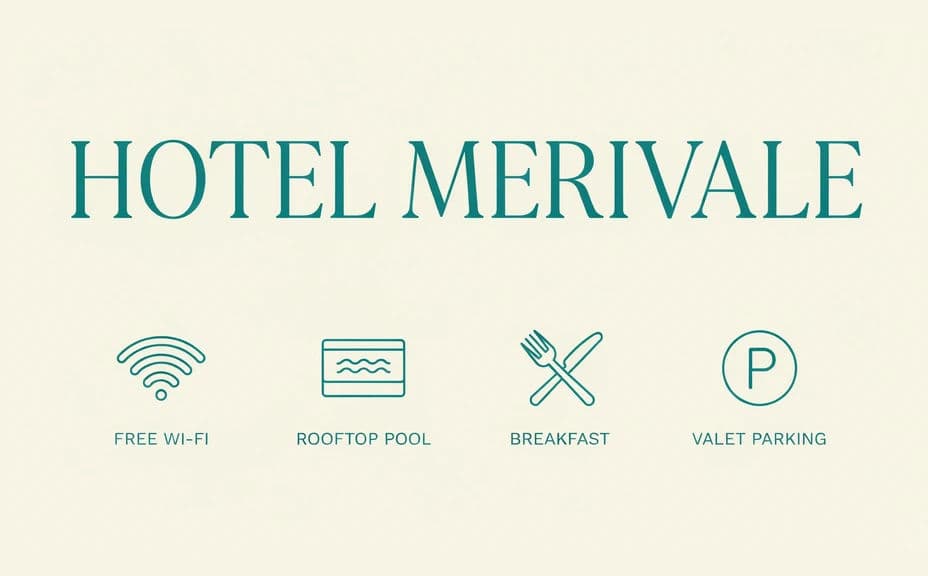
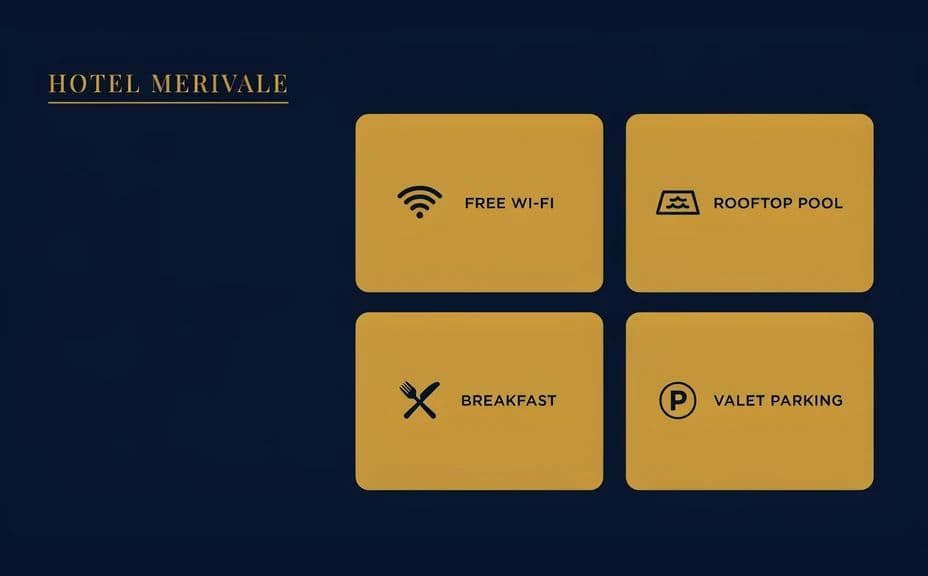
Two amenities panel designs for the same property, with different grids and icon treatments.
What makes a good hotel amenities graphic
| Quality | What it means | Why it matters |
|---|---|---|
| Consistent icons | One style, weight, and colour throughout | The panel looks designed rather than assembled |
| Short labels | One or two words under each icon | Guests scan the panel in seconds |
| Even spacing | Equal gaps across rows and columns | The grid stays readable at small sizes |
| On-brand colour | Your palette applied with restraint | The graphic fits the rest of your marketing |
Morphic vs the traditional way
| Morphic | Icon libraries and a designer | |
|---|---|---|
| Cost | Available on Morphic | Icon licences plus design time |
| Time | A finished panel in minutes | Hours of sourcing, aligning, and revising |
| Skill needed | Describe it in plain language | Layout and vector editing skills |
| Consistency | Regenerate a matching panel for every property | Styles drift between sets and updates |
FAQs
Six to eight is usually right for one panel. Beyond that the labels shrink and guests stop scanning, so split the list into a second graphic instead.
Yes. Give your palette in the prompt and ask for it to be used across the icons and type so the panel sits with the rest of your collateral.
Give the exact words in your prompt and ask for crisp, legible text, then check every label at full size before you download and regenerate if one is off.
Yes. Download in HD and the same panel holds up on a booking listing, a website block, and an in-room card.
Yes. Regenerate with the revised list and the same style description, and the new panel matches the one it replaces.
Yes. Designs you create with Morphic are cleared for commercial use across your listings, website, and printed materials.