What is a medical appointment graphic?
A medical appointment graphic is the small visual a practice uses to remind patients of a booking or to invite them to make one. It typically carries a short reminder line, the date and time, and a booking prompt such as a phone number or a link, set in a calm, uncluttered layout. Front-desk and marketing teams use it in email reminders, text-message cards, and social posts because a clear visual is read faster than a block of text.
With Morphic you design this graphic from a text prompt in your browser. Describe the message, the details to display, and your practice look, then adjust the layout and download in HD. You get a legible reminder card without opening design software or waiting on a designer.
Decide the message and the details
Pick the single job of the graphic, such as reminding a patient of a booking or prompting them to make one. Write the exact date, time, and booking line before you generate so nothing is invented later.
Describe the layout
Open Morphic and describe a clean appointment card: a short headline, the date and time set large, and a booking prompt underneath with room for your clinic name. Specify the aspect ratio you need, such as a square for social or a wide banner for an email header.
Choose calm, readable styling
Ask for soft, clinical colours, generous spacing, and a font that stays sharp on a phone screen. High contrast between the date and the background keeps the key detail readable at a glance.
Generate versions to compare
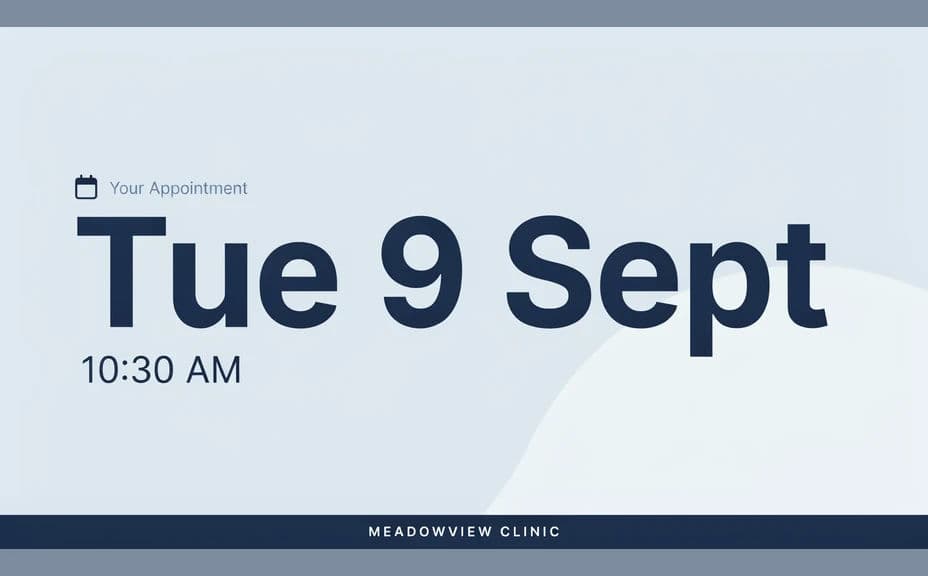
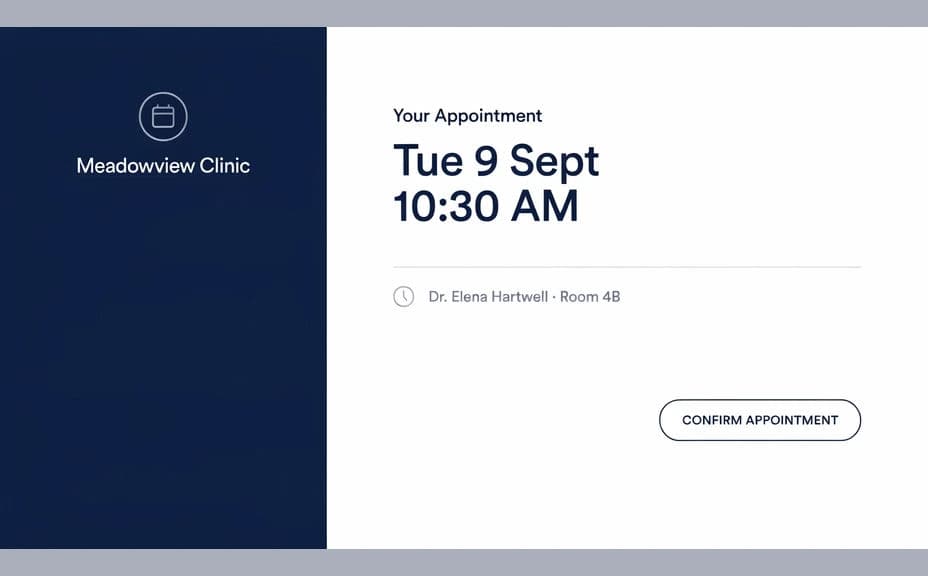
Produce two designs with different emphasis, such as one led by the date and one led by the booking prompt. Seeing them together shows which one gets the message across faster.
Check the details and export
Read the date, time, and contact line back against your booking system before you publish anything. Download in HD, then drop it into your reminder emails or social feed.
Two design options for the same appointment reminder, each showing the same clinic name and booking details.
What makes a good medical appointment graphic
| Quality | What it means | Why it matters |
|---|---|---|
| One clear message | A single reminder or booking prompt | The patient knows immediately what to do |
| Legible details | Date, time, and contact set large | The key facts survive a quick phone glance |
| Calm styling | Soft colour and generous spacing | The practice reads as settled and professional |
| Right format | Sized for email, social, or print | The graphic fits where you actually send it |
Morphic vs the traditional way
| Morphic | Design software or a designer | |
|---|---|---|
| Cost | Available on Morphic | Software subscription or design fee |
| Time | A finished graphic in minutes | Hours of layout and revision |
| Skill needed | Describe it in plain language | Layout and typography skills |
| Consistency | Regenerate reminders in one style | Manual rework for every new date |
FAQs
Yes. Write the exact date, time, and booking line in your prompt and the layout renders around them. Regenerate whenever the schedule changes.
Yes. Describe your clinic colours, logo placement, and font style, and the graphic renders to match. Keep contrast high so the date stays readable.
Any placement you need. Specify a square for social, a wide banner for an email header, or a card size for print, and the layout adapts.
Yes. Keep the same prompt and swap the clinic name and details so every location gets a card in one consistent style.
Keep it administrative. A reminder works best when it covers the date, time, and how to reach you, and any promotional wording should follow the healthcare advertising rules where you practise.
Yes. Graphics you generate with Morphic are cleared for commercial use across your patient emails, social channels, and printed cards.