What is a real estate investment graphic?
A real estate investment graphic is a designed visual that presents a property opportunity (the building, the location, and a few headline figures) as one shareable image. Brokers, developers, and property marketing teams use it in decks, listing packs, newsletters, and social posts where a full brochure would be too much. It is a presentation piece: it summarises what is on offer and points the reader toward the detailed documents.
With Morphic you design this graphic from a text prompt in your browser. Describe the property image, the layout, the labels, and your brand look, compare a few options, then download in HD. Morphic handles the design; the figures and the diligence behind them stay yours.
Choose the story and the figures
Decide what the graphic should lead with (the property, the location, or a single headline figure) and write the supporting labels. Any figures shown in an example graphic are illustrative placeholders, so replace them with your own verified numbers before you share it.
Describe the property visual
Open Morphic and describe the building or setting you want as the anchor image, including the style, time of day, and camera angle. A calm, well-lit exterior usually gives labels somewhere clean to sit.
Lay out the information
Ask for a layout with a clear headline, two or three labelled figures, and the firm name, with room between each block. Request a couple of arrangements so you can compare which order reads best.
Apply your brand and keep the wording neutral
Ask for your brand colours, logo placement, and a readable type style across the labels. Review the copy so it describes the property factually and makes no promise about returns or future performance.
Check the labels and export
Read every label and figure on each option and confirm they match your source documents. Download in HD, then use it in the deck, the listing pack, or the post it was made for.
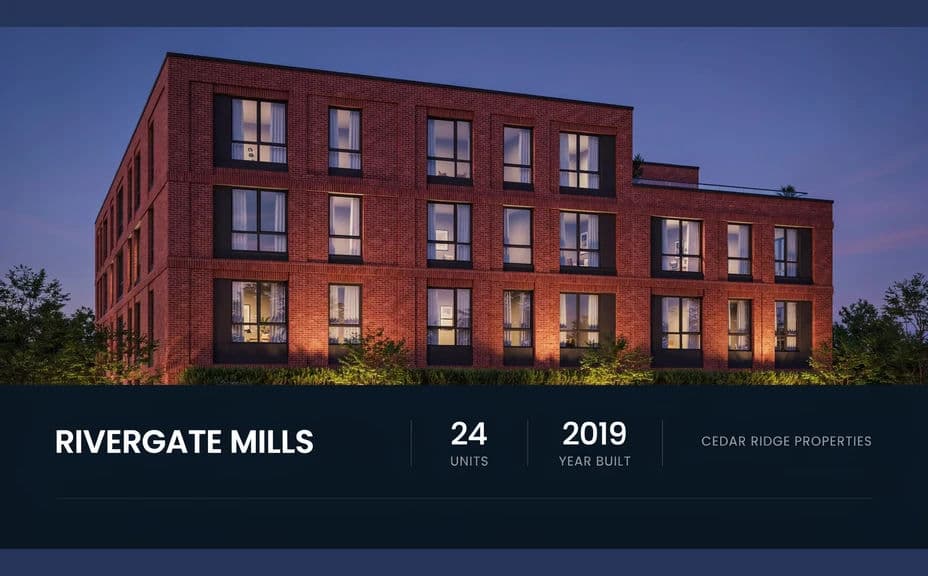
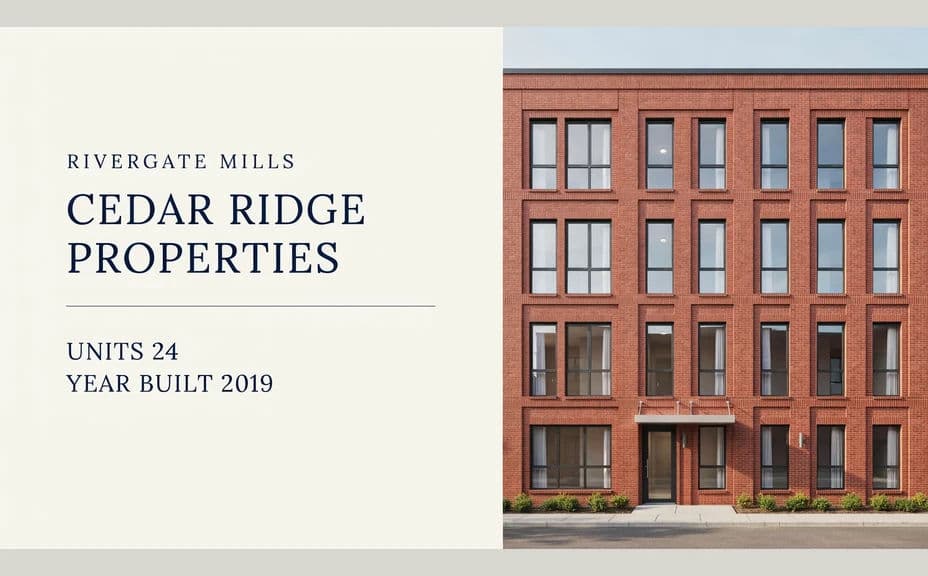
Two layout options for the same listing details, each carrying its own labels and illustrative figures.
What makes a good real estate investment graphic
| Quality | What it means | Why it matters |
|---|---|---|
| Strong anchor image | The property reads clearly | The visual is what stops the scroll |
| Few, legible figures | Two or three labelled numbers | A crowded graphic gets skipped |
| Factual, neutral wording | No claims about future performance | Credibility and compliance both depend on it |
| On-brand styling | Colours, logo, and type match | The firm looks consistent across materials |
Morphic vs the traditional way
| Morphic | A design agency or template tool | |
|---|---|---|
| Cost | Available on Morphic | Agency fee or subscription |
| Time | A finished graphic in minutes | Days of briefing and revisions |
| Skill needed | Describe it in plain language | Layout and typography skills |
| Consistency | Regenerate variants that match | Manual rework for every property |
FAQs
No. Any numbers shown in an example are illustrative placeholders. Replace them with your own verified figures before the graphic goes anywhere.
Keep the wording factual and avoid any promise about returns or future performance. Point readers to your formal documents for anything beyond a descriptive summary.
Yes. Bring your photo into Morphic and describe the layout and labels you want built around it.
Yes. Describe your brand colours, logo placement, and type style, and generate the graphic to match your decks and listing packs.
Yes. Reuse the same layout and palette description for each property so the whole set reads as one series.
Yes. Designs you generate with Morphic are cleared for commercial use across your marketing and client materials.