What is a single release graphic?
A single release graphic is the artwork that announces a new track: the artist name, the song title, and often the release date, wrapped in a visual that matches the sound. Independent artists and labels use it as streaming cover art, as an announcement post, and as the thumbnail that follows the song everywhere it is listed. It is the first impression of the record, usually seen at the size of a thumbnail.
With Morphic you design that graphic from a text prompt in your browser. Describe the mood of the track, the title text, and the visual direction, compare a few options, then download in HD. You get release-ready artwork without hiring a cover designer for every drop.
Fix the title and artist name
Write the track title, artist name, and release date exactly as they should appear. Locking the wording first keeps the text on the artwork accurate and avoids reworking it later.
Describe the sound as a visual
Open Morphic and describe how the track feels: warm and analogue, cold and electronic, sparse and acoustic, or anything in between. Translating the sound into mood, colour, and texture gives the artwork a reason to look the way it does.
Set the crop and text placement
Ask for a square composition with the title and artist name placed where they will not collide with a play button or platform overlay. Request a couple of variations so you can compare how each one balances image and type.
Check the type at thumbnail size
Read the title and artist name on each option and confirm the spelling and spacing are correct. Preview the artwork small and regenerate anything where the type stops being legible.
Export and publish
Download the final artwork in HD, then use it as your cover art and announcement post. Generate a matching wide crop if you also need a banner or story version.
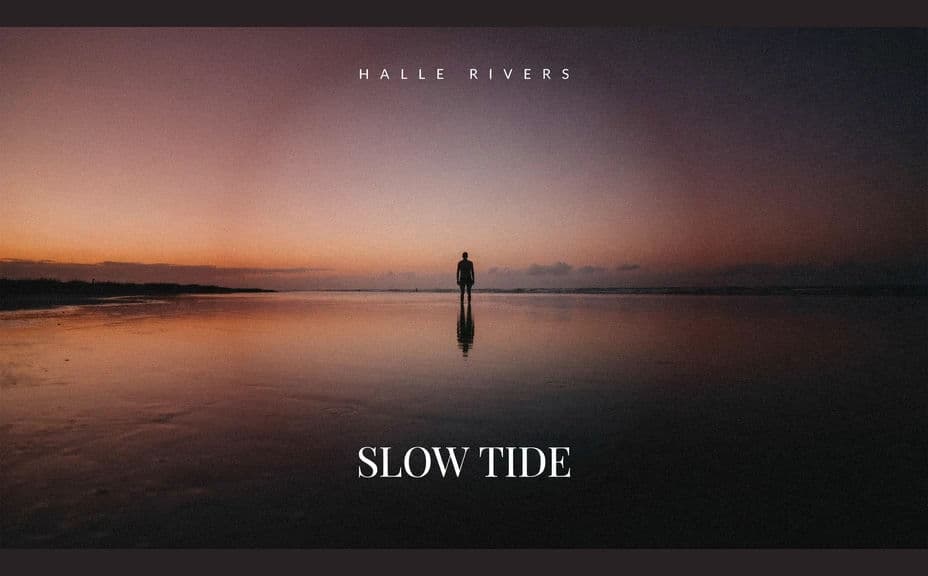
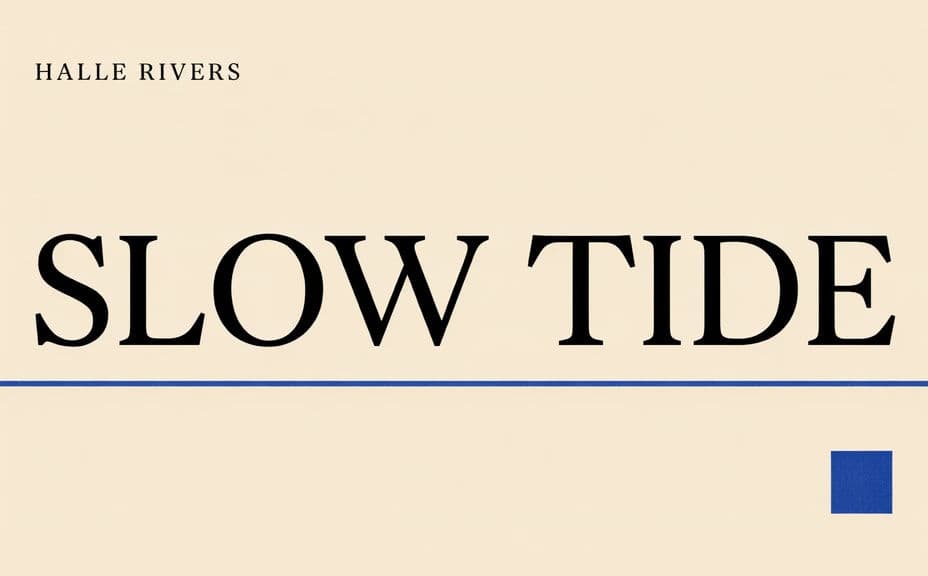
Two artwork directions for the same single, each carrying the track title and artist name.
What makes a good single release graphic
| Quality | What it means | Why it matters |
|---|---|---|
| Mood that fits the track | The visual sounds like the song | Listeners judge the record before pressing play |
| Legible title | Track and artist read clearly | The artwork is usually seen at thumbnail size |
| Safe text placement | Type avoids platform overlays | Play buttons and labels crop over the corners |
| Consistent with your catalogue | It sits with your other releases | A recognisable look builds an audience over time |
Morphic vs the traditional way
| Morphic | A cover artist or design software | |
|---|---|---|
| Cost | Available on Morphic | Commission fee or software subscription |
| Time | Release-ready artwork in minutes | Weeks of briefing and revisions |
| Skill needed | Describe it in plain language | Illustration and typography skills |
| Consistency | Regenerate matching art for each release | A fresh commission every single |
FAQs
Yes. Provide the title, artist name, and any release date in your prompt, then check the rendered text and regenerate if the wording looks off.
Yes. Ask for several options for the same track and compare them side by side, then choose the one that suits the sound.
Yes. Ask for a square composition, keep the title clear of the corners, and preview it small before you upload.
Yes. Describe the same visual direction for each track and regenerate with the new title, so the set reads as one body of work.
Yes. Describe a wider crop of the same artwork direction and generate it, then use it for headers and story posts.
Yes. Designs you generate with Morphic are cleared for commercial use across your releases and promotion.