What is a tournament bracket graphic?
A tournament bracket graphic is the branded chart that shows who plays who, laid out as rounds leading to a final. It is posted before a competition to build anticipation and updated through it so followers can track the path to the trophy. Event organisers, esports orgs, and community leagues use it as the most-shared asset of the whole event.
With Morphic you design this graphic from a text prompt in your browser. Describe the bracket size, the event branding, and the slot styling, compare a few layouts, then download in HD. You get a clean, on-brand bracket without wrestling with a spreadsheet or a design tool.
Fix the bracket structure
Decide how many teams compete and how many rounds that produces, then note whether you need a third-place slot. Settling the structure first prevents redesigning the layout after the seeding is confirmed.
Describe the layout
Open Morphic and describe the bracket: rounds fanning toward a centre final, or stacked left to right with a title bar above. Ask for a couple of layouts so you can compare which one keeps the slots roomy.
Apply the event branding
Give the event name and ask for your colours, a heading bar, and a slot style with strong contrast between text and background. Consistent branding makes the graphic recognisable when it is reposted without context.
Check every label
Read the event name and the slot labels on each option and confirm nothing is misspelled or clipped. Regenerate any version where the type crowds a slot edge or the round headings are unclear.
Export and update it
Preview the bracket on a phone screen to confirm the smallest text is still readable. Download in HD, then regenerate with results filled in as each round finishes.
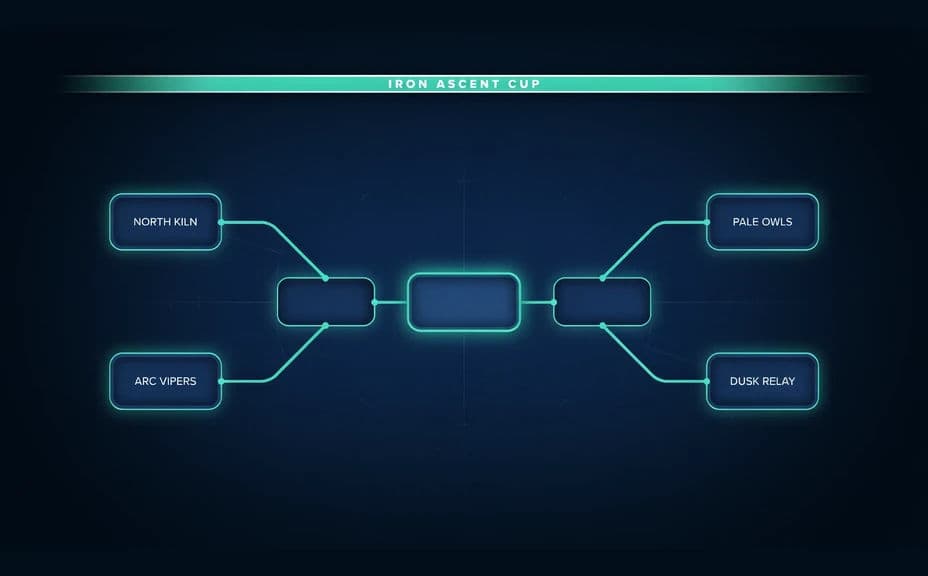
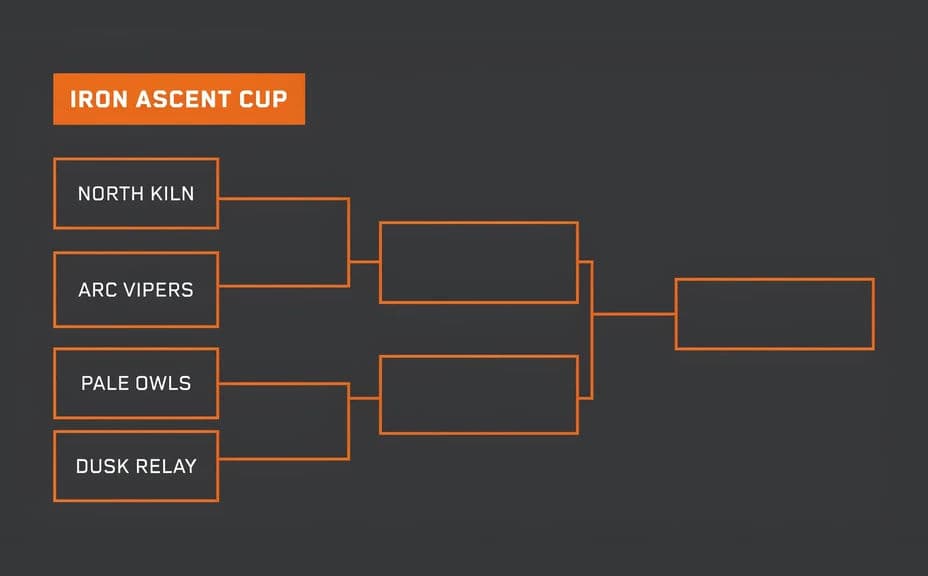
Two bracket layouts for the same invented tournament, each carrying the event name.
What makes a good tournament bracket graphic
| Quality | What it means | Why it matters |
|---|---|---|
| Legible slots | Team names fit without crowding | Followers read the draw on a phone |
| Clear progression | Rounds flow in one obvious direction | Nobody has to decode the path to the final |
| Event branding | Name, colours, and heading are consistent | The graphic is recognisable when reposted |
| Easy to update | The layout survives new results | Each round can be posted the same day |
Morphic vs the traditional way
| Morphic | Spreadsheet or design software | |
|---|---|---|
| Cost | Available on Morphic | Software subscription or design fee |
| Time | A finished bracket in minutes | Hours of manual alignment |
| Skill needed | Describe it in plain language | Layout and typography skills |
| Consistency | Regenerate each round in the same style | Manual edits drift between rounds |
FAQs
Yes. Give the names in your prompt, then check the rendered text and regenerate if anything is misspelled or clipped.
Say the number in your prompt. Larger brackets need roomier slots, so check legibility carefully once you go past sixteen teams.
Yes. Describe the filled-in results and regenerate in the same style so each round's post matches the last.
Yes. Name your colours, heading style, and event name in the prompt, and keep contrast high so the slots stay readable.
It will if you keep the bracket size sensible and the slot text large. Preview it small and regenerate anything that gets tight.
Yes. Images you generate with Morphic are cleared for commercial use across sponsored events and paid promotion.