What is a university open day graphic?
A university open day graphic is the campaign image that invites prospective students and their families to visit campus. It carries the open day date, the campus or faculty, and a booking prompt, usually over a photograph of the grounds, a lecture space, or students on site. Admissions and marketing teams run it across paid social, email, the course pages, and printed school mailings.
With Morphic you design that graphic from a text prompt in your browser. Describe the campus scene, the wording, and your institutional colours, then generate layout options and download in HD. You get a campaign-ready visual in minutes rather than waiting on a shoot or an agency round.
Confirm the campaign details
Note the open day date, the campus or faculty name, the booking link or short call to action, and any registration deadline. Locking this copy first keeps the rendered text accurate across every placement.
Describe the scene and layout
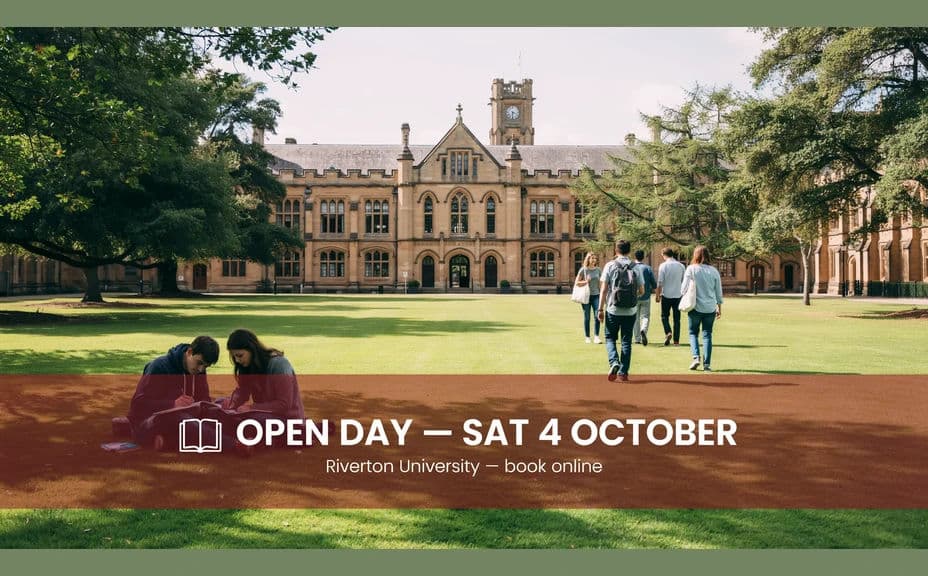
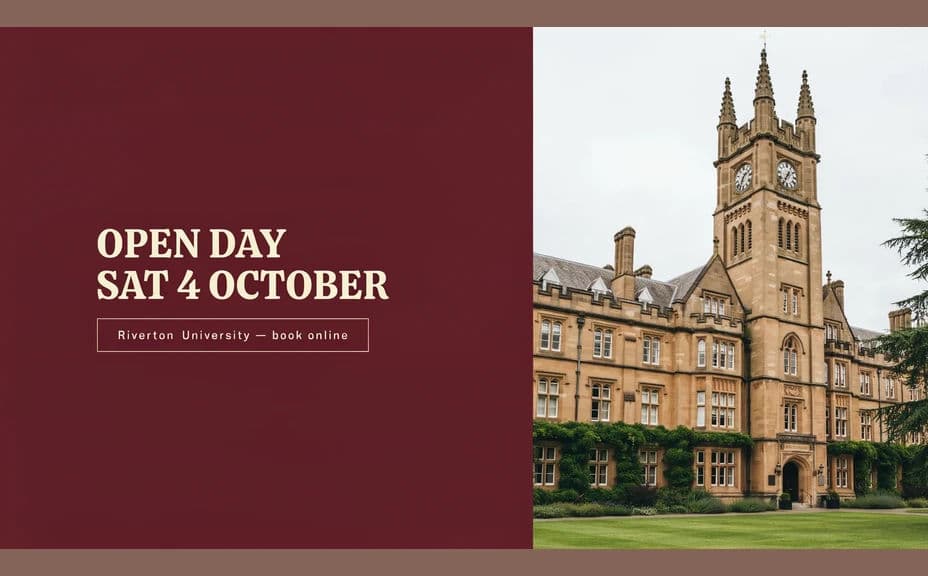
Open Morphic and describe what you want: an inviting campus setting, the open day date in confident type, and a clear booking line with room around it. Ask for two layout options so you can compare a full-bleed photo treatment against a panel treatment.
Apply the institutional look
Ask for your university colours, an accent behind the date, and type that holds up in a crowded feed. Keep the text over a calm part of the image so nothing fights the message.
Check the wording and tone
Read the date, campus name, and call to action against your brief, and confirm the scene feels welcoming rather than staged. Regenerate any version where the text is cramped or a detail is wrong.
Export for the campaign
Preview the graphic at the sizes you will run, paid social, email header, course page banner, and print. Download in HD, then hand it to the campaign.
Two design options for the same open day, each carrying the date and campus details.
What makes a good university open day graphic
| Quality | What it means | Why it matters |
|---|---|---|
| Welcoming scene | Campus looks like somewhere to belong | Prospective students picture themselves there |
| Prominent date | The visit date is impossible to miss | Families can plan the trip in advance |
| Clear next step | One obvious booking prompt | Interest converts into registrations |
| On-brand styling | Colours and type match the institution | The campaign reads as official |
Morphic vs the traditional way
| Morphic | A campus photoshoot and agency | |
|---|---|---|
| Cost | Available on Morphic | Shoot day plus agency fees |
| Time | A finished graphic in minutes | Weeks of scheduling and edits |
| Skill needed | Describe it in plain language | Photography and design skills |
| Consistency | Regenerate matching versions per faculty | A reshoot or manual rework each time |
FAQs
Yes. Provide the date and campus wording in your prompt, then check the rendered text and regenerate if anything reads incorrectly.
Yes. Describe your colours and type feel, and generate the graphic to match. Keep contrast high so the date stays readable.
Yes. Keep the layout description fixed and change the faculty name and scene so every version still looks like one campaign.
Yes. Describe each placement and generate a version framed for it. The layout adapts to the shape you ask for.
Describe the new date and regenerate. Refreshing the campaign artwork takes moments.
Yes. Images you generate with Morphic are cleared for commercial use, including paid recruitment campaigns.