What is an accounting firm brochure?
An accounting firm brochure is a short printed or digital handout that introduces a practice, its services, and how to get in touch. It usually leads with a headline, a few service lines, and firm branding, and it turns up at client meetings, referral desks, and events. Partners and marketing leads use it because a tidy one-page overview is easier to hand over than a website link.
With Morphic you design that brochure page from a text prompt in your browser. Describe the panels, the headline, and the firm's look, compare a few layouts, then download in HD. You get a print-ready design without opening layout software or briefing an agency.
Decide what the brochure has to say
List the firm name, the headline, and the three or four services you want on the page. A short, settled list keeps the layout clean and the text accurate.
Describe the layout in Morphic
Open Morphic and describe the brochure page: a strong headline, a service block, and space for contact details in a calm professional style. Ask for two layouts so you can compare how the panels are arranged.
Apply the firm's brand look
Ask for your brand colors, logo placement, and a type style that suits a professional services firm. Keep the palette restrained so the page reads as considered rather than promotional.
Proof the text on the page
Read the headline, service names, and any contact line and confirm the spelling is correct. Regenerate any version where the type feels cramped or a character is malformed.
Export and share it
Preview the design at full size to check the margins and hierarchy hold together. Download in HD, then send it to print or attach it as a digital handout.
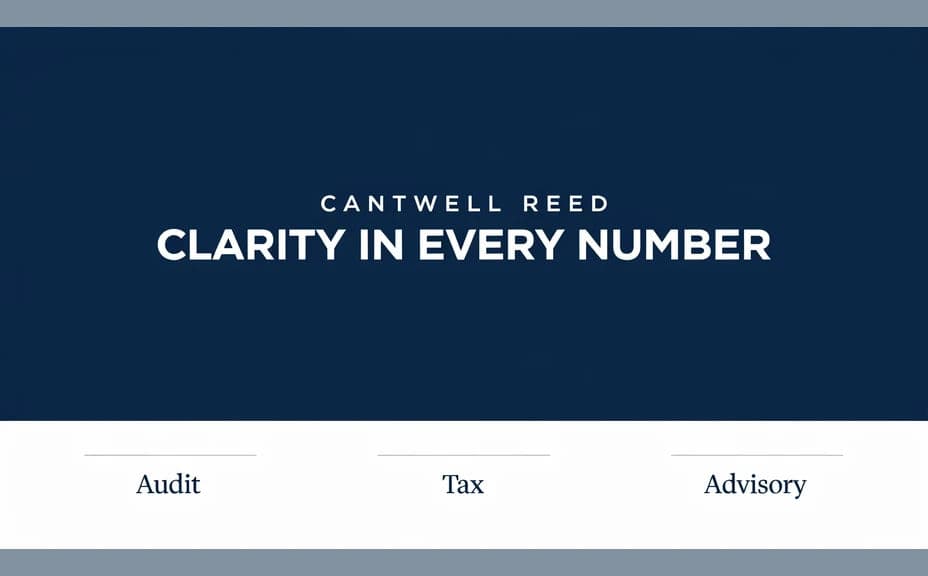
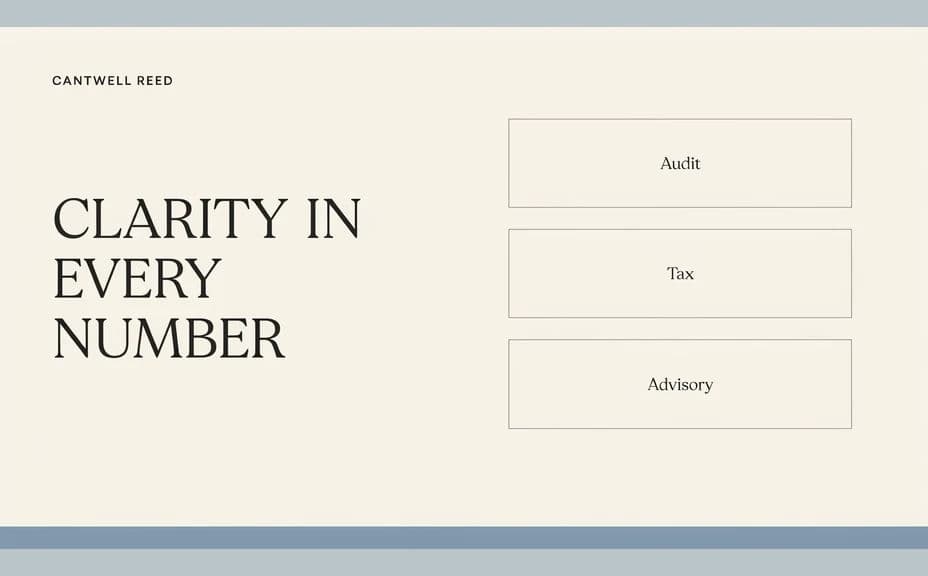
Two layout options for the same accounting firm brochure, each carrying the firm name and headline.
What makes a good accounting firm brochure
| Quality | What it means | Why it matters |
|---|---|---|
| Clear headline | The firm and its offer read at a glance | A handout gets seconds of attention, not minutes |
| Short service list | Three or four lines, not a wall of text | Readers scan a brochure rather than study it |
| Professional restraint | Calm colors and generous spacing | A finance practice is judged on how measured it looks |
| Easy contact route | One obvious way to get in touch | The brochure exists to start a conversation |
Morphic vs the traditional way
| Morphic | A design agency or layout software | |
|---|---|---|
| Cost | Available on Morphic | Agency fee or software subscription |
| Time | A finished layout in minutes | Days of briefs and revision rounds |
| Skill needed | Describe it in plain language | Layout, typography, and print setup |
| Consistency | Regenerate variants in the same style | Manual rework for every new version |
FAQs
Yes. Give the exact wording in your prompt, then read the rendered text and regenerate if anything is misspelled or awkwardly broken.
Yes. Ask for two or three arrangements of the same content and compare them side by side before choosing.
Download in HD and check the margins at full size before sending it to a printer. Keep important text well inside the edges so nothing is lost in trimming.
Yes. Describe your colors, logo placement, and font style, and generate the page to match your other firm materials.
Keep the page to short service lines and write the detail elsewhere. Any claims about what your practice does should be reviewed by the firm before it goes out.
Yes. Designs you generate with Morphic are cleared for commercial use in your print and digital marketing.