What is a bakery product photo?
A bakery product photo is the appetising, well-lit image a bakery uses to sell a pastry on its menu, website, or social feeds. It shows the item with clean styling, warm light, and a tidy background so the texture and freshness read clearly. Bakeries and cafes rely on these shots because an appetising photo sells far more than a plain phone snapshot.
With Morphic you turn a plain snapshot into a styled product shot in your browser. Upload the photo, describe the lighting and setting you want, then adjust and download in HD. You get a polished product photo without a studio, props, or a photographer.
Start with a clear snapshot
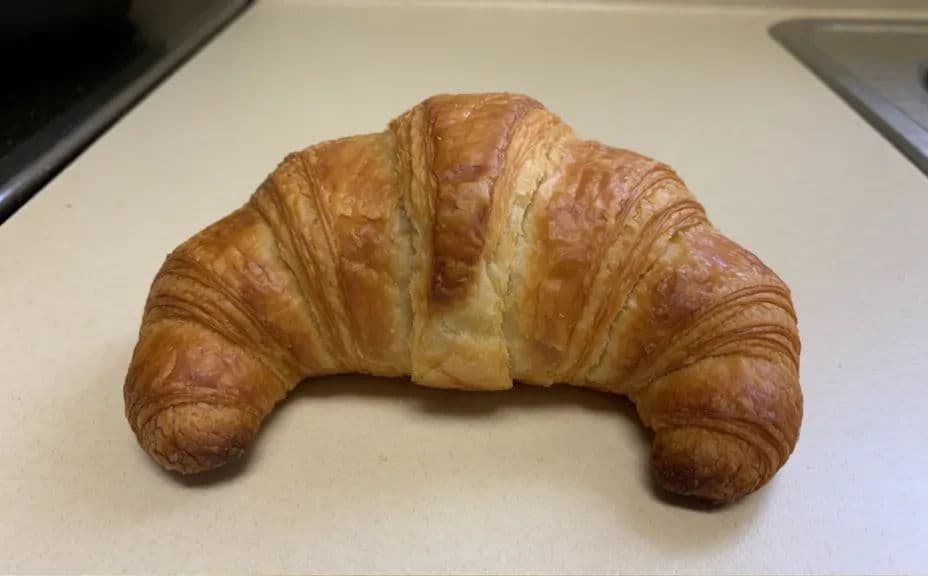
Take a plain, well-focused photo of the pastry from a flattering angle. A sharp starting image gives Morphic the detail it needs to keep the shape and texture true.
Upload and describe the shot
Open Morphic, upload your snapshot, and describe the product photo you want, such as soft window light on a clean surface. Name the mood and background so the styling matches your bakery.
Set the lighting and setting
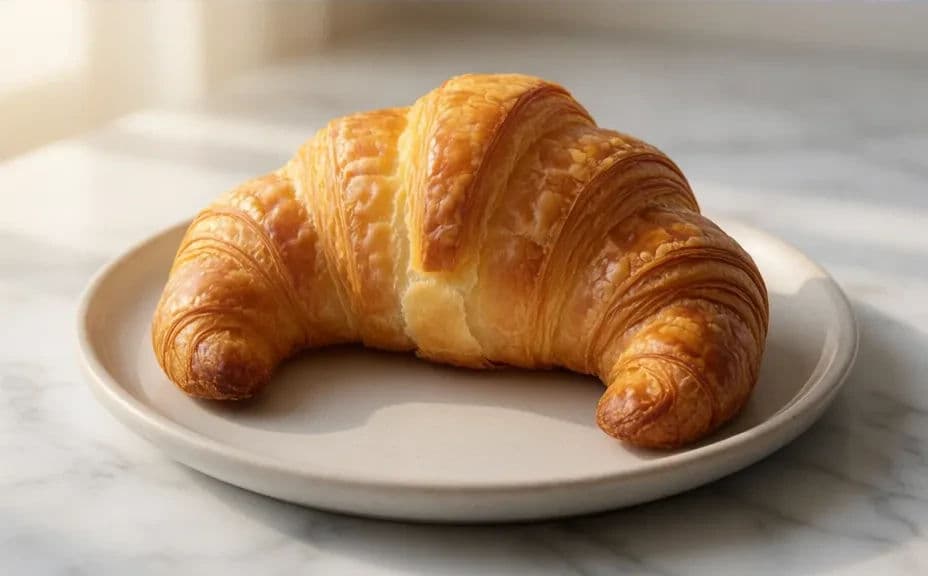
Ask for warm, even light that shows the crust and crumb, and a tidy backdrop that does not distract. Keep the pastry as the clear subject so the freshness stands out.
Refine the details
Review the result and adjust anything that looks off, such as the shadow strength or the surface tone. Regenerate until the pastry looks fresh, appetising, and true to the real item.
Check and export
Preview the photo at the size it will appear on your menu or feed and confirm the detail stays sharp. Download in HD, then use it across your website and social channels.
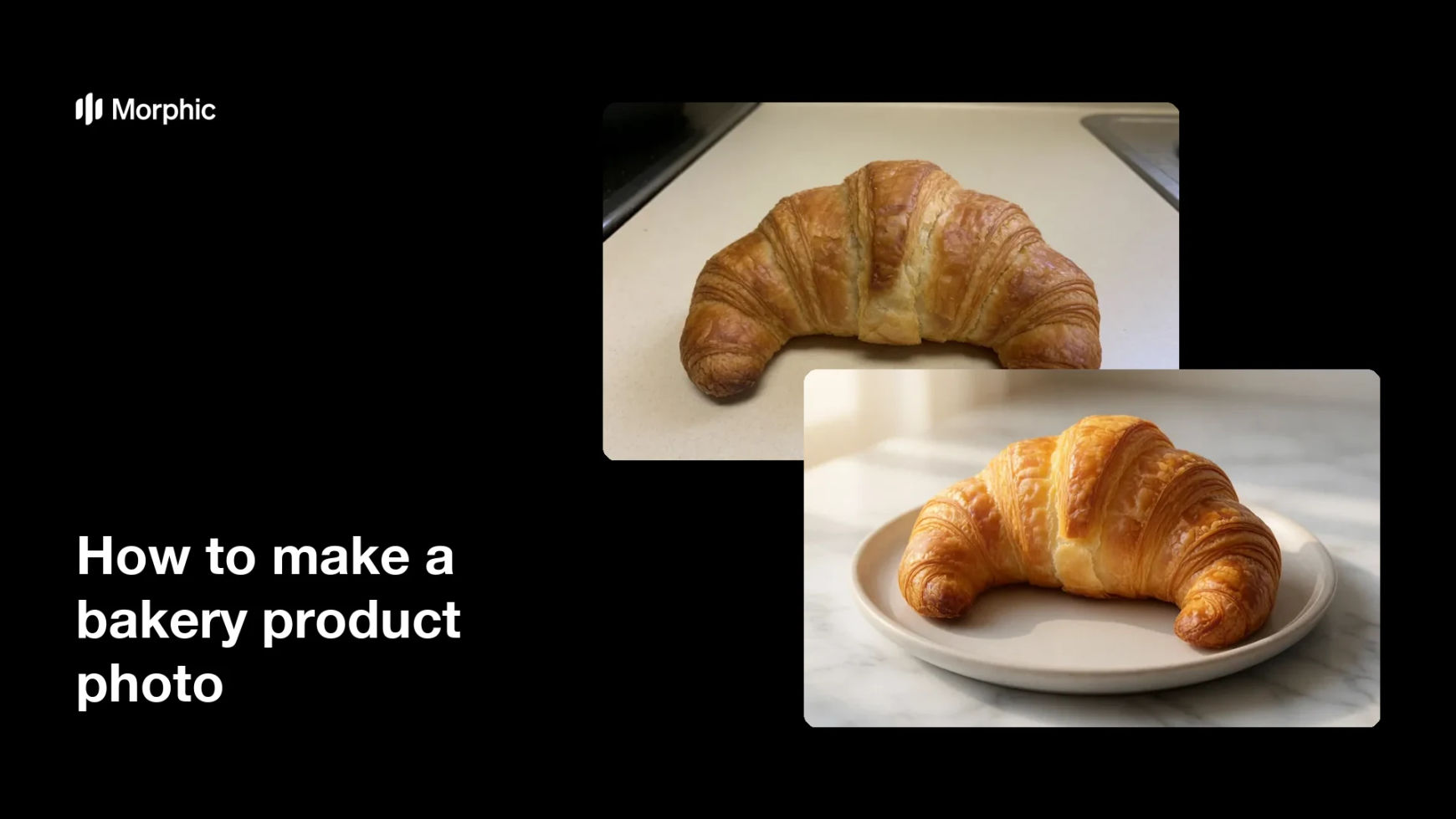
The same pastry, shown first as a plain snapshot and then as a styled, appetising product shot.
What makes a good bakery product photo
| Quality | What it means | Why it matters |
|---|---|---|
| Fresh texture | Crust and crumb read clearly | The pastry looks freshly baked |
| Warm lighting | Soft, even light with gentle shadows | The item looks appetising and real |
| Clean background | A tidy, undistracting backdrop | The pastry stays the clear subject |
| True to the item | Shape and color match the real product | Guests get what the photo promises |
Morphic vs the traditional way
| Morphic | A photo studio or shoot | |
|---|---|---|
| Cost | Available on Morphic | Studio time and photographer fee |
| Time | A finished photo in minutes | Hours of setup and shooting |
| Skill needed | Describe it in plain language | Lighting and styling skills |
| Consistency | Restyle any item on demand | A new shoot for every product |
FAQs
No. A clear, well-focused phone snapshot works. Morphic uses it to keep the shape and texture true while it styles the lighting and setting.
Yes. Start from a sharp snapshot and the shape, color, and texture stay true. Review the result and regenerate if anything drifts from the real item.
Yes. Describe the surface, backdrop, and light you want, and the photo renders to match. Keep the pastry as the clear subject for the best result.
Any placement you need. Specify the aspect ratio, such as a square for feeds or a wide crop for a menu header, and the shot adapts to fit.
Yes. Use the same lighting and background description for each item so your menu photos share one consistent look.
Yes. Photos you generate with Morphic are cleared for commercial use across your bakery's menu and marketing.