What is a gaming clan banner?
A gaming clan banner is the wide header image a squad uses across its community server, its profile pages, and its recruitment posts. It carries the clan name, the short tag members put beside their handles, an emblem, and a background that signals the group's tone. Clans use it as the first thing a prospective member sees, so it does the work of a logo and a poster at once.
With Morphic you make this banner from a text prompt in your browser. Describe the emblem, the clan name, and the mood you want, compare a few directions, then download in HD with no watermark. The result fits your community's look without design software or a commission.
Fix your clan name and tag
Write the clan name and the short tag exactly as they should appear, including capitalisation and any bracket style. Locking the strings first keeps the rendered lettering accurate.
Describe the banner
Open Morphic and describe a wide banner: the emblem concept, where the clan name sits, and the background treatment. Ask for a couple of directions so you can compare emblem styles and composition.
Set the colours and mood
Ask for your clan colours and a tone that matches your community, whether that is stark and tactical or bright and playful. Keep contrast high so the name holds up over the background.
Check the crop and text
Preview each option inside the banner crop your platform uses and confirm the name and tag are not clipped. Regenerate any version where the lettering is misspelled or the emblem sits under an avatar.
Export and apply it
Download in HD, then upload it as your community server banner and profile header. Save a square crop of the emblem alone for use as an avatar.
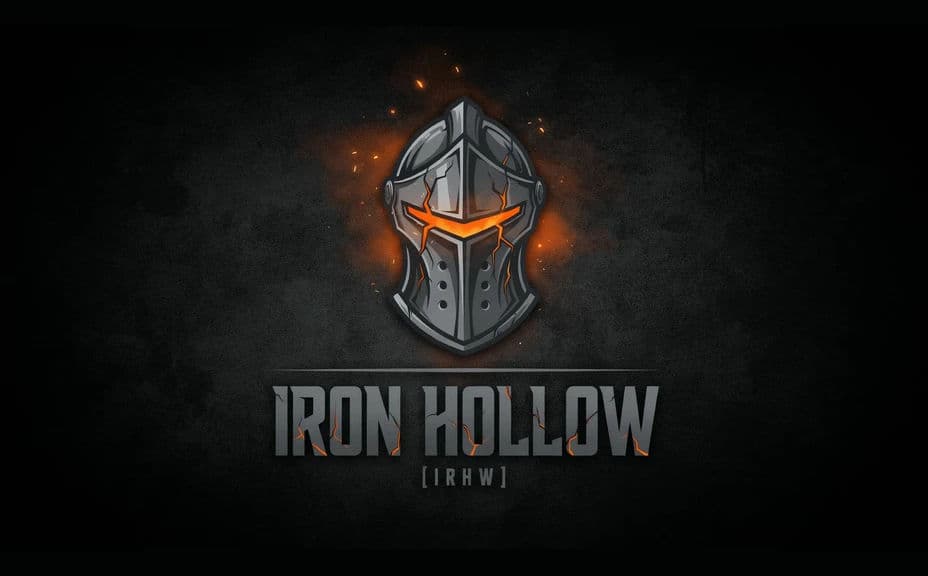
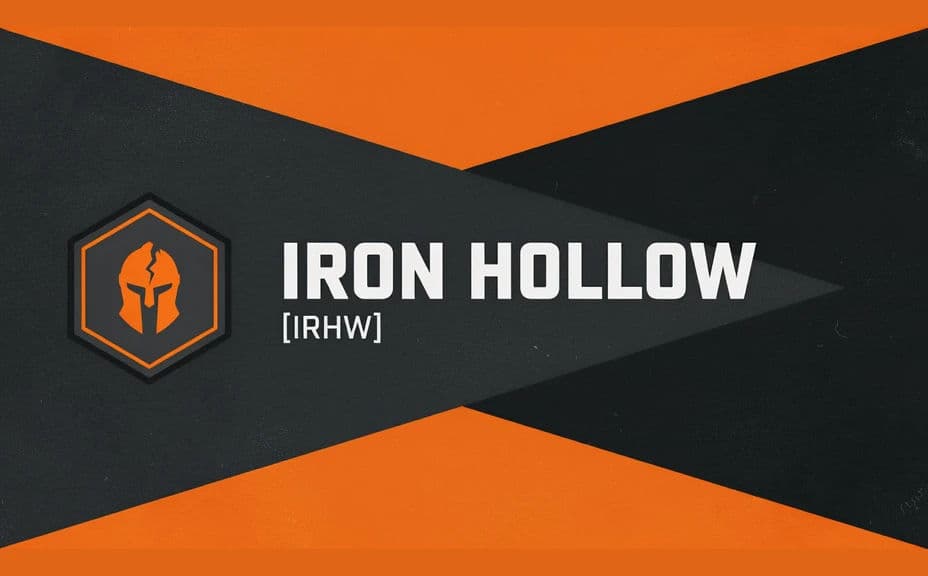
Two banner design options for the same clan, each carrying the clan name and tag.
What makes a good gaming clan banner
| Quality | What it means | Why it matters |
|---|---|---|
| Legible clan name | The name and tag read at a glance | New members can identify and copy the tag correctly |
| Strong emblem | One mark carries the identity | It crops down to an avatar without redesign |
| Safe composition | Key elements avoid platform overlays | Avatars and buttons do not cover the name |
| Consistent palette | Colours match your wider branding | Server, profile, and posts look like one group |
Morphic vs the traditional way
| Morphic | Design software or a commissioned artist | |
|---|---|---|
| Cost | Available on Morphic | Software subscription or a commission fee |
| Time | A finished banner in minutes | Days of back-and-forth on revisions |
| Skill needed | Describe it in plain language | Illustration and layout skills |
| Consistency | Regenerate matching variants | A new brief for every size or event version |
FAQs
Yes. Give the exact name and tag in your prompt, then check the rendered lettering and regenerate if the spelling or spacing is off.
Yes. Ask for the emblem on its own in a square crop, or crop the banner's emblem, so the two assets stay visually linked.
Export in HD and preview inside the banner crop of the platform you are posting to, since each service crops the edges differently.
Yes. Ask for several banner designs for the same clan and put them in front of your members before choosing.
Describe the event variation (a season, a tournament, a roster change) and regenerate. The base identity stays while the details update.
Yes. Banners you generate with Morphic are cleared for commercial use, including merch listings and sponsored posts.