What is a LinkedIn banner image?
A LinkedIn banner is the wide header image that sits behind your profile photo and sets the first impression of your page. Professionals, founders, and job seekers use it to show what they do and who they are, instead of leaving the plain default header that most profiles keep.
With Morphic you describe the banner you want, generate it in your browser, and download it sized for the LinkedIn header. You can add your name and a short tagline, match your brand colors, and export in HD so the text stays crisp across the wide format.
Plan your message
Decide on the one line you want people to read, such as your role, your value, or a short tagline. A clear message makes the banner work for you rather than just filling the space.
Describe the banner in Morphic
Open Morphic and describe the look: a clean gradient, an abstract brand pattern, or a subtle scene that fits your field. Name your colors and the mood so the banner matches the rest of your profile.
Add your name and tagline
Ask for your name and a short tagline placed where they stay clear of the profile photo. Keep the text short and legible so it reads at a glance on both desktop and mobile.
Mind the safe area
Keep the important text away from the lower left, where your profile photo overlaps the banner. Leaving that corner clear means nothing gets hidden when the page loads.
Download in HD
Export the banner in HD, sized for the LinkedIn header, and upload it to your profile. The design stays sharp on large screens and still reads clearly on a phone.
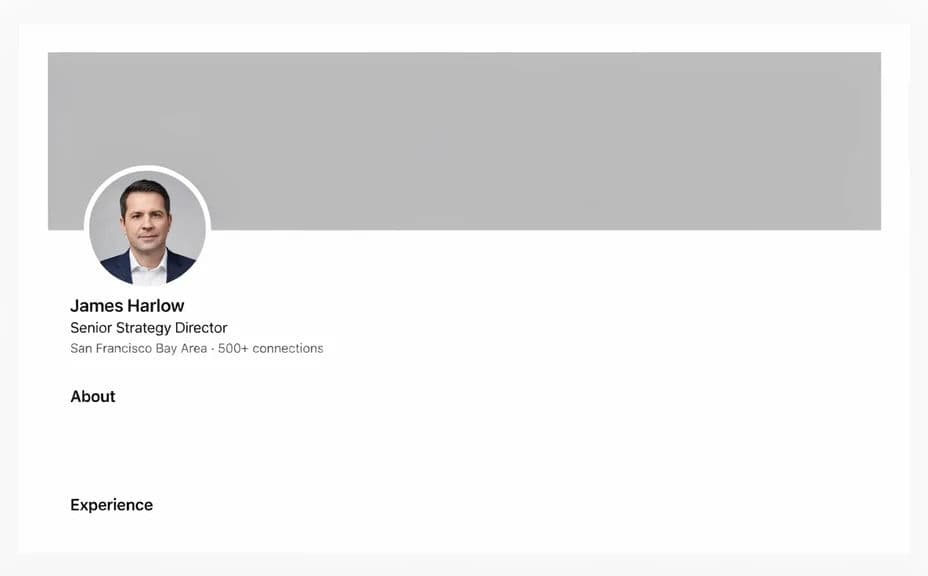
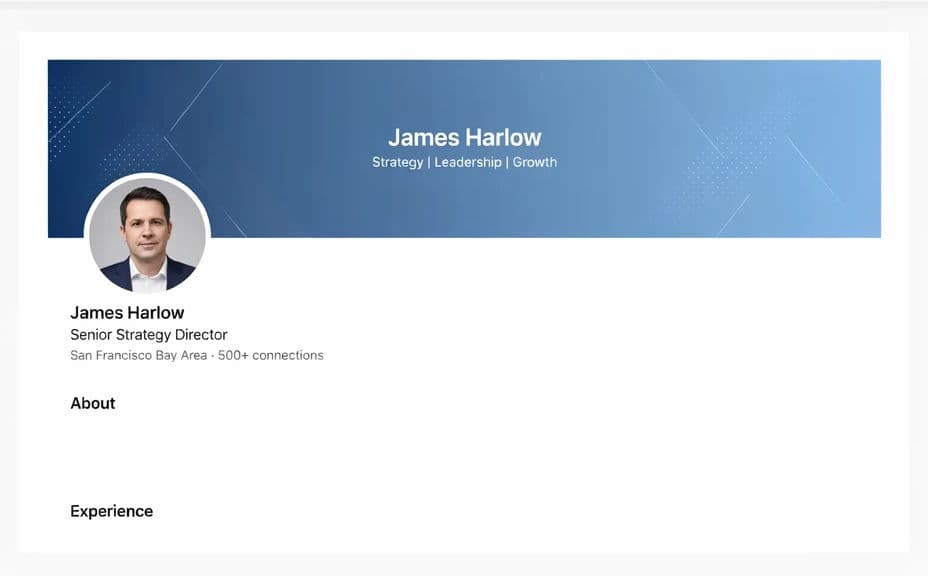
The same profile header, before and after a branded banner.
What makes a good LinkedIn banner
| Quality | What it means | Why it matters |
|---|---|---|
| Clear message | One short line people can read fast | Visitors grasp what you do at a glance |
| Legible text | Name and tagline stay easy to read | The banner works on desktop and mobile |
| Safe layout | Key elements clear of the photo overlap | Nothing important gets hidden on load |
| On-brand look | Colors and style match your field | Your profile feels considered and current |
Morphic vs the traditional way
| Morphic | A designer or template tool | |
|---|---|---|
| Cost | Available on Morphic | Designer fees or subscription tools |
| Time | A finished banner in seconds | Briefing a designer or editing templates |
| Skill needed | Describe it in plain language | Layout and typography skills |
| Consistency | Matches the rest of your brand | A different look from every template |
FAQs
LinkedIn shows the header as a wide image, so a high-resolution landscape design works best. Morphic downloads in HD, which keeps the banner sharp on large screens.
Yes. Describe the text you want and where it should sit, and the banner can carry your name and a short tagline placed clear of your profile photo.
Your profile photo overlaps the lower left of the header. Keep important text and elements out of that corner so nothing gets covered when the page loads.
Yes. Name your palette and any brand cues, and the banner can carry those colors so your header stays consistent with the rest of your presence.
Keep the message short and the text large, and place it in the clear part of the banner. Simple, high-contrast text stays legible on a small screen.
Yes. Results download in HD without a watermark and are cleared for commercial use, so the same design can work on LinkedIn and other profiles.