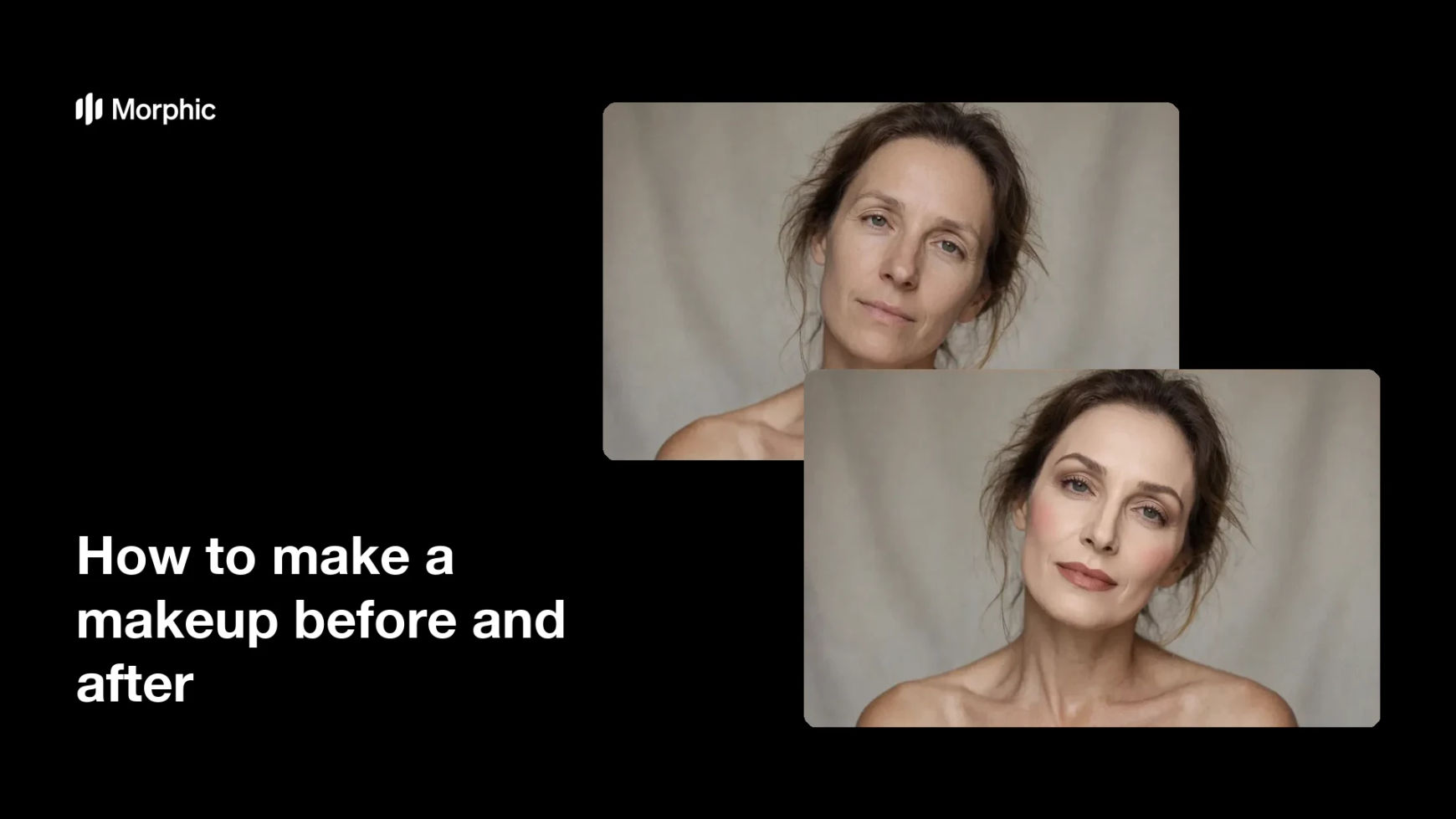
What is a makeup before and after?
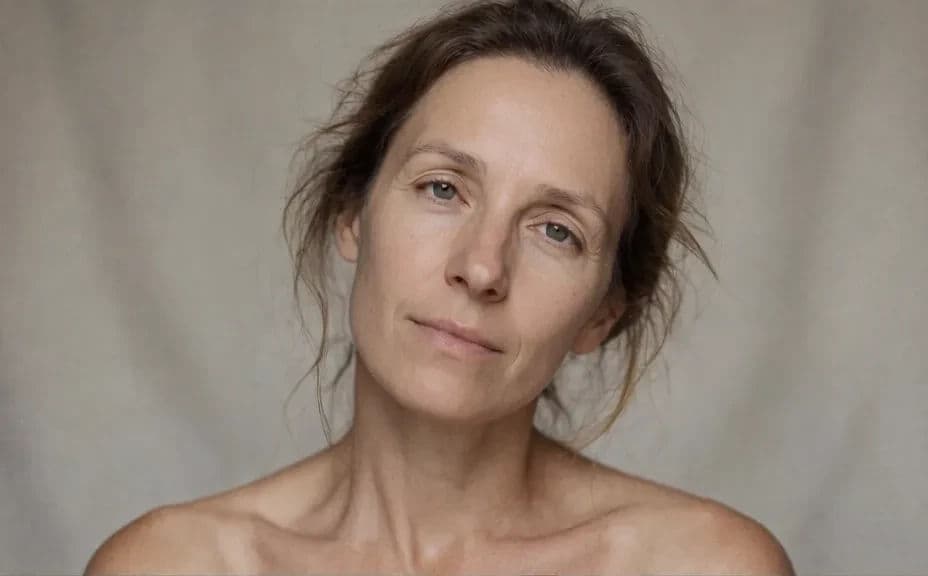
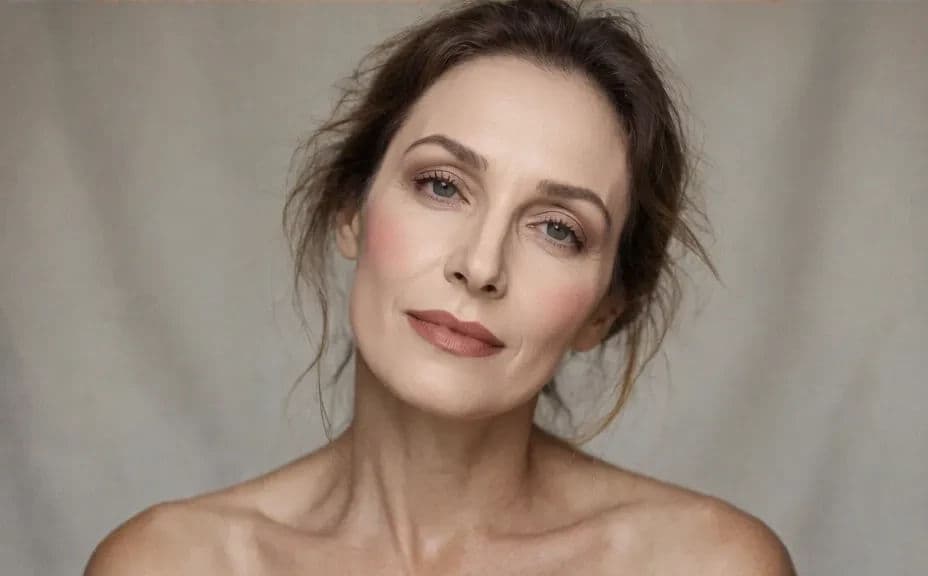
A makeup before and after is a paired set of portraits showing the same person with a bare face and then with a finished look. Because only the makeup changes, the pair makes the artistry easy to read without any claims or captions. Makeup artists, beauty brands, and salons use it as portfolio proof and as the most persuasive post on their feeds.
With Morphic you make this pair from a text prompt in your browser. Describe the person, the framing, and the light once, then describe the makeup look you want applied on the second frame. Both images download in HD, ready for a portfolio, a service page, or a social carousel.
Fix the base frame
Describe the person, the neutral backdrop, the camera angle, and the lighting for the bare-face image. This frame is the reference that the after image has to match.
Keep the framing identical
Ask for the same crop, head position, and light in the second image so nothing but the makeup shifts. A moved camera makes viewers doubt the comparison.
Describe the makeup look
Spell out the finish, the eye treatment, the lip colour, and the level of glow you want. Naming each element gives you a cleaner result than asking for glam in general.
Check the change is honest
Compare the two frames and confirm the face shape, skin texture, and features stayed the same. Regenerate if the after image looks like a different person rather than the same person made up.
Export the pair
Preview both frames at the size you will post them, side by side and stacked. Download in HD and keep the same base description for your next look.
The same face in the same frame, photographed bare and then with a finished makeup look applied.
What makes a good makeup before and after
| Quality | What it means | Why it matters |
|---|---|---|
| Matched framing | Same crop, angle, and distance | The eye compares makeup instead of camera work |
| Same lighting | Identical light in both frames | A brighter after image would fake the improvement |
| Recognisable face | Features and skin texture stay the same | The pair reads as one person, not two models |
| Visible technique | The look is clear at a glance | Viewers can see exactly what they would be paying for |
Morphic vs the traditional way
| Morphic | A model shoot with an artist | |
|---|---|---|
| Cost | Available on Morphic | Model, artist, studio, and product costs |
| Time | A finished pair in minutes | A half-day booking plus editing |
| Skill needed | Describe it in plain language | Photography, lighting, and retouching skills |
| Consistency | Reuse one base frame for every look | Re-shoot and relight for each comparison |
FAQs
Describe the same crop, angle, backdrop, and lighting for both, and change only the makeup wording. Regenerate any pair where the camera appears to have moved.
Yes. Keep the base frame description fixed and swap the makeup description each time so every look sits against the same before image.
You can describe the shade, finish, and intensity you want. Naming the effect works better than naming a product code.
Yes, if you ask for it. Request visible skin texture and natural pores so the after image reads as makeup rather than a smoothing filter.
Yes. Export both frames in HD and post them in order, or stack them as a single split image.
Yes. Images you generate with Morphic are cleared for commercial use across your portfolio, ads, and social channels.