What is a runway look image?
A runway look image is a single frame of one complete styled outfit presented as it would appear on a catwalk. It shows the full silhouette head to toe, under directional show lighting, with the walk and posture that fashion audiences read as a runway moment. Designers, fashion students, and brand teams use these frames for press kits, mood decks, and social posts long before a real show exists.
With Morphic you produce that frame from a description in your browser. Say what the garment is, how it is styled, and what the catwalk and lighting look like, then refine until the silhouette reads correctly. The finished image downloads in HD and is cleared for commercial use.
Describe the look head to toe
Write out the garment, the layers, the footwear, and the accessories as a single styled outfit. Naming every piece keeps the model from filling gaps with items you did not intend.
Set the runway and lighting
Open Morphic and describe the catwalk itself: the surface, the backdrop, the audience edges, and the hard directional lighting typical of a show. This context is what separates a runway frame from an ordinary studio shot.
Choose the camera position
Ask for a straight-on full-length view from the end of the runway, or a low three-quarter angle if you want more drama. A consistent camera call makes multiple looks sit together as one show.
Refine the silhouette
Look at the drape, the hemline, and the proportions, and adjust the prompt where the garment reads wrong. Small corrections to fabric weight and fit usually fix a shape that feels off.
Export the frame
Preview the image at full size and confirm the outfit stays sharp from shoulder to shoe. Download in HD for your deck, press kit, or feed.
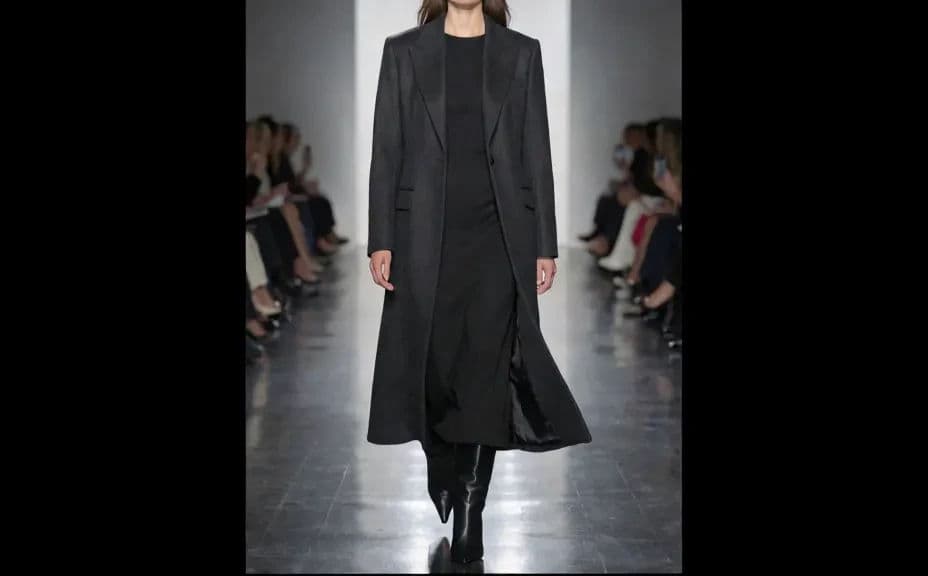
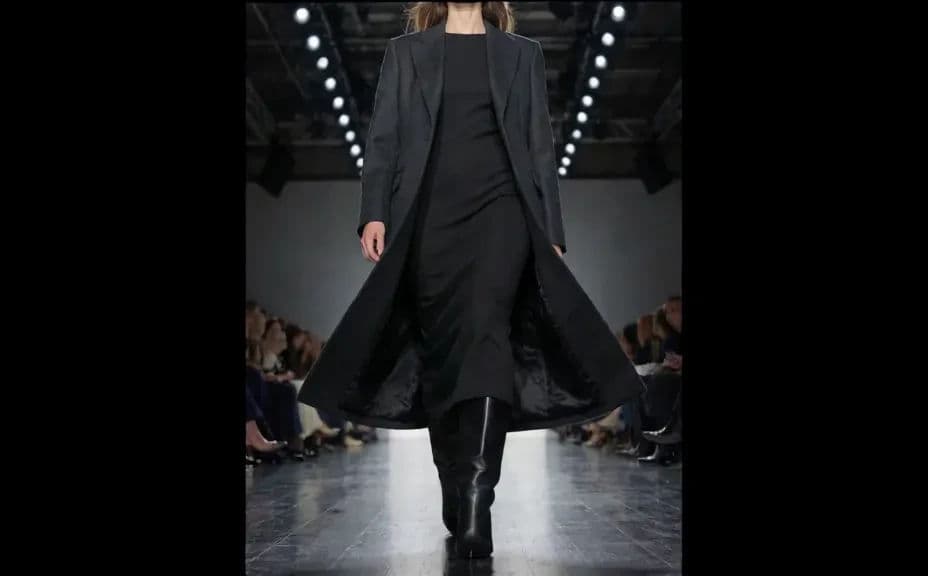
Two runway variations of the same outfit, one shot straight on and one from a lower angle.
What makes a good runway look image
| Quality | What it means | Why it matters |
|---|---|---|
| Full silhouette | The outfit reads head to toe | A runway frame is judged on the whole shape |
| Show lighting | Hard directional light with real shadow | It signals a catwalk rather than a studio |
| Convincing motion | The pose suggests a walk in progress | Static poses look like a fitting, not a show |
| Fabric behaviour | Drape and weight look correct | The garment stays believable to a trained eye |
Morphic vs the traditional way
| Morphic | Shooting a real runway | |
|---|---|---|
| Cost | Available on Morphic | Venue, models, lighting, and crew |
| Time | A finished frame in minutes | Months of production for a single show |
| Skill needed | Describe it in plain language | Fashion photography and show production |
| Consistency | Repeat one prompt across every look | Dependent on the night, the light, and the walk |
FAQs
Describe the cut, fabric, colour, and detailing in the prompt and refine until the shape matches your design. The more specific the description, the closer the result.
Yes. Keep the runway, lighting, and camera wording identical and change only the outfit, so every frame belongs to the same show.
A tall vertical frame suits a full-length walk and works well on social. Ask for the ratio you need before you export.
Yes. Describe a dark tunnel, a white gallery, or a seated front row, and the runway context will follow that description.
Fabric weight is easy to under-specify. Name the material and how it should fall, then regenerate.
Yes. Images you generate with Morphic are cleared for commercial use in press, campaign, and social material.