What is a sports jersey mockup?
A sports jersey mockup is a realistic image of a kit design before any garment is printed. It shows the colours, the stripe or panel pattern, the sponsor placement, and the name and number as they would actually appear on the shirt. Club managers, kit suppliers, and merch designers use it to get sign-off and to take pre-orders.
With Morphic you make this mockup from a text prompt in your browser. Describe the jersey style, the colours, the lettering, and how the shirt is presented, then compare options and download in HD. You get a presentation-ready mockup without sample production or 3D software.
Define the kit
Write down the colours, the pattern, the sponsor or club name, and the number you want shown. Fixing these first keeps the mockup faithful to the design you are actually proposing.
Choose how the shirt is shown
Open Morphic and say whether you want a flat-lay, a ghost mannequin, or the jersey worn on a pitch. The presentation changes how the design reads, so pick the one your approvers expect.
Describe the design details
Spell out the collar shape, sleeve trim, panel layout, and where the club name and number sit. Precise placement wording is what separates a usable mockup from a generic sports shirt.
Check the lettering
Read the club name, sponsor, and number on the mockup and confirm the spelling and proportions are right. Regenerate any version where the lettering warps across a seam or sits off-centre.
Export and circulate it
Preview the mockup at the sizes you will use, a slide for approval, a store listing, and a social post. Download in HD, then send it for sign-off.
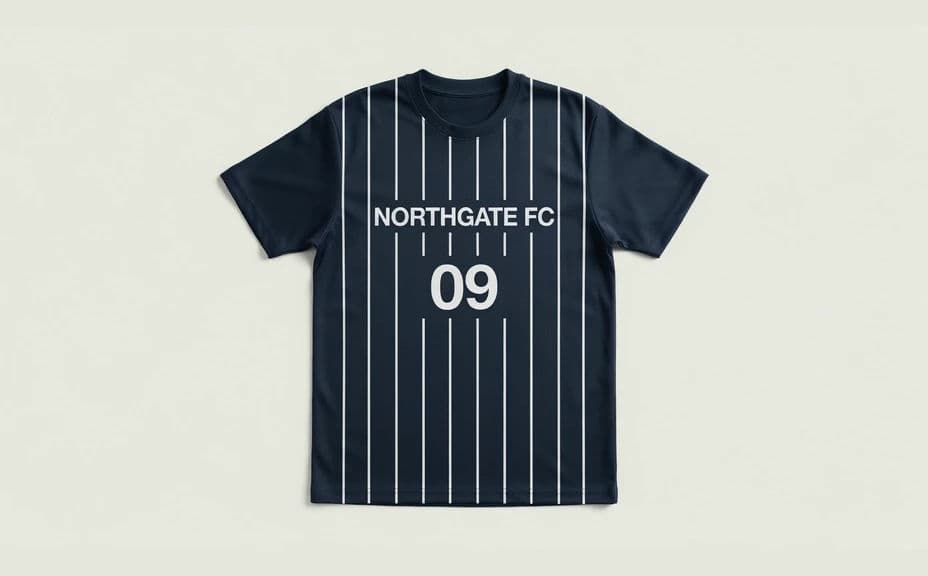
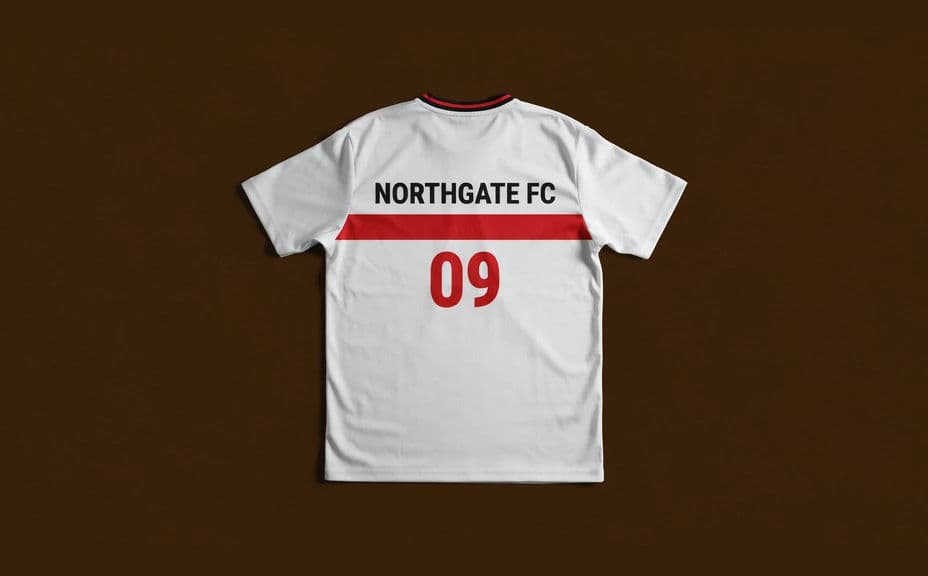
Two design options for the same team jersey, each carrying the club name and number.
What makes a good sports jersey mockup
| Quality | What it means | Why it matters |
|---|---|---|
| Accurate colours | The kit colours match your palette | Approvals fail when the shade drifts |
| Correct lettering | Name and number are sharp and centred | Printed kit follows the mockup exactly |
| Believable fabric | Weave, seams, and folds look real | Buyers trust what they are pre-ordering |
| Clean presentation | One clear angle, uncluttered background | The design is judged, not the setting |
Morphic vs the traditional way
| Morphic | Sample production or 3D mockup software | |
|---|---|---|
| Cost | Available on Morphic | Sample and printing costs or software licences |
| Time | A finished mockup in minutes | Days waiting on a sample or a render |
| Skill needed | Describe it in plain language | 3D or technical garment design skills |
| Consistency | Regenerate variations that match | A new sample for every design change |
FAQs
Yes. Give the exact name and number in your prompt, then read the rendered lettering and regenerate if anything looks off before you circulate it.
Yes. Describe each view and generate it separately, keeping the colour and pattern wording identical so both sides match.
Yes. Keep the design description fixed and change only the colours in each prompt. The set stays comparable for a side-by-side review.
Yes. Ask for it worn on a pitch or in a studio, and describe the pose and lighting. The same kit design carries across presentations.
Treat it as a design and approval visual, not a production file. Send your technical spec alongside it when you order.
Yes. Images you generate with Morphic are cleared for commercial use in store listings, decks, and marketing.