What is a supplement product photo?
A supplement product photo is the studio image of a tub, bottle, or sachet used on a store listing, an ad, or a brand page. It has to show the container clearly, hold accurate color, and sit on a backdrop that suits the brand, whether that is a clean seamless sweep or a styled countertop. Supplement brands, marketplace sellers, and agencies rely on these shots because listing images drive most of the buying decision.
With Morphic you make that photo from a text prompt in your browser. Describe the container shape, the lighting, the surface, and the camera angle, then compare setups and download the result in HD. You get commercially cleared imagery without booking a studio or renting lighting.
Describe the container
Open Morphic and describe the product precisely, its shape, material, finish, and rough proportions, such as a matte cylindrical tub with a screw lid. The more specific the container description, the closer the render sits to your real product.
Choose the lighting
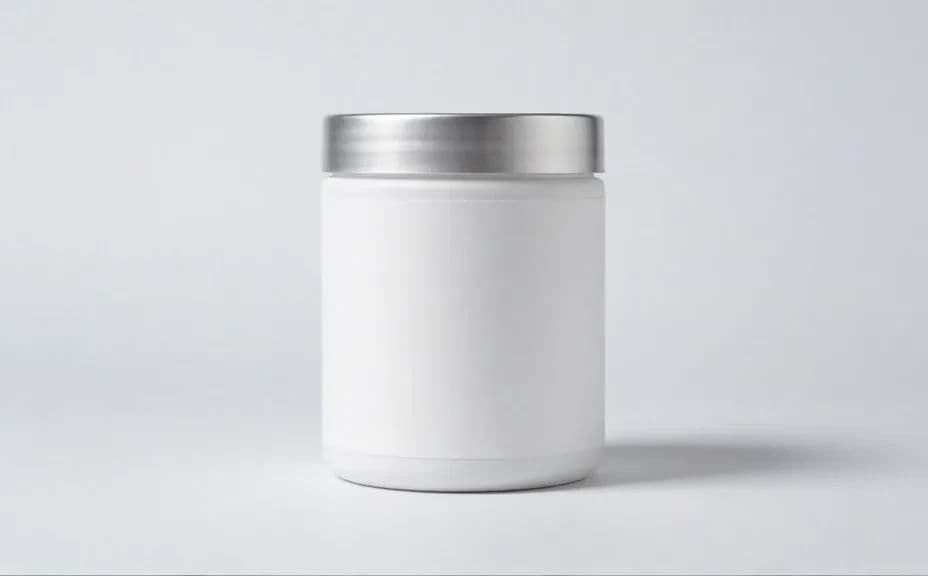
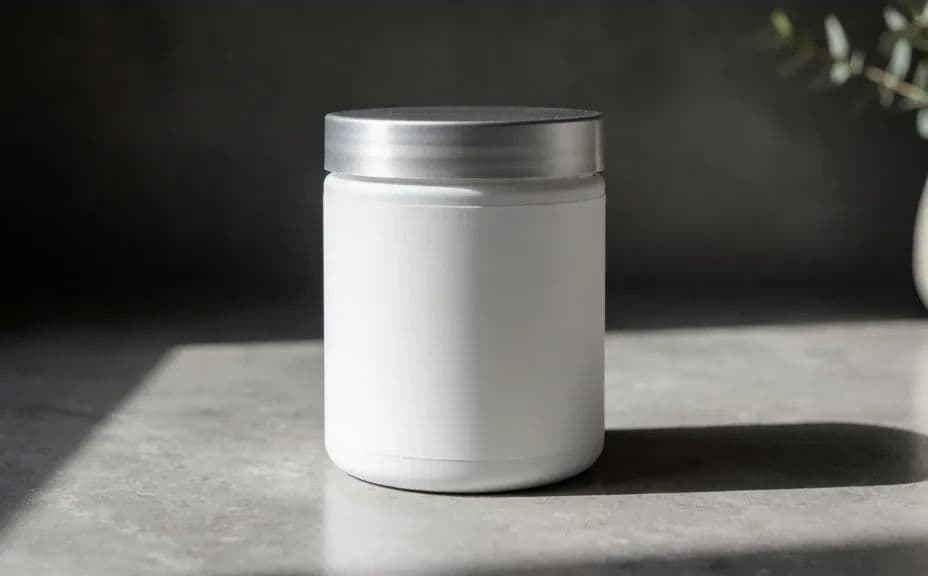
Say whether you want soft even studio light for a clean catalog look or directional light with a defined shadow for something more premium. Lighting sets the mood faster than any other choice in the prompt.
Set the surface and backdrop
Describe the surface the product sits on and the background behind it, for example a pale seamless sweep or a stone counter with soft daylight. Keep the background quiet so nothing competes with the container.
Pick the camera angle
Ask for a straight-on hero angle for listings, or a slight three-quarter view when you want the product to feel dimensional. Generate both if you need a hero shot and a secondary gallery image.
Review and download
Check the edges, reflections, and shadow for anything that looks unnatural, and regenerate if the form reads oddly. Download in HD and drop the shot straight into your listing or campaign.
Two studio setups for the same supplement container, shot with different lighting and backdrops.
What makes a great supplement product photo
| Quality | What it means | Why it matters |
|---|---|---|
| Clean separation | The container stands clear of the background | The product reads instantly in a grid of listings |
| Controlled lighting | Soft highlights and a believable shadow | The shot looks professional rather than snapshot-like |
| Accurate color | The finish matches the real product | Fewer returns from mismatched expectations |
| Consistent angle | One camera height across the range | The whole catalog looks like a single shoot |
Morphic vs the traditional way
| Morphic | A studio product shoot | |
|---|---|---|
| Cost | Available on Morphic | Studio hire, lighting, and a photographer |
| Time | A finished shot in minutes | A half day of setup and post-production |
| Skill needed | Describe it in plain language | Lighting, styling, and retouching skills |
| Consistency | Regenerate the same setup for every product | Careful relighting to match previous shoots |
FAQs
Describe the shape, material, finish, and proportions in detail, then regenerate until the form matches. Precise container wording makes the biggest difference.
Yes. Ask for a pure white seamless background with soft even lighting, which is the standard most marketplaces expect.
Yes. Keep the lighting, surface, and camera angle wording identical and change only the container, so the range looks like one shoot.
Yes. Describe a real setting such as a kitchen counter or a gym bench, and generate a styled version alongside the clean studio shot.
You download in HD, which is enough for store listings, ads, and most print placements.
Yes. Images you generate with Morphic are cleared for commercial use across listings, advertising, and brand pages.