What is a test drive video?
A test drive video puts a buyer in the seat, showing the car in motion and highlighting how it feels to drive. Dealers and automotive sellers use it because a moving vehicle conveys appeal that still photos cannot, turning casual browsers into people who want to book a real drive.
With Morphic you describe the shots you want and generate the video in your browser. Show the car rolling, cut to the interior and key features, and set the mood with pacing and music cues, then download a polished clip in HD.
Plan the shots you want
Sketch a short shot list: the car pulling away, a driving profile, a cockpit view, and a couple of feature close-ups. Planning the sequence first keeps the video tight and focused on what makes the drive appealing.
Describe the driving footage
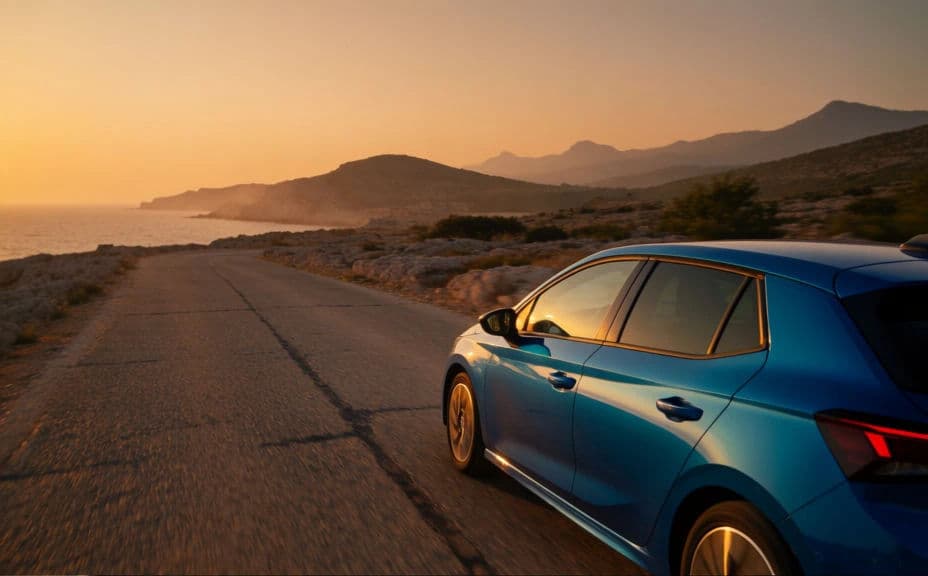
Open Morphic and describe the motion shots: the vehicle cruising a scenic road, a low tracking shot along the side, or a smooth pull-away. Name the setting and time of day so the footage sets the right tone.
Add interior and feature moments
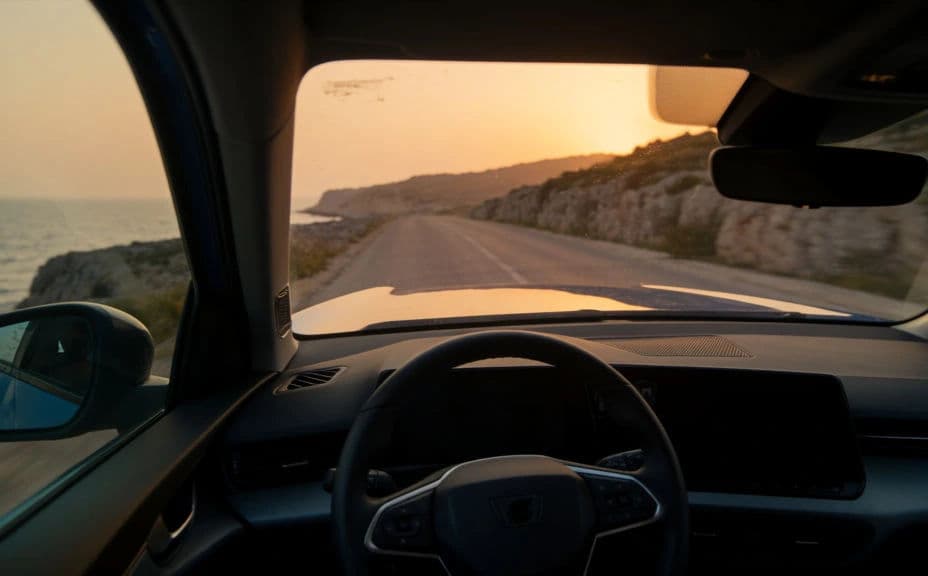
Ask for interior views that a driver cares about: the dashboard lit up, hands on the wheel, and a close look at standout features. These cuts answer what the cabin feels like, which is central to a test drive.
Set the pacing and mood
Describe the edit you want: an energetic pace with punchy cuts, or a calm, premium feel with longer holds. Matching the pacing to the vehicle, sporty or luxurious, makes the video feel intentional.
Export for social and listings
Download the clip in HD, sized for where it will run: vertical for social and stories, landscape for a listing page or YouTube. The result is cleared for commercial use and ready to publish.
The same test drive from outside and inside the cabin.
What makes a test drive video work
| Quality | What it means | Why it matters |
|---|---|---|
| Motion appeal | The car is shown driving, not parked | Movement conveys how the vehicle feels to own |
| Interior payoff | The cabin and features get real screen time | Buyers care most about where they will sit |
| Right pacing | Edit speed matches the vehicle character | The video feels intentional, not generic |
| Clear focus | A tight sequence, not everything at once | Viewers stay engaged through the whole clip |
Morphic vs the traditional way
| Morphic | A video crew or shoot | |
|---|---|---|
| Cost | Available on Morphic | Crew, location, and editing fees |
| Time | A finished clip in minutes | Scheduling a shoot and an edit |
| Skill needed | Describe it in plain language | Filming, driving shots, and editing skills |
| Consistency | Repeatable look across vehicles | Depends on crew and conditions each time |
FAQs
Cover the car in motion, a driving profile, a cockpit view, and a couple of feature close-ups. A tight sequence keeps the video focused on what makes the drive appealing.
Yes. Describe the motion you want, such as the vehicle cruising a scenic road or a low tracking shot along the side, and set the location and time of day for the right tone.
Short and focused works best. A tight clip that shows motion, the interior, and a few features holds attention better than a long walkaround, especially on social.
Yes. Ask for an energetic, punchy edit for a sporty car or calmer, longer holds for a luxury one, so the pacing feels intentional and suits the vehicle.
Use vertical for social and stories, and landscape for a listing page or YouTube. Download each in HD so the footage stays crisp.
Yes. Clips download without a watermark and are cleared for commercial use, so they are ready for paid social, listings, and your dealership channels.