What is a yoga studio schedule graphic?
A yoga studio schedule graphic is a single image that shows the week's classes, times, and teachers so students can plan without hunting through a booking system. It needs to feel like the studio, calm and uncluttered, while still being dense enough to carry a full timetable. Studio owners and teachers post it weekly to social feeds, print it for the front desk, and attach it to newsletters.
With Morphic you make this graphic from a text prompt in your browser. Describe the grid, the class names and times, the studio name, and the palette you want, then adjust and download in HD. The schedule comes out branded and readable without any design software.
Collect the timetable
Write out the days, class names, start times, and teacher names before you generate. Locking the text first is what keeps the rendered schedule correct.
Pick a layout
Open Morphic and describe how the week should sit on the page, a column per day or stacked day rows. Ask for two distinct layouts so you can see which one holds a full week more comfortably.
Set the studio's look
Describe a calm palette, soft neutrals or muted earth tones, with a light heading font and generous white space. Restraint reads as considered here, where a loud design would fight the studio's tone.
Proof every line
Check each class name, time, and teacher name on the graphic against your list. Regenerate any version where a time is wrong, lines run together, or text sits too close to the edge.
Export and publish it
Preview the schedule at posting size and at the size you would print for the studio door. Download in HD and share it across your feed, newsletter, and front desk.
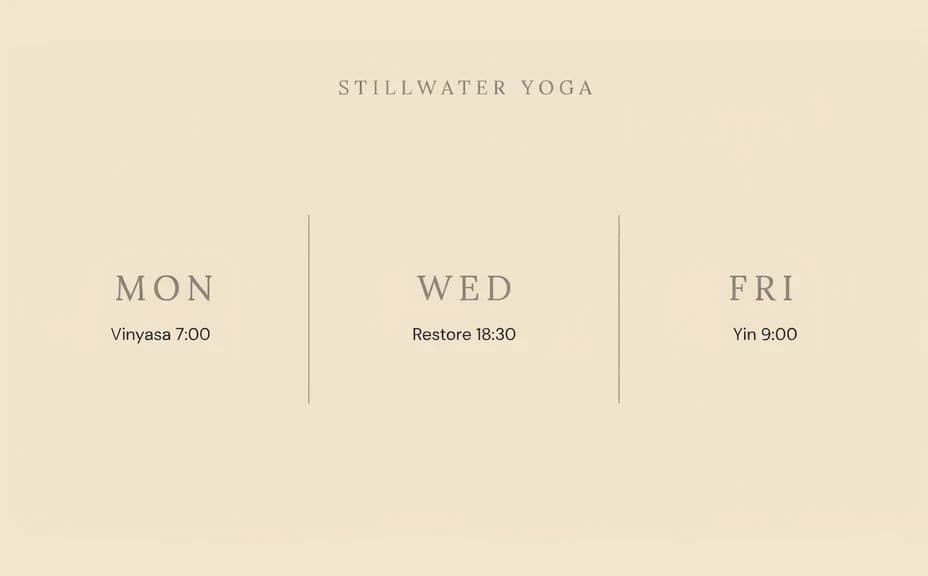
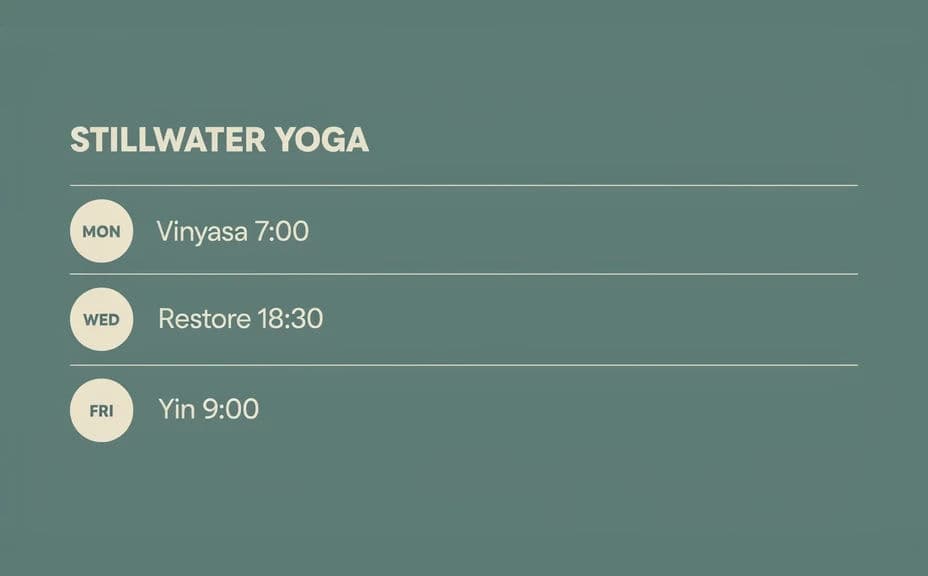
Two different schedule designs for the same studio week, each with its own layout and colour treatment.
What makes a good yoga studio schedule graphic
| Quality | What it means | Why it matters |
|---|---|---|
| Readable times | Class times stand out from the class names | Students find the slot they want at a glance |
| Calm styling | Soft palette and plenty of white space | The graphic matches how the studio feels |
| Clear day separation | Each day is visually distinct | A full week stays easy to scan |
| Accurate text | Every name and time proofed | One wrong time costs you a class of students |
Morphic vs the traditional way
| Morphic | Design software or a designer | |
|---|---|---|
| Cost | Available on Morphic | Software subscription or design fee |
| Time | A finished schedule in minutes | Hours of aligning a timetable by hand |
| Skill needed | Describe it in plain language | Layout and typography skills |
| Consistency | Regenerate each week in the same style | Rebuilding or patching the template weekly |
FAQs
Yes. Provide the full timetable in your prompt, then proof every line on the rendered graphic and regenerate if anything is wrong.
A full week fits when class names are short. If the timetable is dense, split it across two graphics rather than shrinking the type.
Yes. Describe your palette, type style, and where the studio name should sit, and generate the schedule to match.
Yes, if you keep the layout simple. Preview at phone size and regenerate any version where the times feel cramped or the contrast is too soft.
Change the class text and regenerate in the same style. Weekly updates take moments and the look stays consistent.
Yes. Graphics you generate with Morphic are cleared for commercial use across your studio's marketing, print, and social channels.