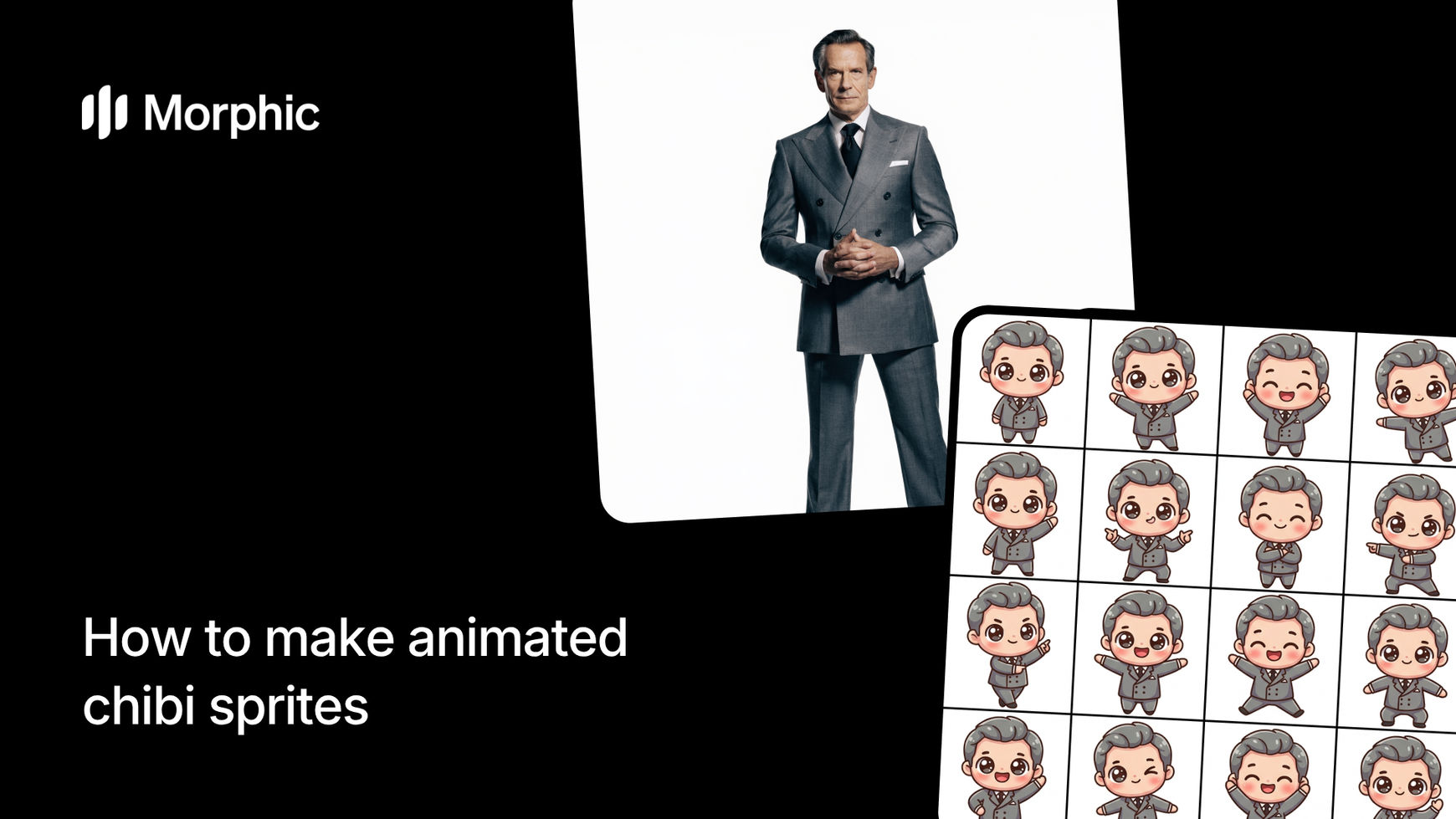
What is an animated chibi sprite?
An animated chibi sprite is a small, stylized character with exaggerated proportions, a large head, small body, and expressive features, rendered as a looping animation. Chibi sprites are popular in games, streams, social media stickers, and digital content because their compact design and exaggerated expressions communicate personality instantly.
Upload a photo or describe your character, add detail about their appearance, select a chibi style and animation type, then run the workflow. Morphic converts your reference into chibi proportions, preserves recognizable features, and animates the character with your chosen action. The result is a smooth looping animation ready for any platform.
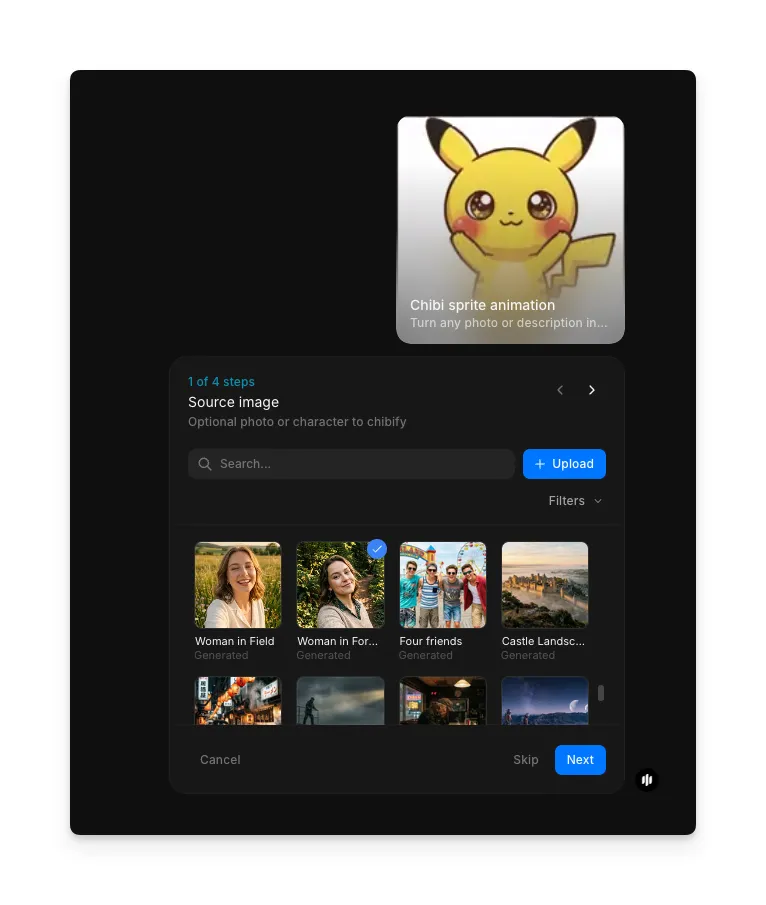
Upload a source image
Open the "Chibi sprite animation" workflow. In the "Source image" step, browse the gallery or upload a photo, selfie, or existing character art. The workflow uses this as the identity reference for the chibi conversion.
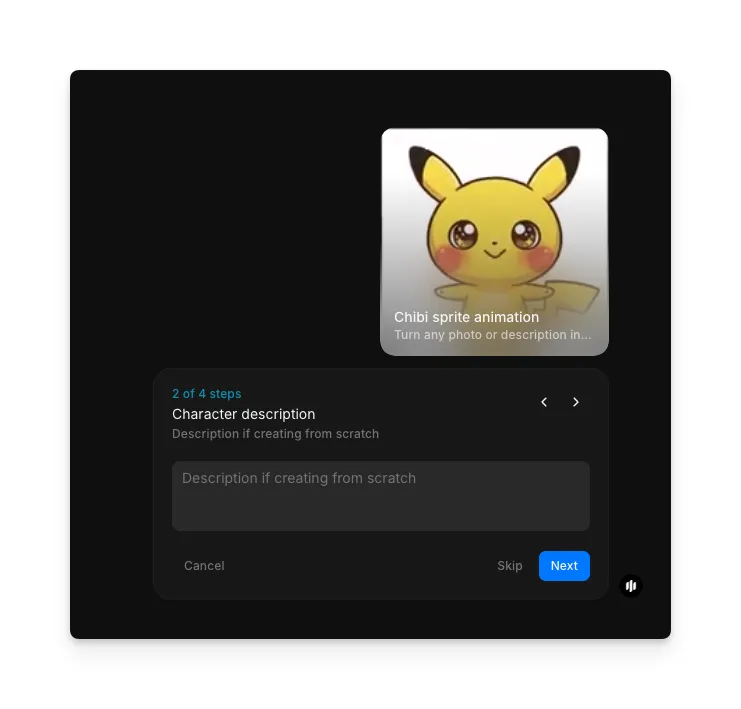
Describe your character
In the "Character description" step, optionally add a text description if you're creating from scratch or want to specify details like hair color, outfit, and accessories that should carry into the chibi version.
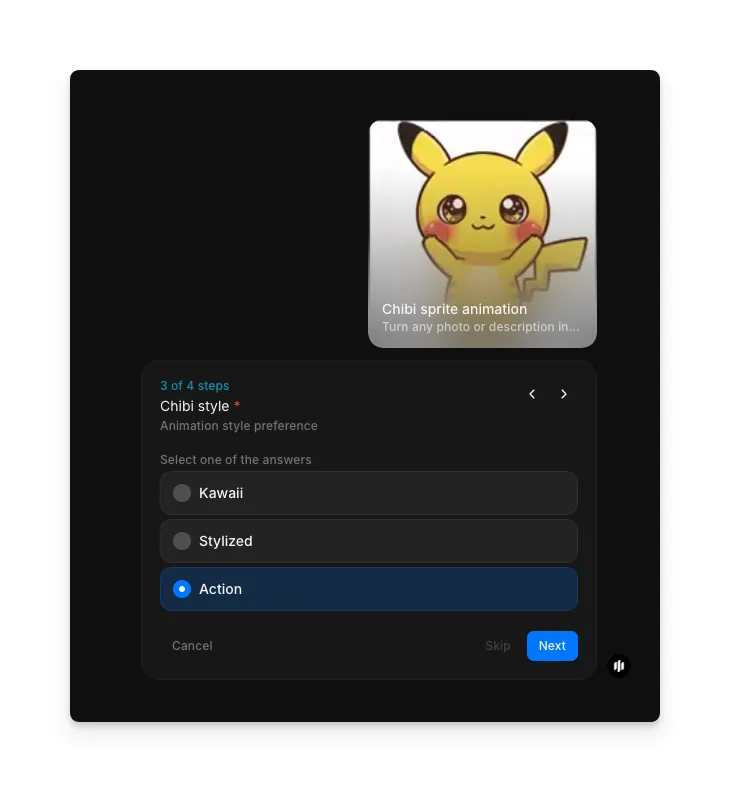
Select chibi style
In the "Chibi style" step, choose the animation style preference. Options include Kawaii (soft and rounded), Stylized (clean with defined features), and Action (sharp and dynamic).
Select animation type and run
In the "Animation type" step, pick the action for your chibi sprite. Click "Run workflow" to generate.
| Animation | Description | Best for |
|---|---|---|
| Walk-cycle | Smooth walking loop with natural chibi bounce | Game sprites, idle animations, and character showcases |
| Dance-loop | Rhythmic full-body movement with bouncy chibi energy | Stream alerts, music content, and celebrations |
| Jump | Excited vertical hop with exaggerated squash and stretch | Reaction stickers, game UI, and notification sprites |
| Wave | Friendly arm wave with head tilt and bright expression | Greeting animations, welcome screens, and social content |
| Attack | Dynamic combat swing with chibi-scale weapon or punch | Game sprites, action content, and battle animations |
| Idle | Subtle breathing and blinking loop | Standing animations, menu screens, and character select |
| Run | Fast-paced running loop with energetic motion | Game sprites, chase sequences, and action content |
| Power-up | Dramatic energy burst with glowing effects | Game power-ups, level-ups, and transformation reveals |
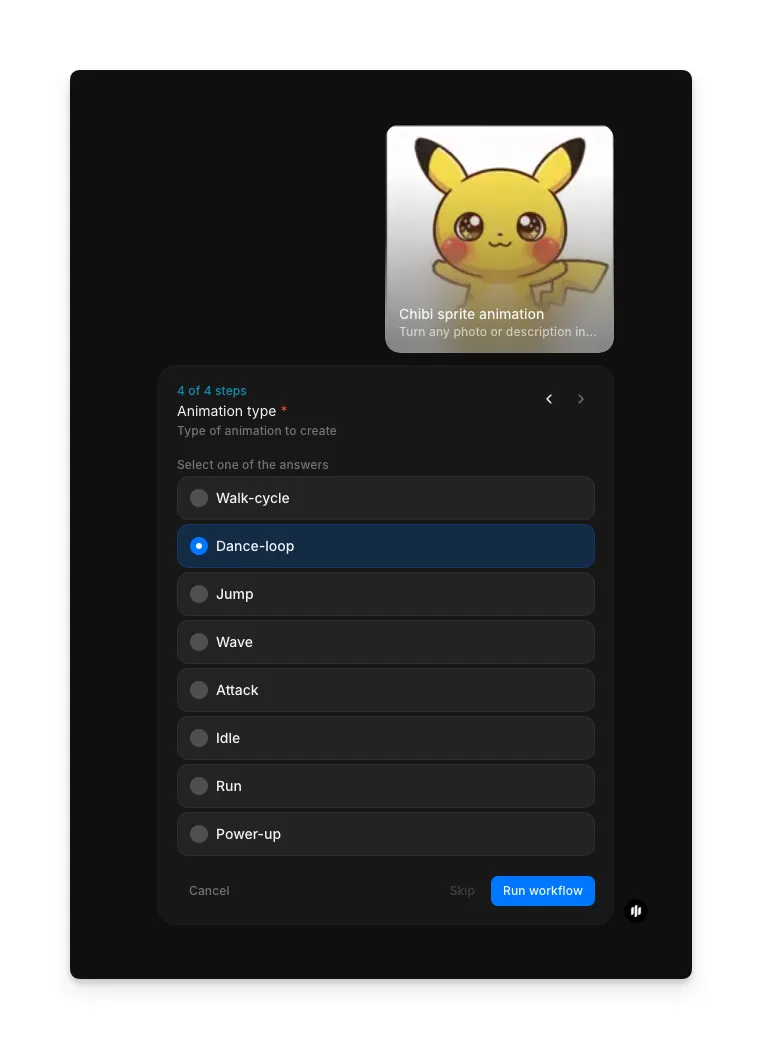
Morphic processes your inputs and generates a complete animated chibi sprite. The output is a smooth looping animation with your character rendered in chibi proportions performing the selected action.
Animated chibi sprite output showing the character performing the selected animation action
What makes a great animated chibi sprite
| Quality | What it means | Why it matters |
|---|---|---|
| Expressive face | Large eyes and clear facial expressions convey emotion instantly | Viewers connect with the character even at small display sizes |
| Smooth animation | Frames flow naturally with proper easing and timing | The sprite feels alive and polished rather than choppy or robotic |
| Consistent design | Proportions, colors, and details stay stable throughout the animation | The character remains recognizable across every frame of motion |
| Appealing proportions | Head-to-body ratio and limb sizes follow chibi conventions | The sprite reads as intentionally stylized rather than poorly drawn |
The AI handles chibi proportions, expression design, and animation timing automatically, so you only need to provide a character reference and choose your animation.
Chibi sprite workflow vs. commissioning chibi artists
| Chibi sprite animation workflow | Commissioning a chibi artist and animator | |
|---|---|---|
| Cost | Available on Morphic | Varies by artist for design plus animation |
| Time to create | Minutes | 3 to 14 days for design and animation combined |
| Photo likeness | Preserves recognizable features from uploaded photos | Artist interprets from reference with varying accuracy |
| Animation options | Multiple action types available instantly | Each animation requires a separate commission |
| Revisions | Regenerate with adjusted inputs | Revisions typically limited or charged additionally |
| Style consistency | Consistent chibi proportions across all outputs | Style varies between different artists |
FAQs
Yes. The output animations are formatted for use across streaming platforms, messaging apps, and social media. Export in formats compatible with Twitch emotes, Discord stickers, and social media posts.
Yes. When you upload a photo, the workflow identifies key features like hair style, face shape, and distinguishing characteristics, then translates them into chibi proportions while keeping the character recognizably you.
Yes. Describe a different outfit in the character details step and regenerate. You can create multiple versions of the same character in different outfits, each with any animation type.
Animation loops are optimized for seamless repetition, typically running 1 to 3 seconds per cycle depending on the action type. The loop point is smooth so the animation plays continuously without visible jumps.
Commissioning a chibi design and animation from an artist can be expensive. Morphic's chibi sprite animation workflow is available on Morphic and delivers animated results significantly faster.