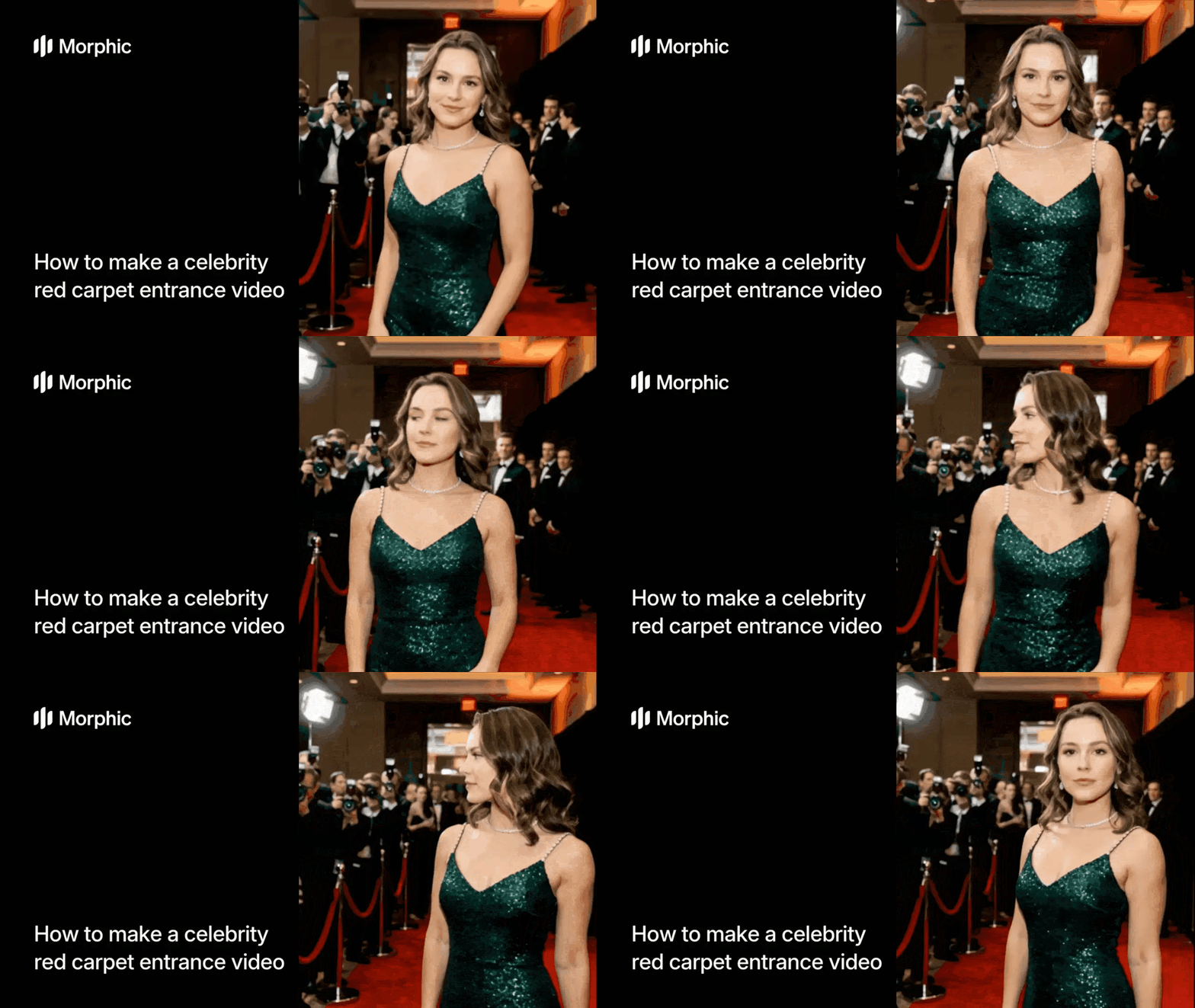
What is a red carpet entrance video?
A red carpet entrance video simulates the experience of a celebrity arriving at a premiere or gala event. The subject walks or poses on a red carpet while paparazzi flash bulbs fire, crowds react, and cameras capture the moment from cinematic angles. Morphic's workflow composites your uploaded photo into this scene, animating the subject with natural movement and surrounding them with realistic event atmosphere, lighting, and camera effects.
The result is a short, shareable video that looks like authentic event footage.
Upload your photo
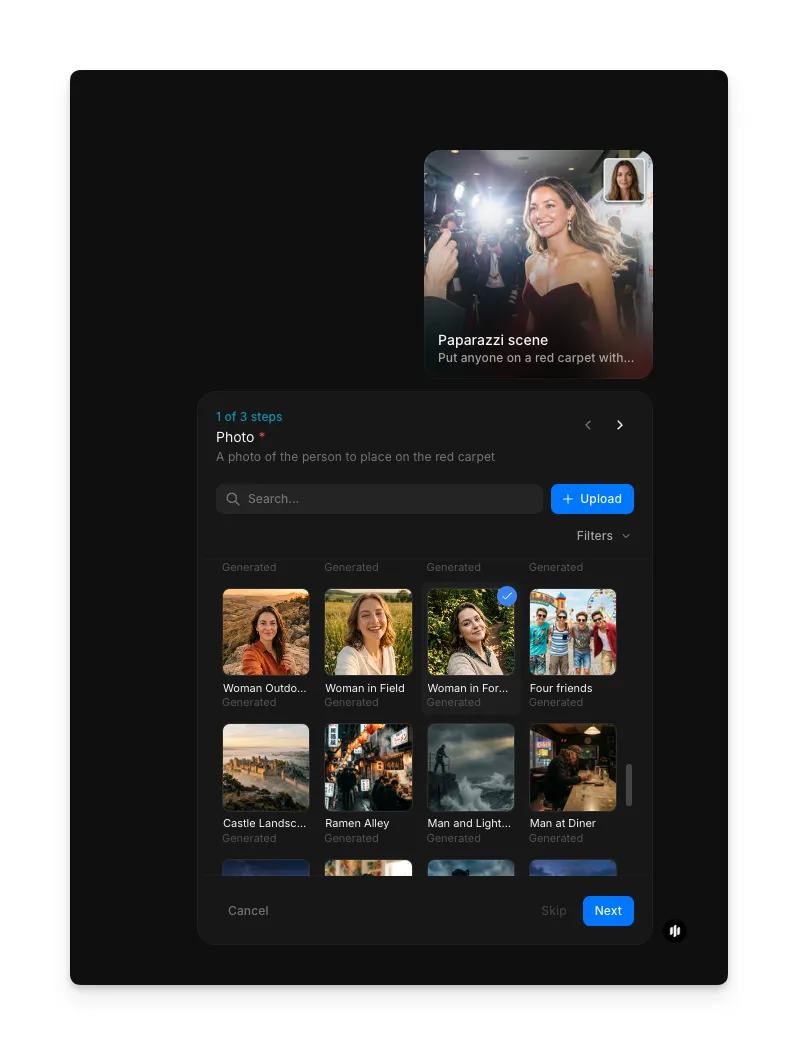
Open the "Paparazzi scene" workflow. In the "Photo" step, browse the gallery or upload a clear photo of the person you want to place on the red carpet. A well-lit portrait or full-body photo works best.
Select the event type
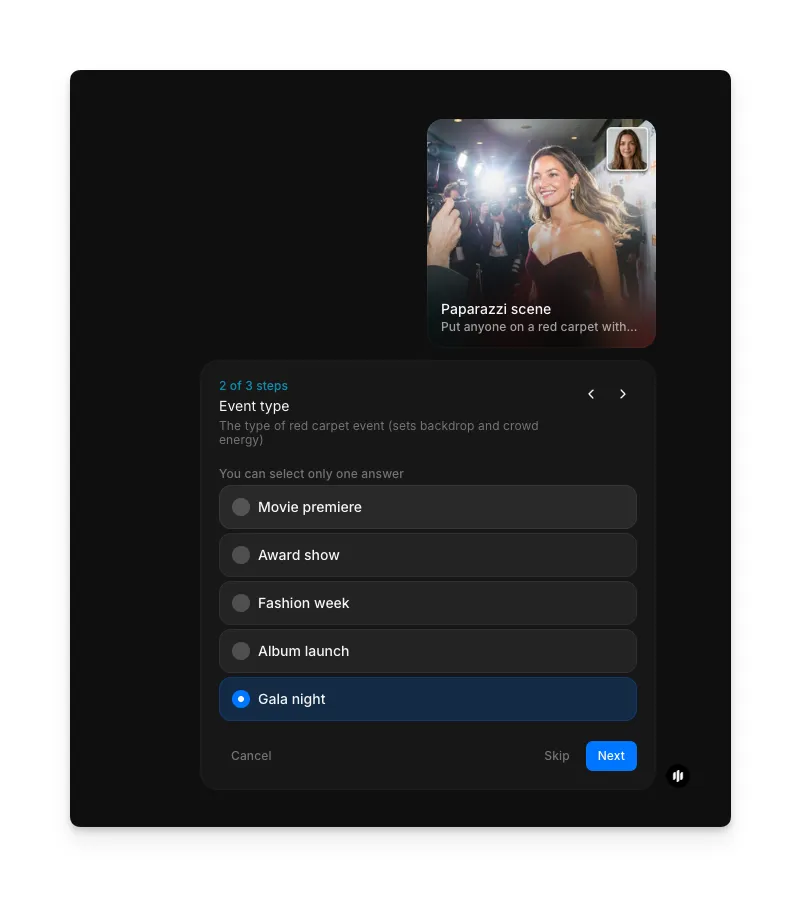
In the "Event type" step, choose the style of red carpet event. Options include Movie premiere, Award show, Fashion week, Album launch, and Gala night. Each event type adjusts the backdrop, crowd energy, flash intensity, and overall mood.
| Event type | Atmosphere | Best for |
|---|---|---|
| Movie premiere | Branded backdrop, intense flashes, excited crowd energy | Movie-themed content, dramatic reveals, and Hollywood-style posts |
| Award show | Formal staging, elegant lighting, sophisticated ambiance | Milestone celebrations, professional achievements, and formal events |
| Fashion week | Runway-style walk, editorial lighting, high-fashion backdrop | Fashion content, brand launches, and style-focused social media |
| Album launch | Music-industry atmosphere with vibrant energy and stage presence | Music releases, artist promotions, and entertainment content |
| Gala night | Upscale evening event atmosphere with warm elegant lighting | Birthday surprises, celebration videos, and formal social posts |
Add outfit details and generate
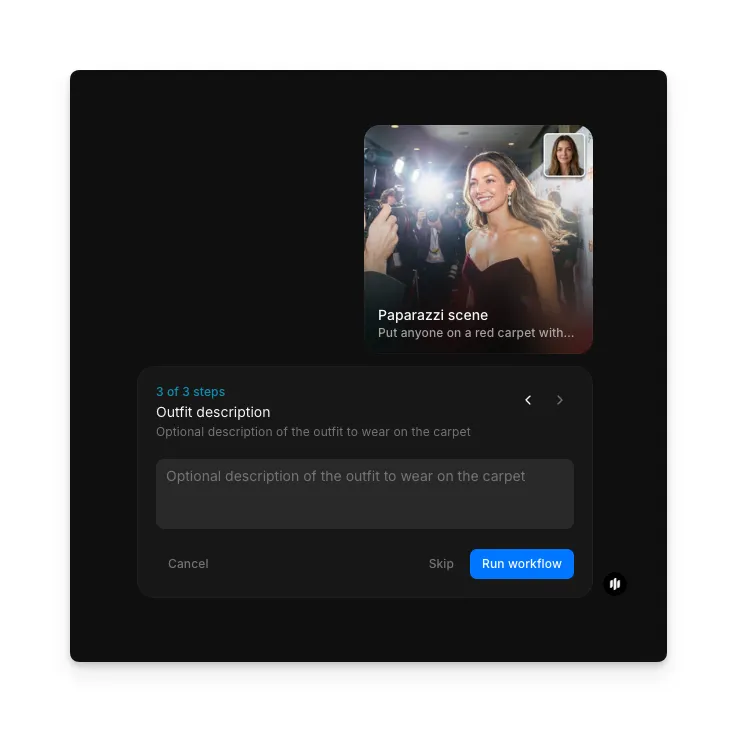
In the "Outfit description" step, optionally describe the outfit you want the subject to wear. Click "Run workflow" to generate your red carpet entrance video.
Final output: a celebrity red carpet entrance video with paparazzi flashes and crowd atmosphere
What makes a convincing red carpet video
| Quality | What it means | Why it matters |
|---|---|---|
| Flash realism | Paparazzi flashes fire at natural intervals with realistic light falloff | Uniform or rhythmic flashing looks artificial and breaks the illusion immediately |
| Character compositing | The subject blends naturally into the red carpet scene with correct lighting and shadows | Poor compositing makes the person look pasted onto a background |
| Camera motion | The camera moves with handheld documentary-style movement | A static or perfectly smooth camera feels like a slideshow rather than live footage |
| Atmospheric staging | Crowd noise, ambient lighting, and environmental details create a complete scene | Missing atmospheric elements make the scene feel empty and staged |
The workflow handles flash timing, compositing, camera motion, and atmospheric elements automatically, producing a video that feels like captured event footage.
Morphic vs physical production
| Morphic paparazzi scene workflow | Physical red carpet production | |
|---|---|---|
| Cost | Available on Morphic | Professional production rates for venue, lighting, extras, and crew |
| Time to delivery | Minutes from upload to finished video | Days of planning plus a full production day |
| Equipment needed | A phone photo | Professional cameras, lighting rigs, flash units, and backdrops |
| Crew required | None | Photographer, videographer, lighting tech, and extras |
| Location | Generated digitally | Requires renting or building a red carpet set |
| Iteration | Change event type and regenerate instantly | Reshoot requires reassembling the entire production |
FAQs
A well-lit portrait or full-body photo with a clean, uncluttered background produces the best results. The subject should be clearly visible with good contrast against the background. Avoid heavily filtered or low-resolution images.
Yes. The red carpet entrance video is popular for birthdays, graduations, promotions, and any occasion where you want to make someone feel like a celebrity. Choose the event type that best matches the celebration's tone.
The workflow generates a short video clip, typically 5 to 10 seconds, optimized for social media sharing. The clip includes the entrance moment with flash effects and camera movement, designed to loop smoothly for platforms like Instagram and TikTok.
Yes. Videos generated through your Morphic subscription are yours to use commercially. Use them for brand promotions, event marketing, social media campaigns, or any other commercial context without additional licensing fees.
The paparazzi scene workflow is available on Morphic. You can run the workflow multiple times as needed.