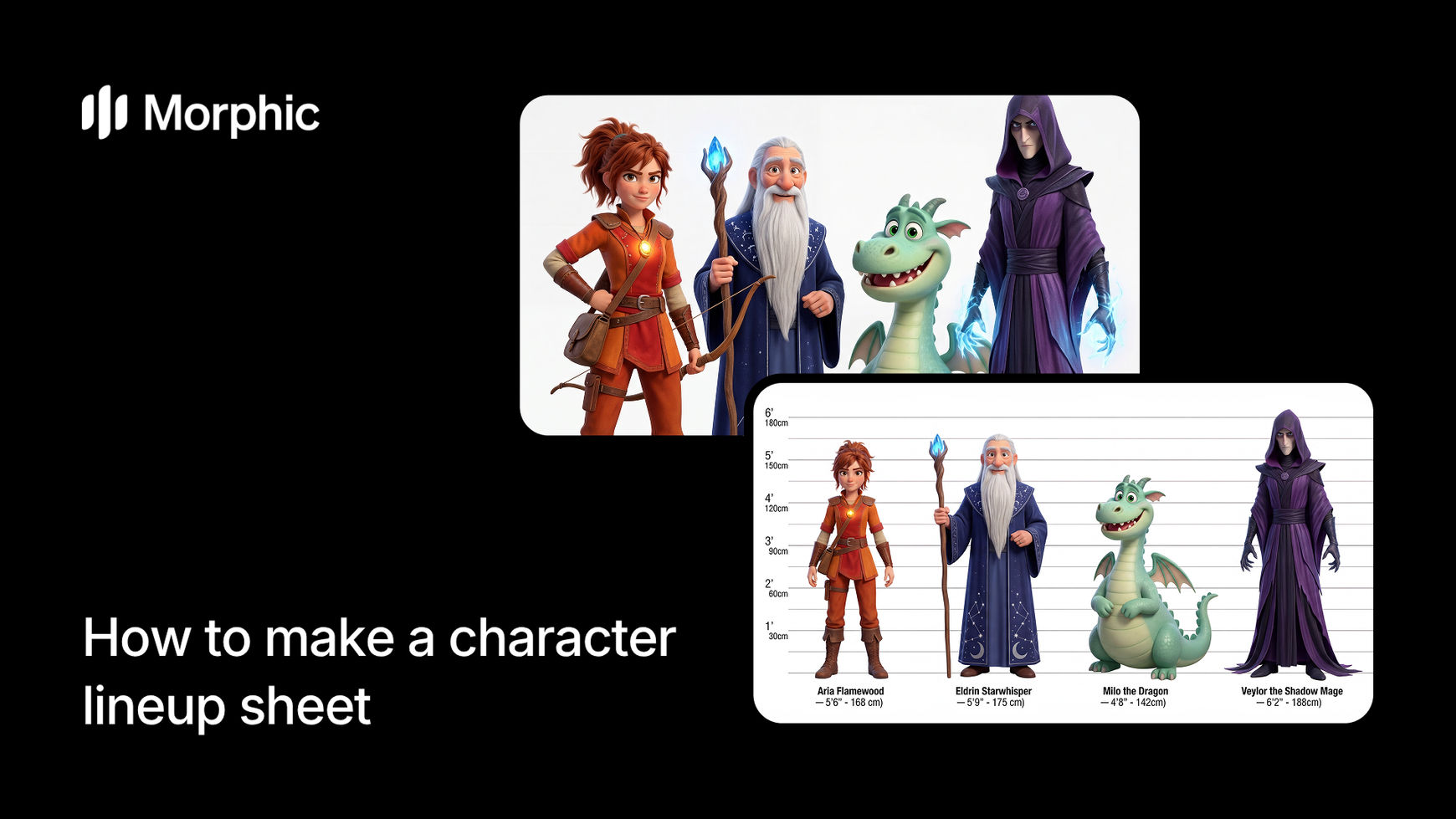
What is a character lineup?
A character lineup is a visual sheet displaying multiple characters side by side, arranged by height or position within a story hierarchy. A good lineup communicates scale relationships, shows design consistency across your roster, and gives the entire team a unified visual reference.
Upload your character images or descriptions, specify your arrangement preferences and height comparisons, then run the workflow. Morphic renders all characters at mathematically accurate proportions relative to each other, positions them with compositional balance, and applies consistent lighting and visual style. The result is a professional lineup sheet with precise proportions ready for animation, game development, or team reference.
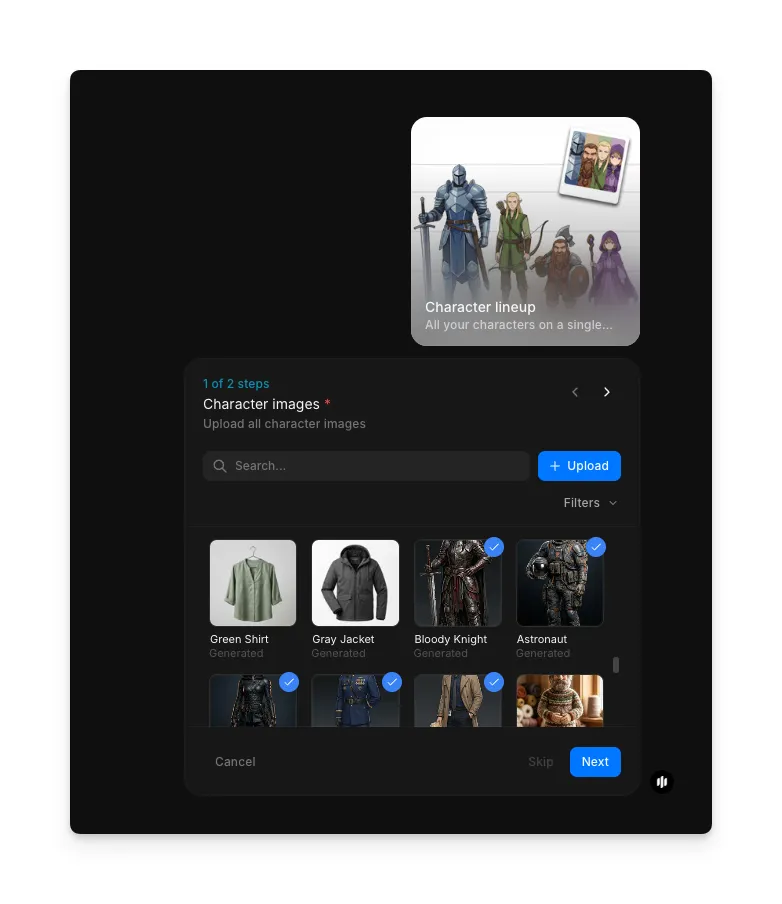
Upload your character images
Open the "Character lineup" workflow. In the "Character images" step, browse the gallery or upload the character artwork or reference images you want to include. You can add multiple characters to build your roster.
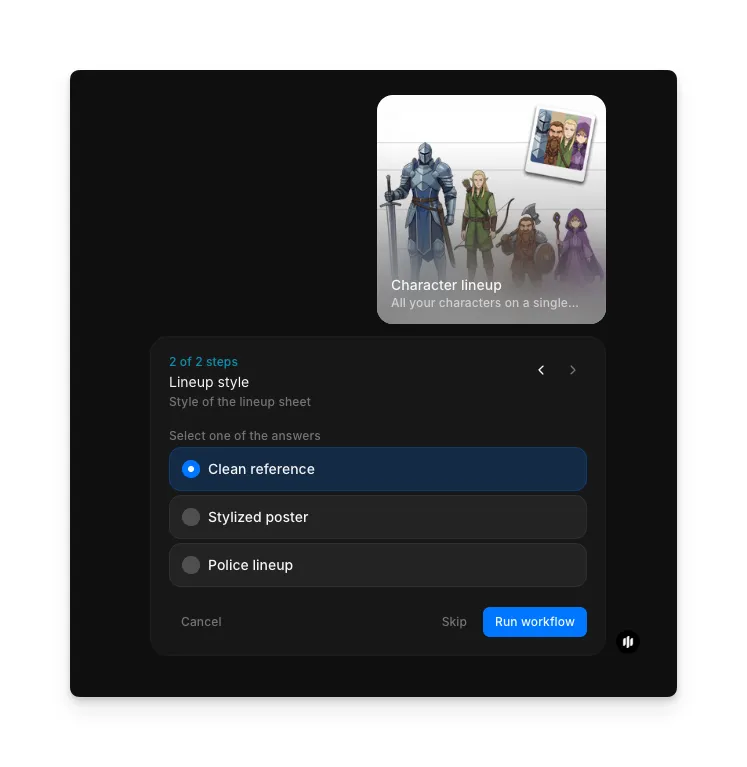
Select lineup style and generate
In the "Lineup style" step, select the visual format for your sheet. Options include Clean reference for a minimal professional look, Stylized poster for a designed composition, and Police lineup for a standardized format. Click "Run workflow" to generate.
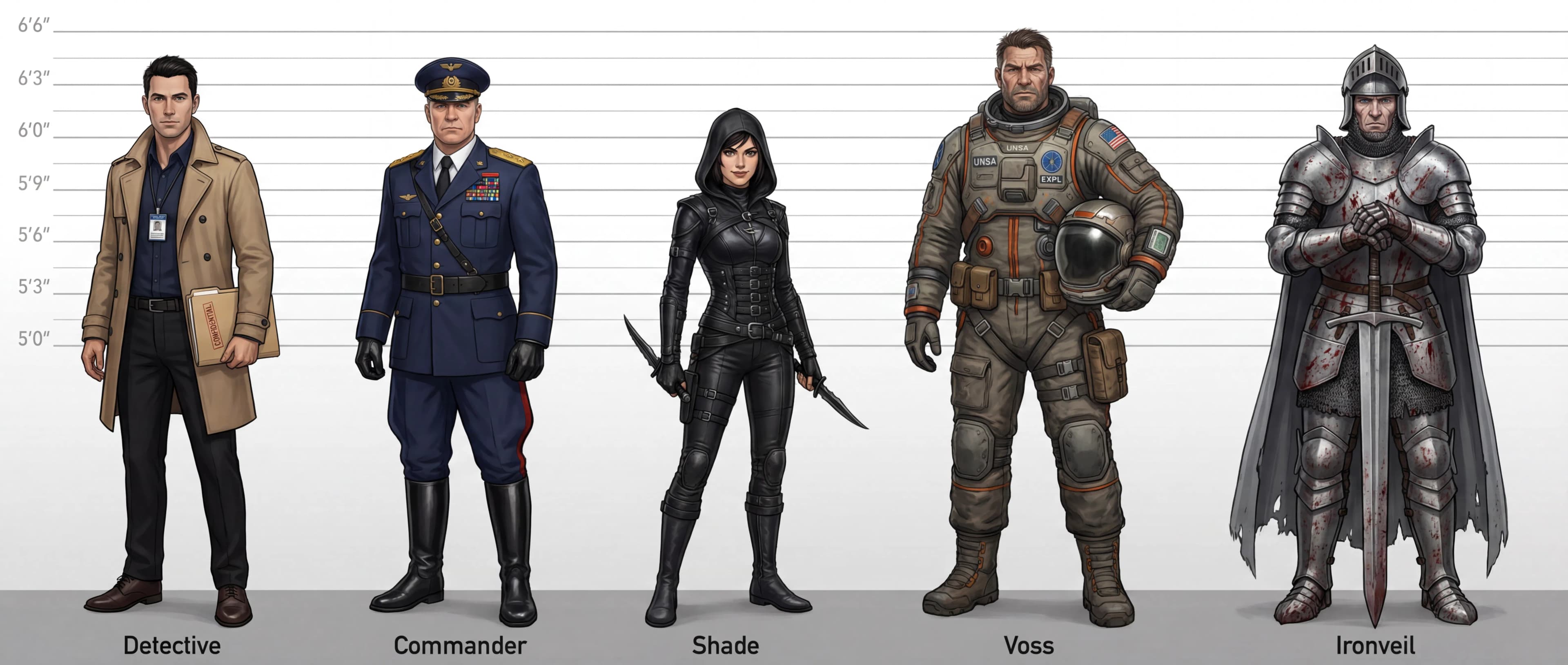
Morphic processes your characters and generates a complete lineup sheet. The output displays all characters arranged side by side with consistent styling, mathematically accurate height comparisons, and a unified visual treatment.
What makes an effective character lineup
| Quality | What it means | Why it matters |
|---|---|---|
| Proportional accuracy | Heights reflect actual scale relationships with mathematical precision | Animators and designers can trust the relative proportions |
| Consistent rendering | All characters share unified visual style, lighting, and treatment | The lineup looks like one unified product, not patchwork |
| Clear composition | Characters are positioned intuitively with visual balance and hierarchy | Viewers instantly understand relationships and character importance |
| Professional presentation | Clean background and thoughtful layout support the characters | The lineup looks like a finished professional asset, not a draft |
The AI handles proportional accuracy, visual consistency, and compositional balance automatically, so you only need to provide character references and choose your arrangement.
Character lineup vs. drawing character sheets manually
| Character lineup workflow | Drawing character sheets manually in digital software | |
|---|---|---|
| Cost | Available on Morphic | Art software subscription plus your billable hours |
| Time to create | Minutes | 8 to 16 hours of drawing and composition work |
| Proportional accuracy | Mathematical precision ensures accurate height relationships | Manual proportions require constant verification |
| Character consistency | Unified styling across all characters automatically | Each character drawn separately risks style drift |
| Revision iterations | Regenerate with adjusted inputs | Each revision requires redrawing portions |
| Team reference | Export instantly for team sharing | Scan or export hand-drawn work, may need cleanup |
| Production-ready | Perfect proportions for animation or rigging | Hand-drawn proportions may need correction |
FAQs
Yes. If you want to change character order, spacing, or arrangement, regenerate the workflow with updated parameters.
Character lineups export in standard web and print formats including PNG and JPEG. Resolution options support social sharing, portfolio use, and high-resolution printing.
Absolutely. The workflow supports contextual backgrounds and props that enhance character presentation. Specify any background requirements and the workflow integrates them with your characters.
The workflow analyzes each character's unique proportions and renders them accurately relative to each other. Whether your roster includes tall and short characters, different body types, or fantasy creatures, proportional accuracy is maintained.
Manual character sheet drawing typically takes significant artist time. Morphic's character lineup workflow is available on Morphic and delivers results significantly faster.