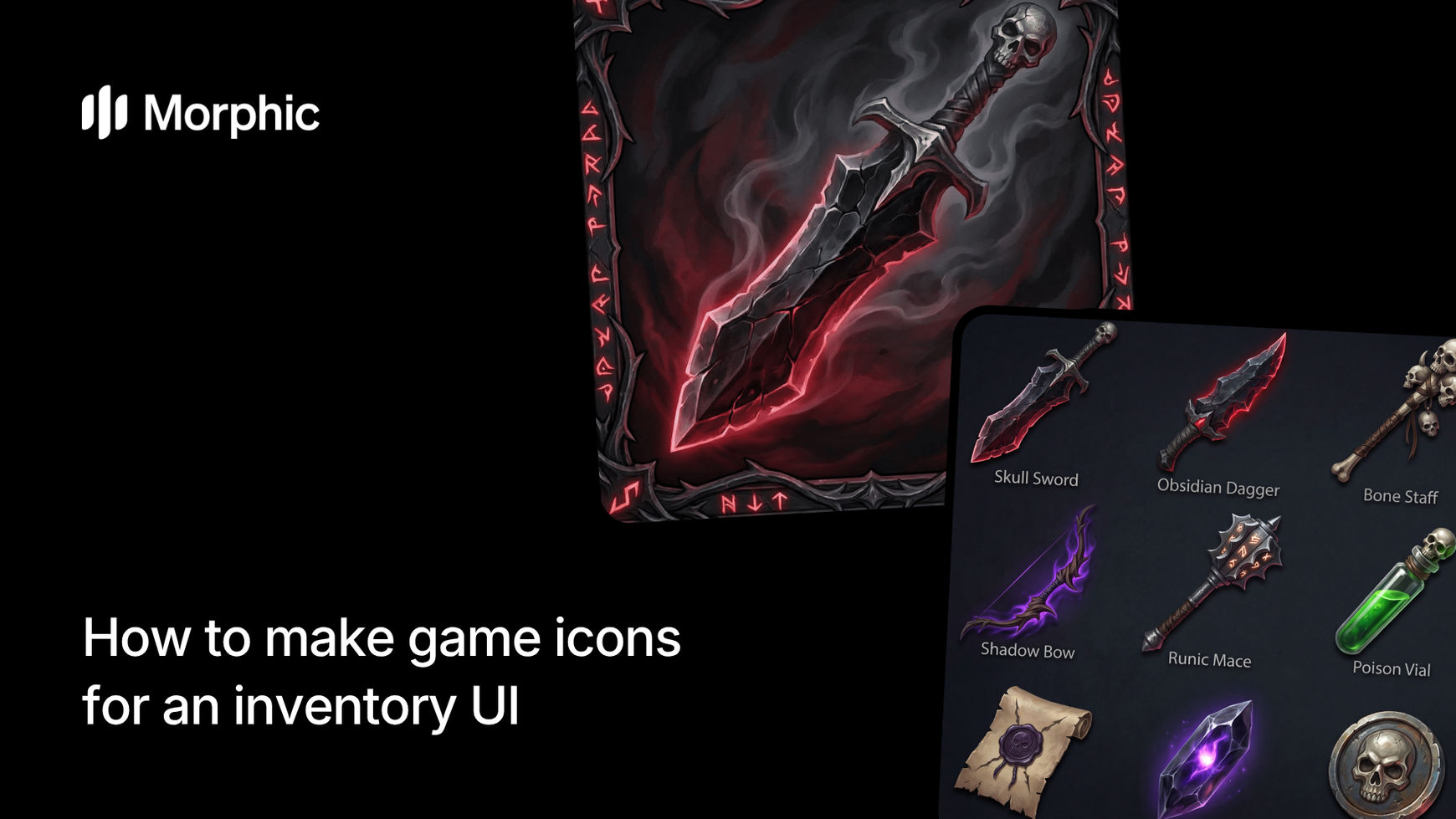
What are game icons?
Game icons are small, stylized visual representations of items, abilities, or equipment used in game user interfaces. Inventory icons help players quickly identify items at a glance, communicate function through visual metaphor, and maintain visual consistency across the UI. Quality game icons are recognizable at small sizes while fitting a unified art direction.
In game development, inventory icons are foundational UI elements that support player interaction. Icons must be visually distinct from each other, readable at small sizes, and aligned with the game's overall artistic style. Morphic's icon sheet workflow automates icon creation, generating 12 consistent, production-ready game icons in seconds.
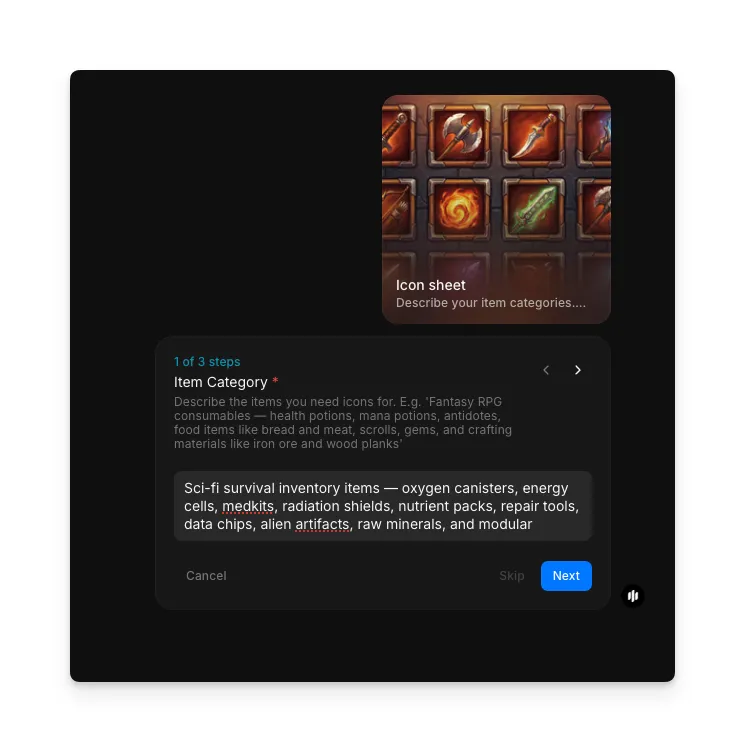
Describe your item categories
Open the "Icon sheet" workflow. In the "Item Category" step, describe your inventory items and game context. Include the item types (weapons, potions, armor, etc.) and the game setting.
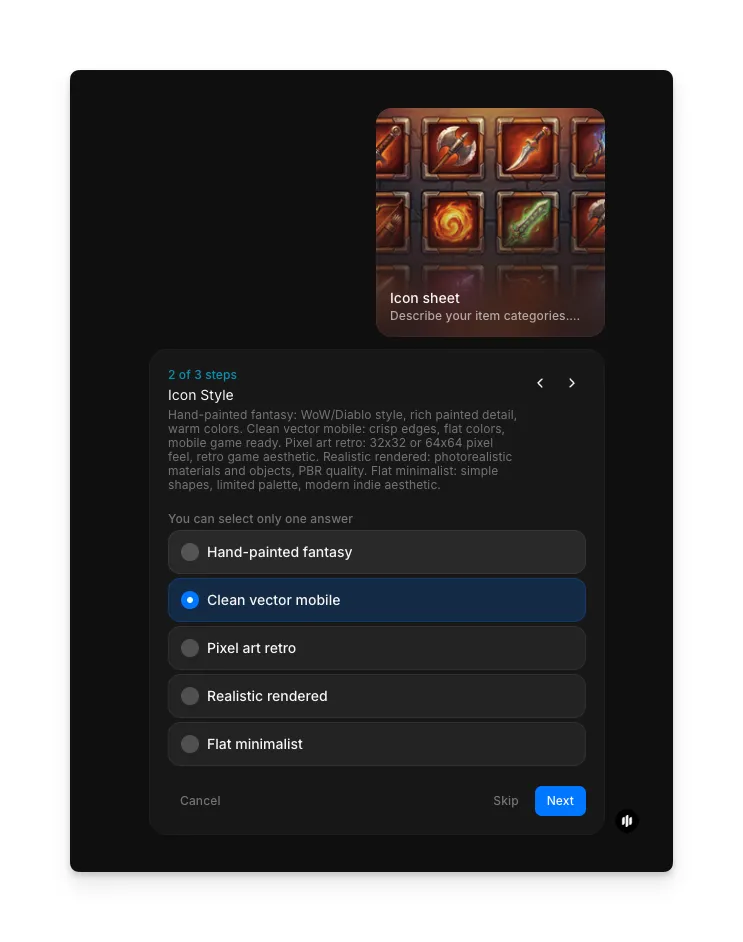
Select your icon style
In the "Icon Style" step, choose the visual rendering approach for your icons. Options include Hand-painted fantasy, Clean vector mobile, Pixel art retro, Realistic rendered, and Flat minimalist.
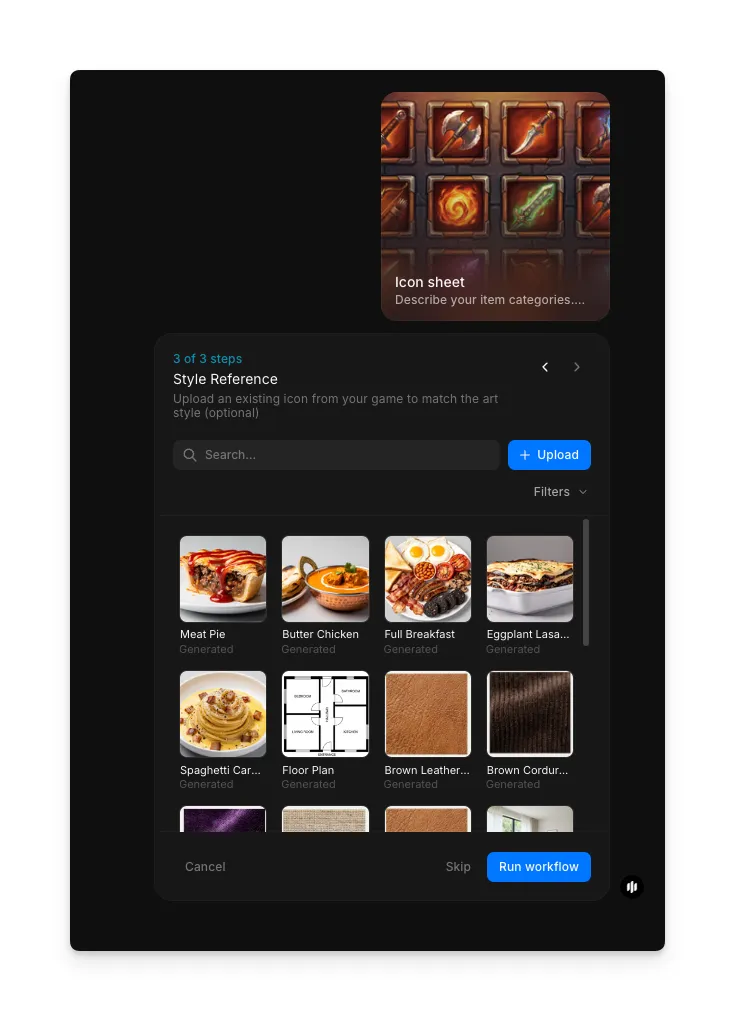
Add a style reference and generate
In the "Style Reference" step, browse the gallery or upload an image to guide the visual style of your icons. Click "Run workflow" to generate your icon sheet.
Export your icon sheet as PNG with transparency and import directly into your game engine.
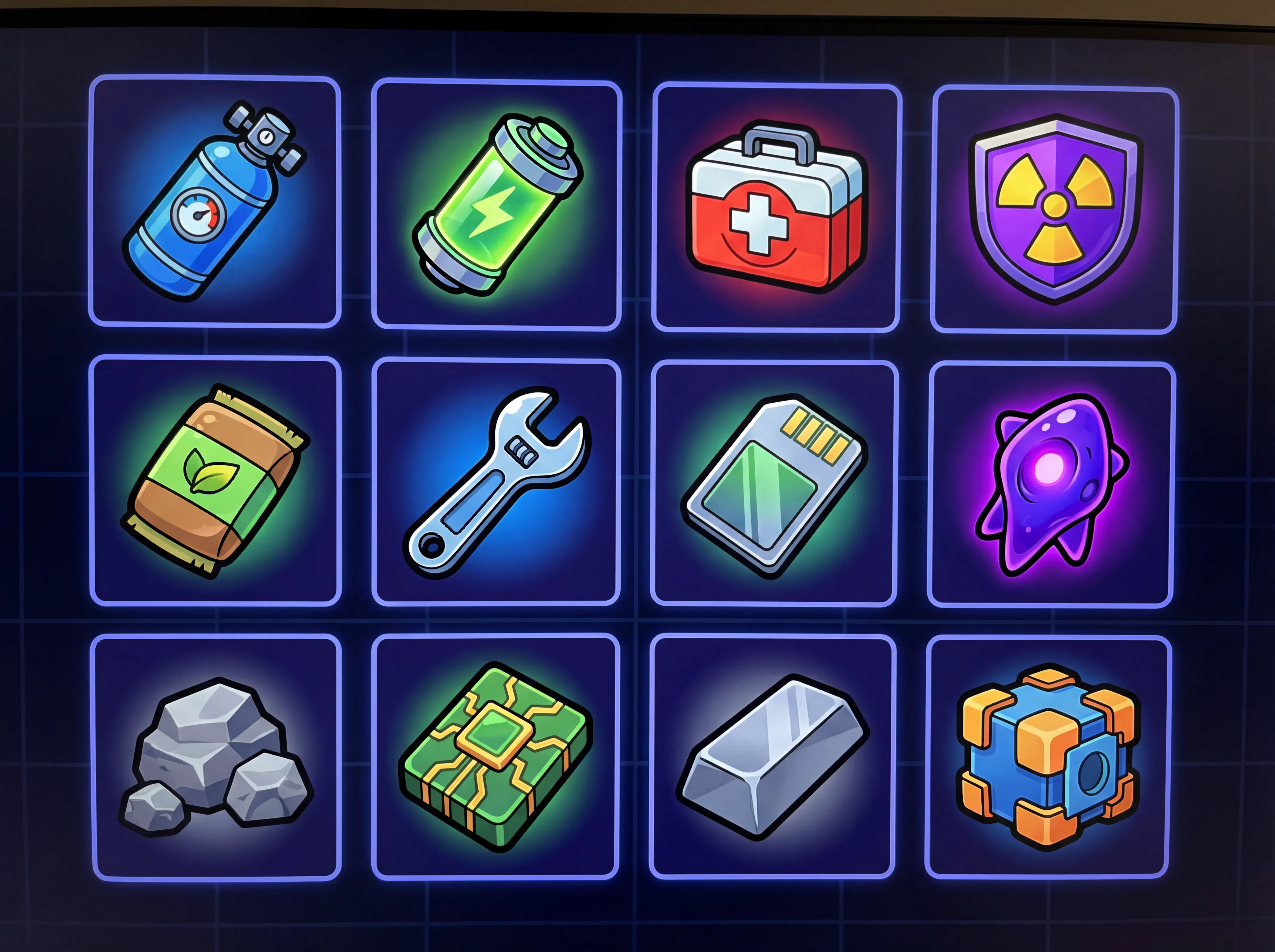
What makes a great game icon set
| Quality | What it means | Why it matters |
|---|---|---|
| Visual distinctiveness | Each icon looks different and is instantly recognizable | Players confuse similar-looking icons, leading to inventory errors |
| Size readability | Icons are clear and functional even at very small sizes | Tiny, unclear icons frustrate players and slow gameplay |
| Consistent style | All icons follow the same artistic direction and proportions | Mismatched styles look unprofessional and break immersion |
| Thematic coherence | Icons convey item category through visual metaphor | Intuitive icons reduce tutorial friction and improve UX |
The workflow handles visual consistency, size optimization, style coherence, and thematic clarity automatically, so your icon sets look production-ready every time.
Game icon generator vs. hiring an icon artist
| Morphic's icon sheet template | Hiring an icon artist | |
|---|---|---|
| Cost | Available on Morphic | Varies for a full icon set |
| Time to get results | Seconds | 1 to 2 weeks |
| Setup required | None, just item descriptions | Art direction, design briefs, reference gathering |
| Iteration speed | Regenerate with adjusted inputs | Expensive revisions and additional art requests |
| Customization | Regenerate with different styles instantly | Limited to initial commission scope |
| Consistency | Perfectly matched proportions and style | Depends on artist discipline and communication |
FAQs
Yes. Morphic's game icons export as PNG with transparency, compatible with all major game engines: Unity, Unreal Engine, Godot, and custom builds. Import the icon sheet directly into your inventory UI without additional editing.
Run the workflow again with updated item categories. Generate icons for weapons, then run again for potions, armor, and consumables separately to build a complete icon library piece by piece.
Yes. Run the workflow again with different style specifications: pixel art, hand-drawn, modern minimalist, fantasy detailed. Generate the same items in multiple artistic directions to find your game's ideal look.
No. The workflow generates icons from text descriptions. More detailed descriptions yield more accurate results, but you don't need reference images to get started.
Professional icon artists can take weeks to deliver a complete set. Morphic's icon sheet workflow is available on Morphic and generates game-ready icon sets significantly faster.