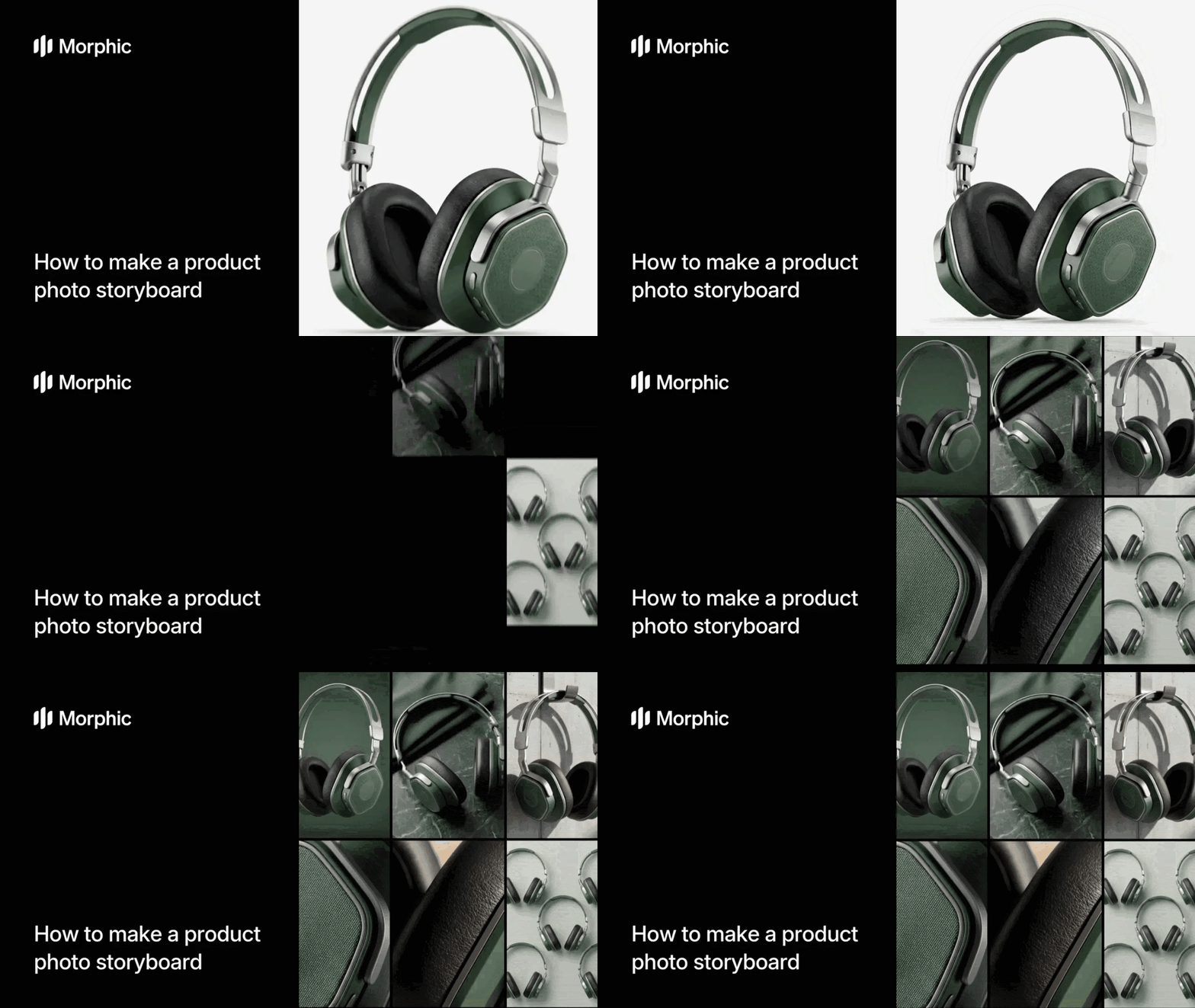
What is a product photo storyboard?
A product photo storyboard is a grid layout that presents a product from multiple perspectives, crops, and focal points within a single unified image. Each panel highlights a different aspect of the product: full shot, close-up detail, angled view, texture focus, and contextual framing. The grid format lets viewers see the complete product story at a glance, making it ideal for social media carousels, investor decks, and product listing pages.
Morphic's workflow analyzes your product image, identifies key visual features, and generates nine distinct crops that tell a complete product story in a single grid.
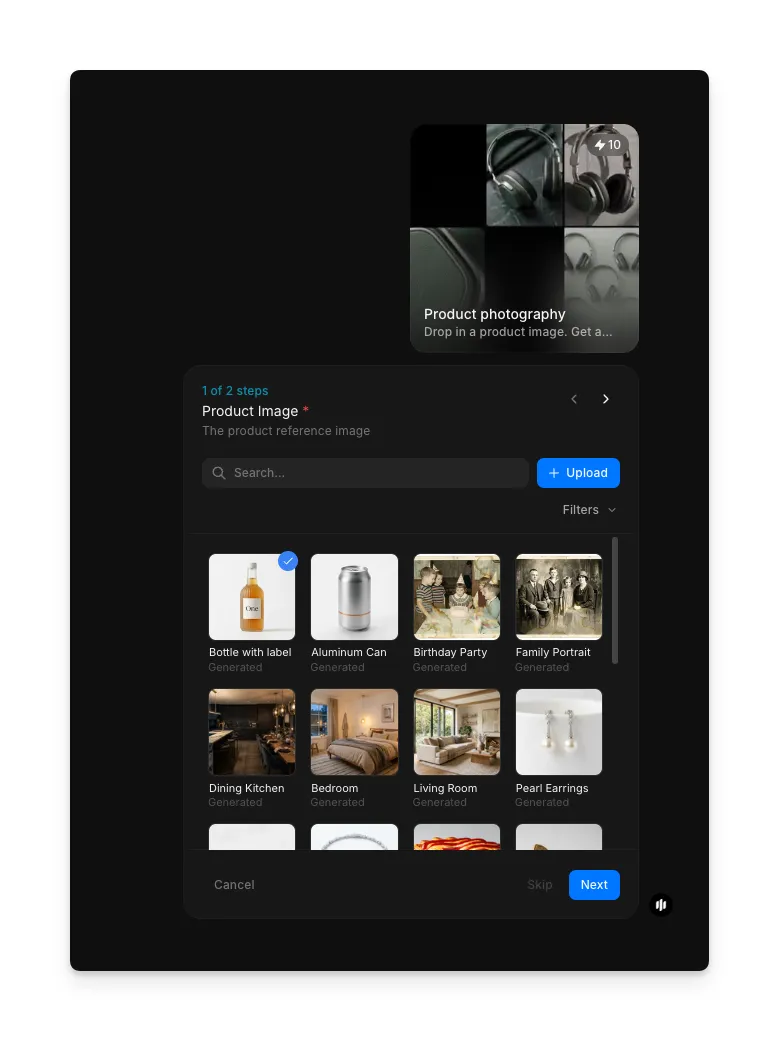
Upload your product image
Open the "Product photography" workflow. In the "Product image" step, browse the gallery or upload a high-quality image of your product. Any product type works: electronics, fashion, food, cosmetics, furniture, or physical goods.
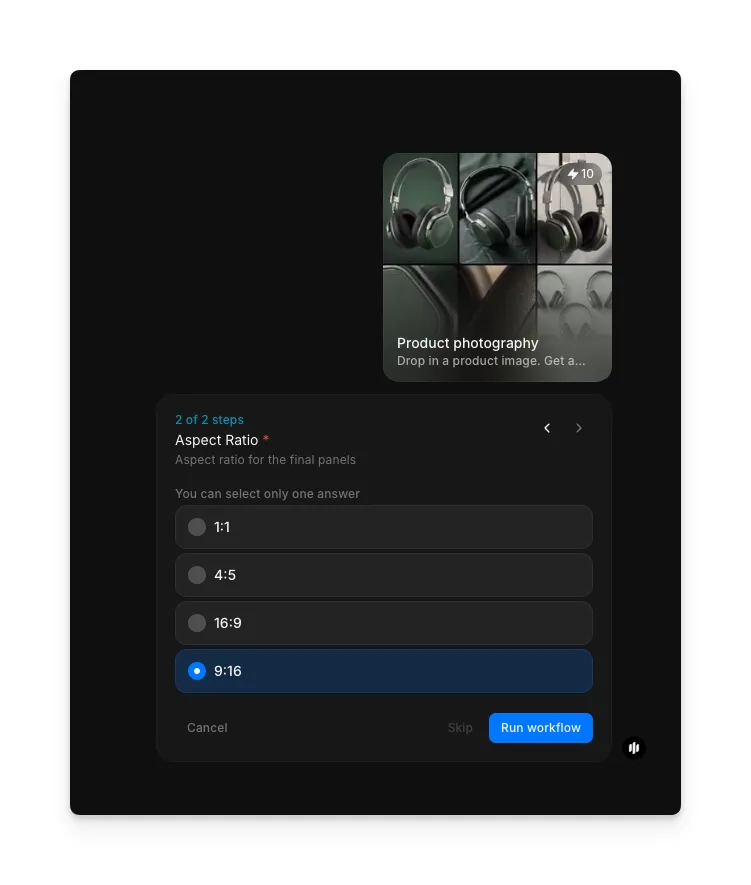
Select aspect ratio and generate
In the "Aspect Ratio" step, select the format for your storyboard panels. Options include 1:1, 4:5, 16:9, and 9:16. Click "Run workflow" to generate.
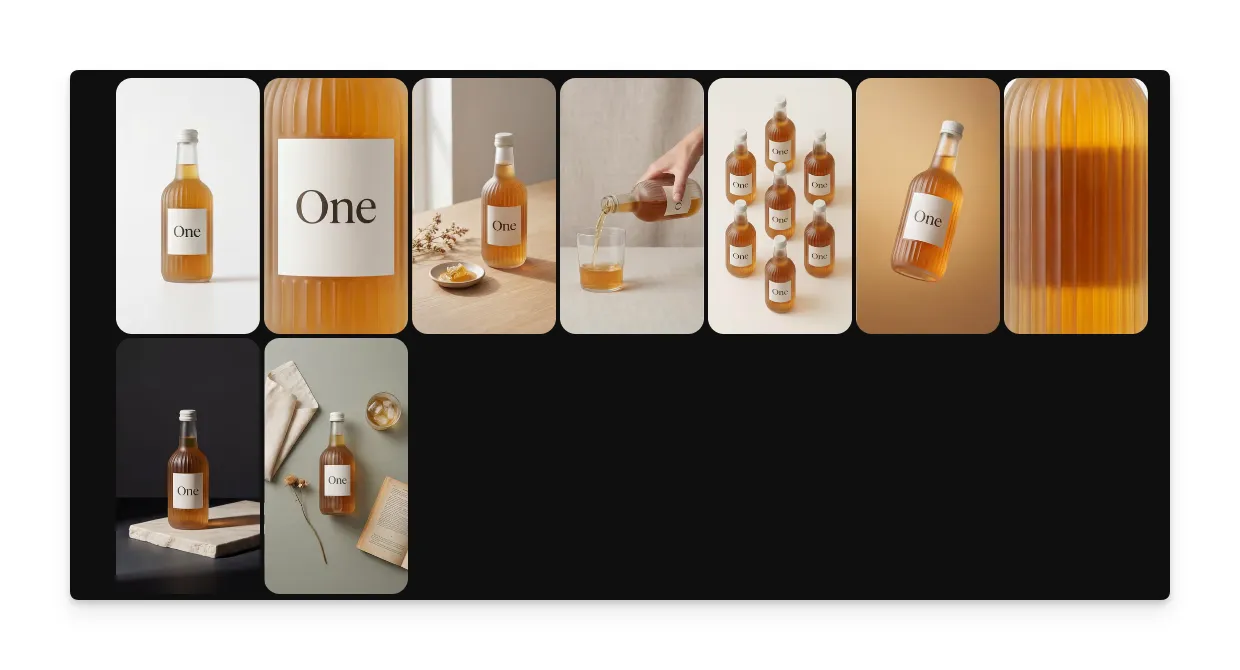
What makes a great product storyboard
| Quality | What it means | Why it matters |
|---|---|---|
| Grid composition | Panels are balanced and flow visually across the grid | A well-composed grid draws the eye and feels professional |
| Crop variety | Each panel shows a meaningfully different view of the product | Repetitive crops waste panels and fail to tell a complete product story |
| Visual storytelling | The sequence guides the viewer from overview to detail | Effective storyboards build interest and communicate product value |
| Detail emphasis | Close-up panels highlight textures, materials, and key features | Product details drive purchase decisions and build trust |
The workflow handles grid composition, crop intelligence, and visual balance automatically, so your product storyboard looks designer-quality every time.
Product storyboard vs. manual grid design
| Morphic's product photography workflow | Manual grid design | |
|---|---|---|
| Cost | Available on Morphic | Varies per storyboard |
| Time to completion | Under a minute | 30 to 60 minutes of manual cropping and layout work |
| Crop intelligence | AI identifies key product features and crops around them | Manual selection of crops based on designer judgment |
| Grid layout | Professional grid automatically sized and aligned | Manual alignment in Photoshop or Figma |
| Upscaling | Optional AI upscale for high-resolution output | Requires separate upscaling tools or re-shooting |
| Consistency | Same professional quality every time | Varies based on designer skill and time spent |
FAQs
Yes. The storyboard grid is designed for social media use. Choose the 1:1 aspect ratio for Instagram grid posts, 4:5 for feed carousels, or 9:16 for stories and reels. Each panel can also be used individually as a carousel slide.
Any physical product with visual detail works well: electronics, fashion items, cosmetics, food products, furniture, jewelry, and packaged goods. Products with interesting textures, materials, or design features produce the most visually compelling storyboards.
The optional upscale uses AI enhancement to increase resolution while preserving detail and sharpness. Upscaled storyboards are suitable for print materials, large-format displays, and high-resolution e-commerce listings where image quality matters.
The workflow automatically selects the most effective crops based on your product image. You can regenerate the storyboard to get a different set of crop selections, and each generation produces a unique arrangement of panels.
Professional designers charge per storyboard grid, and the process takes significant manual work. Morphic's product photography workflow is available on Morphic and generates storyboard grids significantly faster.