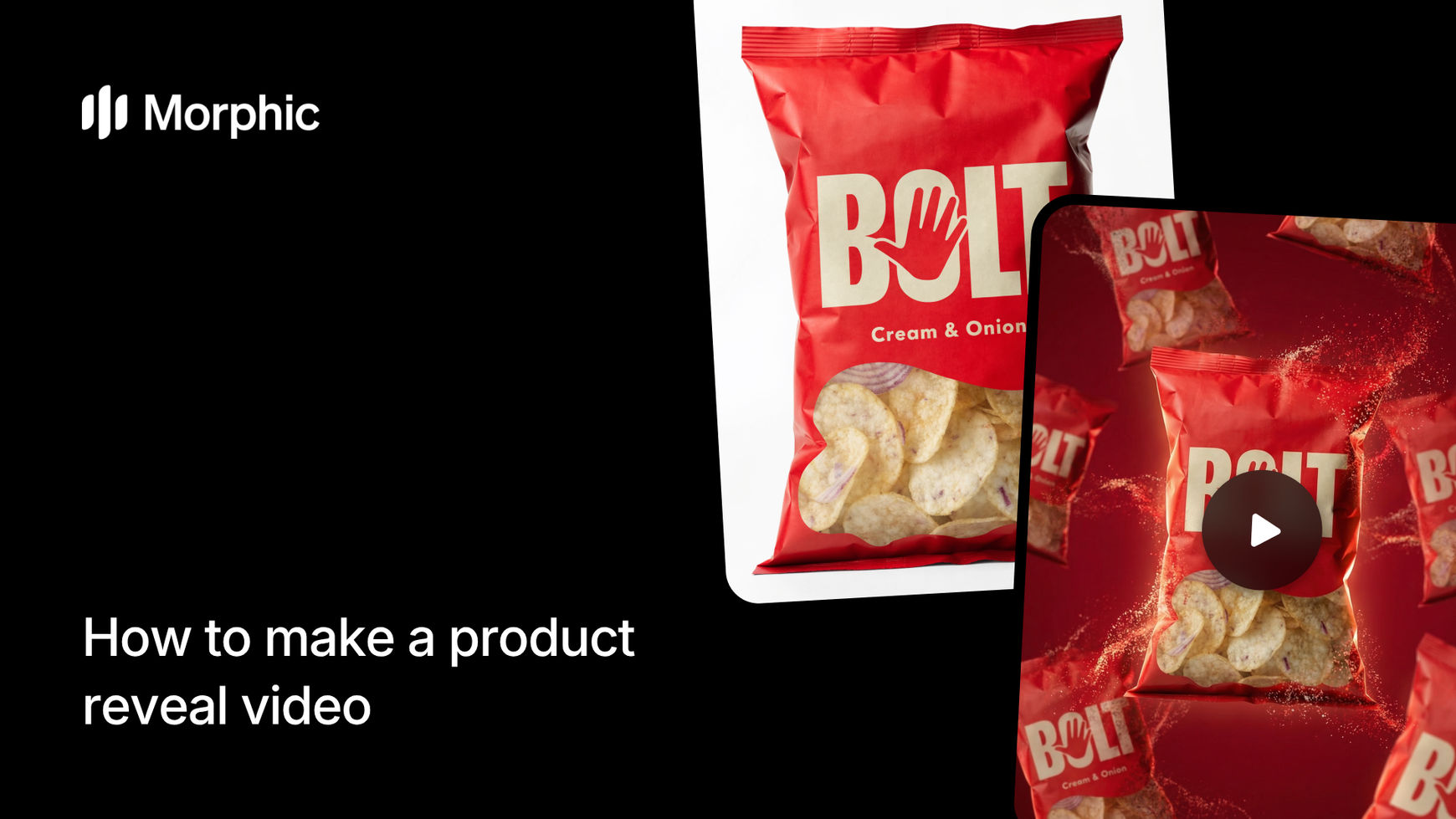
What is a product reveal video?
A product reveal video is a short-form video where a product emerges dramatically through a visual effect like an explosion, smoke cloud, liquid splash, or energy burst. The format is designed to stop scrolling and focus attention on the product in a memorable way. These videos typically run 3 to 5 seconds and pair perfectly with paid social ads, product launch announcements, and e-commerce listings.
Upload your product image, select your aspect ratio and reveal effect, and Morphic generates a complete video with perfectly timed audio and visual effects.
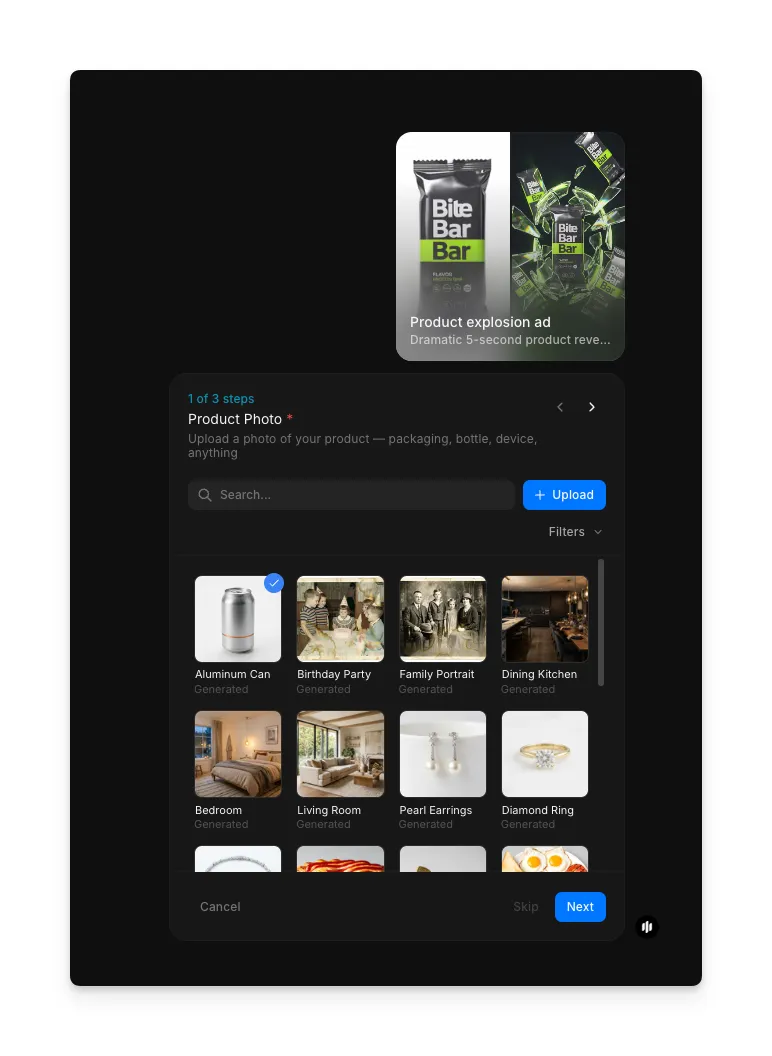
Upload your product photo
Start with a clean photo of your product. A shot against a plain background works best, as the workflow isolates the product and builds the reveal effect around it. Use the Product Photo field to upload from your files, browse the searchable gallery, or drag and drop.
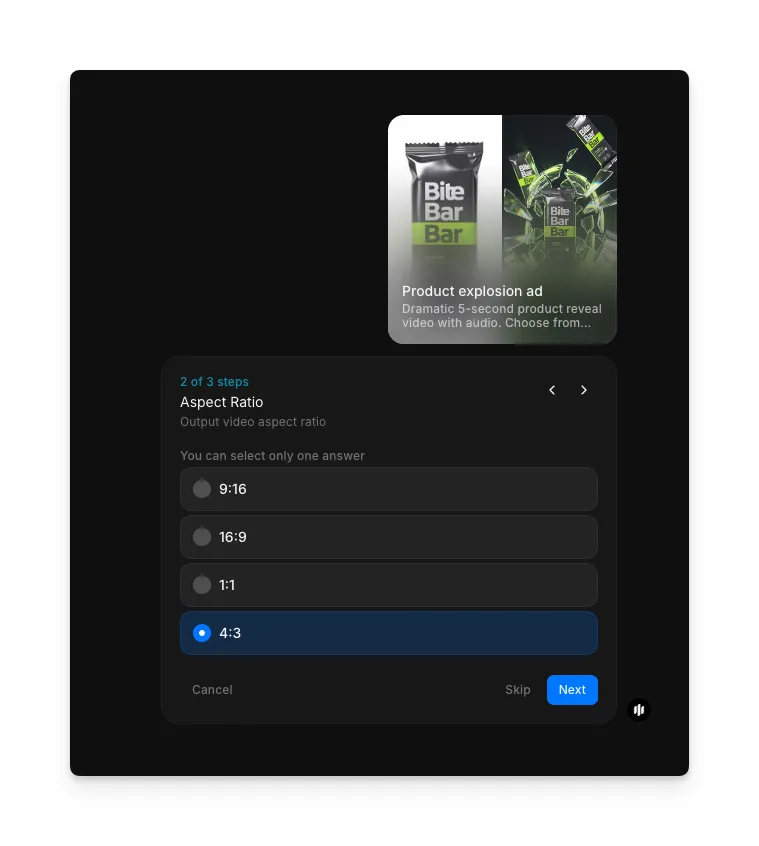
Select your aspect ratio
Choose the format that fits your target platform:
| Ratio | Best for | Use case |
|---|---|---|
| 9:16 | TikTok, Instagram Reels, YouTube Shorts | Full-screen mobile video ads and organic content |
| 16:9 | YouTube, website embeds, landscape ads | Widescreen format for desktop and horizontal displays |
| 1:1 | Instagram feed, Facebook feed | Square format that works across most social platforms |
| 4:3 | YouTube pre-roll, presentations | Traditional video format for desktop and widescreen displays |
Choose your explosion theme and generate
Use the Explosion Theme selector to pick the visual effect that defines how your product appears. Each theme creates a different dramatic impact:
| Theme | Visual style | Best for |
|---|---|---|
| Burst | Explosive energy radiating outward from the product with light particles | Tech launches, gaming products, and high-energy brands |
| Smoke | Dense atmospheric smoke that clears to reveal the product with dramatic lighting | Premium products, fragrance, and luxury brand reveals |
| Liquid | Fluid dynamics with splashing liquid that parts to showcase the product | Beverages, skincare, and products associated with freshness |
| Particle | Fine particles assembling or dispersing around the product with metallic sheen | Electronics, precision instruments, and modern design products |
| Neon | Glowing neon light trails and color bursts framing the product reveal | Nightlife products, gaming accessories, and youth-oriented brands |
| Shatter | Glass or material shattering outward to expose the product with sharp fragments | Bold brand statements, product redesigns, and disruptive launches |
| Other | Additional creative explosion styles beyond the core themes | Experimentation and unique brand expressions |
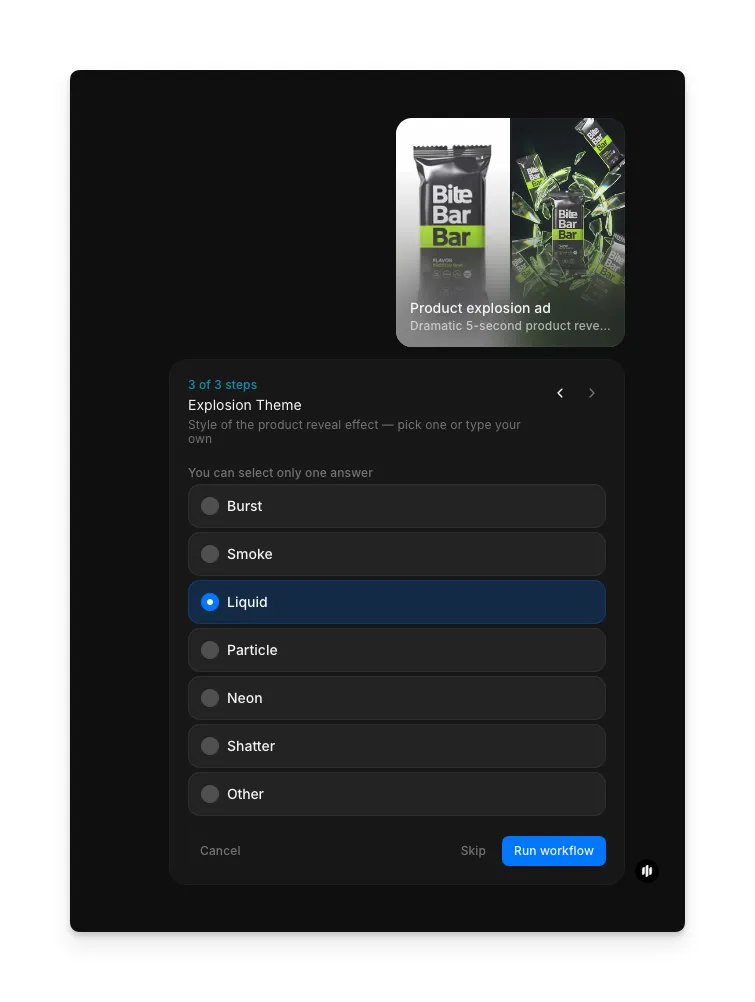
Hit "Run workflow," and Morphic generates your complete product reveal video with synced audio and effects:
Finished product reveal video with perfectly timed audio and effects
What makes a great product reveal video
| Quality | What it means | Why it matters |
|---|---|---|
| Reveal timing | The product appears at exactly the right moment in the effect sequence | Mistimed reveals lose the dramatic impact and feel awkward |
| Effect quality | Particles, smoke, liquid, or light elements look physically convincing | Cheap-looking effects make the product look low quality by association |
| Product focus | The product remains the clear focal point throughout the entire sequence | Effects that overwhelm the product defeat the purpose of the video |
| Audio sync | Sound effects are precisely synchronized with the visual reveal moment | Mismatched audio breaks immersion and makes the video feel unfinished |
The AI handles effect generation, product compositing, timing choreography, and audio synchronization automatically, so you only need to upload a product image and select your preferences.
Product reveal video vs. manual After Effects production
| Morphic's product reveal workflow | Manual After Effects production | |
|---|---|---|
| Cost | Available on Morphic | Professional rates per video |
| Time to delivery | Seconds | 2 to 8 hours of motion design and rendering per video |
| Skill required | None | Advanced After Effects, motion design, and compositing expertise |
| Audio design | Auto-generated and synced to the reveal | Requires sourcing sound effects and manual synchronization |
| Effect variations | Generate multiple effects from the same product instantly | Each effect style requires building a new composition from scratch |
| Output formats | Ready for all major social platforms | Manual export and formatting for each platform |
FAQs
Yes. Upload once and generate videos with different effects, aspect ratios, or both. This lets you A/B test which reveal style performs best for your audience before committing to a campaign.
The workflow outputs high-resolution MP4 video optimized for social media platforms. The resolution and quality meet the requirements of TikTok, Instagram, YouTube, and Facebook for both organic posts and paid advertising.
A transparent background is not required. The workflow isolates the product from the background automatically. However, a clean photo against a plain background produces the best isolation results.
Yes. The output is designed for paid advertising on platforms including TikTok, Instagram, Facebook, and YouTube. Product reveal videos consistently perform well as paid ad creative due to their attention-grabbing format.
Hiring a motion designer to create a single product reveal in After Effects can be costly and takes hours to produce. Morphic's product reveal workflow is available on Morphic and delivers complete videos with audio in seconds.