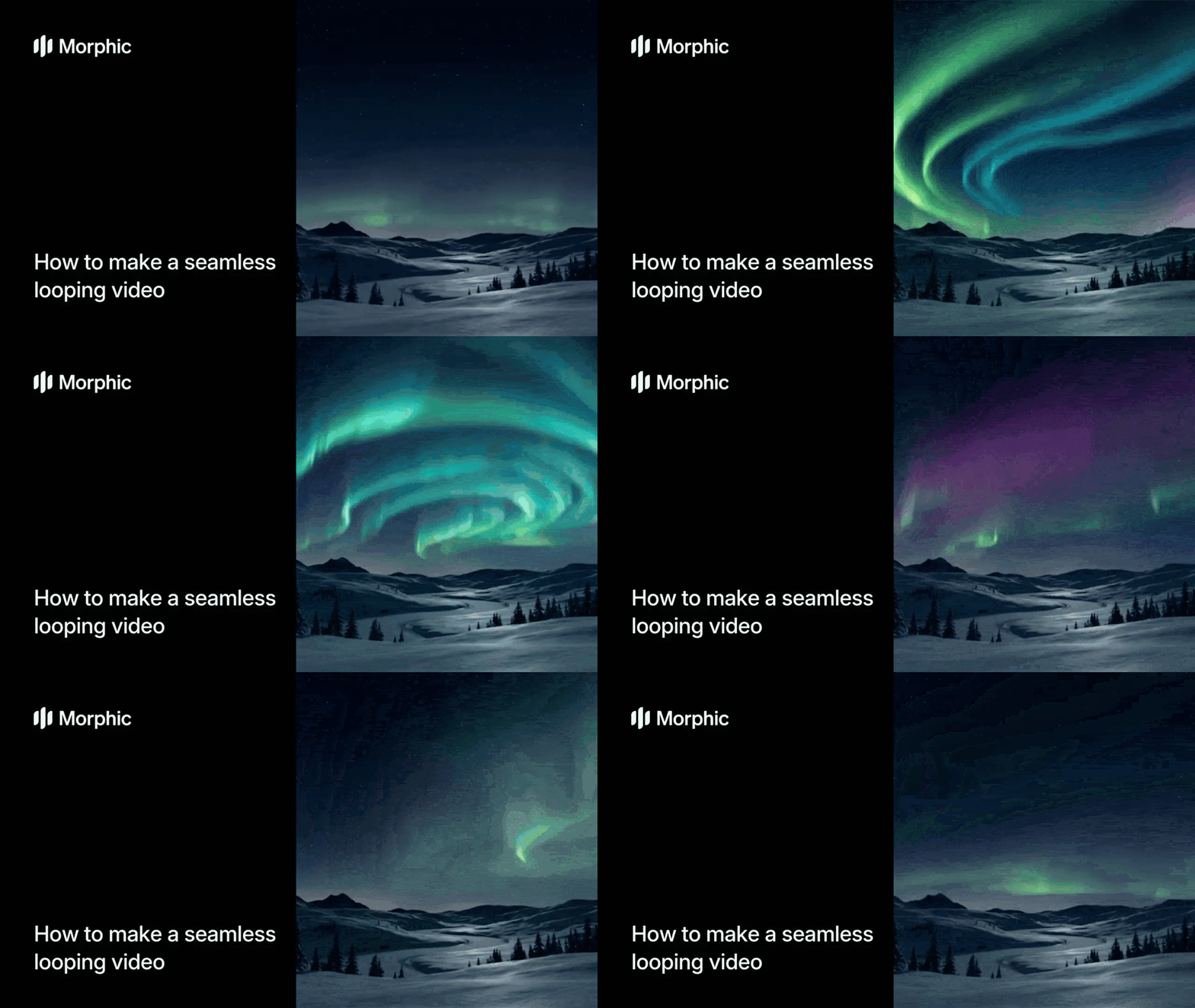
What is a seamless loop creator?
A seamless loop creator is a tool that takes a set of still frames and generates a continuously looping video where the end transitions perfectly back to the beginning with no visible cut or stutter. The AI interpolates between your frames with smooth cinematic transitions, creating fluid motion that plays endlessly without any seam. The result is a polished looping video ready for any platform or display.
Upload your frames, configure your transition settings, and Morphic generates a perfectly looping video.
Upload your frames
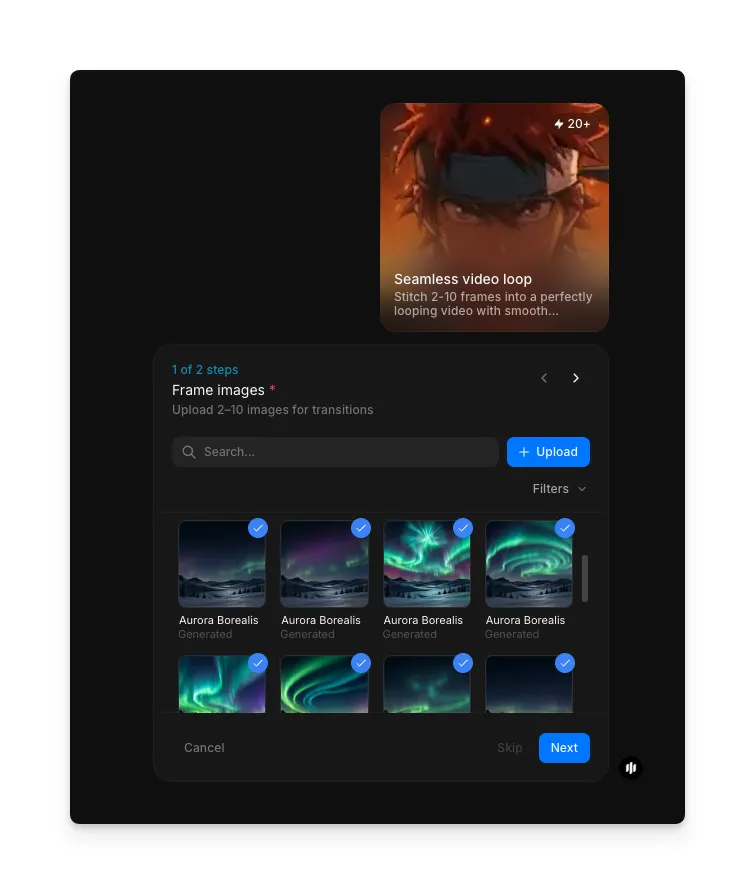
Start with 2 to 10 images that represent the key moments in your loop. These can be photographs, illustrations, renders, or any still images. The workflow interpolates between frames in the order you provide, so arrange them in the sequence you want. Use the "Frame images" field to search the gallery for samples or click Upload to add your own files.
Generate your seamless loop
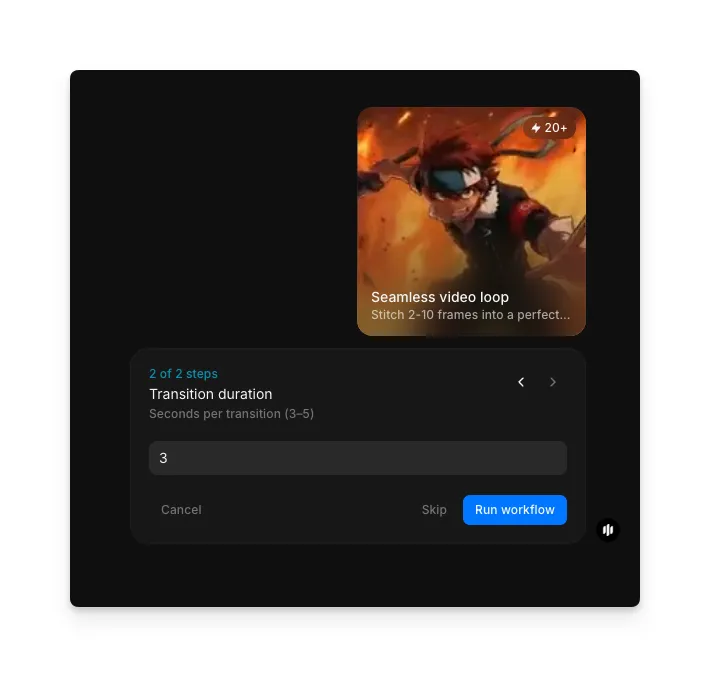
Set the "Transition duration" field to control the pacing of the loop. The subtitle reads "Seconds per transition (3-5)," and the default value is 3. Shorter durations create snappy, energetic loops while longer durations produce smooth, cinematic flows between frames. The AI handles the interpolation between each frame and ensures the final frame transitions seamlessly back to the first.
Hit "Run workflow," and Morphic generates your perfectly looping video:
The result is a perfectly looping video with smooth cinematic transitions
What makes a great seamless loop
| Quality | What it means | Why it matters |
|---|---|---|
| Loop seamlessness | The end of the video transitions back to the beginning with no visible cut or jump | Any visible seam breaks the illusion and makes the loop distracting rather than mesmerizing |
| Transition smoothness | Motion between frames flows naturally with convincing interpolation | Jerky or abrupt transitions between frames make the loop feel like a slideshow rather than a video |
| Frame coherence | Visual elements remain consistent and recognizable across all transitions | Inconsistent details or morphing artifacts pull attention away from the content |
| Playback continuity | The loop maintains consistent pacing, lighting, and color throughout the entire cycle | Fluctuations in speed or appearance create a pulsing effect that is visually fatiguing |
The AI handles frame interpolation, loop point matching, transition smoothing, and temporal consistency automatically, so you only need to upload your frames and set your preferences.
Seamless loop workflow vs. manual loop editing
| Morphic's seamless loop workflow | Manual loop editing | |
|---|---|---|
| Cost | Available on Morphic | Software subscription plus hours of editor time per loop |
| Time to delivery | Seconds | 1 to 4 hours of manual editing, frame matching, and rendering per loop |
| Skill required | None | Advanced video editing and frame interpolation expertise |
| Loop quality | AI-matched loop points with no visible seam | Quality depends entirely on the editor's skill and patience |
| Transitions | Smooth cinematic interpolation generated automatically | Manual keyframing and blending required for each transition |
| Iterations | Regenerate with different settings instantly | Each variation requires starting the editing process over |
FAQs
Any still image works as a frame: photographs, digital art, AI-generated images, product shots, illustrations, and rendered scenes. The frames should share a general visual theme or subject for the most coherent loop, but the workflow handles a wide range of input styles.
Yes. The transition duration setting controls how quickly the video moves between frames. Shorter durations create faster, more energetic loops while longer durations produce slower, more cinematic flows. You can regenerate with different settings to find the perfect pacing.
Yes. Seamless looping videos are ideal for digital signage, retail displays, trade show screens, and lobby monitors. The perfect loop means the video plays continuously without any visible restart, creating an ambient visual that runs indefinitely.
The workflow outputs high-resolution video suitable for digital displays, social media, and web use. The output resolution is optimized for the input frame quality, so higher-resolution source frames produce higher-resolution loops.
Hiring a video editor to create a seamless loop manually typically costs significant time and money depending on complexity. Morphic's seamless loop workflow is available on Morphic and delivers perfect loops in seconds.