What is furniture ecommerce photography?
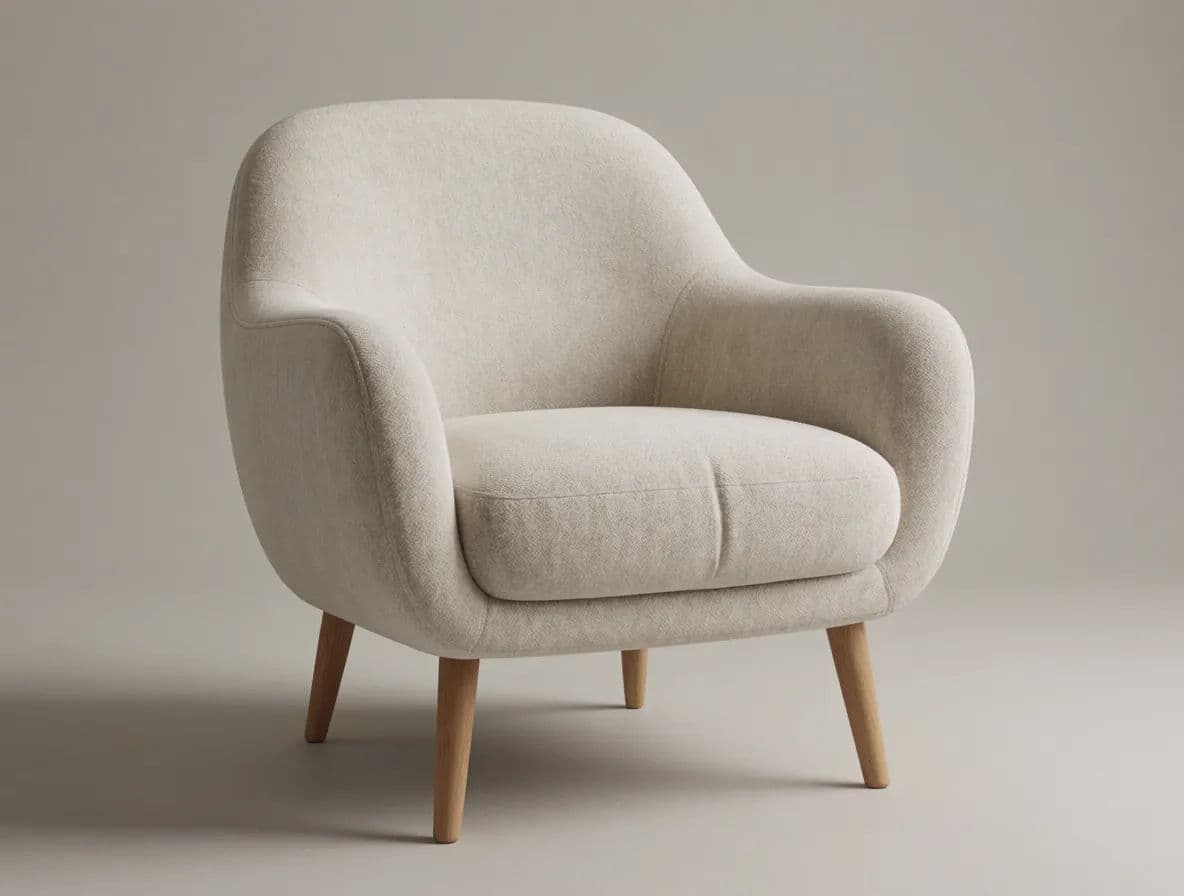
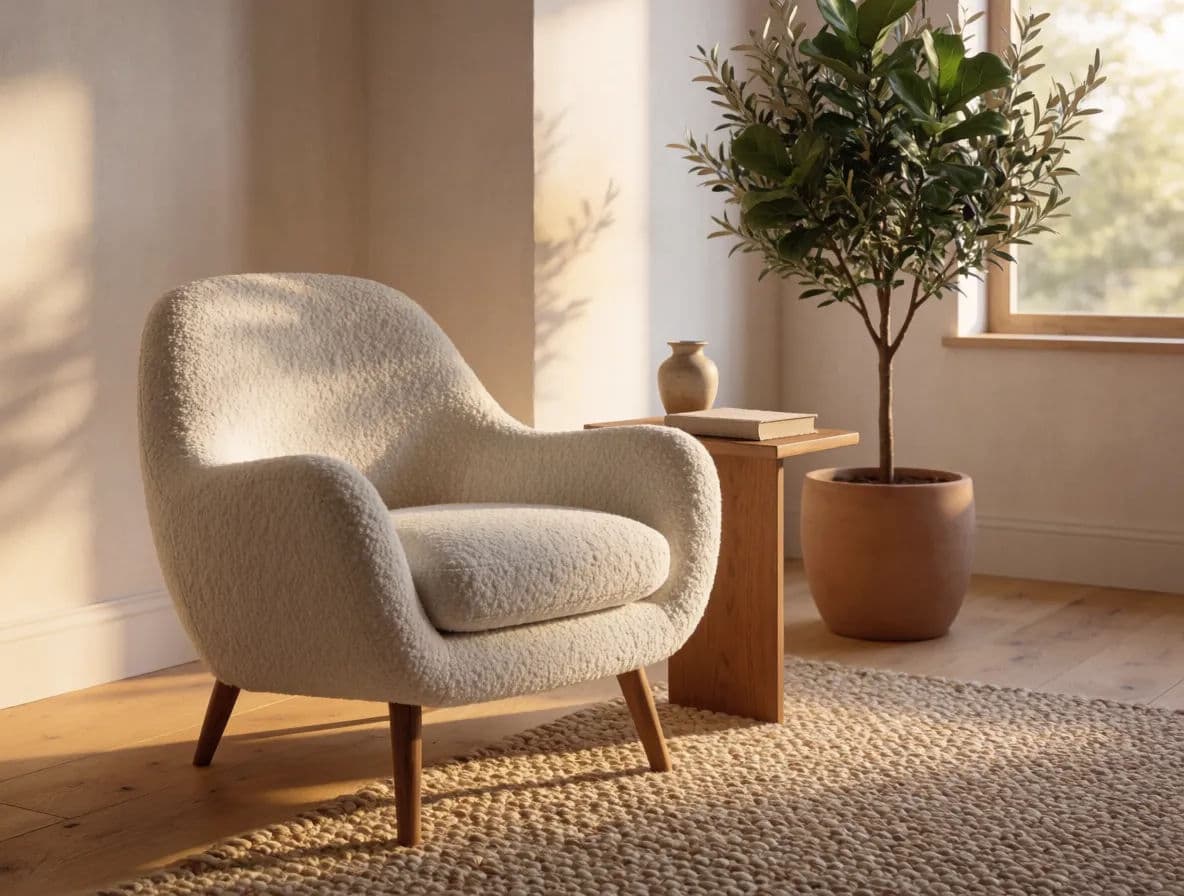
Furniture ecommerce photography is the set of images that sell a piece online: a clean catalog shot on a plain background, styled room scenes that show scale and context, and detail crops of materials and joinery. Large items are awkward to shoot well because they need space, even lighting, and a room set to look at home.
Morphic lets you skip the warehouse studio. Upload a reference of the piece, describe the setting you want, and generate both the plain catalog view and the styled room in your browser. You can restyle the room, change the light, and download every angle in HD without moving a single sofa.
Capture a clean reference of the piece
Upload a straight, well-lit photo of the furniture so Morphic has an accurate reference for its shape, proportions, materials, and color. A clear reference keeps the generated shots true to the real product.
Generate the plain catalog shot
Describe a clean studio setup: a neutral seamless background, soft even lighting, and a straight-on or slight three-quarter angle. This becomes your primary listing image where the piece reads clearly with no distractions.
Place it in a styled room scene
Write a prompt for a room that fits the piece: a sofa in a sunlit living room, a dining table set for a meal, a desk in a bright home office. Styled scenes help buyers judge scale and picture the item in their own space.
Add detail and material crops
Generate close views of the fabric weave, wood grain, stitching, or hardware. Detail shots answer the quality questions that stop shoppers from buying furniture they cannot touch.
Download a consistent set in HD
Export the catalog shot, room scenes, and detail crops in high resolution. Keep the lighting and styling consistent so the whole listing feels like one coherent shoot.
The same armchair as a clean catalog shot and as a styled room scene.
What makes a great furniture listing image
| Quality | What it means | Why it matters |
|---|---|---|
| True proportions | The piece keeps its real shape and scale | Buyers get accurate expectations and return fewer items |
| Material clarity | Fabric, wood, and finishes read correctly | Shoppers can judge quality they cannot touch |
| Room context | Styled scenes show the piece in a real space | Scale and style become easy to picture at home |
| Even lighting | Soft, consistent light with no harsh shadows | The furniture looks premium and the color stays true |
Morphic vs a traditional furniture shoot
| Morphic | Traditional shoot | |
|---|---|---|
| Cost | Generate in your browser | Studio space, set dressing, and crew |
| Time | Angles ready in seconds | Days to move, stage, and shoot heavy pieces |
| Skill needed | A written description | Lighting, staging, and camera expertise |
| Consistency | One look across the whole catalog | Each setup varies by room and session |
FAQs
No. Upload one clean reference photo of the piece and generate catalog shots, styled room scenes, and detail crops in your browser without staging or moving the item repeatedly.
Start from a straight, well-lit reference photo so Morphic has correct proportions to work from, then place the piece in room scenes that give buyers a clear sense of size.
Yes. Reuse the same reference and change only the room description to show the piece in a living room, a studio apartment, or a bright loft while keeping the furniture consistent.
Generate close detail crops that highlight the weave, grain, stitching, or hardware. These answer the quality questions shoppers have when they cannot inspect the piece in person.
Yes. Keep the same lighting and styling across every piece so a full range of furniture looks like one coherent, professional shoot.
Yes. Images you create in Morphic can be used for product listings, marketing, and campaigns. Download each one in HD when it is ready.