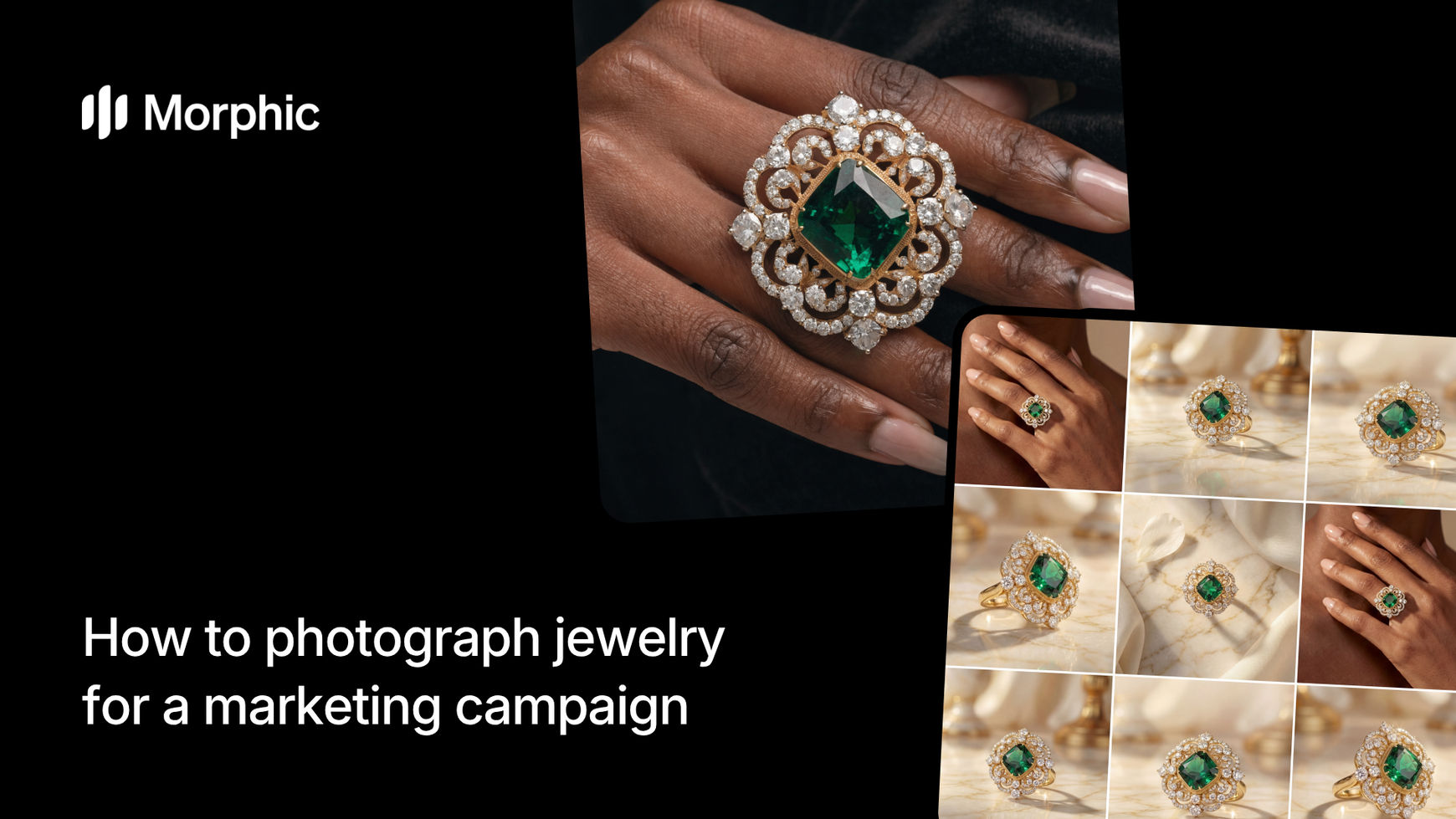
What is a jewelry campaign pack?
A jewelry campaign pack is a coordinated set of product images designed for marketing use across multiple channels. It typically includes a hero shot for landing pages and ads, close-up detail shots showing craftsmanship and materials, lifestyle context images, and format variations sized for different platforms. Together, these images present a piece of jewelry as desirable, high-quality, and ready to purchase.
Morphic's jewelry campaign workflow generates this entire asset set from one input photo. Upload a product shot, select your jewelry style and campaign direction, and the workflow produces multiple images with consistent lighting, precise surface detail, and professional composition across all outputs.
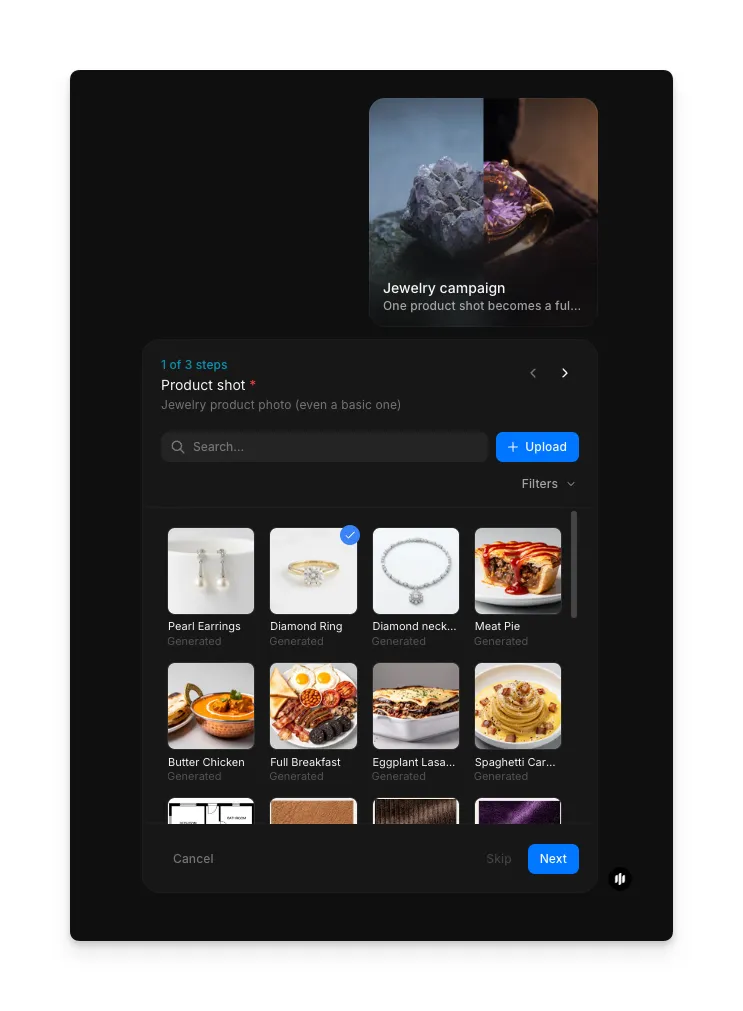
Upload your product shot
Open the "Jewelry campaign" workflow. In the first step, labeled "Product shot," browse the gallery or upload a clear image of your jewelry piece. A well-lit photo from a clean angle produces the best results, but the workflow handles a range of input conditions including smartphone photos.
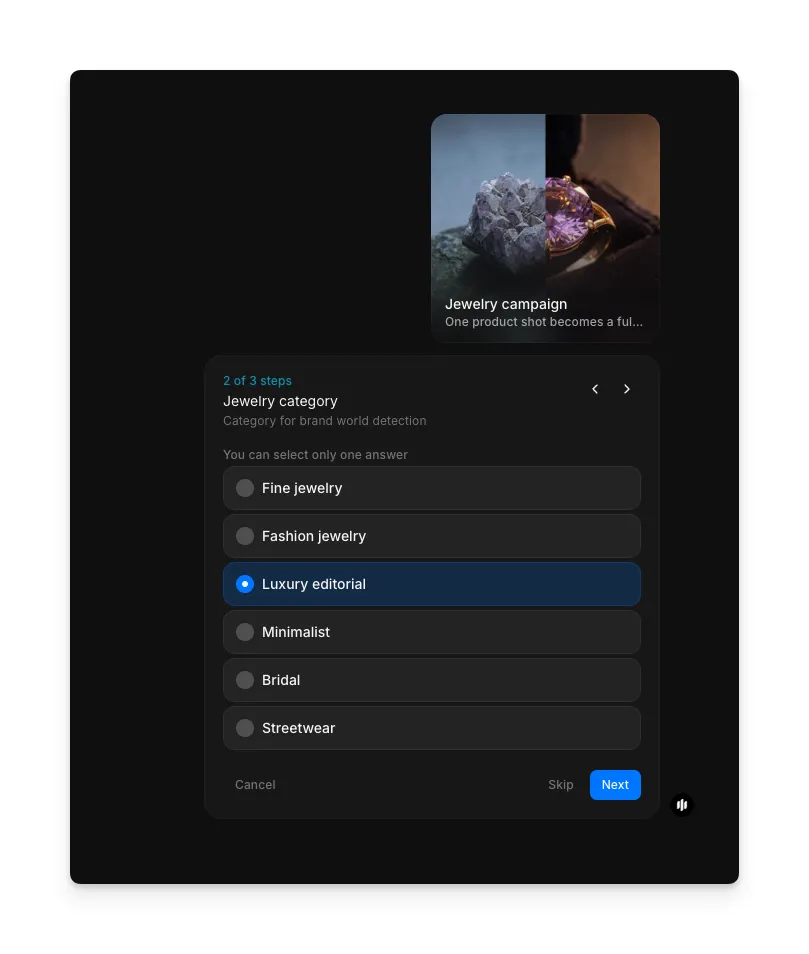
Select your jewelry category
In the "Jewelry category" step, select the category that best matches your piece. This choice guides the brand world and visual treatment applied to your campaign assets. You can select one option from the list, then click Next.
| Category | Best for | Visual treatment |
|---|---|---|
| Fine jewelry | Diamonds, gold, platinum, luxury pieces | Elegant lighting, reflective highlights, premium feel |
| Fashion jewelry | Statement pieces, costume jewelry, trendy accessories | Bold colors, editorial styling, lifestyle context |
| Luxury editorial | High-end pieces for magazine-style campaigns | Dramatic lighting, dark moody atmosphere, chiaroscuro |
| Minimalist | Delicate chains, simple bands, understated pieces | Clean backgrounds, precise detail, refined composition |
| Bridal | Engagement rings, wedding bands, bridal sets | Romantic tones, soft lighting, aspirational feel |
| Streetwear | Bold, contemporary, fashion-forward accessories | Urban aesthetic, high contrast, edgy styling |
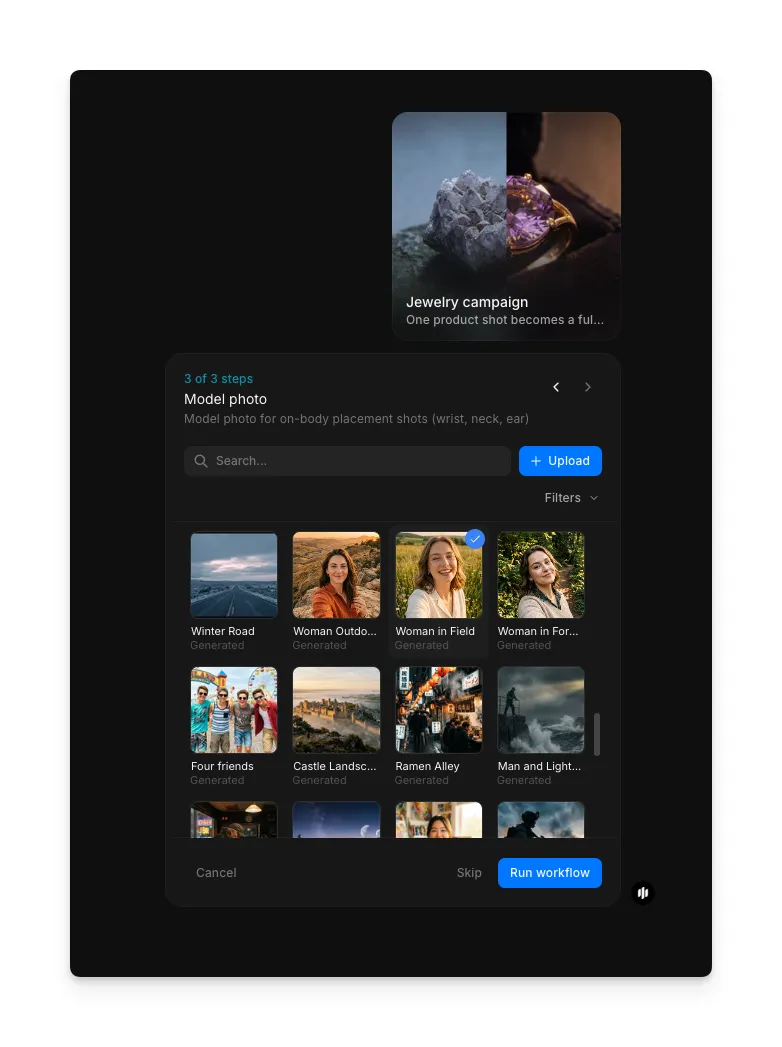
Choose a model photo and generate
In the "Model photo" step, browse or upload a model reference image for on-model placements in your campaign pack. Once selected, click "Run workflow" to generate the complete campaign. Morphic produces multiple campaign-ready images including hero shots, detail views, on-model placements, and format variations.
The workflow processes your product shot and generates a coordinated set of campaign images. Each output features professional lighting, precise surface detail, and compositions optimized for different marketing channels.
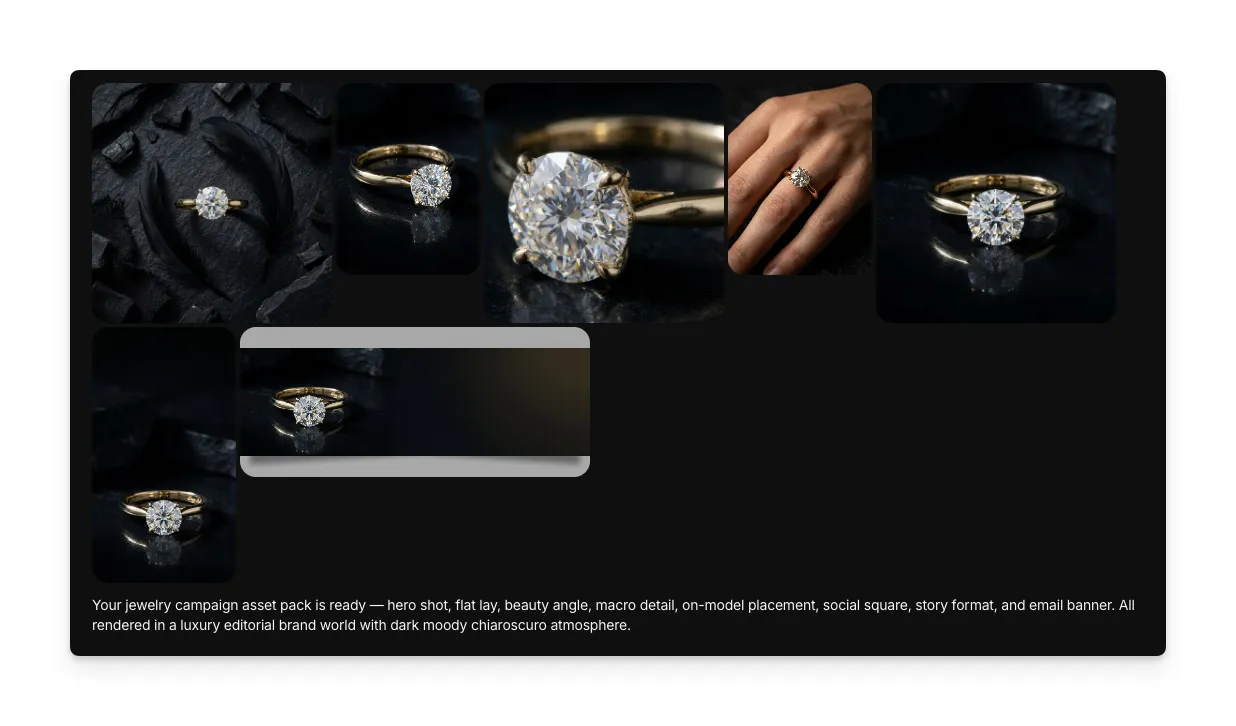
What makes high-quality jewelry photography
| Quality | What it means | Why it matters |
|---|---|---|
| Lighting precision | Light is positioned to reveal surface qualities, create sparkle on gemstones, and define metalwork edges | Jewelry sells on perceived quality, and lighting is the primary tool for communicating luxury |
| Surface detail | Fine textures, engravings, stone facets, and metal finishes are rendered at high resolution | Buyers examine jewelry closely before purchasing, and visible craftsmanship builds trust |
| Background consistency | All campaign images share a unified background treatment and color palette | Consistent presentation across product pages and ads reinforces brand professionalism |
| Angle variety | The campaign includes front, three-quarter, detail, and context views of the same piece | Different angles answer different buyer questions: overall look, detail quality, scale, and wearability |
The AI handles lighting, surface rendering, background treatment, and compositional variety automatically, so you only need one product photo to produce a complete campaign set.
Morphic jewelry campaign vs. professional jewelry photography
| Morphic jewelry campaign workflow | Professional jewelry photography | |
|---|---|---|
| Cost | Available on Morphic | Professional rates for studio shoot and retouching |
| Time to produce | Significantly faster | One to several days for shooting, editing, and delivery |
| Setup required | One product photo | Studio rental, specialized macro lighting, photographer, stylist |
| Output variety | Multiple angles, formats, and compositions from one shot | Each angle requires separate setup, shooting, and retouching |
| Consistency | Identical lighting and style treatment across all outputs | Varies between shots and requires careful retouching to match |
| Scalability | Run for every piece in a collection in minutes | Each product requires its own full shoot session |
FAQs
A clear, well-lit photo of the jewelry piece against a clean or neutral background works best. Smartphone photos taken in natural light are sufficient. Avoid heavy shadows, cluttered backgrounds, or extreme close-ups that crop out parts of the piece.
Yes. Run the workflow for each piece in your collection to produce a complete set of campaign assets. The consistent lighting and style treatment across outputs means your entire collection will have a unified visual identity.
The campaign pack includes format variations suitable for e-commerce product pages, social media posts, ads, and hero banners. You can use the outputs directly or crop them to exact platform specifications.
The workflow is specifically designed for jewelry, with specialized handling for reflective metals, gemstone refraction, and transparent materials. It produces accurate sparkle, surface reflections, and gemstone clarity that standard product photography tools often struggle with.
Professional jewelry photography requires studio rental, specialized macro lighting, a photographer, and retouching, which adds up quickly per product. Morphic's jewelry campaign workflow produces campaign-ready assets from a single photo, making it a faster alternative for generating marketing visuals.