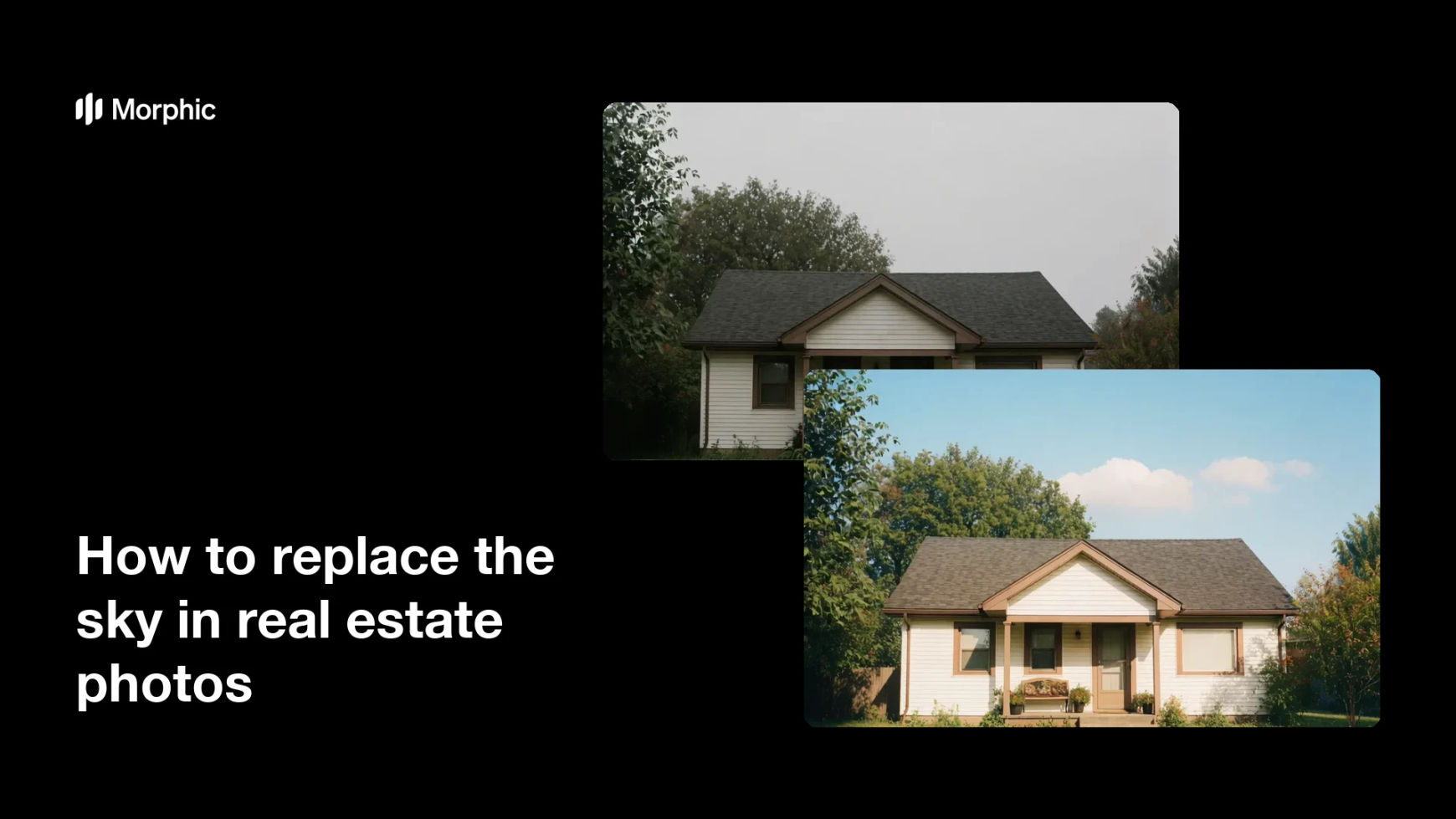
What is sky replacement?
Sky replacement is the process of swapping a dull or overcast sky in a photo for a brighter, clearer one. Real estate agents rely on it because weather rarely cooperates on shoot day, and a flat grey sky makes even a great home look drab. A clean blue sky lifts the whole photo and helps a listing feel warm and appealing.
Morphic does this in your browser. You upload the exterior photo, describe the sky you want, and it replaces the sky while keeping the house, trees, and rooflines crisp. When it looks right, you download the updated image in high resolution.
Upload the exterior photo
Start with a clear shot of the property that shows a good amount of sky. A sharp original with a clean roofline helps Morphic separate the house from the background cleanly.
Describe the sky you want
Tell Morphic the look in plain words, such as a clear blue sky with a few soft clouds. Mentioning the mood and cloud level helps match the light in the rest of the photo.
Generate the new sky
Morphic replaces the grey sky and blends it around the roofline and trees. Review the edges so the house stays crisp against the new background.
Refine the blend
If the horizon looks harsh or the light does not match, adjust your description and generate again. Small changes to cloud level and brightness keep the swap believable.
Download and publish
Export the finished photo in high resolution and add it to your listing or brochure. A bright sky makes the exterior far more inviting at first glance.
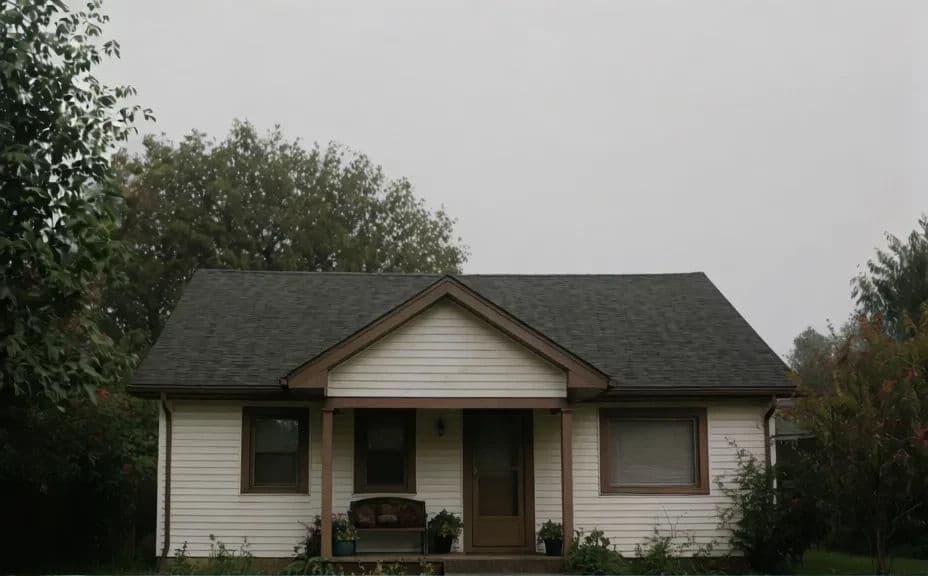
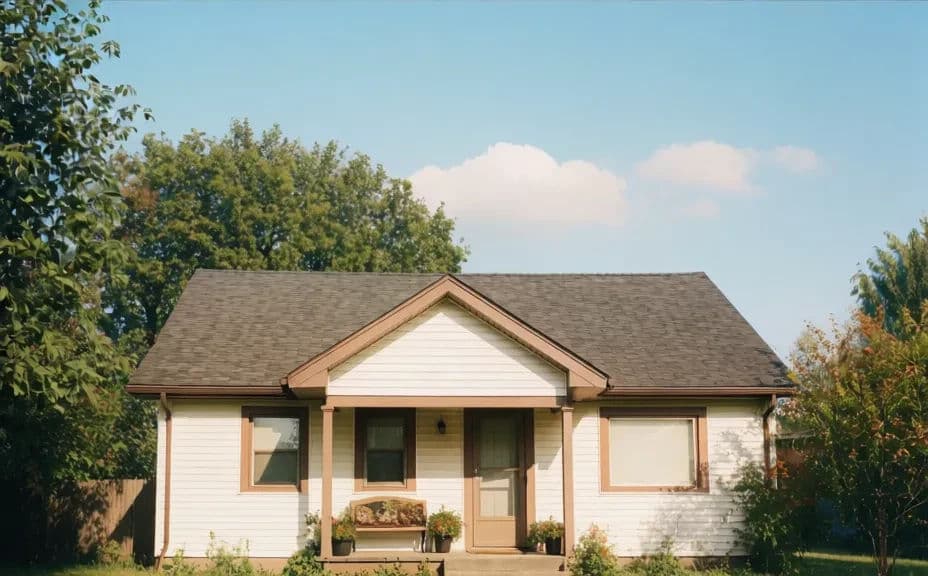
Below is the same house under a grey overcast sky and after Morphic swapped in a clear blue one.
What makes a good sky replacement
| Quality | What it means | Why it matters |
|---|---|---|
| Clean edges | The roofline stays crisp against the new sky | Ragged edges are the first sign of a swap |
| Matched light | Sky brightness fits the light on the house | Mismatched light makes the photo look fake |
| Believable clouds | Cloud level suits the scene and season | Overdone skies undercut a listing's credibility |
| Natural color | Blue tones stay realistic, not oversaturated | Subtle color keeps the photo looking professional |
Morphic vs the traditional way
| Morphic | Manual sky editing | |
|---|---|---|
| Cost | Available on Morphic | An editor fee per image |
| Time | Minutes per photo | Careful masking around every roof and tree |
| Skill needed | Describe it in plain language | An editor skilled in photo software |
| Consistency | The same sky across a full photo set | Varies with the editor and the deadline |