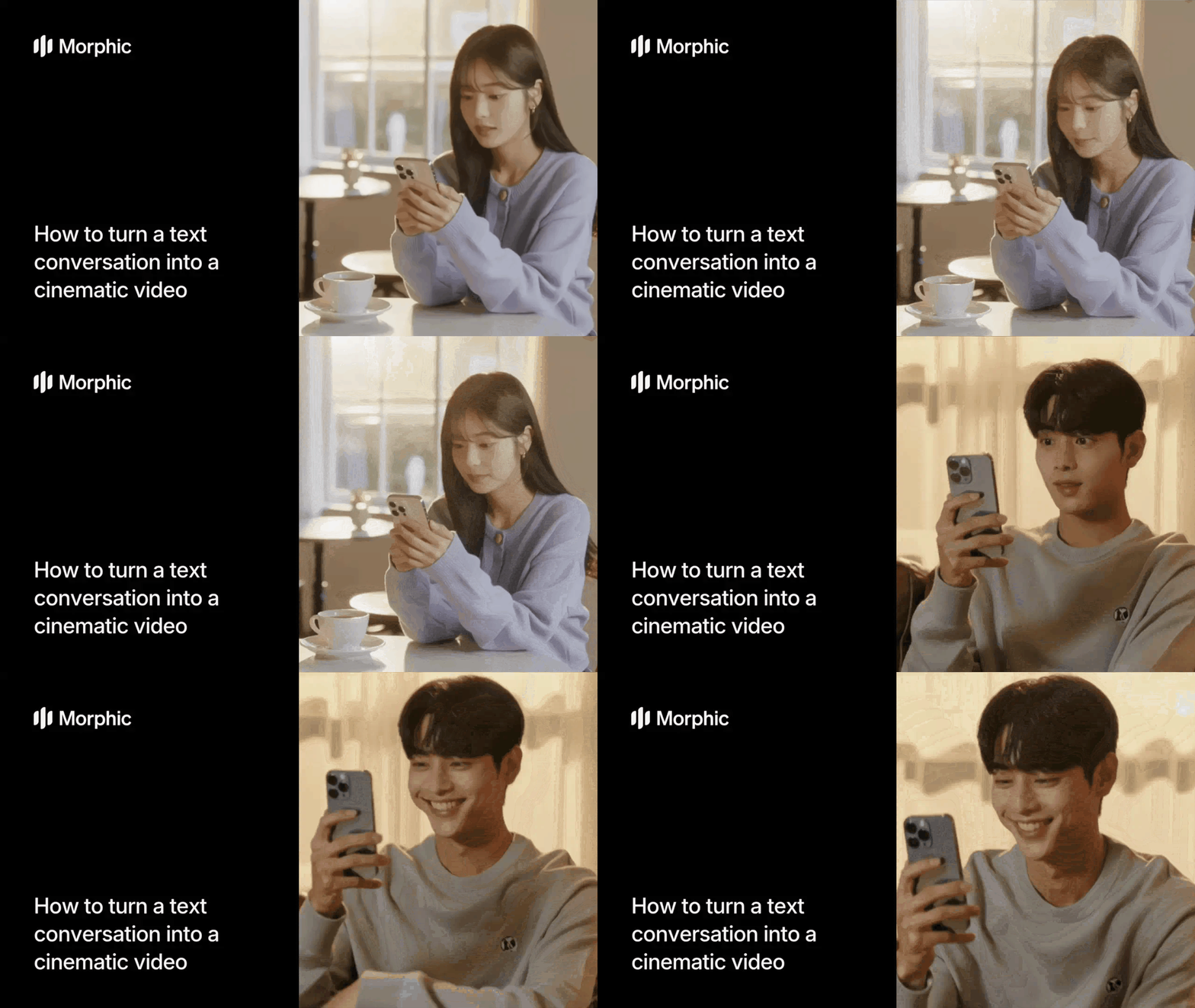
What is text-to-cinematic conversion?
Text-to-cinematic conversion takes written dialogue, such as a text message thread, chat log, or script excerpt, and transforms it into a video scene with characters, environments, camera work, and genre-appropriate atmosphere. The workflow parses the conversation to identify speakers, emotional tone, and dramatic beats, then generates a video where actors perform the dialogue in a cinematic style matching your chosen genre.
Morphic's workflow supports multiple genres, each applying distinct visual aesthetics, pacing, and mood to the same conversation. The same text exchange can become a tense thriller, a lighthearted comedy, or an intense drama depending on your selection.
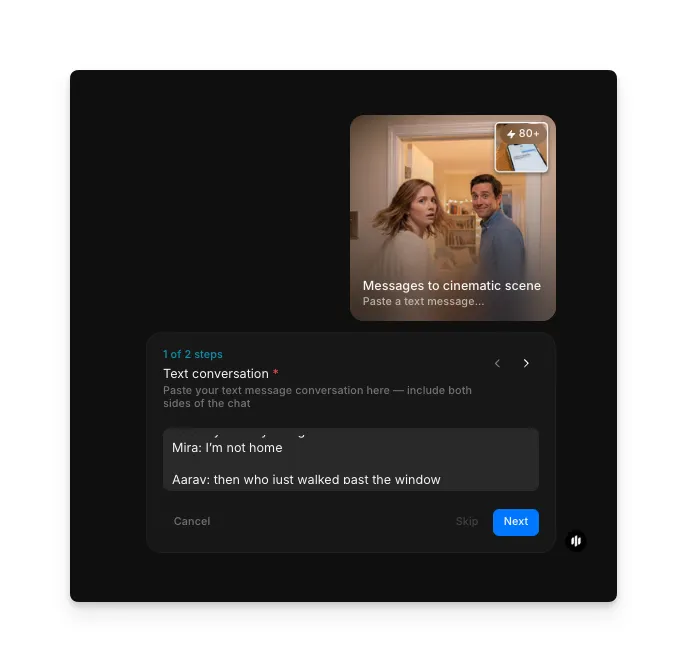
Paste your text conversation
Open the "Messages to cinematic scene" workflow. In the "Text conversation" step, paste the conversation you want to dramatize.
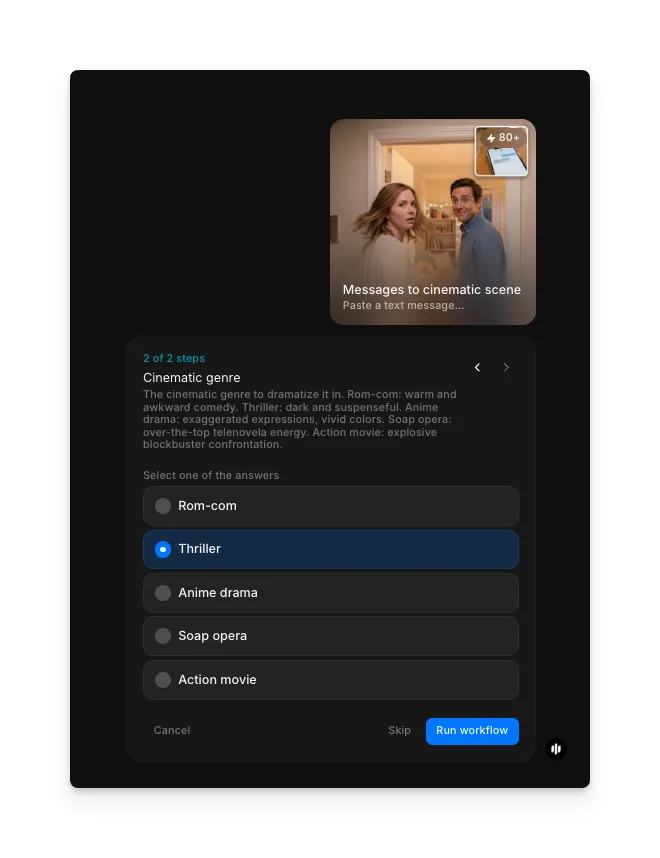
Choose your cinematic genre and generate
In the "Cinematic genre" step, select the genre. Options include Rom-com, Thriller, Anime drama, Soap opera, and Action movie. Click "Run workflow" to generate.
| Genre | Visual style | Best for |
|---|---|---|
| Rom-com | Warm lighting, playful framing, expressive reactions | Flirty texts, funny relationship moments, lighthearted exchanges |
| Thriller | High contrast, tight framing, suspenseful pacing | Tense arguments, mysterious messages, dramatic reveals |
| Anime drama | Stylized animation, bold colors, exaggerated emotion | Emotional conversations, intense confrontations, dramatic confessions |
| Soap opera | Soft focus, dramatic close-ups, heightened delivery | Over-the-top exchanges, gossip threads, relationship drama |
| Action movie | Dynamic camera movement, fast cuts, intense staging | Heated arguments, high-stakes conversations, confrontational exchanges |
Final output: a cinematic video dramatizing your text conversation in the selected genre
What makes a great cinematic text dramatization
| Quality | What it means | Why it matters |
|---|---|---|
| Character consistency | Each speaker is visually distinct and recognizable throughout | Viewers need to track who is saying what without confusion |
| Genre atmosphere | Lighting, color grading, and staging match the selected genre | Wrong atmosphere undermines the dramatic impact of the scene |
| Dialogue timing | Lines are delivered with natural pacing and appropriate pauses | Rushed or stilted delivery makes the scene feel artificial |
| Visual storytelling | Camera angles and shot composition reinforce the emotional beats | Static or random framing fails to engage viewers or convey meaning |
The workflow handles all production decisions automatically, so your text conversation becomes a polished cinematic scene without any filmmaking expertise.
Morphic vs traditional production
| Morphic cinematic scene workflow | Traditional video production | |
|---|---|---|
| Time to delivery | Under 5 minutes | Weeks of pre-production, filming, and editing |
| Cost | Available on Morphic | Professional production rates |
| Skill required | Paste text and select a genre | Scriptwriting, directing, acting, and editing expertise |
| Genre flexibility | Switch genres and regenerate instantly | Reshooting in a different genre means starting over |
| Cast and crew | None needed | Actors, director, camera operator, editor minimum |
| Iteration | Tweak the conversation and regenerate in minutes | Each change requires rescheduling and reshooting |
FAQs
The workflow handles conversations of varying lengths. Short exchanges of a few messages produce tight, focused scenes. Longer conversations are condensed into the most dramatic beats to keep the video engaging and well-paced.
Yes. Run the workflow multiple times with the same text and different genre selections. Each genre produces a completely different video with unique lighting, pacing, camera work, and atmosphere applied to the same dialogue.
Yes. The workflow identifies multiple speakers in the conversation and assigns distinct characters to each. Group chat conversations with several participants are supported and each speaker receives a unique visual identity.
Yes. Videos generated through your Morphic subscription are yours to use commercially. Use them for social media content, marketing campaigns, brand storytelling, or any other commercial purpose without additional licensing.
The cinematic scene workflow is available on Morphic. Generate as many cinematic dramatizations as you need.