A breath weapon on the battlefield
A crimson dragonborn warrior loosing a cone of fire across a smoke-filled field, plate glinting orange, silhouetted foes scattering and embers streaking through the dark air.
Edit prompt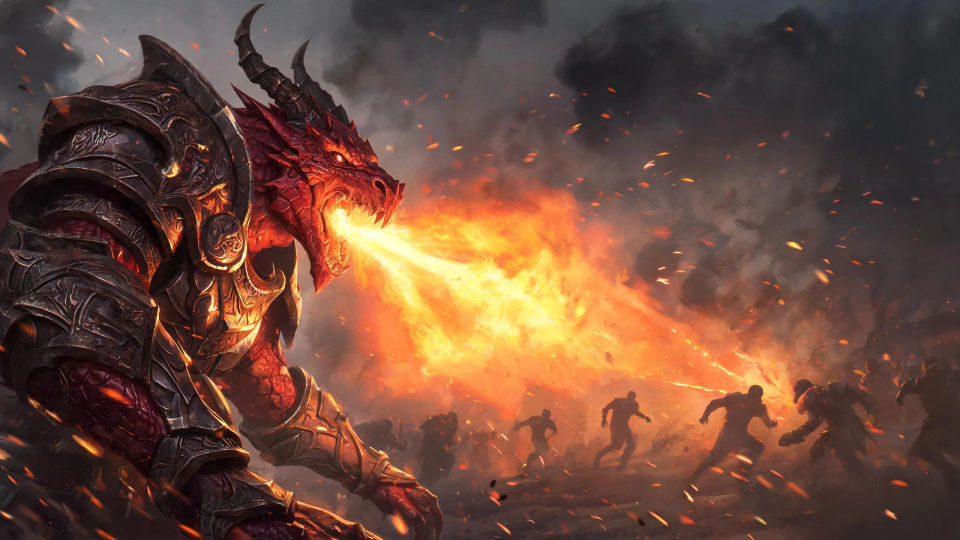
Design dragonborn in your browser with Morphic's dragonborn AI image generator. Generate a bronze-scaled warrior in heavy plate, a crimson dragonborn breathing fire, or a silver-scaled cleric at an altar. Hold one look with Style Transfer, then animate the breath weapon with Image to Video.
A crimson dragonborn warrior loosing a cone of fire across a smoke-filled field, plate glinting orange, silhouetted foes scattering and embers streaking through the dark air.
Edit promptA vaulted hall carved with coiled dragon reliefs and lit by braziers, dragonborn in armor lining a long stone aisle, warm firelight catching row upon row of scales.
Edit prompt
A silver-scaled dragonborn cleric raising a holy symbol at a mountaintop altar, first light breaking over distant peaks, cold wind and soft radiant glow around the figure.
Edit prompt
Two dragonborn crossing weapons on a narrow chasm bridge, scales flashing bronze and blue, sparks flying and a river roaring far below in cold grey morning light.
Edit prompt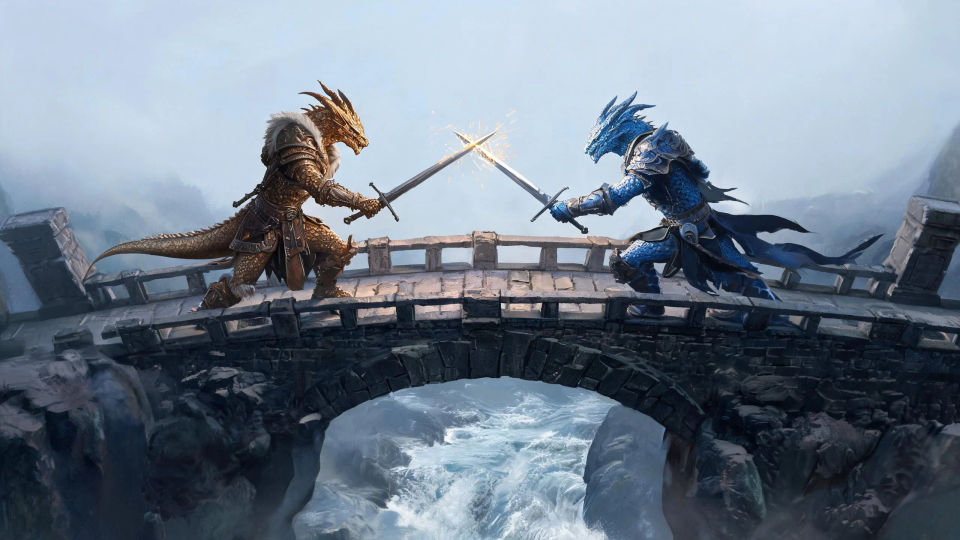
Describe the Dragonborn you want, in plain words.
Morphic generates a clean, ready-to-publish image on your canvas in seconds.
Tweak the prompt, regenerate variations, then download or share the frame.

Take any character image and generate 6 distinct facial expressions on a single reference sheet.

Share a scene description with character references. Get a full storyboard with shot angles and mood.

Turn any photo or description into an animated chibi sprite. Dance, jump, wave, attack, and more.

All your characters on a single lineup image, side by side with height comparison.

Professional 7-panel location reference sheet from a single photo.
Restyle any video in a completely new visual style. Every frame transforms, all motion stays intact.
Dragon AI Images
Create AI dragon images on Morphic. Fire wyrms, frost dragons, storm wyverns, and hoard scenes from plain-language prompts, with consistent scales across a set.
Tiefling AI Images
Create AI tiefling images on Morphic. Horned warlocks, rogues, paladins, and infernal-touched heroes with tails and jewel skin, from plain-language prompts.
Genasi AI Images
Create AI genasi images on Morphic. Fire, water, air, and earth genasi with flame hair, flowing skin, and stone hide, from plain-language prompts.
Orc AI Images
Create AI orc images on Morphic. Warchiefs, berserkers, shamans, hunters, and battlefield scenes from plain-language prompts, consistent across a full set.
Get started for free today, with the option to upgrade or cancel anytime.
Basic
1100 monthly credits
1 user only
All models
Workflows
Standard
3625 monthly credits
1 user only
All models
Workflows
Pro
6350 shared monthly credits
1 user
All models
Workflows
Pro Max
24650 shared monthly credits
1 user
All models
Workflows
Enterprise
For higher limits
Custom
pricing and billing terms
Free
For playing around
$0
forever free