Ideogram 4.5 prompt library

Ideogram 4.5 prompt library on Morphic

A free Ideogram 4.5 prompt library of edit prompts: recolor, relight, restore, rewrite text, and restage, each shown before and after, with a note on what to keep and what to swap.

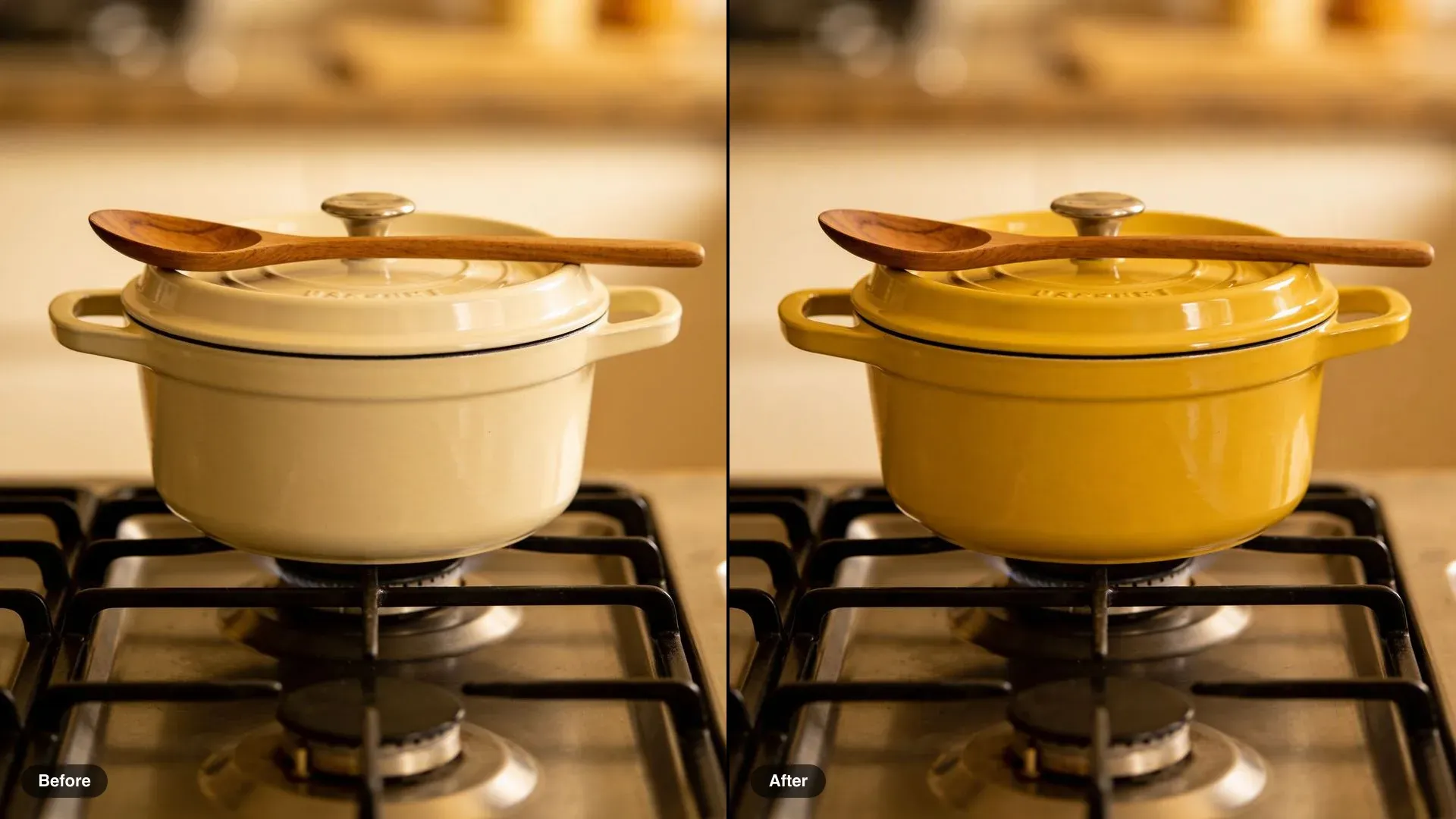
Before and after of a cream enamel pot on a gas stove, recolored to mustard yellow

Cast-iron pot colorway

Change the pot to mustard yellow enamel. Keep the stove, the spoon, the light and the framing exactly the same.

Edit prompt
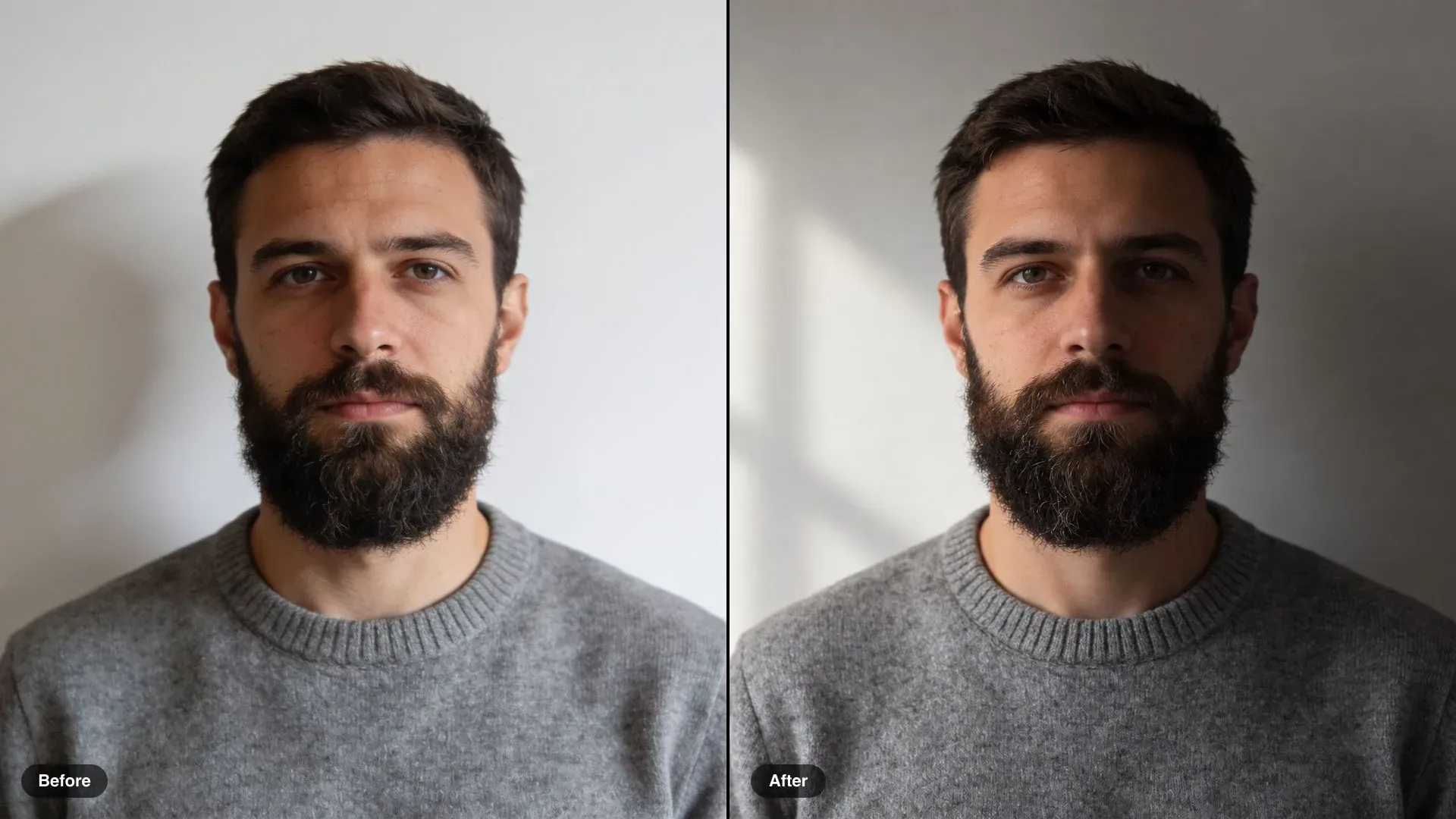
Before and after of a bearded man in a grey sweater, flat front light changed to soft window light from the left

Portrait side light

Relight the portrait with a single soft window light from the left, deep shadow on the right side of the face. Keep his face, expression, clothing and the framing exactly the same.

Edit prompt
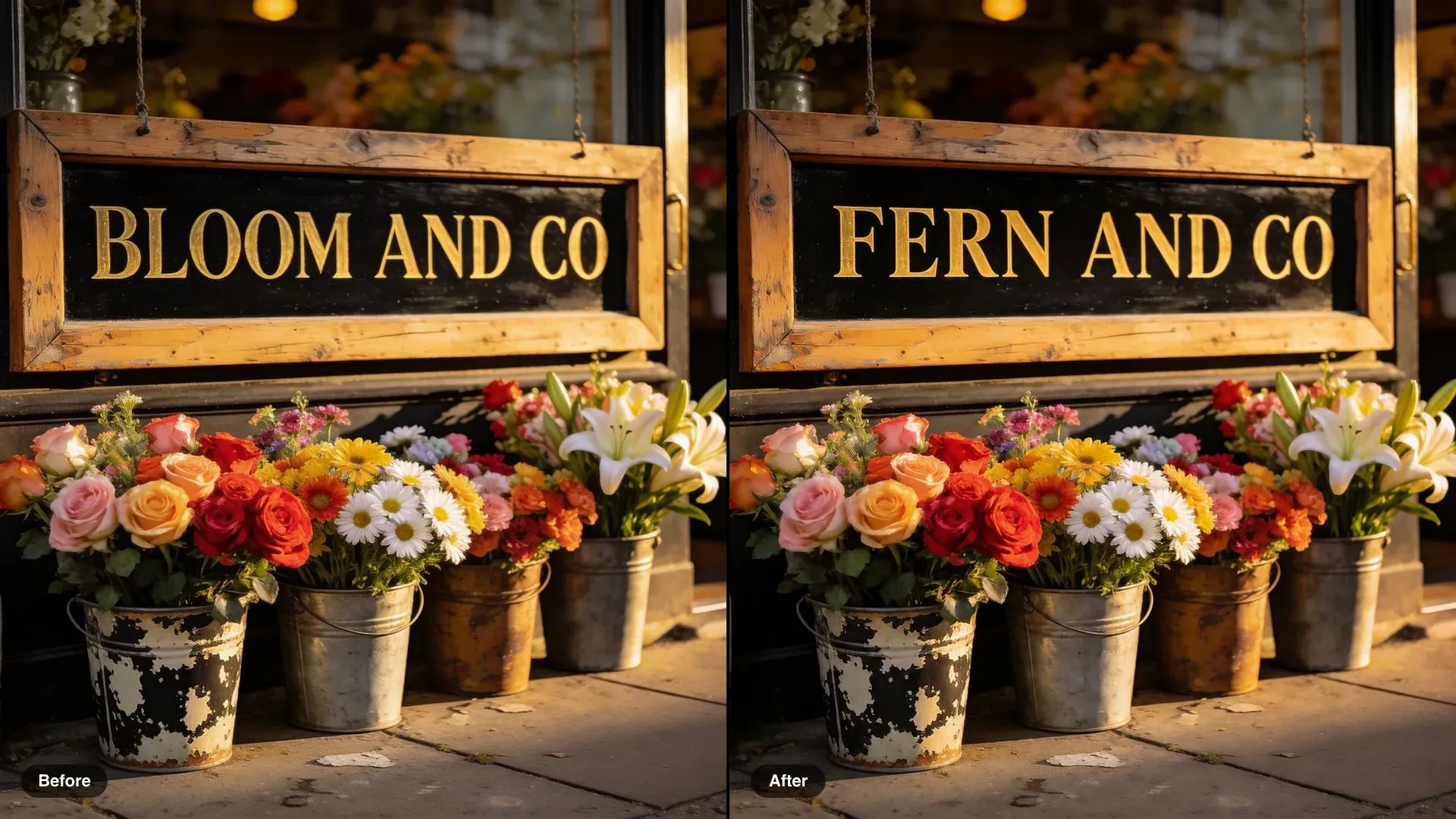
Before and after of a flower shop sign, BLOOM AND CO changed to FERN AND CO in the same gold serif

Rename a shop sign

Change the sign to read FERN AND CO in the same gold serif lettering on black. Keep the shop, the flowers and everything else the same.

Edit prompt
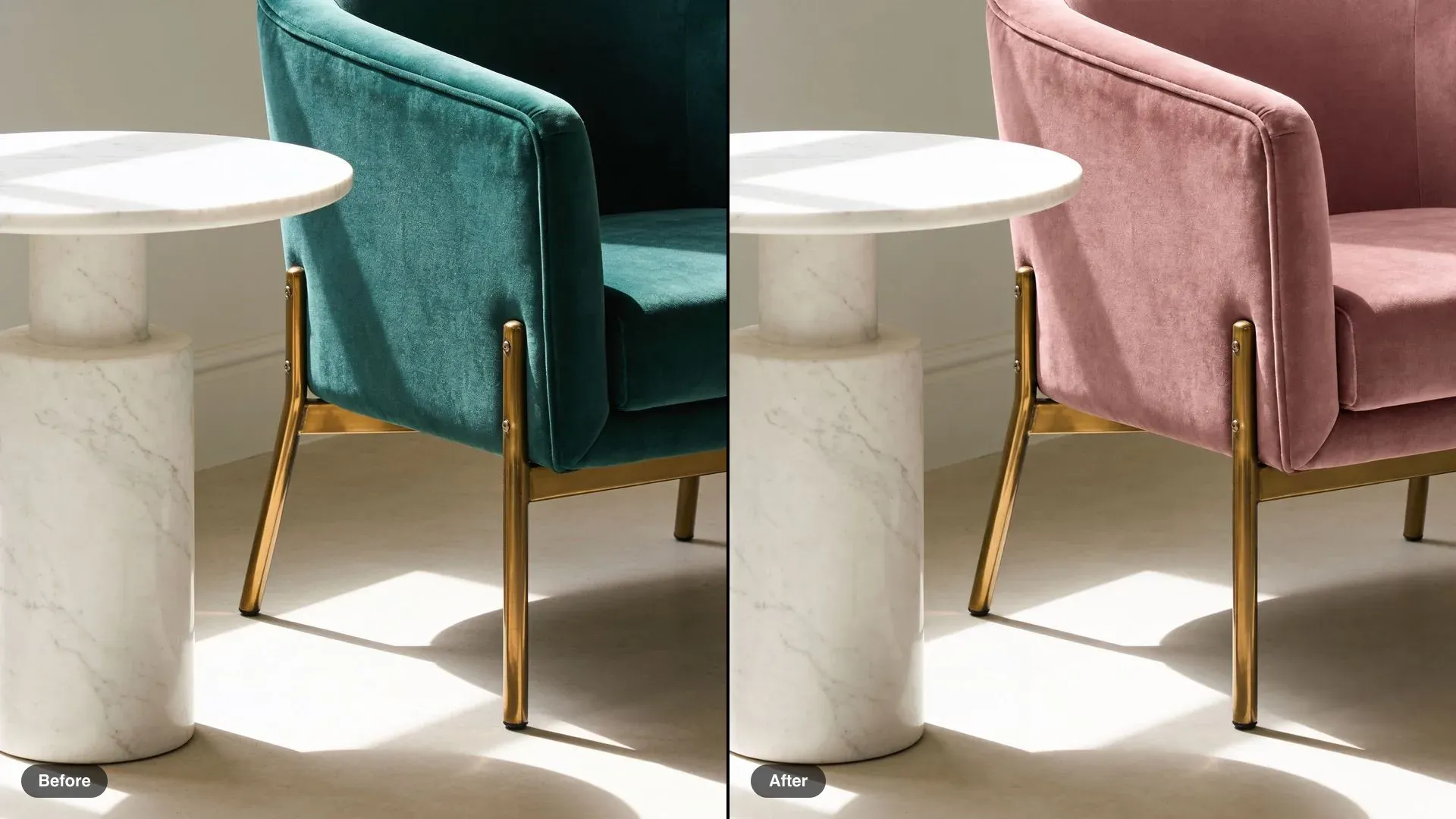
Before and after of an emerald velvet armchair with brass legs, reupholstered in dusty pink velvet

Velvet chair recolor

Change the armchair upholstery to dusty pink velvet. Keep the brass legs, the side table, the room and the light exactly the same.

Edit prompt
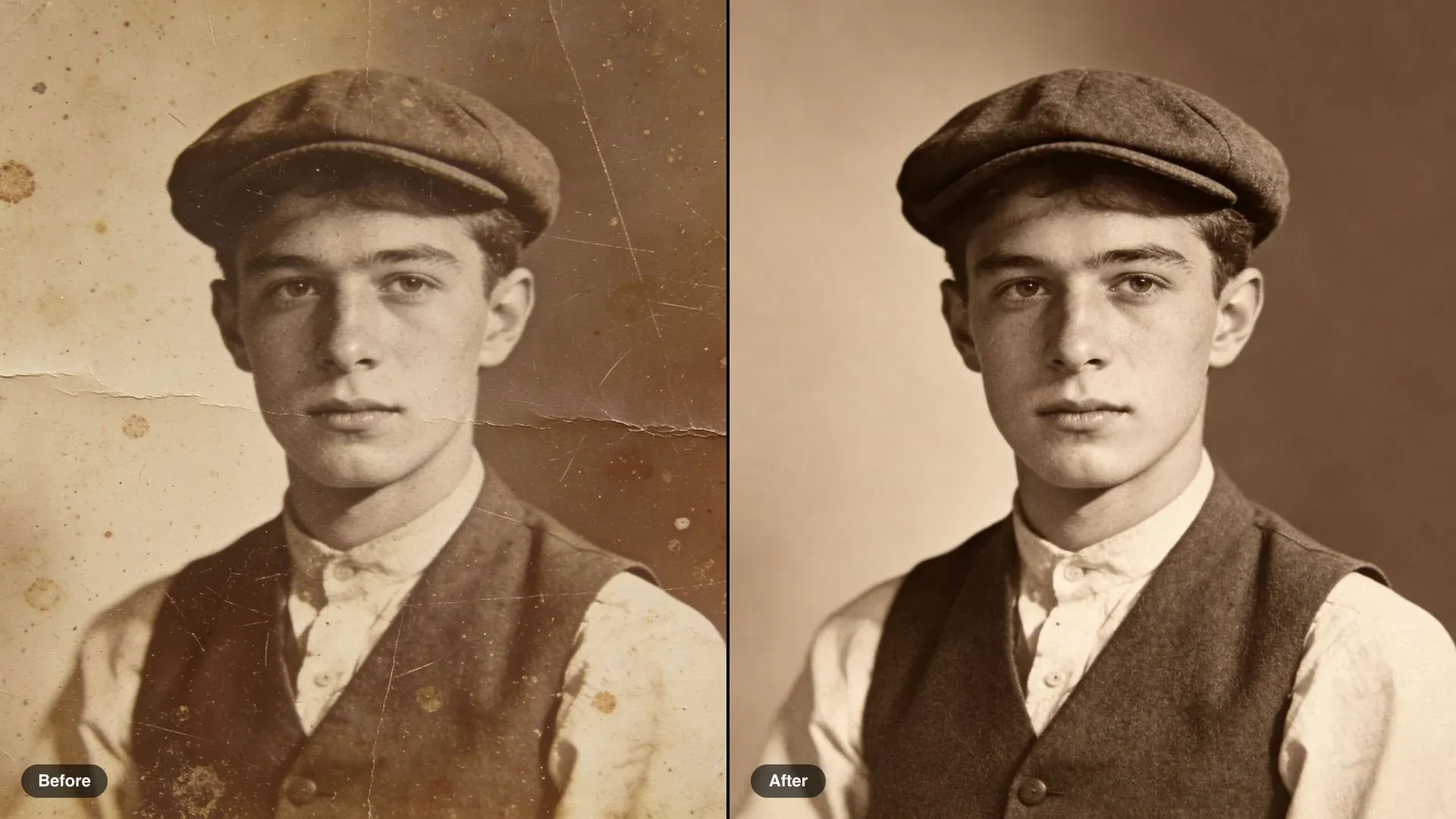
Before and after of a scratched sepia portrait of a young man in a flat cap, restored with the sepia tone kept

Scratched portrait restore

Restore this photograph: remove the scratches, fold lines and spots and recover the contrast. Keep his face, expression, clothing and the sepia tone exactly as they are.

Edit prompt
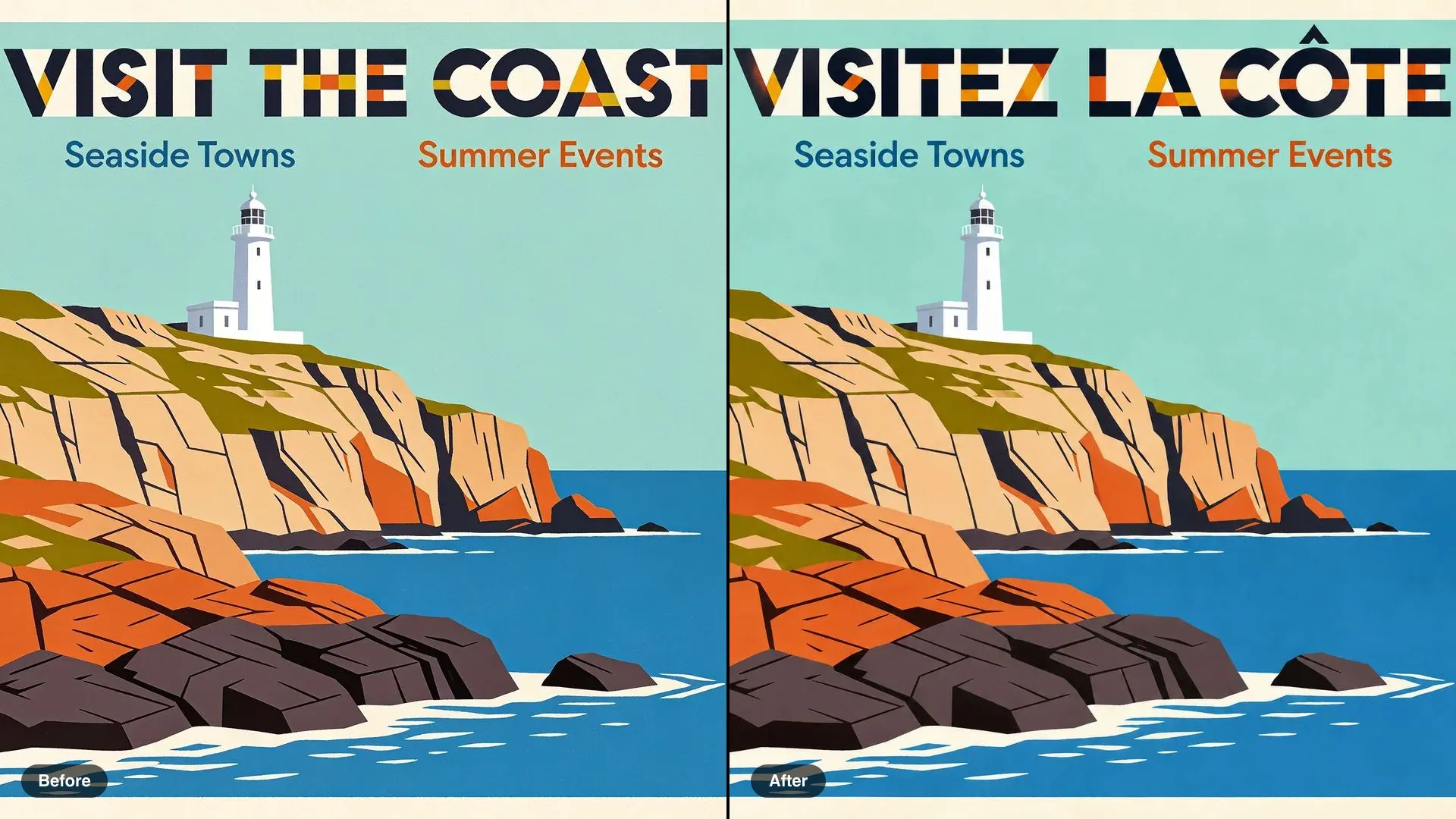
Before and after of a coastal travel poster, VISIT THE COAST translated to VISITEZ LA CÔTE in the same capitals

Translate a travel poster

Translate the headline into French so it reads VISITEZ LA CÔTE, with the circumflex accent on the O, in the same geometric capitals, size and colour. Keep the illustration exactly the same.

Edit prompt
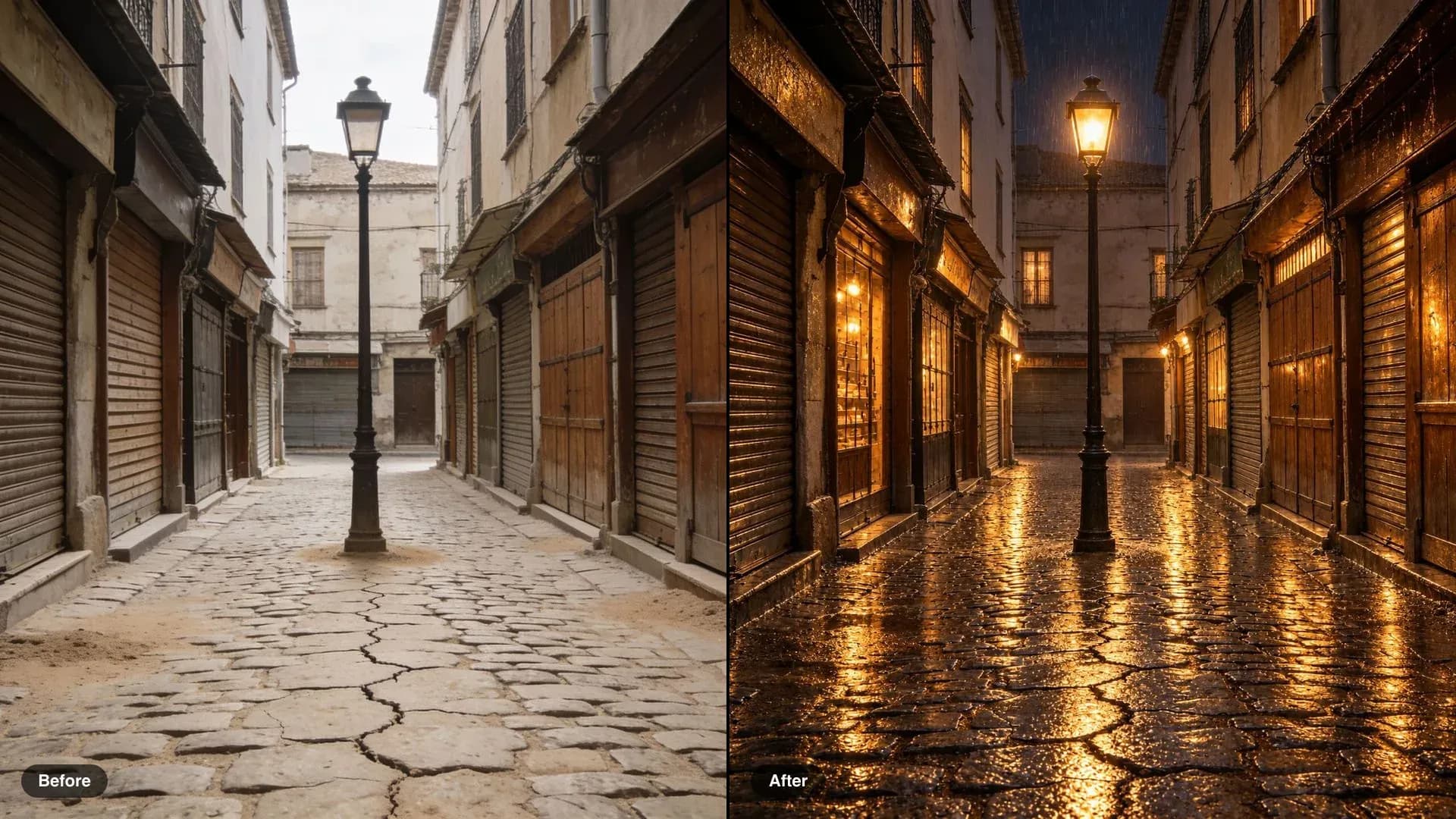
Before and after of a cobbled old-town street, flat daytime turned to a rainy night with glowing windows

Day street to rainy night

Make it a rainy night: wet reflective cobblestones, the lamppost and shop windows glowing warm. Keep every building, shop and the composition exactly the same.

Edit prompt
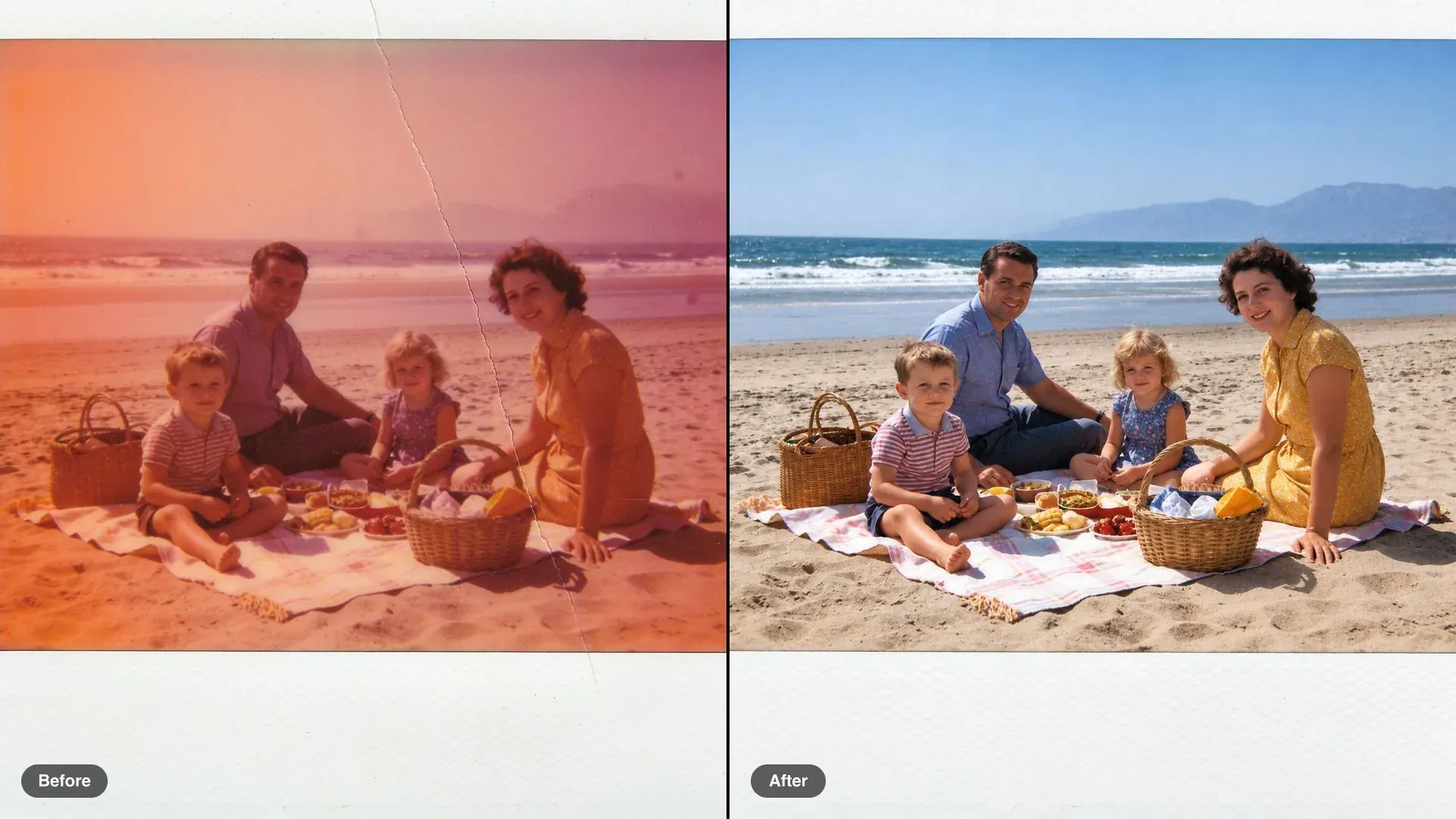
Before and after of a faded beach picnic snapshot, colour shifted to orange, restored to natural colour

Faded colour photo restore

Restore natural colour and contrast and remove the crease. Keep the people, their poses, the picnic and the beach exactly as they are.

Edit prompt

Simple pricing

Get started for free today, with the option to upgrade or cancel anytime.

Basic

$19/ month
billed as $0 per year

2400 monthly credits

1 user only

All models

Workflows

Standard

$24/ month
billed as $0 per year

3625 monthly credits

1 user only

All models

Workflows

Pro

$45/ month
billed as $0 per year

6350 shared monthly credits

1 user

+ up to 4 more at extra cost

All models

Workflows

Max

$170/ month
billed as $0 per year

24650 shared monthly credits

1 user

+ up to 9 more at extra cost

All models

Workflows

Enterprise

For higher limits

Custom

pricing and billing terms

High-volume credits
Custom seat limits
All models
Workflows
Pricing Gradient

Free

For playing around

$0

forever free

Up to 20 credits
1 user only
Limited models
Workflows

FAQs

How do I use these Ideogram 4.5 prompts?
Upload your own image, copy an edit prompt, and change the nouns to match your picture. Each prompt names one change and then lists what must stay; keep that second half, it is what holds the rest of the image in place.
Were these examples made with Ideogram 4.5?
No. Ideogram 4.5 is not on Morphic yet, so each example was made on Morphic with the image models live today: the before image was generated first, then edited with the exact prompt on the card. They show the edit pattern; Ideogram 4.5 is built to run the same prompts.
Why does every prompt end with what to keep?
An edit prompt has two jobs: say what changes and fence everything else. Naming the objects, light, and framing that must stay stops the change from spreading, and it makes each round easy to check before you run the next one.
How do the multi-turn prompts work?
Run each turn as its own edit on the result of the turn before. Ideogram 4.5 is designed for this: Ideogram says repeated edits do not add the pixel shifts, color changes, and artifacts that build up with other models.
How should I write text and translation edits?
Put the new words in capitals exactly as they should read, accents included, and ask for the same lettering, size, and position. Writing the translation yourself is more reliable than asking the model to translate.
Can I use the edited images commercially?
The prompts describe original scenes, invented people, and unbranded products, so what you make from your own images is yours to use. Avoid editing in real logos, trademarks, or a real person's likeness.