Krea 3 prompt library

Krea 3 prompt library on Morphic

A free Krea 3 prompt library of edit prompts: combine people and products from several images, change one area, reuse templates and build a series, each shown with its inputs and result.

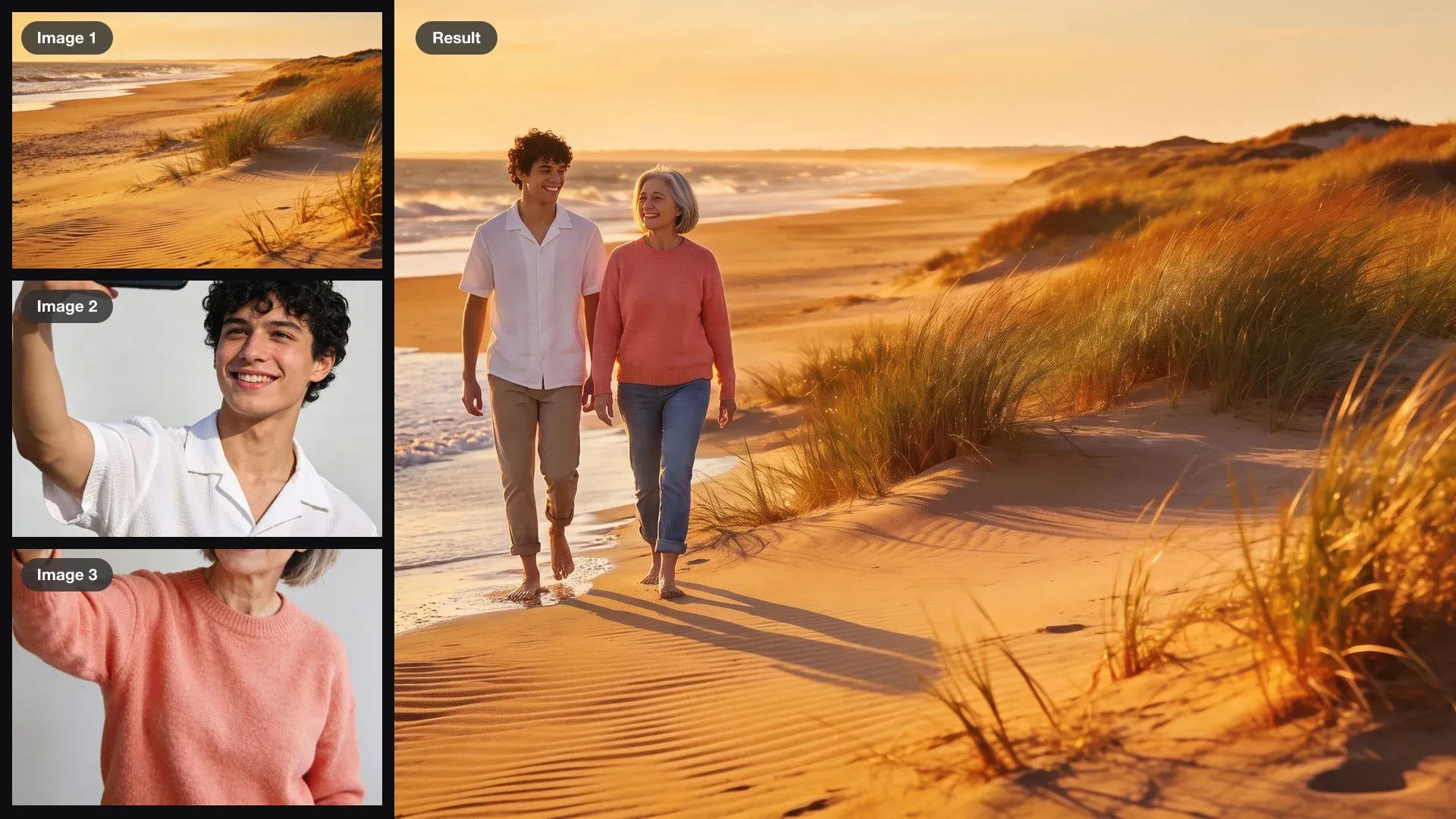
Two selfies and a beach photo as inputs, combined into one photo of the young man and the grey-haired woman walking along the shore at golden hour

Two selfies, one beach walk

Have the man from image 2 and the woman from image 3 walk side by side along the beach in image 1, barefoot at the water's edge. Keep their faces and clothes, and the golden-hour light of image 1.

Edit prompt
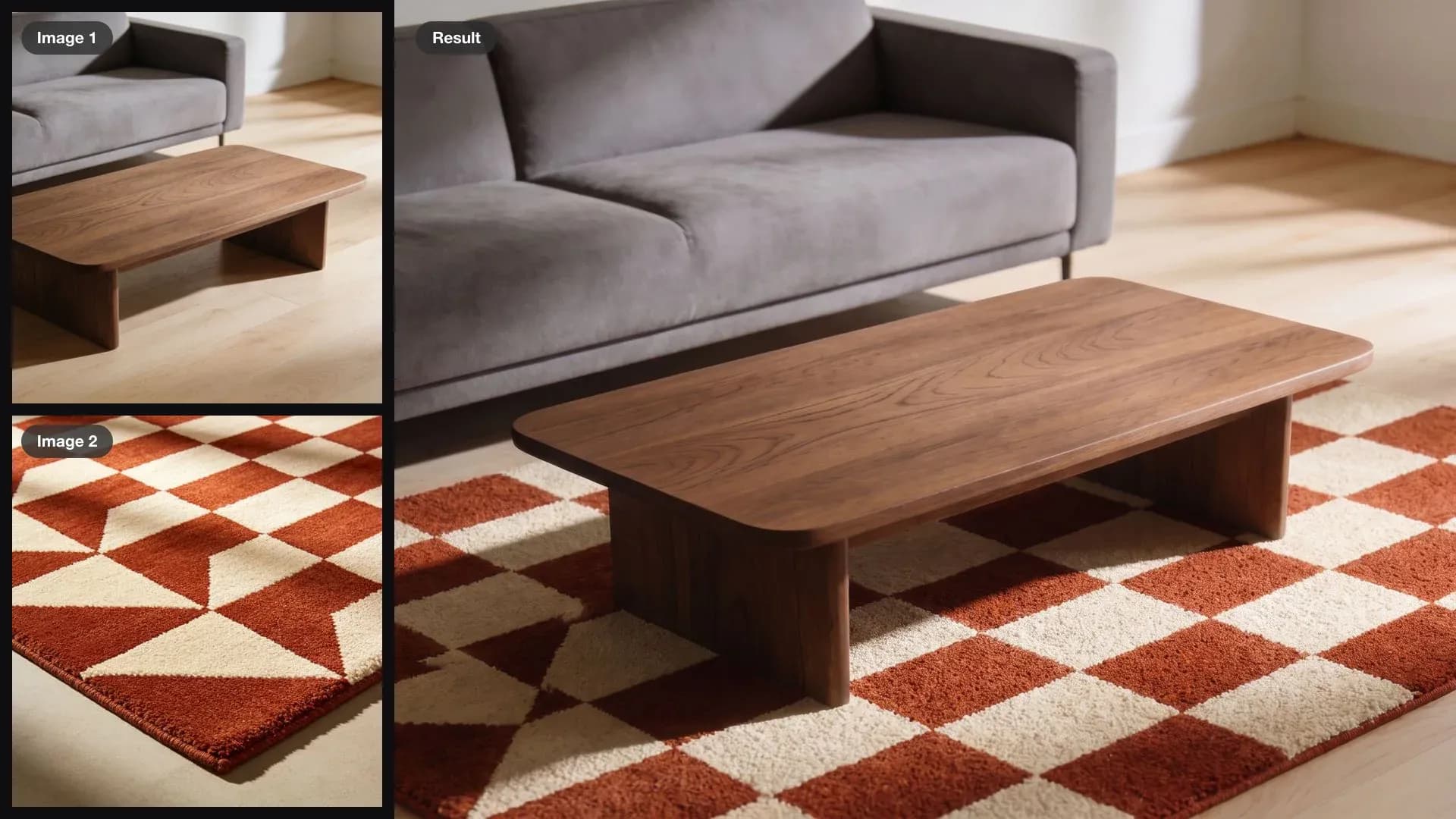
A living room with a bare oak floor and a geometric rug as inputs, combined into one photo of the rug laid under the coffee table

A rug under the coffee table

Lay the rug from image 2 under the coffee table in image 1, in perspective with the floor. Keep the sofa, the table, the floor and the light exactly the same.

Edit prompt
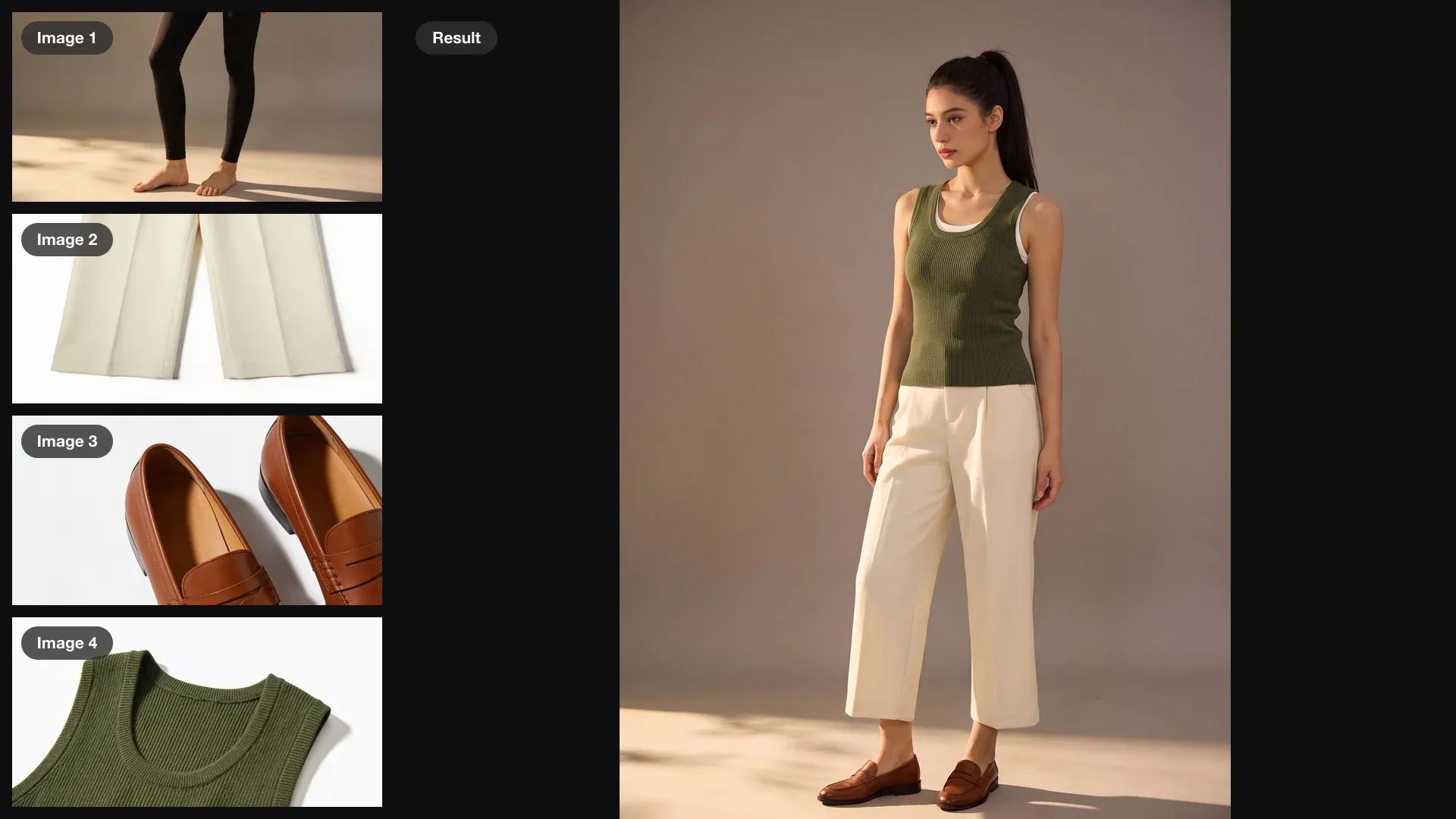
A woman in a tank top and leggings plus trousers, loafers and a knit vest as inputs, combined into one photo of her wearing the full outfit

A full look from three items

Style the woman in image 1 in the trousers from image 2, the loafers from image 3 and the knit vest from image 4 over her white top. Keep her face, her pose and the studio backdrop exactly the same.

Edit prompt
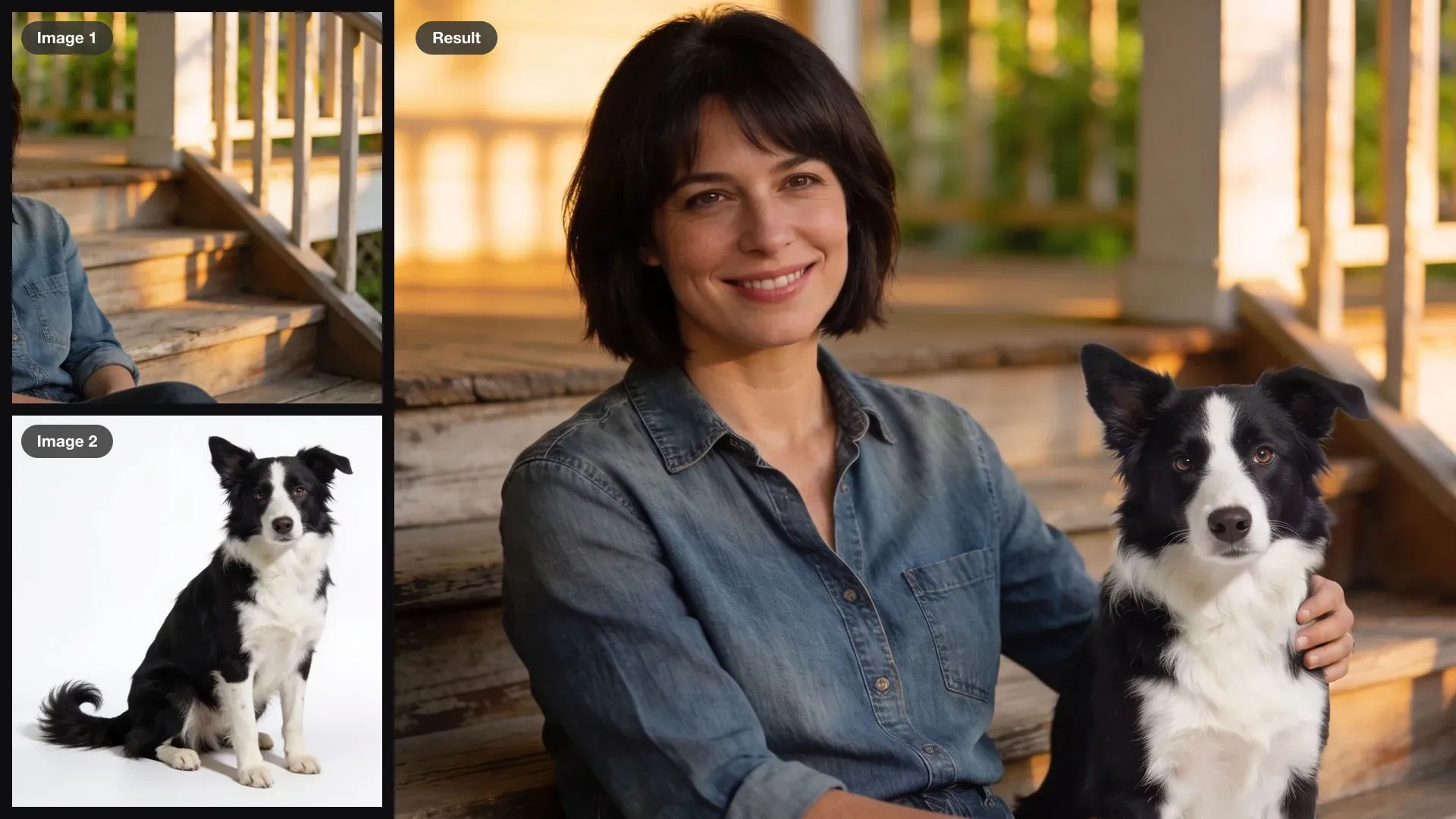
A woman sitting on porch steps and a border collie as inputs, combined into one photo of the dog sitting beside her

A dog added to a portrait

Add the dog from image 2 sitting on the step beside the woman in image 1, her hand resting on its back. Keep her face, her pose, the porch and the light exactly the same.

Edit prompt
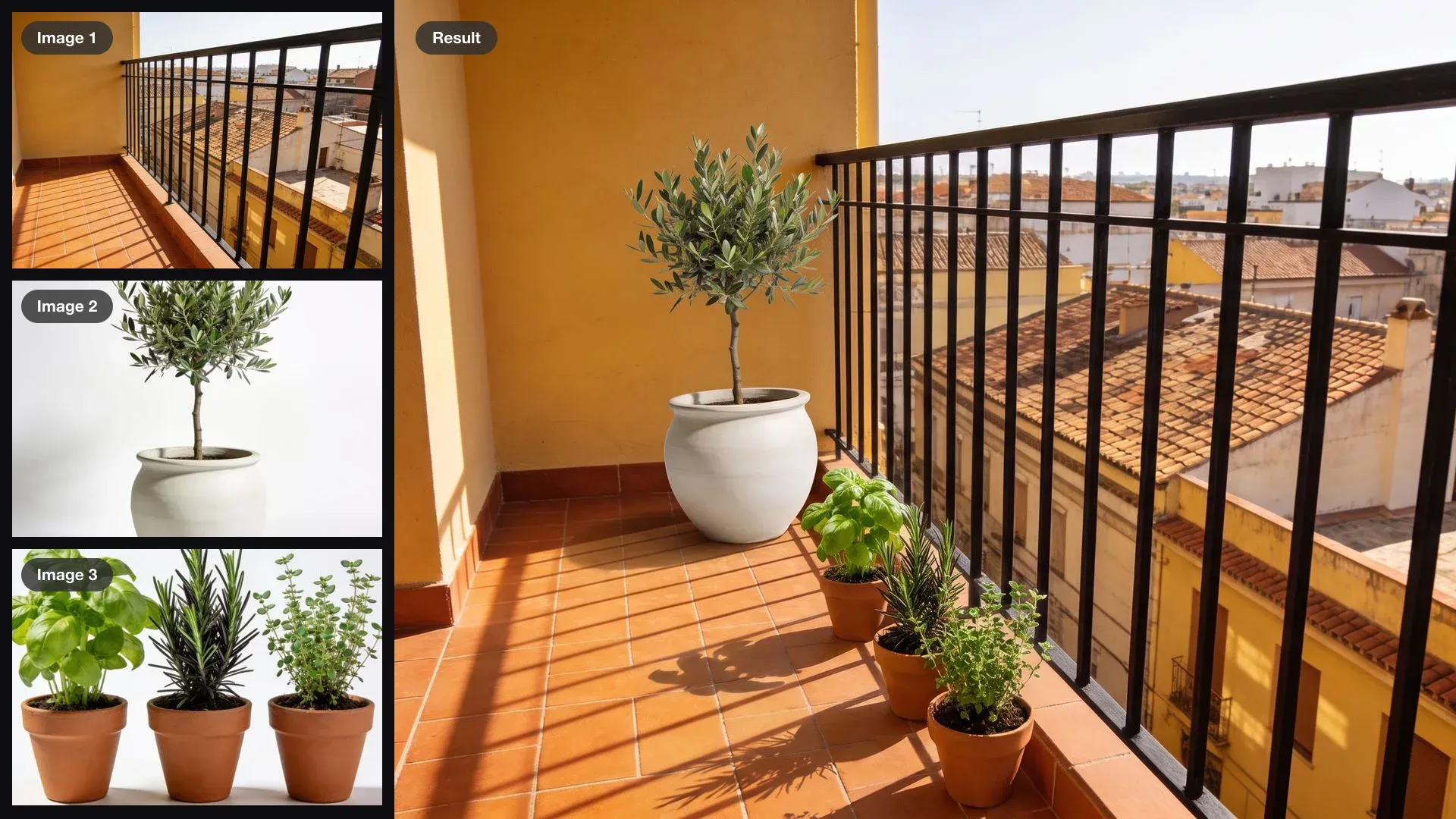
An empty balcony, an olive tree and three herb pots as inputs, combined into one photo of the furnished balcony

Plants on an empty balcony

Put the olive tree from image 2 in the corner of the balcony in image 1 and line the herb pots from image 3 along the railing. Keep the railing, the floor, the view and the morning sun exactly the same.

Edit prompt
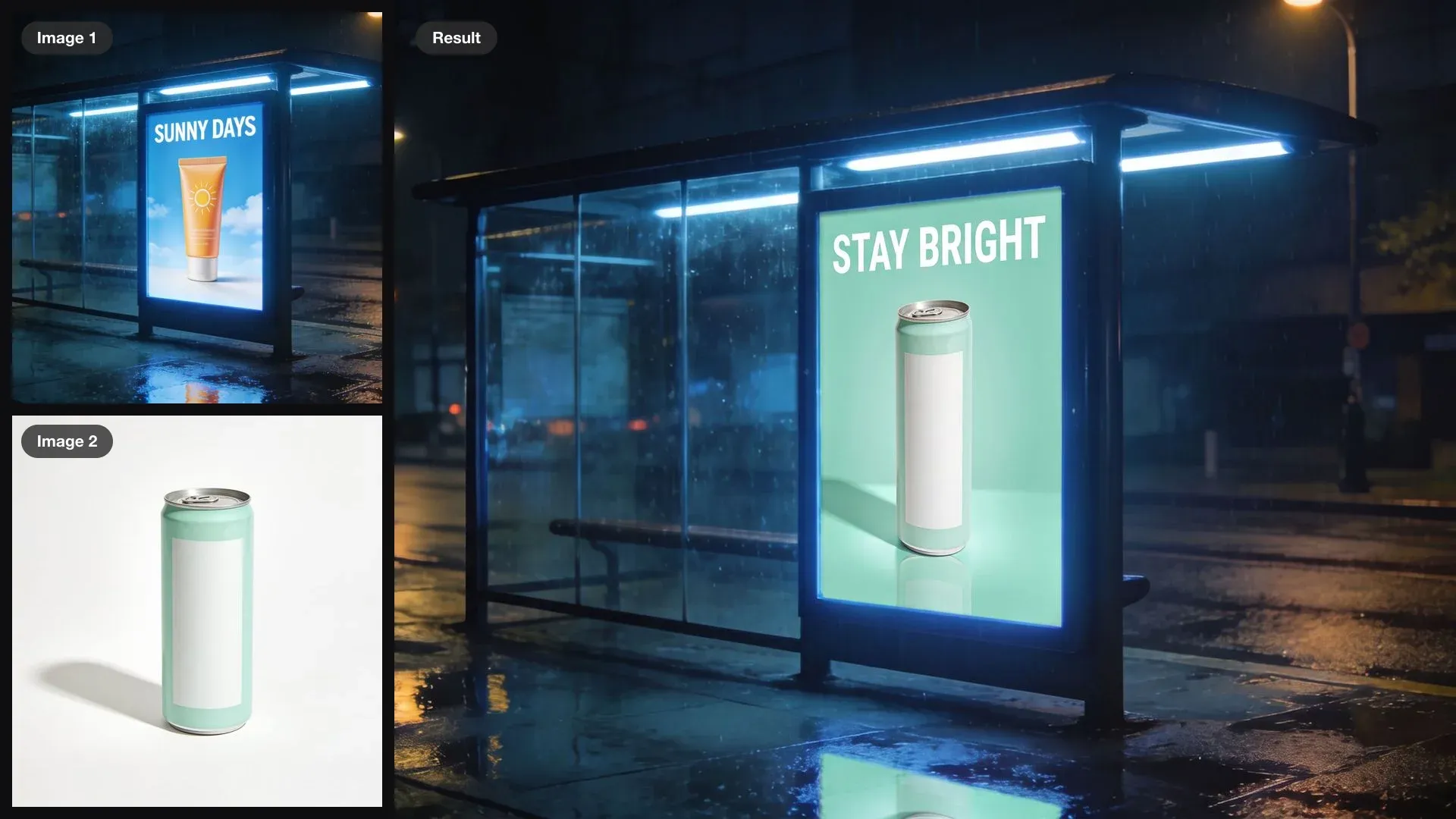
A bus shelter with a sunscreen ad and a mint can as inputs, combined into the same shelter showing an ad for the can with the headline STAY BRIGHT

A bus shelter ad, new product

Re-skin the ad panel in image 1 for the can in image 2, with the headline STAY BRIGHT on a mint background. Keep the shelter, the street and the night reflections exactly the same.

Edit prompt
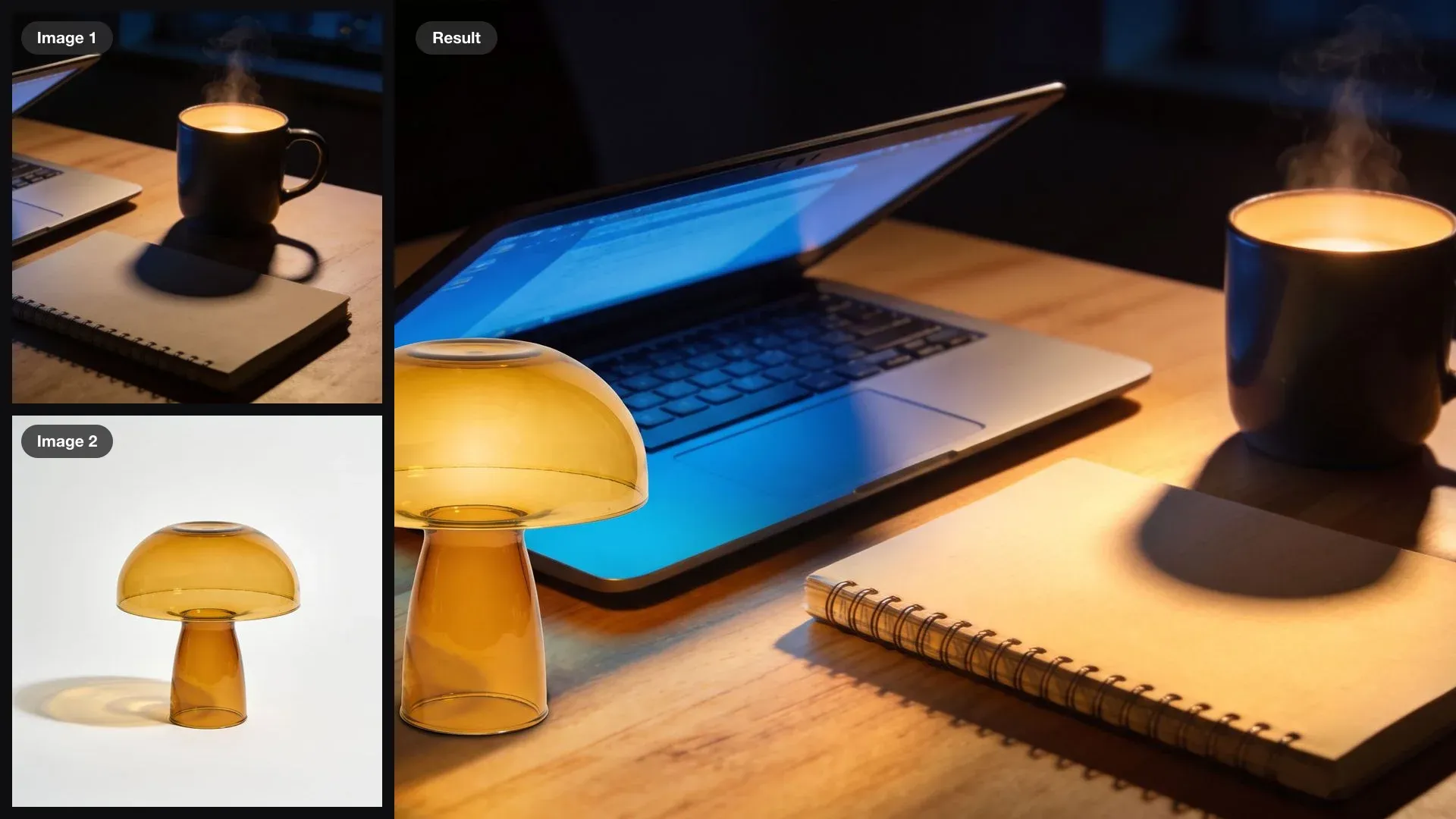
A dark desk lit by a laptop and an amber mushroom lamp as inputs, combined into one photo of the lamp glowing on the desk

A lamp switched on at night

Put the lamp from image 2 on the left of the desk in image 1, switched on, so its warm glow lights the notebook and the mug. Keep the desk, the laptop and the camera angle exactly the same.

Edit prompt
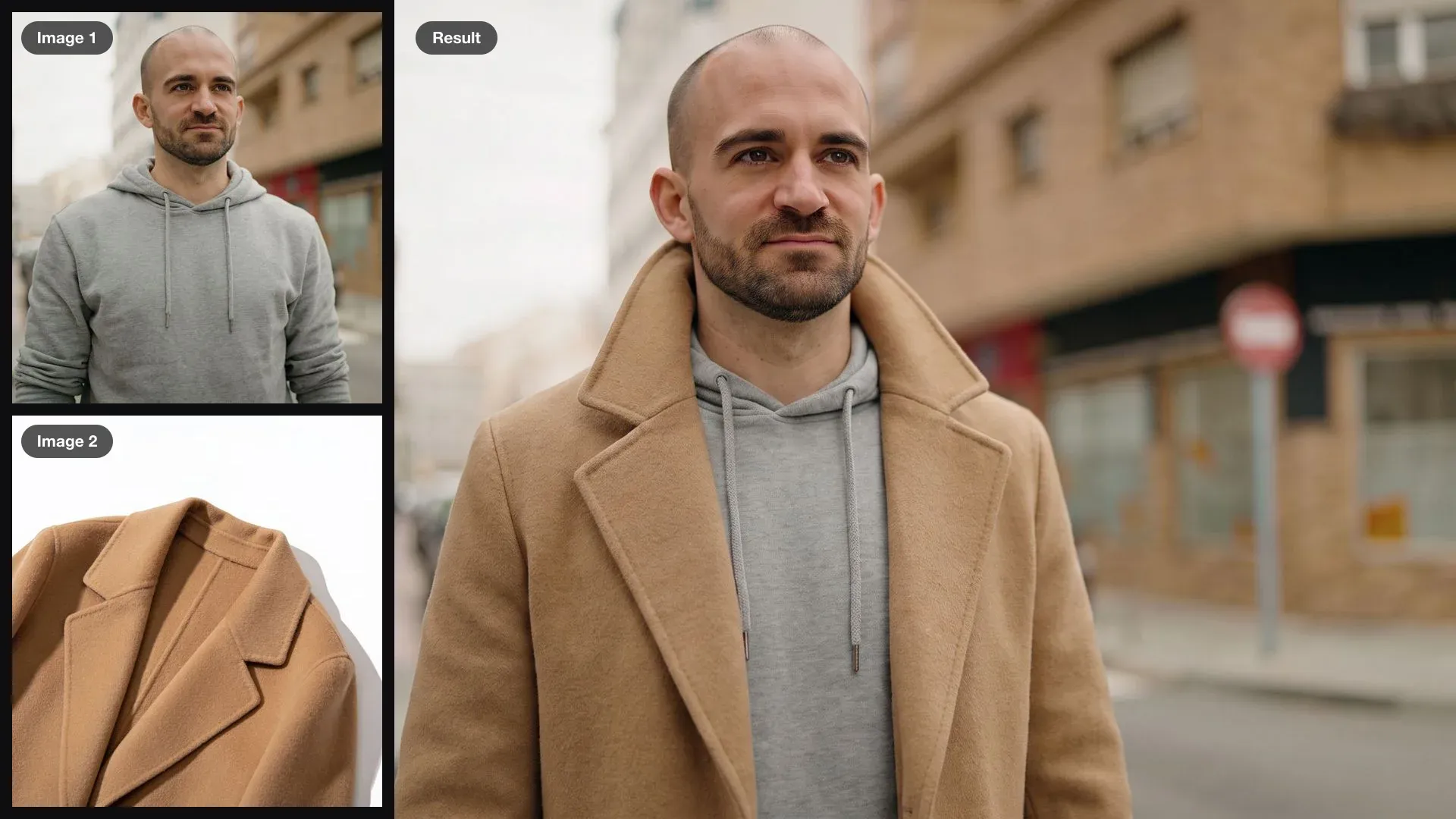
A man in a grey hoodie and a camel overcoat as inputs, combined into one photo of him wearing the coat open over the hoodie, collar up

An overcoat on a street portrait

Put the camel overcoat from image 2 on the man in image 1, worn open over the grey hoodie with the collar turned up. Match the overcast street light of image 1.

Edit prompt

Simple pricing

Get started for free today, with the option to upgrade or cancel anytime.

Basic

$19/ month
billed as $0 per year

2400 monthly credits

1 user only

All models

Workflows

Standard

$24/ month
billed as $0 per year

3625 monthly credits

1 user only

All models

Workflows

Pro

$45/ month
billed as $0 per year

6350 shared monthly credits

1 user

+ up to 4 more at extra cost

All models

Workflows

Max

$170/ month
billed as $0 per year

24650 shared monthly credits

1 user

+ up to 9 more at extra cost

All models

Workflows

Enterprise

For higher limits

Custom

pricing and billing terms

High-volume credits
Custom seat limits
All models
Workflows
Pricing Gradient

Free

For playing around

$0

forever free

Up to 20 credits
1 user only
Limited models
Workflows

FAQs

How do I use these Krea 3 prompts?
Add your own images in the same order as the card, copy the prompt, and change the nouns to match your pictures. Each prompt says what every numbered image brings and then lists what must stay; keep that structure and swap the content.
Were these examples made with Krea 3?
No. Krea 3 is not on Morphic yet, so each example was made on Morphic with other models: the input images with Seedream 4.5, then edited with Nano Banana Pro using the exact prompt on the card. They show the edit pattern Krea 3 is built for.
Why do the prompts number the images?
Krea 3 takes up to 4 images and reads them in the order you add them. Naming each one by number, the coat from image 2 on the man in image 1, tells it which image is the scene and which is the thing to bring in.
How do the template and series prompts work?
Make the finished design image 1, add the new photo as image 2, and quote the new words in capitals. For a series, ask for the editions side by side in one image so you can check they match before you use them.
Where are the Krea 2 prompts?
Krea 2 generates new images in a chosen look, and its prompts live in the Krea prompt library at morphic.com/resources/prompts/krea-prompts. This page covers editing with Krea 3.
Can I use the edited images commercially?
The prompts describe original scenes, invented people, invented brand names and unbranded products, so what you make from your own images is yours to use. Avoid editing in real logos, trademarks, or a real person's likeness without permission.