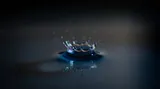



Element entrance pop
Use it as an icon or card lands on screen so each new element registers cleanly.
0:00
0:01

Morphic turns a short description into original sound effects for your explainer, so every element that slides in, pops up, or gets emphasized has a matching cue. You get crisp motion-graphic sounds that support the voiceover instead of fighting it. One workspace covers the pops, the whooshes, and any narration you record.

Write what you want, like a soft warble for a shape morphing or a crisp pop for an icon landing, and Morphic generates the effect from the description.
Drop the file onto your timeline in After Effects, Premiere or your editor and line it up to the exact frame the element moves or lands.
Balance the effect against the voiceover so it supports rather than covers the words, then export the finished explainer.
Four motion-graphic effects for elements entering, moving and being emphasized on screen.
Use it as an icon or card lands on screen so each new element registers cleanly.
Use it when a shape or graphic transforms so the change reads as smooth and deliberate.

Use it on the single key point you want to underline, kept sharp and used sparingly.

Use it as the scene pushes to the next section so the cut feels connected.

Morphic makes the sound; your judgment keeps it tight to the motion.
Get started for free today, with the option to upgrade or cancel anytime.
Basic
2400 monthly credits
1 user only
All models
Workflows
Standard
3625 monthly credits
1 user only
All models
Workflows
Pro
6350 shared monthly credits
1 user
All models
Workflows
Max
24650 shared monthly credits
1 user
All models
Workflows
Enterprise
For higher limits
Custom
pricing and billing terms

Free
For playing around
$0
forever free