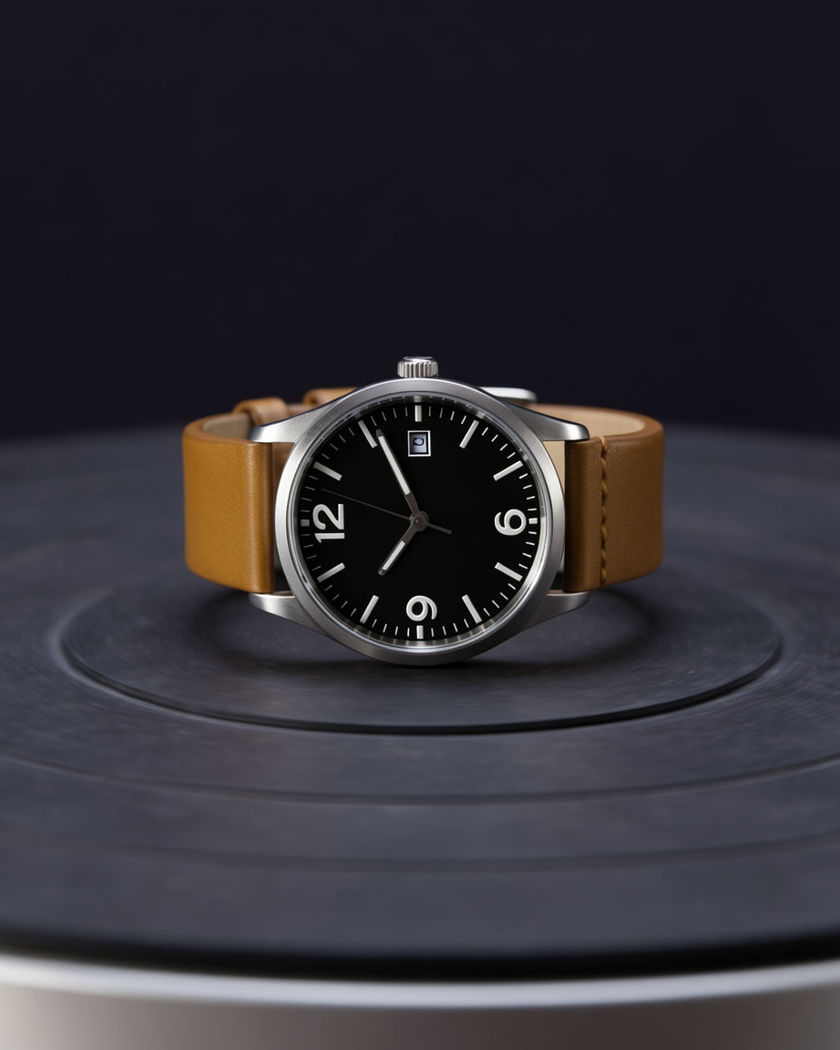
180 turn video

A clean product turn generated inside the shot: a sneaker, a bottle, or a watch rotating a smooth 180 degrees under studio-consistent light with nothing propped or spun by hand.

A product rotating a smooth 180 degrees on a clean studio turntable under even light

180 turn examples

Full studio turntable set

Use this prompt

A wide studio set frames a product turning slowly under three soft lights. a wide shot of a full product photography studio set, softboxes visible at the edges of frame, a single unbranded sneaker on a turntable at the centre rotating a smooth 180 degrees under three soft controlled lights, clean white cyclorama background, professional commercial pacing

Outdoor lifestyle turn

Use this prompt

A bag turns on a sunlit ledge as soft shadows shift with the rotation. a wide outdoor shot of an unbranded handbag resting on a sunlit concrete ledge, rotating a smooth 180 degrees as natural daylight and soft shadow shift across it, a blurred green garden in the background, calm lifestyle product mood

Watch turntable spin

Use this prompt

A wristwatch turns under a soft key light, the dial and clasp both revealed. a single unbranded wristwatch resting on a pale grey studio surface, rotating a smooth continuous 180 degrees under a soft overhead key light, the dial catching a controlled highlight before the clasp rotates fully into view, shallow depth of field, precise product photography feel

Phone clean rotation

Use this prompt

A smartphone rotates on a bright surface, screen glow and back panel both revealed. a single unbranded smartphone lying flat on a bright white surface, rotating a smooth 180 degrees so the glowing screen and the matte back panel are both revealed in turn, soft even studio light, crisp minimal composition, clean commercial pacing

Sneaker studio turn

Use this prompt

A sneaker rotates smoothly on a bright seamless backdrop, every angle held sharp. a single unbranded sneaker centred on a bright white seamless studio backdrop, rotating a smooth continuous 180 degrees to reveal every side, soft even studio light with no harsh shadows, crisp product focus throughout, clean commercial turntable motion

Handbag lifestyle turn

Use this prompt

A bag turns on a marble surface with warm daylight sliding across its side panels. a single unbranded handbag standing on a light marble surface near a window, rotating a smooth 180 degrees as warm natural daylight slides across each side panel, soft shadow pooling beneath, calm lifestyle product mood, steady continuous motion

Dramatic spotlight sweep

Use this prompt

A single moving spotlight rakes across headphones as they complete their turn. a wide shot on a black studio stage, a single pair of unbranded headphones on a podium rotating a smooth 180 degrees as one dramatic moving spotlight sweeps a highlight across the curved surfaces, deep shadow at the edges of frame, high-contrast commercial lighting

Bottle detail turn

Use this prompt

A glass bottle rotates slowly, catching a rim light as its cap comes into view. a single unbranded glass bottle on a dark reflective studio surface, rotating a smooth 180 degrees so the cap and opposite face both come into view, a soft rim light tracing the glass edge as it turns, controlled highlight sweeping across the surface, minimal and premium

Macro detail turn

Use this prompt

A close macro shot follows a watch dial rotating with every texture visible. an extreme close macro shot of an unbranded wristwatch dial, rotating a smooth 180 degrees so every texture and reflective facet catches the light in turn, shallow depth of field, soft overhead key light, precise and premium detail focus

Headphones dramatic sweep

Use this prompt

Headphones spin under a moving spotlight that sweeps a highlight across the earcups. a single pair of unbranded over-ear headphones on a black podium, rotating a smooth continuous 180 degrees as a single moving spotlight sweeps a bright highlight across the curved earcups, deep black background, dramatic high-contrast product lighting

Generate your own 180 turn

Pick a starting point, edit anything you like, then generate it in Morphic.

Generate

Simple pricing

Get started for free today, with the option to upgrade or cancel anytime.

Basic

$19/ month
billed as $0 per year

2400 monthly credits

1 user only

All models

Workflows

Standard

$24/ month
billed as $0 per year

3625 monthly credits

1 user only

All models

Workflows

Pro

$45/ month
billed as $0 per year

6350 shared monthly credits

1 user

+ up to 4 more at extra cost

All models

Workflows

Max

$170/ month
billed as $0 per year

24650 shared monthly credits

1 user

+ up to 9 more at extra cost

All models

Workflows

Enterprise

For higher limits

Custom

pricing and billing terms

High-volume credits
Custom seat limits
All models
Workflows
Pricing Gradient

Free

For playing around

$0

forever free

Up to 20 credits
1 user only
Limited models
Workflows

FAQs

Where can I make AI 180 turn videos?
You can create 180 turn videos directly in your browser on Morphic. Bring a photo of your product, describe the turn and the light, and Morphic generates the clip with the rotation built into the shot. No turntable rig or manual spin needed.
What kinds of 180 turn shots work best with AI video?
A single clean product against a simple backdrop reads best, since the smooth rotation is the whole point of the shot. Even studio light, a moving spotlight sweep, or soft natural daylight all hold up cleanly against a steady, continuous turn.
How do I write a good prompt for an AI 180 turn video?
Name the product, the surface it rests on, and the light source. Add what the turn reveals, a cap, a clasp, a hidden panel, and whether the light stays fixed or sweeps as the product rotates. The clearer the detail, the cleaner the turn Morphic returns.
Can I use my own product photo for an AI 180 turn video?
Yes. Bring a clear photo of your product and Morphic can generate the rotation from it. If you are testing several variants of the same product, keep the prompt consistent so each turn matches for a fair side-by-side comparison.
Do I need video editing experience to make an AI 180 turn video?
No. Morphic runs in your browser and you direct it with plain-language prompts. If you can describe the product and the light, you can produce the video. The prompts on this page are written so anyone can paste and run them.
What can I use an AI 180 turn video for?
They work well as clean product listings, ad creative, and A/B test variants. Generate a few versions with different lighting or surfaces, cut and score them on the timeline, and export the sizes each channel needs from the same workspace.