Feeding at the grave
A graveyard feeder crouched over broken earth in a moonlit cemetery, head snapping up toward the camera, cold blue light, mist between the headstones, a slow push-in that halts as it turns.
Edit prompt
Direct the ghoul in your browser with Morphic's ghoul AI video generator. Generate a hunched feeder crouched over a fresh grave or a pack loping across moonlit dunes, hold one design with Character Lineup, score it with Music, and cut the beats in the Canvas.
A graveyard feeder crouched over broken earth in a moonlit cemetery, head snapping up toward the camera, cold blue light, mist between the headstones, a slow push-in that halts as it turns.
Edit promptA desert hunter loping on all fours across moonlit dunes, sand hissing off its stride, drool trailing in the wind, a low tracking shot running parallel across the rippling sand.
Edit prompt
A blind tunnel-dweller groping toward a dropped torch on wet stone, milky eyes catching no light, water dripping, a static low shot as the flame flickers across the pallid skin.
Edit prompt
A crypt-lurker crouched motionless among stone sarcophagi, one claw tapping a lid, a thin shaft of grey light finding only its eyes, dust hanging still, a slow creep-in through the vault door.
Edit prompt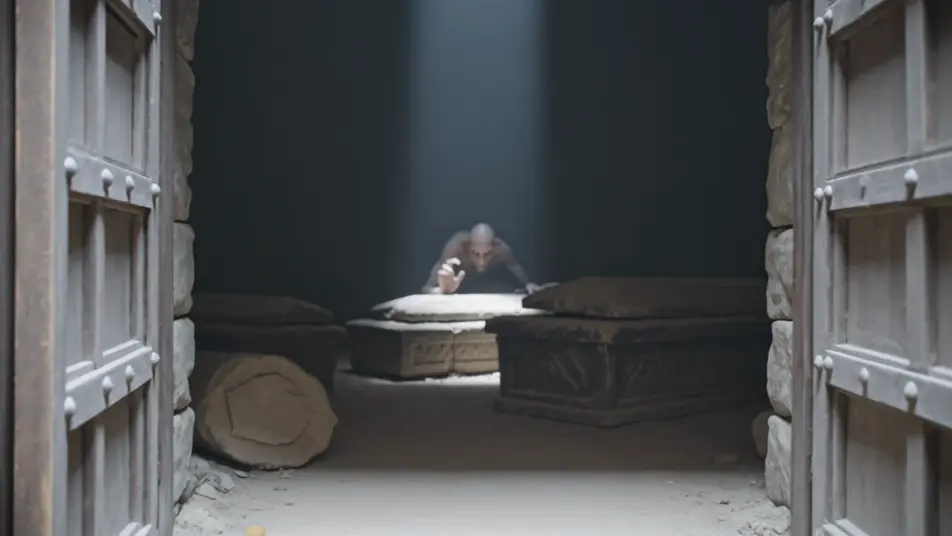
Write the ghoul scene you want, in plain words.
Morphic generates a cinematic, frame-ready clip on your canvas in seconds.
Tweak the prompt, regenerate variations, then download or share the shot.
Cinematic time-freeze short film for any scene

Dramatize any text conversation into a cinematic multi-shot video.
One image to a 9-scene cinematic video.
Drop in a photo of yourself. Get a 12-second cinematic movie with animation and a matched soundtrack.

Share a scene description with character references. Get a full storyboard with shot angles and mood.

Feed in a single image. Get 9 cinematic beats laid out as a 3x3 storyboard grid.
Revenant AI Videos
Generate revenant videos with Morphic. Risen corpse, vengeance-driven, grave-crawler, and frost-bound archetypes with frozen graveyard and snowbound road scene prompts.
Wraith AI Videos
Generate wraith videos with Morphic. Cloaked reaper, battle-shade, drowned wraith, and lantern-bearer archetypes with fog-bound moor and ruined crypt scene prompts.
Monster AI videos
Generate monster videos on Morphic. Original creatures, fog-bound beasts, lake monsters, and lurking-threat scenes from plain-language prompts.
Creature Feature AI Videos
Generate creature feature AI videos with Morphic. Lurking beasts, slow monster reveals, and confined-setting scene prompts you can direct in the browser.
Get started for free today, with the option to upgrade or cancel anytime.
Basic
2400 monthly credits
1 user only
All models
Workflows
Standard
3625 monthly credits
1 user only
All models
Workflows
Pro
6350 shared monthly credits
1 user
All models
Workflows
Max
24650 shared monthly credits
1 user
All models
Workflows
Enterprise
For higher limits
Custom
pricing and billing terms

Free
For playing around
$0
forever free