The swamp emergence
A moonlit swamp wreathed in mist, reeds parting as a clawed shape rises slowly from the black water, only a silhouette and a glint of eyeshine, frogs falling silent, slow dread push-in.
Edit prompt
Direct lurking-monster cinema in your browser with Morphic's creature feature AI video generator. Generate a clawed shape in a swamp, a shaking research station, or a beast in a flashlight beam. Voice and score with Speech and Music, then stitch the hunt on the Canvas.
A moonlit swamp wreathed in mist, reeds parting as a clawed shape rises slowly from the black water, only a silhouette and a glint of eyeshine, frogs falling silent, slow dread push-in.
Edit promptA cramped lit research station at night, equipment rattling as something heavy circles outside, a shadow crossing the fogged windows, the team frozen, tight claustrophobic frame.
Edit prompt
A character’s wavering flashlight finding the creature at last in a dripping culvert or cave, the beam climbing its bulk to the eyes, a held terrible beat, jittery handheld then a hard freeze.
Edit prompt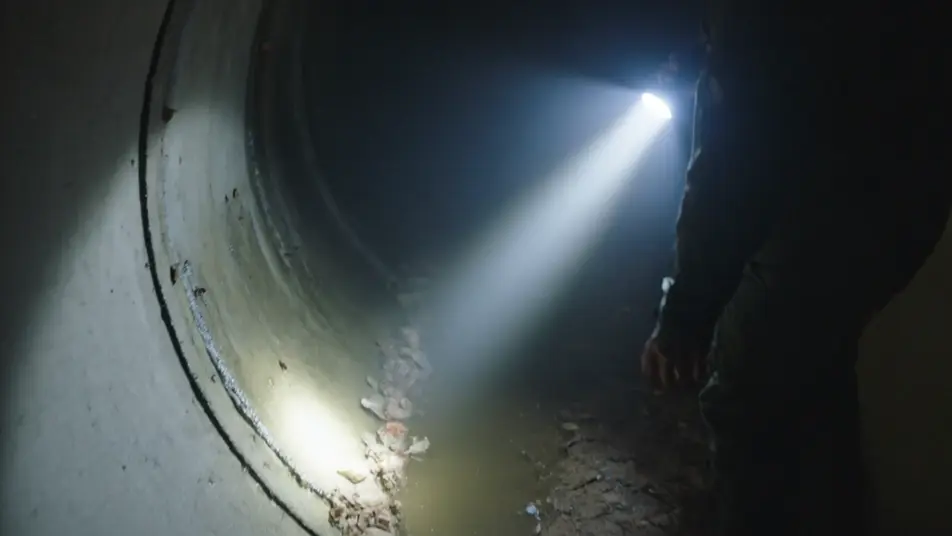
A still lake or swamp at first grey light after the night’s terror, an upturned boat and a ring of ripples spreading from nothing, the threat unseen but clearly not gone, locked-off wide.
Edit prompt
Write the creature feature scene you want, in plain words.
Morphic generates a cinematic, frame-ready clip on your canvas in seconds.
Tweak the prompt, regenerate variations, then download or share the shot.
Cinematic time-freeze short film for any scene

Dramatize any text conversation into a cinematic multi-shot video.
One image to a 9-scene cinematic video.
Drop in a photo of yourself. Get a 12-second cinematic movie with animation and a matched soundtrack.

Share a scene description with character references. Get a full storyboard with shot angles and mood.

Feed in a single image. Get 9 cinematic beats laid out as a 3x3 storyboard grid.
Giant Monster AI Videos
Generate giant monster AI videos with Morphic. City-crushing scale, street-level POV, and skyline-reveal scene prompts you can direct in the browser.
Monster AI videos
Generate monster videos on Morphic. Original creatures, fog-bound beasts, lake monsters, and lurking-threat scenes from plain-language prompts.
Kaiju AI Videos
Generate kaiju videos with Morphic. City-scale apex creatures, suitmation slow-mo destruction, JSDF reaction shots, and IP-safe original creature design.
Eco Horror AI Videos
Generate eco horror AI videos with Morphic. Hostile nature, wrong-looking landscapes, and ecosystem-in-revolt scene prompts you can direct in the browser.
Get started for free today, with the option to upgrade or cancel anytime.
Basic
2400 monthly credits
1 user only
All models
Workflows
Standard
3625 monthly credits
1 user only
All models
Workflows
Pro
6350 shared monthly credits
1 user
All models
Workflows
Max
24650 shared monthly credits
1 user
All models
Workflows
Enterprise
For higher limits
Custom
pricing and billing terms

Free
For playing around
$0
forever free