Rise from a black swamp
The nine-headed hydra surging up out of a still black marsh at dawn, water sheeting off the necks, low green mist churning apart. A slow crane shot climbs with the rising heads against a pale sky.
Edit prompt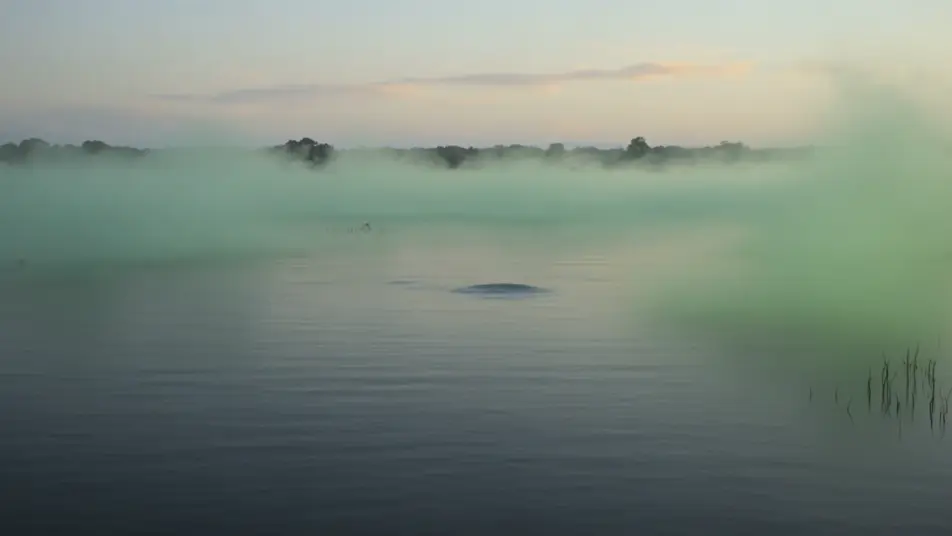
Direct the many-headed hydra in your browser with Morphic's hydra beast AI video generator. Generate a nine-headed serpent rising from a black swamp or a severed neck splitting into two new heads, hold one design with Character Lineup, score it with Music, and cut the beats together on the Canvas.
The nine-headed hydra surging up out of a still black marsh at dawn, water sheeting off the necks, low green mist churning apart. A slow crane shot climbs with the rising heads against a pale sky.
Edit promptOne neck struck and severed, then the raw stump splitting and two new heads budding and unfurling in seconds, ichor beading at the wound. A tight macro shot holds on the writhing regrowth in harsh side light.
Edit prompt
A lead head rearing and exhaling a luminous green venom-plume across a reed bed that browns and wilts in its wake. A low tracking shot follows the drifting vapor as sickly light stains the marsh.
Edit prompt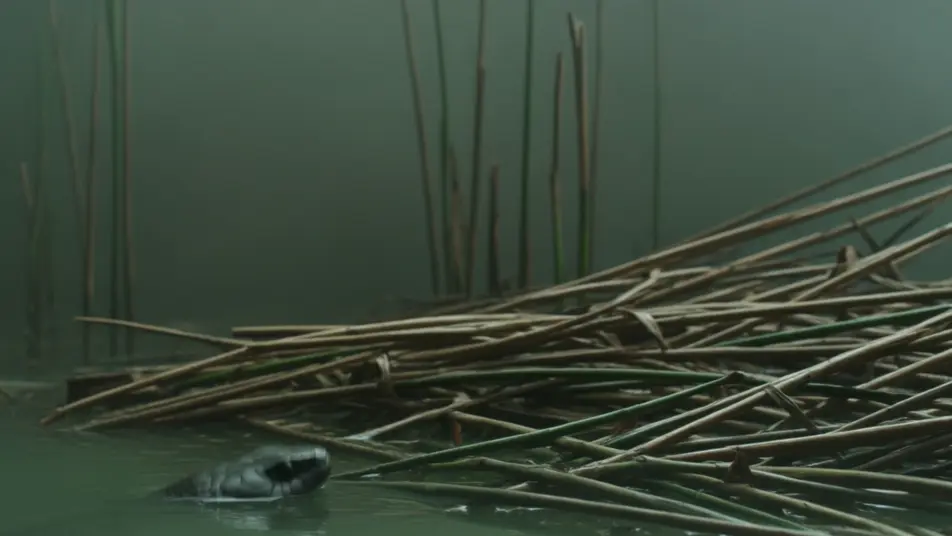
A calm glassy fen where two low heads glide just above the surface, then the whole coiled body erupting upward in a wall of spray. A static wide shot breaks into chaos as the water explodes.
Edit prompt
Write the hydra beast scene you want, in plain words.
Morphic generates a cinematic, frame-ready clip on your canvas in seconds.
Tweak the prompt, regenerate variations, then download or share the shot.
Cinematic time-freeze short film for any scene

Dramatize any text conversation into a cinematic multi-shot video.
One image to a 9-scene cinematic video.
Drop in a photo of yourself. Get a 12-second cinematic movie with animation and a matched soundtrack.

Share a scene description with character references. Get a full storyboard with shot angles and mood.

Feed in a single image. Get 9 cinematic beats laid out as a 3x3 storyboard grid.
Chimera Beast AI Videos
Generate chimera beast videos with Morphic. Lion-goat-serpent, fire-breather, three-headed, and stalker archetypes with ruin and canyon scene prompts.
Manticore AI Videos
Generate manticore videos with Morphic. Human-faced lion, scorpion-tail, winged predator, and desert-stalker archetypes with dune and ruin scene prompts.
Monster AI videos
Generate monster videos on Morphic. Original creatures, fog-bound beasts, lake monsters, and lurking-threat scenes from plain-language prompts.
Creature Feature AI Videos
Generate creature feature AI videos with Morphic. Lurking beasts, slow monster reveals, and confined-setting scene prompts you can direct in the browser.
Get started for free today, with the option to upgrade or cancel anytime.
Basic
2400 monthly credits
1 user only
All models
Workflows
Standard
3625 monthly credits
1 user only
All models
Workflows
Pro
6350 shared monthly credits
1 user
All models
Workflows
Max
24650 shared monthly credits
1 user
All models
Workflows
Enterprise
For higher limits
Custom
pricing and billing terms

Free
For playing around
$0
forever free