Direct the guardian of the forest in your browser with Morphic's Leshy AI video generator. Stage Leshy scenes like the giant rising out of the treeline, his green eyes glowing between the trunks, or a lost hunter turned in circles down the same path, and pair them with the Speech and Music tools to voice his laughter on the wind and score the creaking pines. Stitch the moments into a Slavic folklore episode on the Canvas.

Leshy characters you can direct

Leshy scenes you can stage

The Leshy rises from the trees

What looked like a stand of pines shifts and stands up as the Leshy, a giant of bark and moss unfolding against the pale sky, birds scattering from his shoulders. Slow tilt up his towering form to the glowing green eyes.

Edit prompt
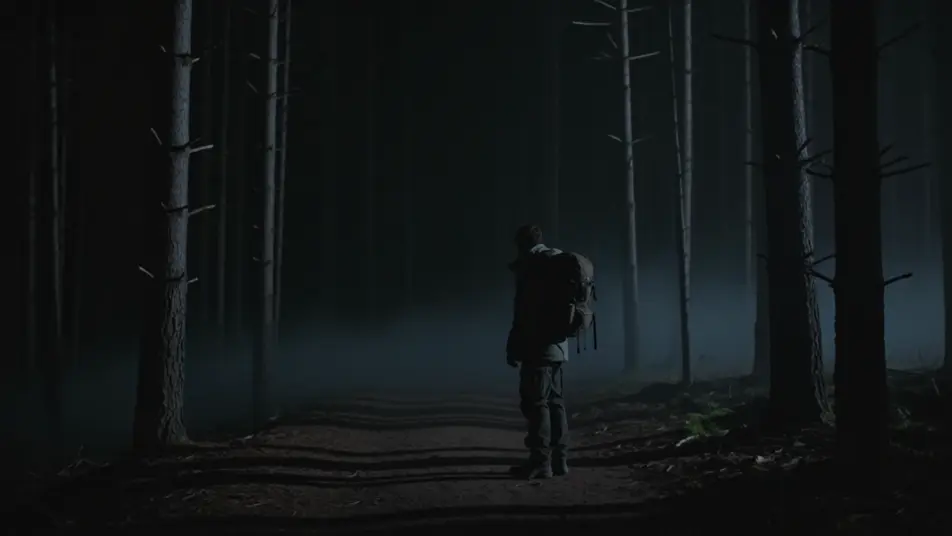
Green eyes in the dark

A traveler freezes on the night path as two points of cold green light open between distant tree trunks and drift closer through the black forest. Locked wide shot holding on the dark as the eyes approach.

Edit prompt

The hunter led astray

A hunter walks a straight path that keeps bending back on itself, passing the same mossy fallen log again as the light fails and panic sets in. Slow circular orbit that reveals the repeating log behind him.

Edit prompt

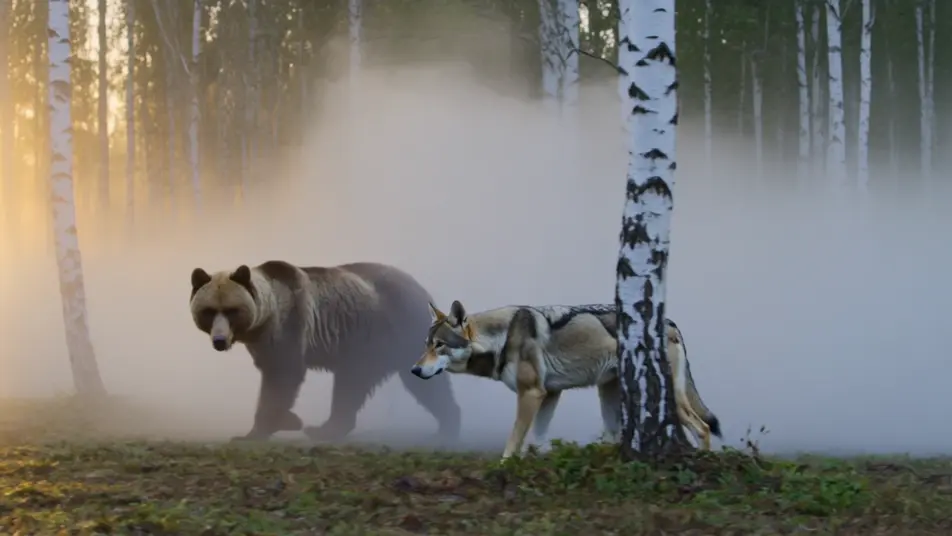
The herd moves at dawn

At first light the Leshy walks unseen through the birches while wolves and a bear move around him like cattle, mist streaming between the trunks. Gliding low tracking shot moving with the herd through the fog.

Edit prompt

Make Leshy videos in three steps

  1. 01

    Describe your Leshy scene

    Write the Leshy scene you want, in plain words.

  2. 02

    Generate the video

    Morphic generates a cinematic, frame-ready clip on your canvas in seconds.

  3. 03

    Refine your Leshy video

    Tweak the prompt, regenerate variations, then download or share the shot.

Related workflows

You might also like

Simple pricing

Get started for free today, with the option to upgrade or cancel anytime.

Basic

$0/ month
billed as $0 per year

900 monthly credits

1 user only

All models

Workflows

Standard

$0/ month
billed as $0 per year

3200 monthly credits

1 user only

All models

Workflows

Pro

$0/ month
billed as $0 per year

6200 shared monthly credits

1 user

+ up to 4 more at extra cost

All models

Workflows

Pro Max

$0/ month
billed as $0 per year

24000 shared monthly credits

1 user

+ up to 9 more at extra cost

All models

Workflows

Enterprise

For higher limits

Custom

pricing and billing terms

Unlimited credits
Custom seat limits
All models
Workflows
Pricing Gradient

Free

For playing around

$0

forever free

Up to 20 credits
1 user only
Limited models
Workflows

FAQs

Where can I make Leshy videos with AI?
You can create Leshy scenes directly in your browser on Morphic. Open the Text to Video tool, describe the moment you want, the giant rising from the trees, the glowing green eyes, or a hunter led astray, and Morphic produces the clip. No installs and no specialist software needed.
What kinds of Leshy scenes work best with AI video?
Scenes that play on the Leshy’s shapeshifting and misdirection work best: the giant rising from the treeline, two green eyes drifting closer in the dark, a hunter walking the same path in circles, or the herd of wolves and bears moving through the fog. Anchor each scene to one action, a forest setting, the time of day, and how the light falls.
How do I keep my Leshy characters consistent across scenes?
Use the Character Lineup workflow to lock in the Leshy, Leshachikha, and the herd beasts, then reference those character cards in every prompt. Morphic holds the bark skin, the mossy beard, and the glowing green eyes steady so a Leshy series feels continuous even as he changes size from scene to scene.
How do I write a good prompt for a Leshy scene?
Name the subject, the size he takes, the moment, the forest light, and the camera move. For example: "the Leshy towering taller than the pines against a grey dawn sky, skin like bark and glowing green eyes, birds scattering from his shoulders, slow tilt up his form." The more specific your imagery, the closer the output matches what you imagined.
Can I add narration and music to my Leshy videos?
Yes. The Speech tool generates a voiceover from your script in the voice you choose, so you can carry the tale of the hunter or give the Leshy his laughter on the wind. The Music tool produces an original score to hold the unease, from a low forest drone to creaking strings. Layer both onto your clip to publish a complete Leshy episode.
How does the Leshy fit the wider Slavic folklore world?
The Leshy is the guardian spirit of the forest in Slavic folklore, the master of its paths, beasts and travelers. His woods border the domains of Baba Yaga, the Vila, and the Firebird, so a Leshy series can cross over with those pages into one connected Slavic folklore world on the Canvas.