Nuclear thriller AI Videos

Run the countdown in your browser with Morphic's nuclear thriller AI video generator. Generate a war room lit by the glow of a wall-sized status board, two officers turning launch keys in a hardened silo capsule, or a leader staring at a blinking red phone in a midnight situation room, then score the dread with the Music tool and add the tense countdown calls with the Speech tool before you stitch the sequence in the Canvas.

Nuclear thriller characters you can create

Nuclear thriller scenes you can direct

War room under a wall-sized status board

Wide low-angle shot of a darkened war room lit by a glowing wall-sized status board, officers small at a long table beneath it, the board ticking through positions, slow push-in toward the standing general.

Edit prompt
Two-man launch keys turning in a silo capsule

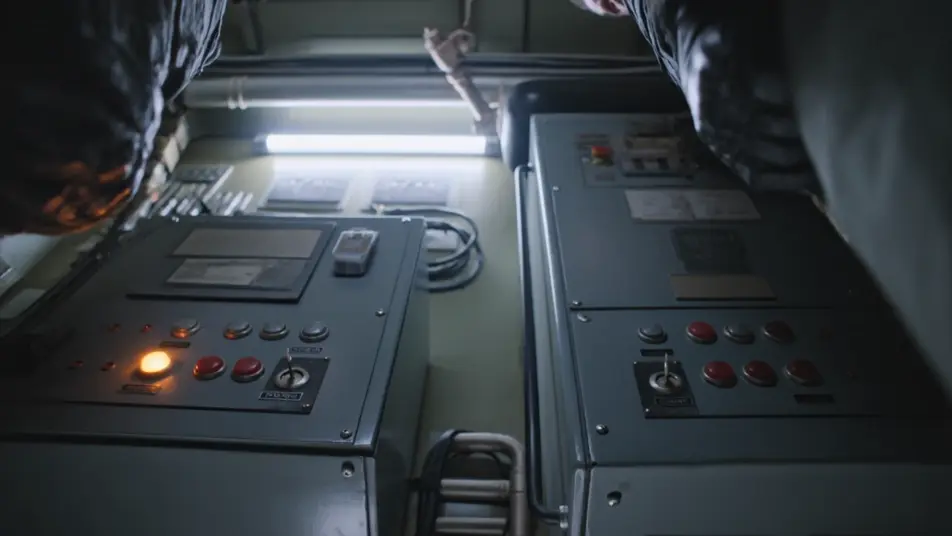
Tight shot of two officers at opposite consoles reaching for separate key slots in a cramped silo capsule, hands tense, a synchronized turn, indicator lights flicking from amber to red, fluorescent glare.

Edit prompt

Red phone blinking in a midnight situation room

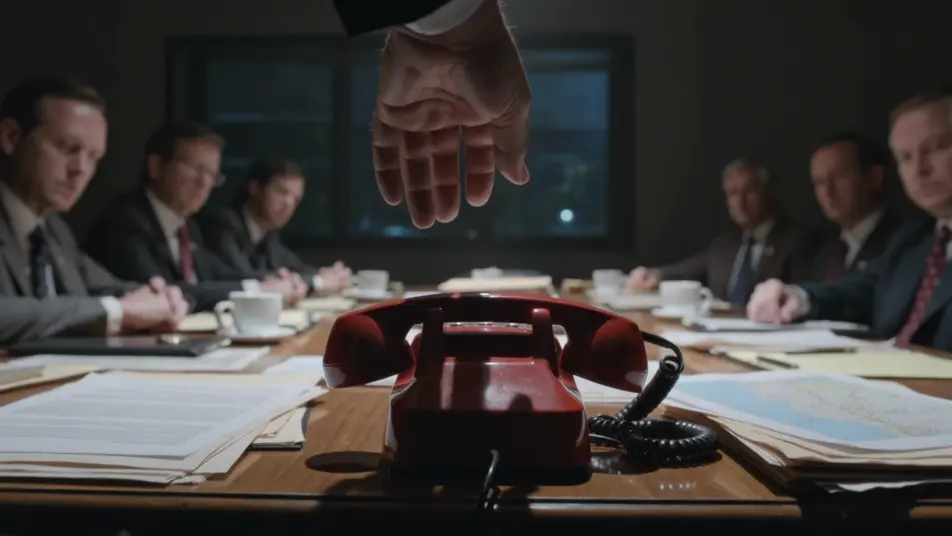
Close shot of a single red phone blinking on a cluttered situation-room table at midnight, a hand hovering over it, advisers blurred and silent in the background, the camera holding on the unanswered ring.

Edit prompt

Submarine control room rigged for the order

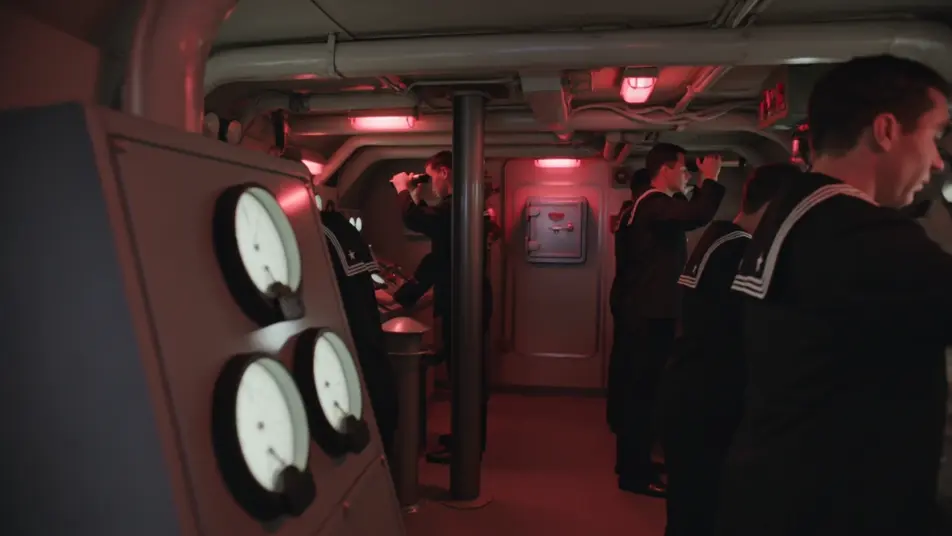
Red-lit submarine control room rigged silent, the commander at the periscope, crew frozen at their stations, a slow drift past glowing dials toward the sealed safe on the bulkhead.

Edit prompt

Make nuclear thriller videos in three steps

  1. 01

    Describe your nuclear thriller scene

    Write the nuclear thriller scene you want, in plain words.

  2. 02

    Generate the video

    Morphic generates a cinematic, frame-ready clip on your canvas in seconds.

  3. 03

    Refine your nuclear thriller video

    Tweak the prompt, regenerate variations, then download or share the shot.

Related workflows

You might also like

Simple pricing

Get started for free today, with the option to upgrade or cancel anytime.

Basic

$0/ month
billed as $0 per year

900 monthly credits

1 user only

All models

Workflows

Standard

$0/ month
billed as $0 per year

3200 monthly credits

1 user only

All models

Workflows

Pro

$0/ month
billed as $0 per year

6200 shared monthly credits

1 user

+ up to 4 more at extra cost

All models

Workflows

Pro Max

$0/ month
billed as $0 per year

24000 shared monthly credits

1 user

+ up to 9 more at extra cost

All models

Workflows

Enterprise

For higher limits

Custom

pricing and billing terms

Unlimited credits
Custom seat limits
All models
Workflows
Pricing Gradient

Free

For playing around

$0

forever free

Up to 20 credits
1 user only
Limited models
Workflows

FAQs

What is a nuclear thriller?
A nuclear thriller is a high-stakes genre built around the countdown to a launch and the people who can stop or start it, from a war room debate to two officers turning launch keys. Its visual hallmarks are command-and-control hardware like a status board, launch keys, and a red phone, a high-stakes setting of a war room, a silo capsule, or a missile submarine, and a grammar of dread built on countdowns, silence, and slow push-ins.
How do I make nuclear thriller videos with AI?
Make nuclear thriller videos in your browser on Morphic using the Text to Video tool. Describe the room, the hardware, and the camera move, and Morphic generates the clip. You can then score it with the Music tool, add tense countdown calls with the Speech tool, and assemble the sequence in the Canvas.
How do I write a good nuclear thriller video prompt?
Name the setting, the high-stakes hardware, and the camera, then anchor it in light. A strong example: "darkened war room glowing under a wall-sized status board, officers small at a long table beneath it, the board ticking through positions, slow push-in toward the standing general." Naming the status-board glow and the launch keys is what cues the nuclear thriller look instead of a generic office.
What nuclear thriller scenes work best for AI video?
Tense, single-room beats with clear hardware work best for nuclear thriller video, such as a war room under a wall-sized status board, two-man launch keys turning in a silo capsule, a red phone blinking in a midnight situation room, and a submarine control room rigged for the order. Each reads instantly and gives the model a strong frame to fill.
How do I keep characters consistent across nuclear thriller scenes?
Use the Character Lineup workflow to lock the uniform, rank, and demeanour for each role, then reference those character cards in every nuclear thriller prompt. Morphic preserves the launch officer's flight suit, the general's rolled sleeves, and the adviser's loosened tie across the sequence so the cast stays continuous from war room to silo.
Can I add music and narration to my nuclear thriller videos?
Yes, add both to nuclear thriller videos on Morphic. The Music tool produces an original score, and a sparse, ticking low pulse or dread-heavy string register sits cleanly under the war room and silo beats. The Speech tool generates the tense countdown calls, authentication readbacks, and clipped orders in the voice you choose, layered onto the video so you can publish a complete nuclear thriller short.
What is the best AI video generator for nuclear thriller videos?
Morphic is one of the best AI video generators for nuclear thriller videos. It runs in your browser: describe a scene in plain language and the Text to Video tool generates the nuclear thriller clip, the Character Lineup workflow keeps your cast consistent across shots, and the Music and Speech tools add an original score and narration. You can direct, refine, and assemble a full nuclear thriller video on a single canvas with no installs.