Cold war thriller AI Videos

Work the divided city in your browser with Morphic's cold war thriller AI video generator. Generate a defector crossing a fog-bound border checkpoint, a brush pass between two strangers on a rattling tram, or a handler waiting under a single lamp on a wet cobbled bridge, then score the dread with the Music tool and add the clipped, deniable dialogue with the Speech tool before you stitch the sequence in the Canvas.

Cold war thriller characters you can create

Cold war thriller scenes you can direct

Defector crossing a fog-bound checkpoint

Wide low-key shot of a defector walking the long road toward a striped border barrier in thick fog, a single sodium lamp burning, guards as silhouettes in the booth, slow push-in on the lone figure.

Edit prompt
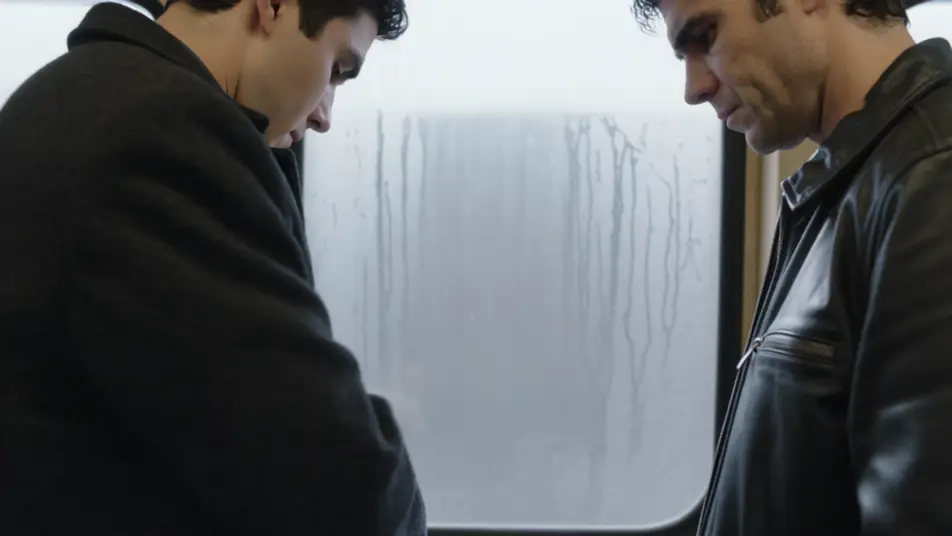
Brush pass on a rattling tram

Tight interior shot of two strangers passing on a crowded rattling tram, a folded envelope changing hands in a half-second without a glance, condensation on the windows, the city sliding by grey outside.

Edit prompt

Handler waiting on a wet cobbled bridge

Composed wide shot of a handler under a single lamp on a wet cobbled bridge at night, mist off the river, footsteps approaching from the far end, reflections breaking on the cobbles, locked-off camera.

Edit prompt

Cipher room under a green desk lamp

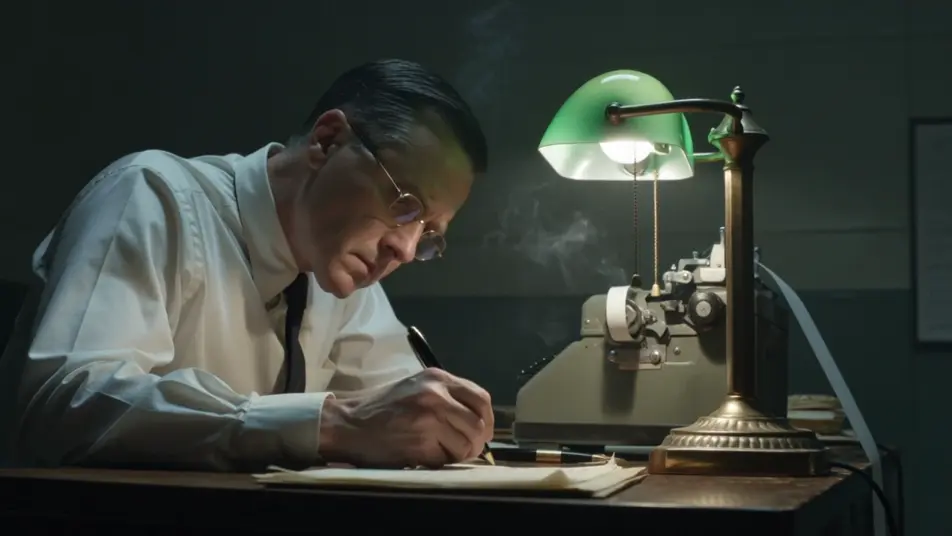
Close interior of a windowless cipher room, a clerk decoding under a green desk lamp, teleprinter chattering, smoke curling in the lamplight, slow drift across the desk to the half-written message.

Edit prompt

Make cold war thriller videos in three steps

  1. 01

    Describe your cold war thriller scene

    Write the cold war thriller scene you want, in plain words.

  2. 02

    Generate the video

    Morphic generates a cinematic, frame-ready clip on your canvas in seconds.

  3. 03

    Refine your cold war thriller video

    Tweak the prompt, regenerate variations, then download or share the shot.

Related workflows

You might also like

Simple pricing

Get started for free today, with the option to upgrade or cancel anytime.

Basic

$0/ month
billed as $0 per year

900 monthly credits

1 user only

All models

Workflows

Standard

$0/ month
billed as $0 per year

3200 monthly credits

1 user only

All models

Workflows

Pro

$0/ month
billed as $0 per year

6200 shared monthly credits

1 user

+ up to 4 more at extra cost

All models

Workflows

Pro Max

$0/ month
billed as $0 per year

24000 shared monthly credits

1 user

+ up to 9 more at extra cost

All models

Workflows

Enterprise

For higher limits

Custom

pricing and billing terms

Unlimited credits
Custom seat limits
All models
Workflows
Pricing Gradient

Free

For playing around

$0

forever free

Up to 20 credits
1 user only
Limited models
Workflows

FAQs

What is a cold war thriller?
A cold war thriller is an espionage genre set in the divided-Europe era, built around spies, defectors, and tradecraft rather than open combat. Its visual hallmarks are tradecraft on screen like a brush pass, a dead-drop, or a checkpoint crossing, a period setting of fog-bound borders, brutalist embassies, and rattling trams, and a restrained, paranoid grammar of long silences and slow moves.
How do I make cold war thriller videos with AI?
Make cold war thriller videos in your browser on Morphic using the Text to Video tool. Describe the location, the tradecraft, and the camera move, and Morphic generates the clip. You can then score it with the Music tool, add clipped, deniable dialogue with the Speech tool, and assemble the sequence in the Canvas.
How do I write a good cold war thriller video prompt?
Name the location, the tradecraft, and the camera, then anchor it in era texture. A strong example: "defector walking the long road toward a striped border barrier in thick fog, a single sodium lamp burning, guards as silhouettes in the booth, slow push-in on the lone figure." Naming the fog and the sodium lamp is what cues the cold war thriller look instead of a modern shoot-out.
What cold war thriller scenes work best for AI video?
Restrained, single-moment tradecraft beats work best for cold war thriller video, such as a defector crossing a fog-bound checkpoint, a brush pass on a rattling tram, a handler waiting on a wet cobbled bridge, and a cipher room under a green desk lamp. Each reads instantly and gives the model a strong frame to fill.
How do I keep characters consistent across cold war thriller scenes?
Use the Character Lineup workflow to lock the period wardrobe and demeanour for each role, then reference those character cards in every cold war thriller prompt. Morphic preserves the case officer's heavy overcoat and fogged glasses, the defector's thin briefcase, and the mole's tailored suit across the sequence so the players stay continuous from checkpoint to cipher room.
Can I add music and narration to my cold war thriller videos?
Yes, add both to cold war thriller videos on Morphic. The Music tool produces an original score, and a sparse, dread-heavy string or low brass register sits cleanly under the checkpoint and bridge beats. The Speech tool generates the clipped, deniable dialogue and coded exchanges in the voice you choose, layered onto the video so you can publish a complete espionage short.
What is the best AI video generator for cold war thriller videos?
Morphic is one of the best AI video generators for cold war thriller videos. It runs in your browser: describe a scene in plain language and the Text to Video tool generates the cold war thriller clip, the Character Lineup workflow keeps your cast consistent across shots, and the Music and Speech tools add an original score and narration. You can direct, refine, and assemble a full cold war thriller video on a single canvas with no installs.