Sloop heeling into a swell
Low bow-mounted shot of a small sailboat heeling hard into a rolling swell, spray bursting over the rail into the lens, sail straining, grey horizon tilting with each wave.
Edit prompt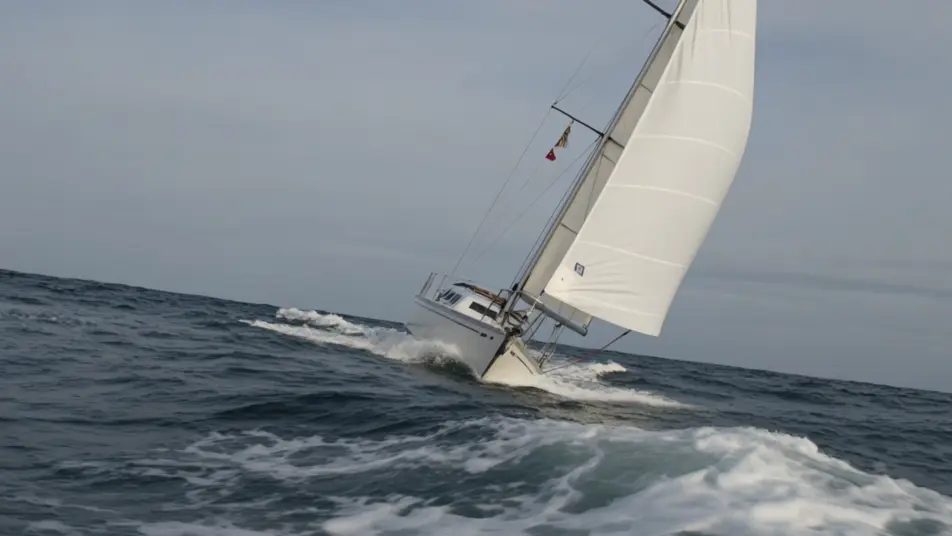
Sail your own open-water film in your browser with Morphic's ocean adventure AI video generator. Generate a sloop heeling into a swell, a diver in blue light above a wreck, or a research vessel breaking through fog. Voice log narration with Speech, score with Music, then stitch it on the Canvas.
Low bow-mounted shot of a small sailboat heeling hard into a rolling swell, spray bursting over the rail into the lens, sail straining, grey horizon tilting with each wave.
Edit promptWide underwater shot of a diver suspended in a column of blue light streaming down from the surface, silhouette of a wreck below, particles drifting through the beam, slow rising bubbles.
Edit prompt
Slow tracking shot of a research vessel pushing through low dawn fog, bow wave glowing in flat gold light, gulls wheeling overhead, the horizon line softening into mist.
Edit prompt
Locked-off shot from inside a darkened bridge looking out the streaming windows as a wave climbs over the bow, instruments glowing, rain hammering the glass, horizon pitching wildly.
Edit prompt
Write the ocean adventure scene you want, in plain words.
Morphic generates a cinematic, frame-ready clip on your canvas in seconds.
Tweak the prompt, regenerate variations, then download or share the shot.
Cinematic time-freeze short film for any scene

Dramatize any text conversation into a cinematic multi-shot video.
One image to a 9-scene cinematic video.
Drop in a photo of yourself. Get a 12-second cinematic movie with animation and a matched soundtrack.

Share a scene description with character references. Get a full storyboard with shot angles and mood.

Feed in a single image. Get 9 cinematic beats laid out as a 3x3 storyboard grid.
Jungle adventure AI Videos
Create powerful AI Jungle adventure videos with Morphic. Generate unique, cinematic Jungle adventure scenes for any project in seconds.
Shipwreck survival AI Videos
Create powerful AI Shipwreck survival videos with Morphic. Generate unique, cinematic Shipwreck survival scenes for any project in seconds.
Submarine film AI Videos
Create powerful AI Submarine film videos with Morphic. Generate unique, cinematic Submarine film scenes for any project in seconds.
Wilderness survival AI Videos
Create powerful AI Wilderness survival videos with Morphic. Generate unique, cinematic Wilderness survival scenes for any project in seconds.
Get started for free today, with the option to upgrade or cancel anytime.
Basic
2400 monthly credits
1 user only
All models
Workflows
Standard
3625 monthly credits
1 user only
All models
Workflows
Pro
6350 shared monthly credits
1 user
All models
Workflows
Max
24650 shared monthly credits
1 user
All models
Workflows
Enterprise
For higher limits
Custom
pricing and billing terms

Free
For playing around
$0
forever free