How to make Phantom of the Opera videos with AI

Phantom of the Opera is Gaston Leroux's 1910 gothic novel, set in and beneath the Palais Garnier, the gilt-and-marble Paris opera house designed by Charles Garnier and opened in 1875. Beneath the building, beneath even the cellars, lies the real subterranean lake that holds back the rising water-table. Leroux turned the lake and the labyrinth into the home of Erik, a disfigured composer who haunts Box 5, terrorizes the management, and falls in love with the young soprano Christine Daaé.

A century on, the Garnier still keeps Box 5 reserved for him on opening nights. Now you can direct it.

Phantom of the Opera is a Paris gothic: a masked composer who lives beneath the Palais Garnier, a young soprano lifted to the lead role overnight, a chandelier sent crashing onto a sold-out house. Morphic lets you direct any of it in your browser. Pick a hall, a figure, or a workflow below and start now.

Phantom of the Opera characters you can direct

Phantom of the Opera scenes you can stage

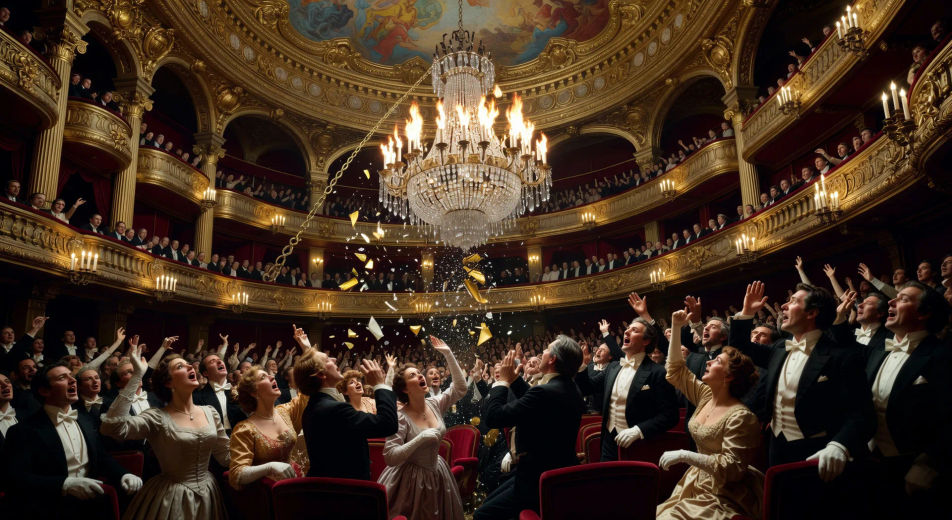
The chandelier crash

In the gilded auditorium of the Palais Garnier mid-performance, the seven-thousand-crystal chandelier breaks free from the ceiling rose and plunges toward the orchestra stalls, gas-light flashing across the audience.

Edit prompt
The chandelier crash

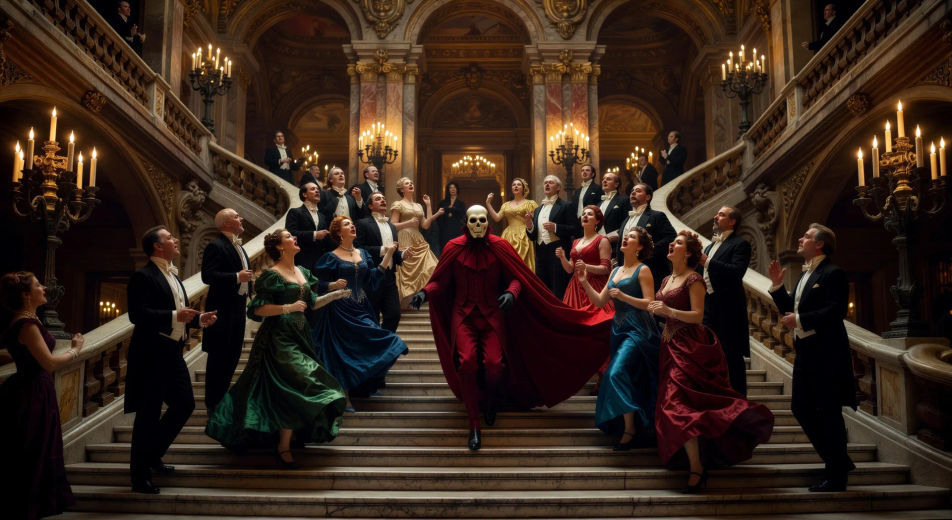
The masquerade ball on the grand staircase

On the marble grand staircase of the Garnier in candle-lit gold, a costumed ball pauses as the phantom in scarlet Red Death costume and skull-mask descends one step at a time, the dancers parting around him.

Edit prompt
The masquerade ball on the grand staircase

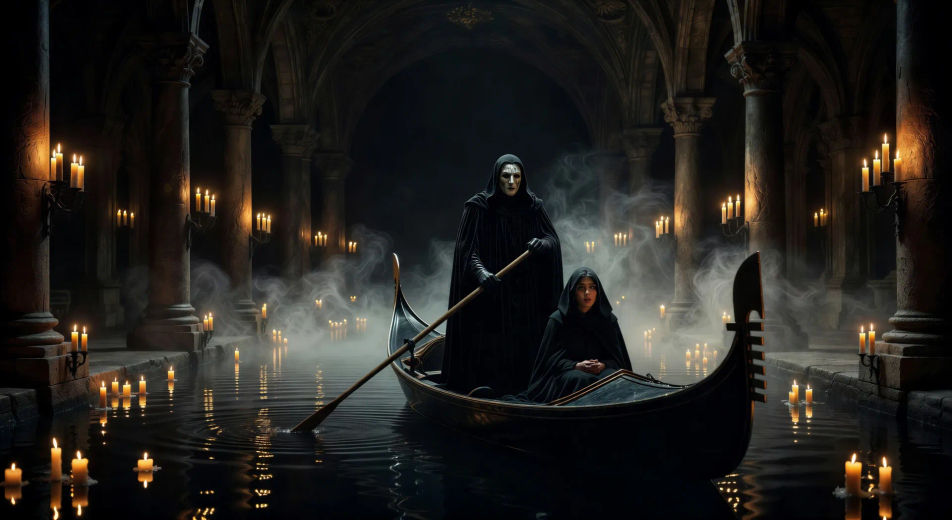
Crossing the underground lake

On the black underground lake in candle-lit mist, the phantom rows a long gondola through the columns of the cellar with a hooded Christine seated before him, ripples spreading from the oar.

Edit prompt
Crossing the underground lake

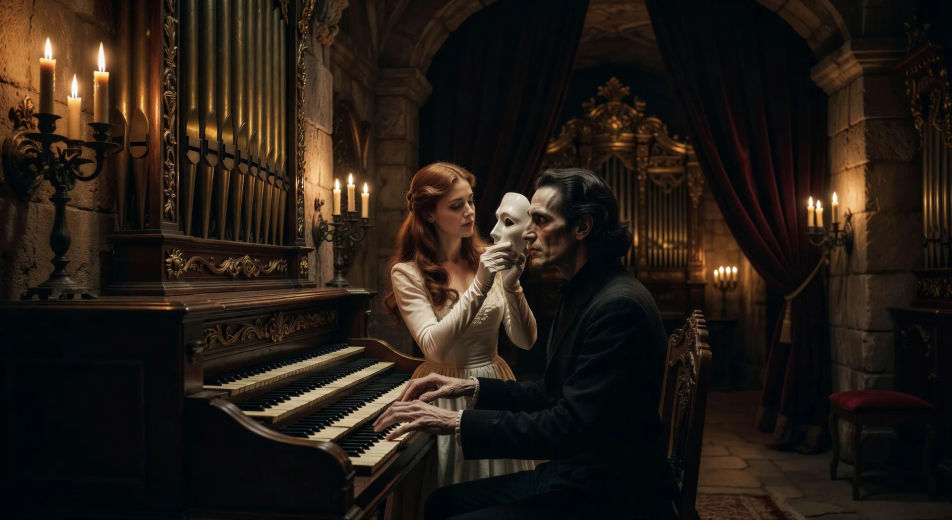
The unmasking

In the deep cellar workshop by the pipe organ, Christine lifts the white half-mask from the seated phantom's face, candlelight catching what is beneath, his long-fingered hands frozen mid-chord.

Edit prompt
The unmasking

Box 5 in performance

In the velvet hush of the Garnier auditorium during a performance, Box 5 stands empty above the parterre, only a single rose left on the gilt rail and a shadow shifting just inside the curtain.

Edit prompt
Box 5 in performance

On the roof above the dome

On the lead roof of the Palais Garnier at dusk under the bronze Apollo and his lyre, Christine and Raoul stand small against the Paris skyline, the phantom's shadow listening just behind a chimney.

Edit prompt
On the roof above the dome

Make Phantom of the Opera videos in three steps

  1. 01

    Describe your Phantom of the Opera scene

    Write the Phantom of the Opera scene you want to see in your own words. Be specific about the location inside the Palais Garnier, the figure in frame, the light source, and the camera direction. The more concrete the description, the closer the result lands to what you pictured.

  2. 02

    Generate the video

    Morphic generates a cinematic, frame-ready clip on your canvas in seconds — no editing software required.

  3. 03

    Refine your Phantom of the Opera video

    Tweak the prompt, regenerate variations, then download or share the moment the shot lands.

Related workflows

A short guide to Phantom of the Opera for video creators

The Phantom novel uses the Palais Garnier as a vertical stage. At the top, the dome of Apollo with bronze winged figures looking out over the rooftops of Paris. Below it, the auditorium with its chandelier of seven thousand crystals weighing six tons. The marble grand staircase. The corridors lined with mirrors. The dressing-rooms backstage where mirrors slide aside. The dancers' foyer with its ballet bar. The cellars stacked five storeys deep beneath the orchestra pit, holding boilers, machinery, animal stables for the operas' horses. Beneath even those: the underground lake, black and motionless, the phantom's gondola moored at the edge.

For video, anchor each scene to one location and one beat of the story. The chandelier crash. The masquerade ball, with the phantom in red death's-head costume on the marble staircase. The unmasking, Christine's hand lifting the white half-mask to reveal the face beneath. Box 5 in performance, with the empty velvet chair against the gilt rail. The lake crossing by candlelight, gondola gliding through floating mist. The deep cellar workshop with its pipe organ and the funeral mask hanging on the wall. The rooftop above the dome with the bronze Apollo behind two figures.

Three styles consistently land. Cinematic photoreal in the spirit of high-budget Belle Époque period drama delivers the prestige Garnier look. Painterly oil with chiaroscuro echoes the Symbolist painters of Leroux's era. Expressionist black-and-white with hard shadows lands as homage to the 1925 silent-film phantom. Name the style directly in the prompt.

You might also like

FAQs

Where can I make Phantom of the Opera videos with AI?
You can create Phantom of the Opera scenes directly in your browser on Morphic. Open the Text to Video tool, describe the moment you want, and Morphic produces the clip. No installs and no specialist software needed.
What kinds of Phantom of the Opera scenes work best with AI video?
Single-shot moments tend to work best: the chandelier crash, the masquerade ball on the marble staircase, the underground lake crossing, the unmasking by candlelight, Box 5 in performance, the rooftop scene under the bronze Apollo. Anchor each Phantom of the Opera scene to a specific Garnier location, light source, and mood.
How do I keep Phantom of the Opera characters consistent across scenes?
Use the Character Lineup workflow to lock the phantom, Christine, Raoul, Madame Giry, Carlotta, and the Persian before producing scenes, then reference those character cards in every prompt. Morphic preserves the design across the story so a Phantom of the Opera series feels continuous.
How do I make my Phantom of the Opera videos feel like Leroux, not the musical?
Anchor your prompts to the Palais Garnier itself: the marble grand staircase, the seven-thousand-crystal chandelier, Box 5, the dancer's foyer, the cellars five storeys deep, the underground lake. Reference Belle Époque Paris and Symbolist painting as the visual anchor. Avoid likeness language for any musical or film performer.
Can I add narration and music to my Phantom of the Opera videos?
Yes. The Speech tool generates an opera-house-narrator voiceover from your script in the voice you choose, and the Music tool produces an original orchestral or organ-led soundtrack. Layer them onto your generated video to publish a complete Phantom of the Opera episode.
What visual style works best for a Phantom of the Opera video?
Three styles consistently land. Cinematic photoreal in the spirit of high-budget Belle Époque period drama delivers the prestige Garnier look. Painterly oil with chiaroscuro echoes the Symbolist painters of Leroux's era. Expressionist black-and-white with hard shadows lands as homage to the 1925 silent-film phantom. Name the style directly in the prompt.




